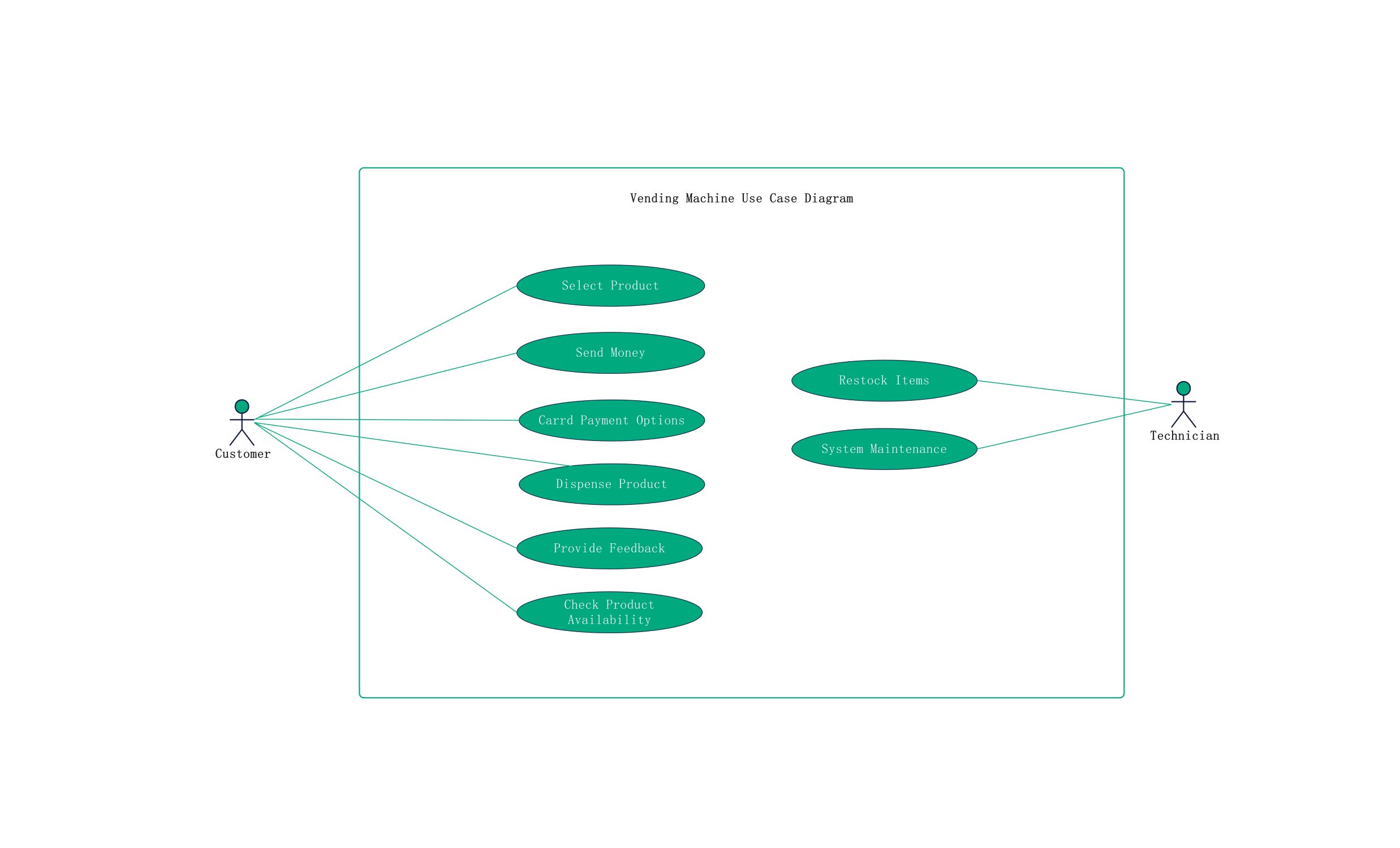
About this Vending Machine Use Case Diagram template
This template provides a professional framework for mapping out vending machine interactions. It uses standard UML notation to define roles and functions. Designers can use it to build robust systems that handle payments and inventory management effectively. By using this visual aid, teams can align on the core features needed for a successful automated retail product.
Customer Interactions
The customer is the primary actor in this system. This section focuses on the steps required to complete a purchase successfully. It includes browsing options, making payments, and receiving the final product from the machine.
- Select Product
- Send Money
- Card Payment Options
- Dispense Product
- Provide Feedback
- Check Product Availability
Technician Operations
Technicians manage the internal health of the machine. This section highlights essential backend operations needed to keep the machine running. These tasks ensure that inventory stays full and technical glitches are resolved promptly for users.
- Restock Items
- System Maintenance
FAQs about this Template
-
What is the main benefit of using this diagram?
Using a vending machine use case diagram helps you visualize exactly how a user interacts with the system. It identifies potential gaps in the design before development starts. This clarity reduces errors during the coding phase and ensures all features, like card payments, are included. It also helps stakeholders understand the project scope and the different roles involved throughout the process.
-
How do actors differ in a vending machine system?
Actors represent different roles that interact with the vending machine. The customer is the external user seeking to buy a product. Their interactions are focused on selection and payment. In contrast, the technician is a maintenance actor who manages the system internal state. They focus on restocking and repairs. Clearly defining these roles ensures that security and access levels are correct for every user.
-
Can this template be used for modern smart vending machines?
Yes, this template is flexible enough to accommodate modern smart features. You can easily add new use cases like mobile app connectivity or biometric payments. You might also include a secondary actor like a Payment Gateway for real-time card processing. This basic structure serves as a foundation that you can expand to fit any advanced automated retail technology as your project grows.

 (AI & Web)