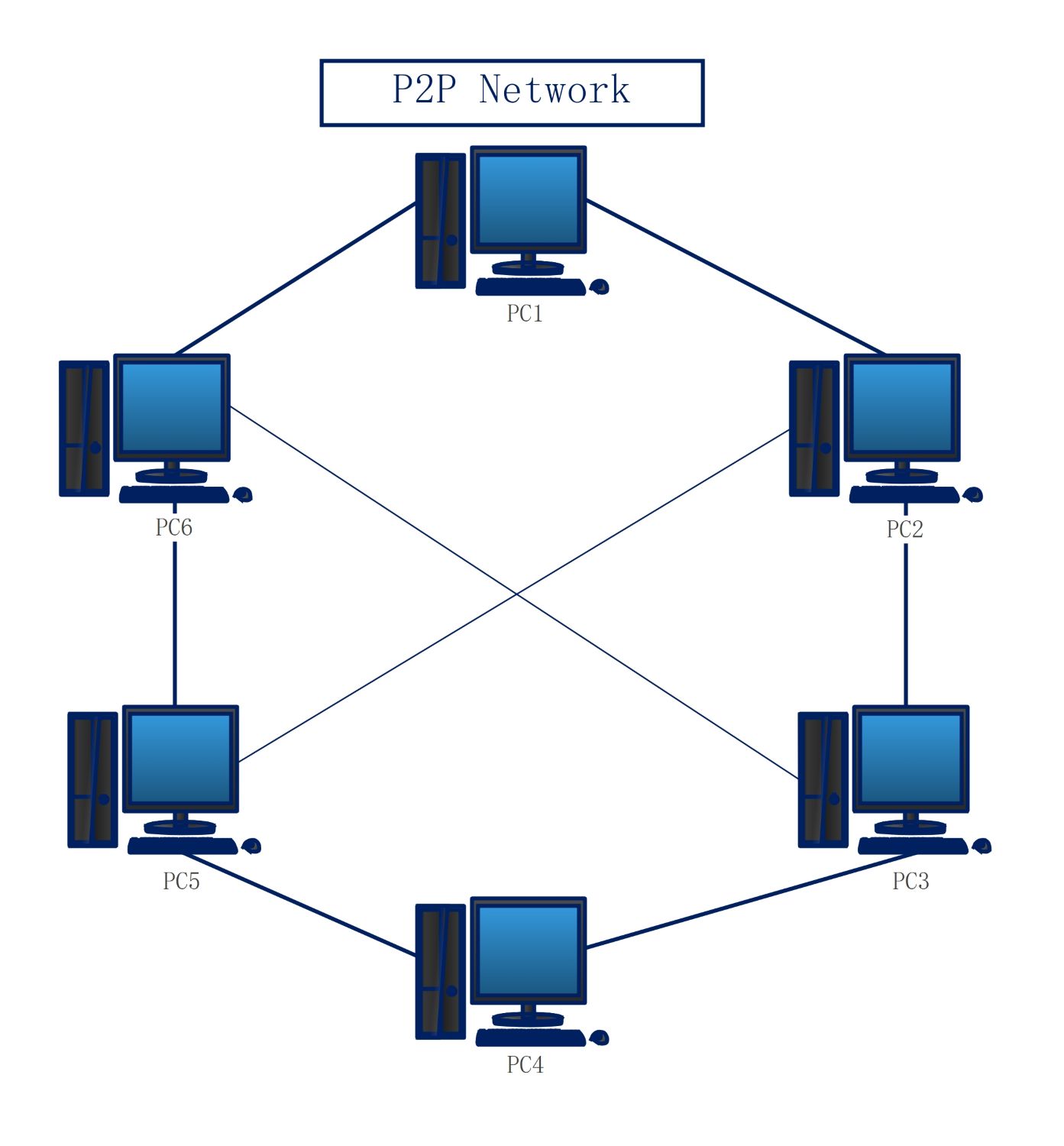
About this Network diagram for p2p template
This network diagram for p2p template helps you visualize a decentralized digital system. It shows how six workstations connect to share files and printers without a main server. This layout is perfect for planning small-scale network architectures efficiently.
Workstation Nodes (PC1 - PC6)
The primary components of this diagram are the individual workstations labeled PC1 through PC6. Each computer acts as both a client and a server within the system. This allows for direct communication and resource sharing.
- PC1 Workstation
- PC2 Workstation
- PC3 Workstation
- PC4 Workstation
- PC5 Workstation
- PC6 Workstation
Network Connection Paths
The lines between the computers represent the physical or virtual connections in the peer-to-peer system. These paths allow data to travel between nodes. If one path fails, others remain active to ensure the network stays up.
- Peer-to-Peer Links
- Direct Data Routes
- Interconnected Mesh Lines
- Network Communication Channels
FAQs about this Template
-
What are the benefits of using a network diagram for p2p?
A network diagram for p2p clarifies how devices interact without a central hub. It helps IT teams identify potential bottlenecks and ensure every peer has the right connection path. By mapping the layout, you can easily scale the network or troubleshoot connectivity issues. This visual guide saves time and reduces errors during the actual hardware setup process.
-
Is a peer-to-peer network suitable for large businesses?
Peer-to-peer networks are usually better for small groups of ten users or fewer. Larger organizations typically need a dedicated server for better security and central management. As more nodes are added to a P2P system, performance often drops. Therefore, this diagram is most useful for small offices, home labs, or simple file-sharing environments where simplicity is key.
-
How do I maintain security in a P2P network?
Security in a P2P setup relies on each individual workstation. Every user must manage their own passwords and share permissions carefully. Since there is no central authority, software updates and antivirus scans must be performed on every device. This diagram helps you track every node to ensure you do not miss any specific computer during your regular security audits.

 (AI & Web)