About this Small Company Network Diagram template
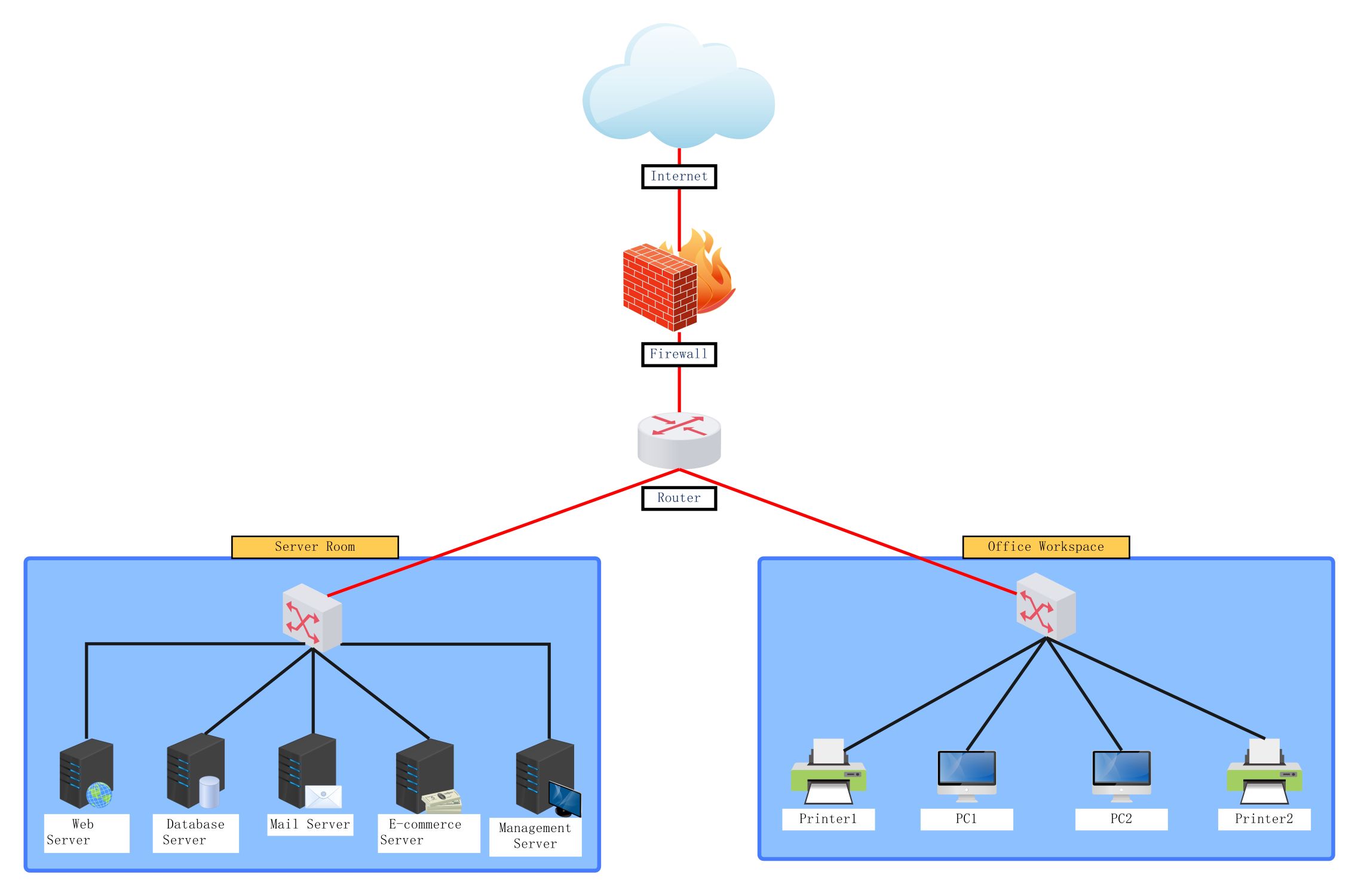
This template provides a clear visual map for a typical small business network. It includes core security layers and departmental hardware zones. Use this diagram to organize your office connectivity and server infrastructure efficiently.
Network Perimeter and Security
The network perimeter connects the local office to the public internet through a dedicated gateway. It features a robust firewall to block unauthorized access and a router to manage traffic between different internal departments.
- Internet Cloud
- Hardware Firewall
- Main Gateway Router
Server Room Infrastructure
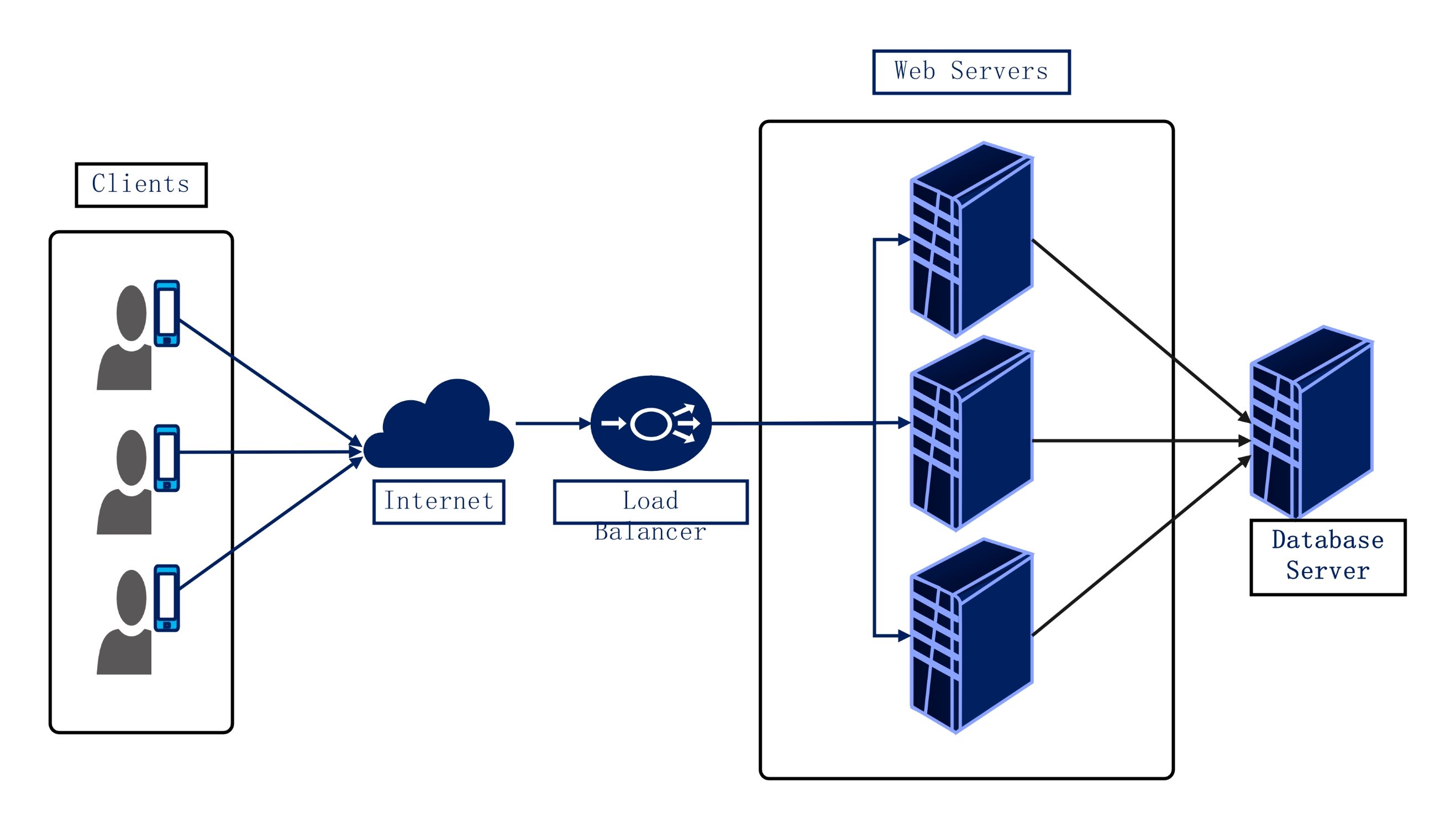
The server room acts as the data hub for the entire company. A central switch connects various specialized servers that handle website hosting, internal communications, financial transactions, and database management for the business.
- Web Server
- Database Server
- Mail Server
- E-commerce Server
- Management Server
- Server Room Switch
Office Workspace Area
The office workspace section supports daily employee tasks and hardware needs. This area uses a local switch to connect individual workstations and shared printers, allowing team members to communicate and print documents seamlessly.
- Workstation PC1
- Workstation PC2
- Network Printer 1
- Network Printer 2
- Workspace Local Switch
FAQs about this Template
-
Why is a firewall necessary in a small company network?
A firewall acts as a digital barrier between your private office network and the public internet. It monitors all incoming and outgoing traffic to block hackers, malware, and other cyber threats. For a small business, this security layer is critical because it protects sensitive client data and financial records. Without a firewall, your workstations and servers are vulnerable to automated attacks and data breaches.
-
What is the role of a switch in this network diagram?
A switch functions as a central hub within specific zones like the server room or office workspace. It receives data packets and directs them specifically to the intended device, such as a printer or server. This prevents network congestion and ensures high-speed data transfers. By using switches, a small company can efficiently manage multiple hardware connections without slowing down the primary router performance.
-
Can I expand this network diagram for more employees?
Yes, this network diagram is designed for easy scalability. You can add more workstations or printers by simply connecting them to the existing workspace switch. If you run out of ports, you can add a larger switch or link a new switch to the router. This modular approach allows your business to grow without needing to redesign the entire network security or server architecture.

 (AI & Web)