About this Office Network Diagram template
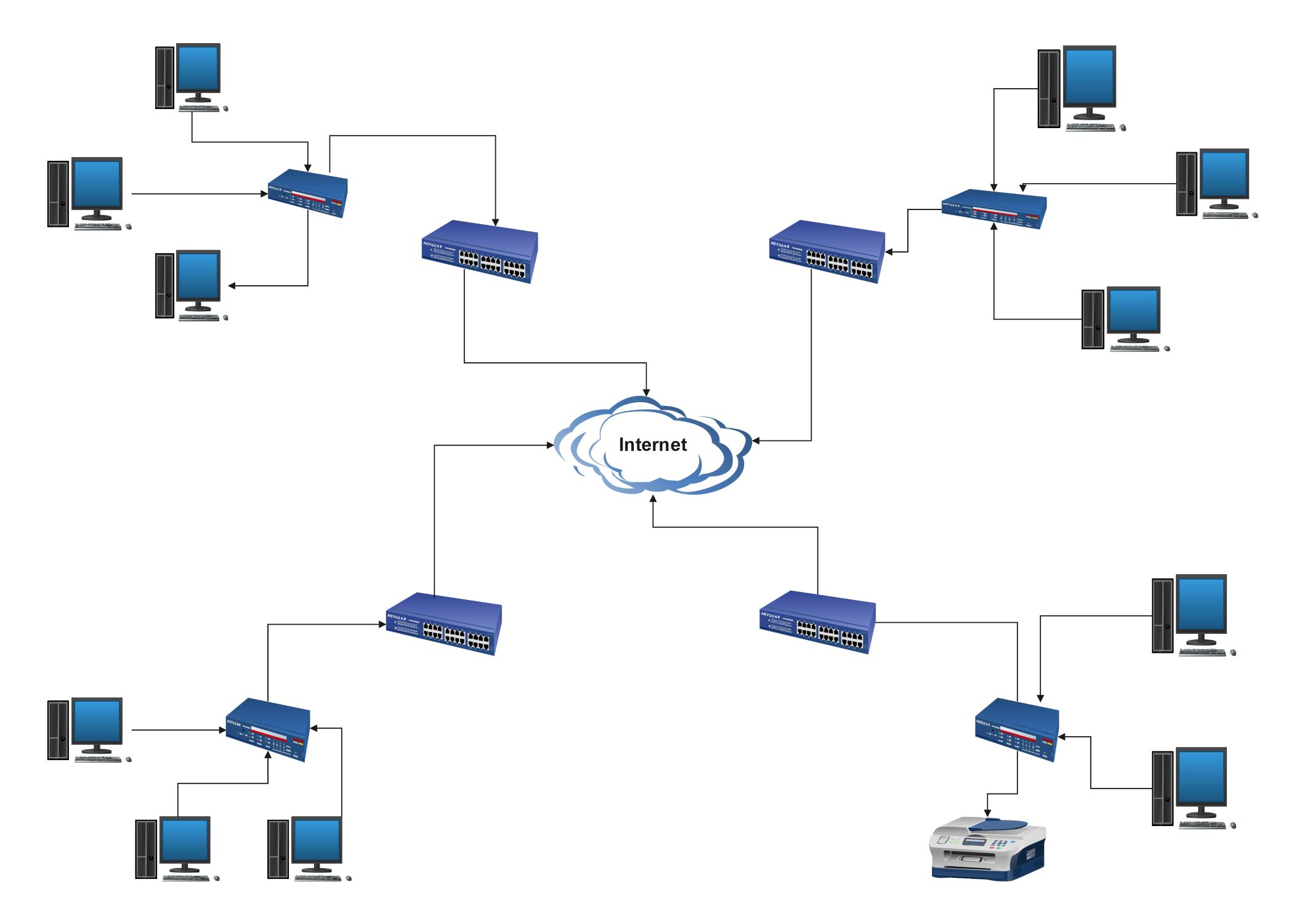
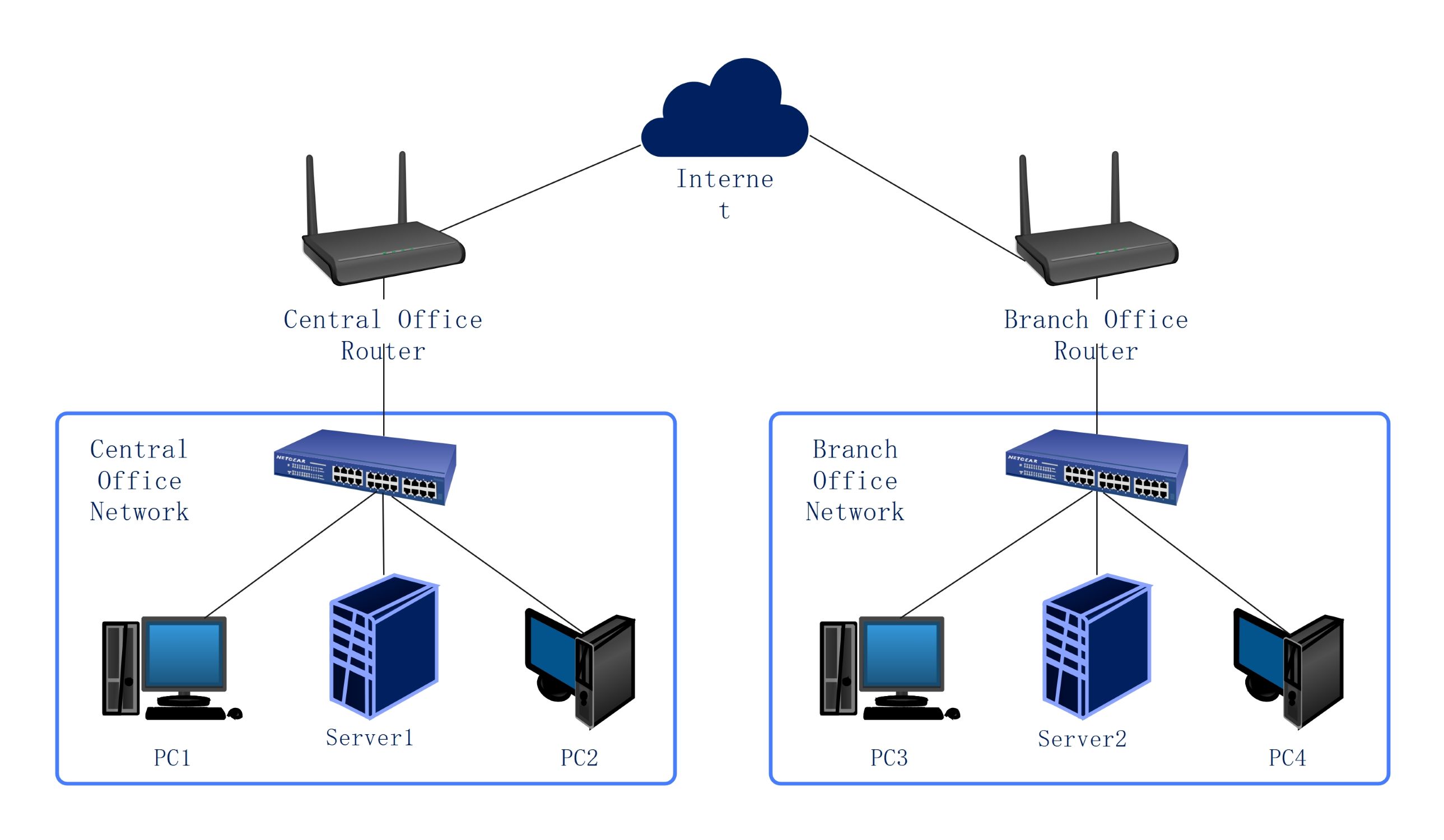
This template showcases a structured local area network for a standard business environment. It uses a star-like topology to link various clusters to a central internet gateway. Professionals can use this layout to visualize hardware placement and data flow across different office zones.
Central Internet Gateway
The internet cloud serves as the primary data source for the entire office. It acts as the external gateway where information enters and leaves the local network. Maintaining a secure connection here protects all internal business data and devices.
- Public internet access point
- Secure external data gateway
- Primary source for all local traffic
Network Distribution Switches
Four primary Netgear switches act as the distribution layer for the office. They receive data from the internet and route it to specific departments or rooms. This layer ensures that traffic is managed efficiently without overloading a single connection point.
- Netgear multi-port switches
- Traffic routing and distribution
- Centralized connection for office clusters
Workstation Access Layer
The access layer consists of secondary switches that connect directly to individual user devices. This part of the network brings connectivity to the employee's desk. It is the final step in the data path, ensuring every workstation has stable internet access.
- Secondary access switches
- Direct workstation cabling
- Localized network management
Office Endpoint Devices
Endpoints are the physical hardware that employees use to perform their daily tasks. This includes desktop computers and shared peripherals like network printers. These devices are organized into clusters to make maintenance and troubleshooting much easier for the IT support team.
- Desktop personal computers
- Network-ready office printer
- End-user hardware endpoints
FAQs about this Template
-
Why is a network diagram important for a business office?
A network diagram acts as a visual map for your entire IT setup. It helps administrators see how every computer and printer links to the internet. By having this clear guide, you can quickly find where a connection failed. It also makes it easier to plan for new equipment or move existing hardware during an office renovation.
-
What is the role of switches in this specific office layout?
Switches function as traffic controllers that direct data to the correct destination. In this layout, they help divide the main internet connection into smaller, manageable branches. This structure prevents data congestion and ensures that each department gets the speed it needs. Using multiple switches also helps isolate hardware issues so they do not affect the whole office at once.
-
How does this hierarchical design improve network reliability?
This design uses layers to separate the main internet source from individual user workstations. If one access switch fails, only the computers connected to that specific switch lose their connection. The rest of the office stays online without any interruption. This modular approach makes the network easier to scale and much simpler for IT technicians to repair during a system outage.

 (AI & Web)