About this Network security diagram template
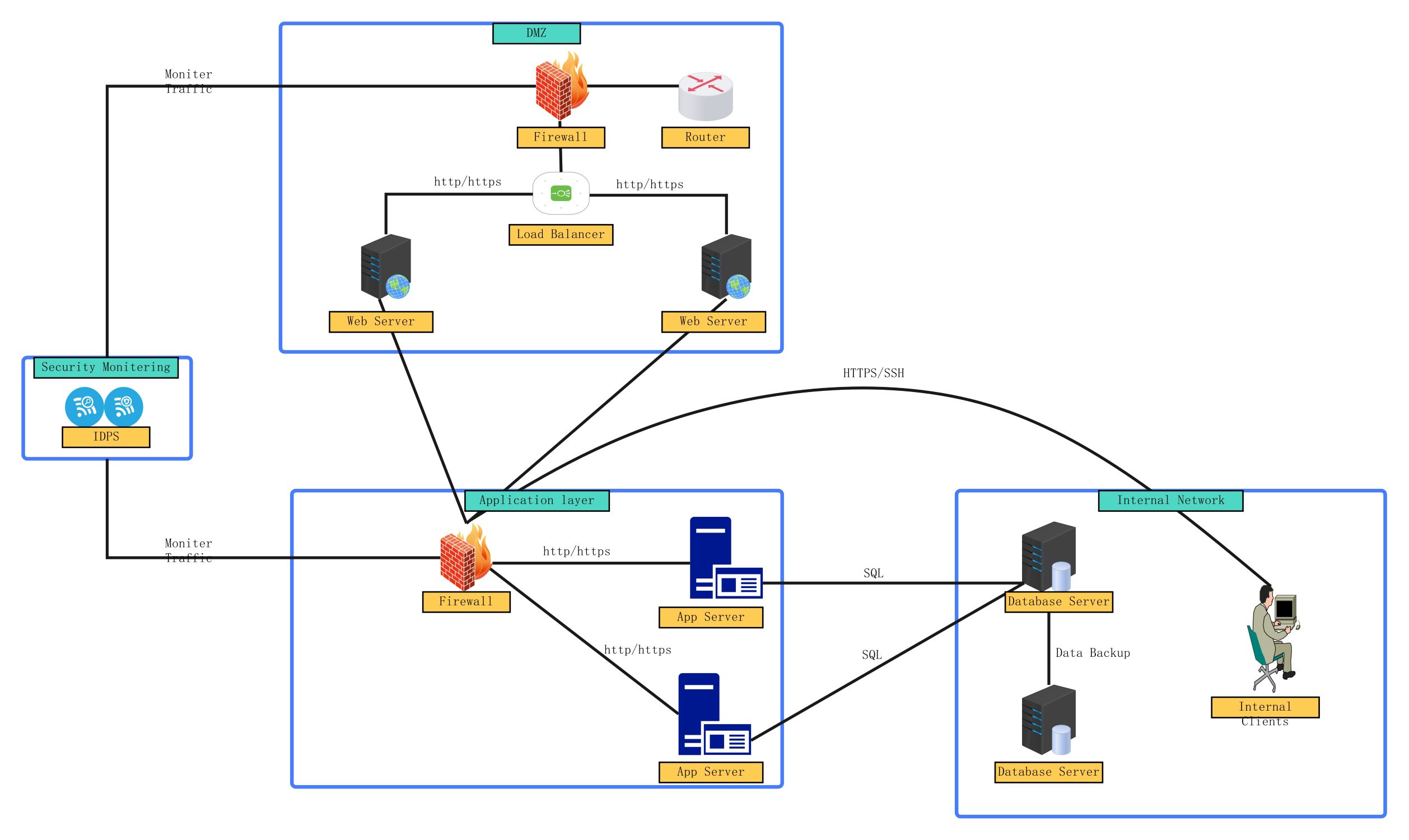
This template provides a comprehensive layout of a multi-tiered security architecture. It includes dedicated zones for public services, application logic, and sensitive internal databases. It is perfect for network architects and security professionals who need to document or design a secure infrastructure with clear boundaries.
DMZ (Demilitarized Zone)
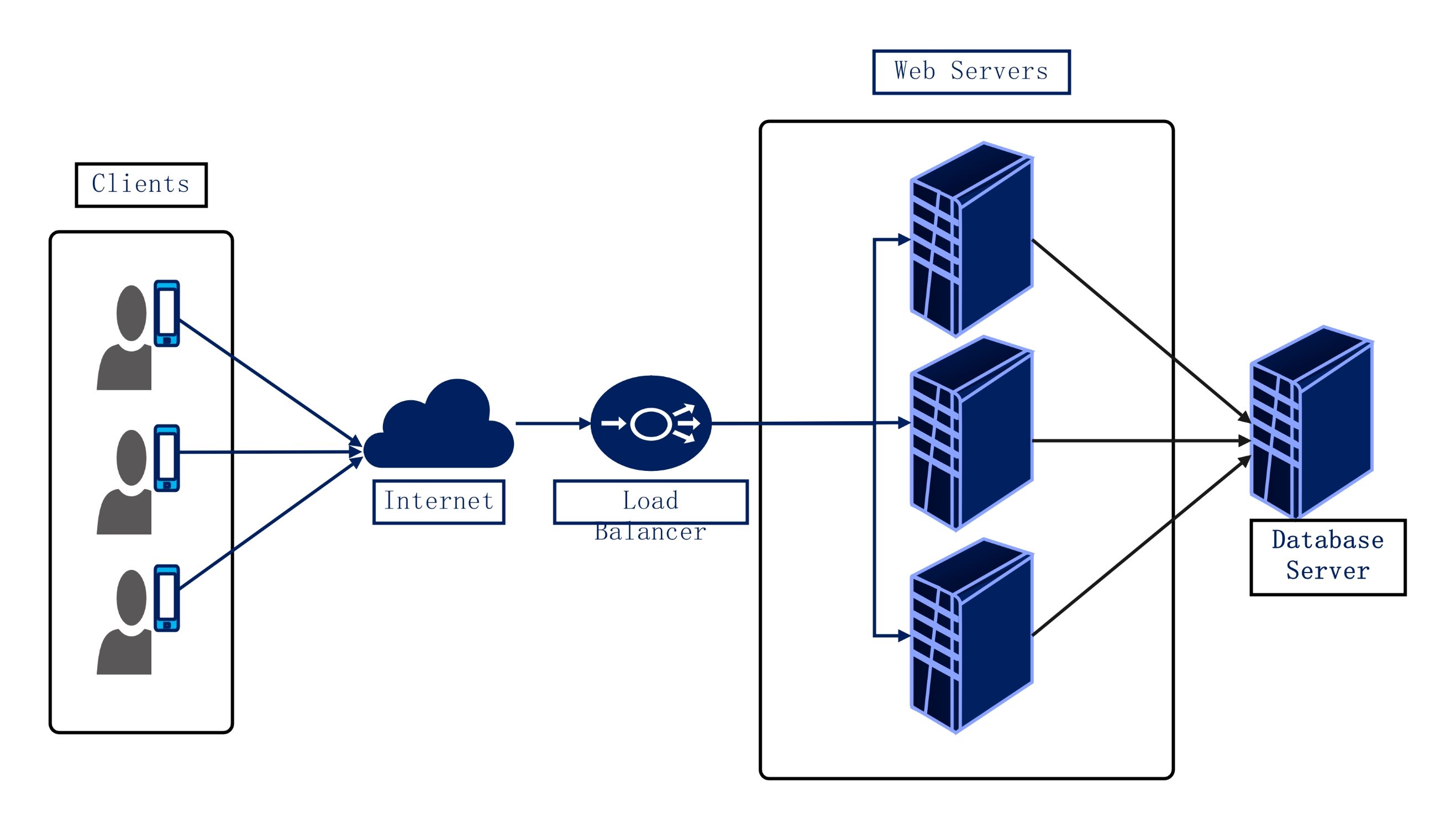
This segment hosts public-facing services like web servers and load balancers. It acts as a buffer zone between the internet and internal systems, using firewalls to filter incoming traffic and prevent direct access to sensitive data.
- External Firewall
- Router
- Load Balancer
- Web Servers
- HTTP/HTTPS Traffic Control
Security Monitoring
This section utilizes an Intrusion Detection and Prevention System (IDPS) to observe network traffic. It actively scans data packets for malicious activity or policy violations, providing a critical visibility layer for the entire IT infrastructure and segments.
- Intrusion Detection and Prevention System (IDPS)
- Traffic Monitoring Links
- DMZ Monitoring
- Application Layer Monitoring
Application Layer
The application layer contains specialized servers that process business logic. It sits behind a dedicated firewall to ensure only authorized requests from the DMZ can interact with internal databases, effectively preventing unauthorized data extraction and lateral movement.
- Internal Firewall
- Application Servers
- Data Logic Processing
- HTTP/HTTPS Connectivity
Internal Network
This is the most secure zone, housing sensitive database servers and internal client machines. It includes data backup systems for disaster recovery and relies on encrypted protocols like SQL and SSH to maintain strict data integrity and privacy.
- Database Servers
- Data Backup Storage
- Internal Clients
- SQL and HTTPS/SSH Protocols
FAQs about this Template
-
What is a DMZ in a network security diagram?
A Demilitarized Zone or DMZ acts as a controlled buffer between a private local network and the untrusted public internet. It typically hosts external-facing services like web servers. By placing these assets in a separate segment, organizations ensure that if a public server is compromised, the attacker still cannot easily reach sensitive internal databases or private client information.
-
How does an IDPS improve network security?
An Intrusion Detection and Prevention System (IDPS) monitors all network traffic for signs of suspicious activity or known threat signatures. Unlike a firewall that simply blocks traffic based on rules, an IDPS analyzes the content of the data. It can automatically block malicious packets and alert administrators, providing a proactive defense against complex cyberattacks and unauthorized access attempts.
-
Why is network segmentation important for businesses?
Network segmentation involves dividing a large network into smaller, isolated sub-networks. This strategy limits the "blast radius" of a potential security breach. If an attacker gains access to one segment, like the guest Wi-Fi or a web server, they are prevented from moving laterally into the core internal network where sensitive corporate data and financial records are stored.

 (AI & Web)