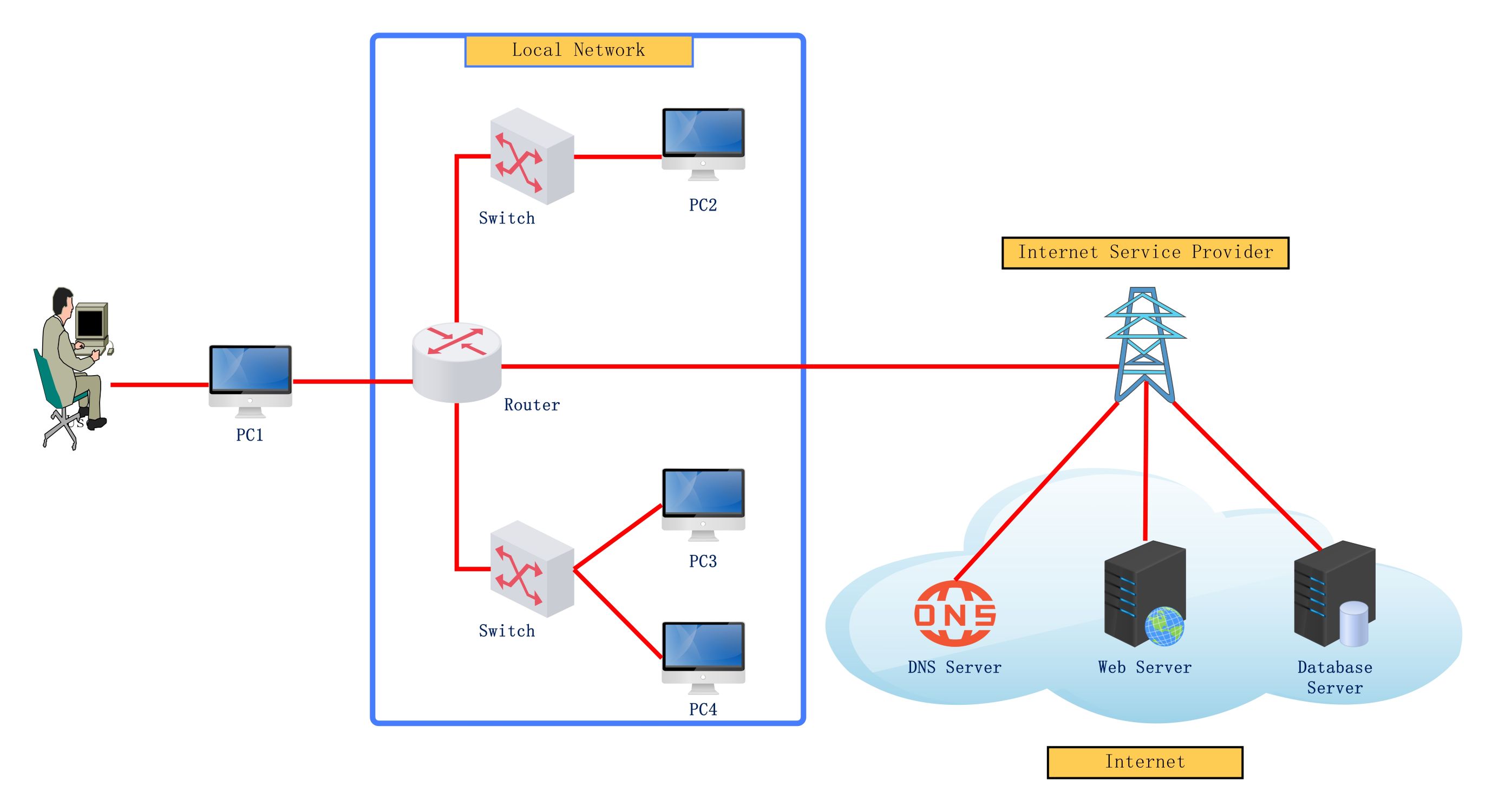
About this internet network diagram template
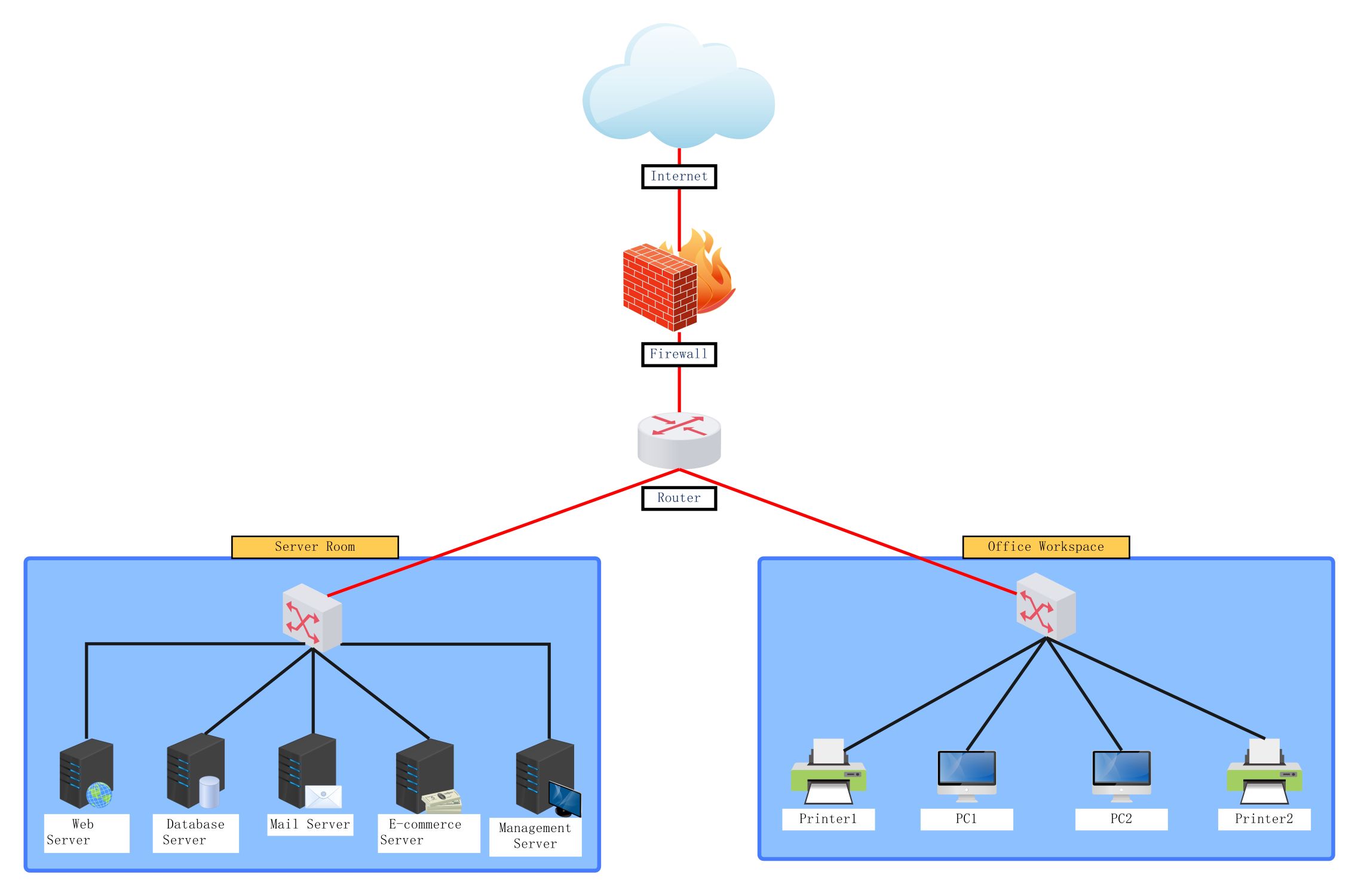
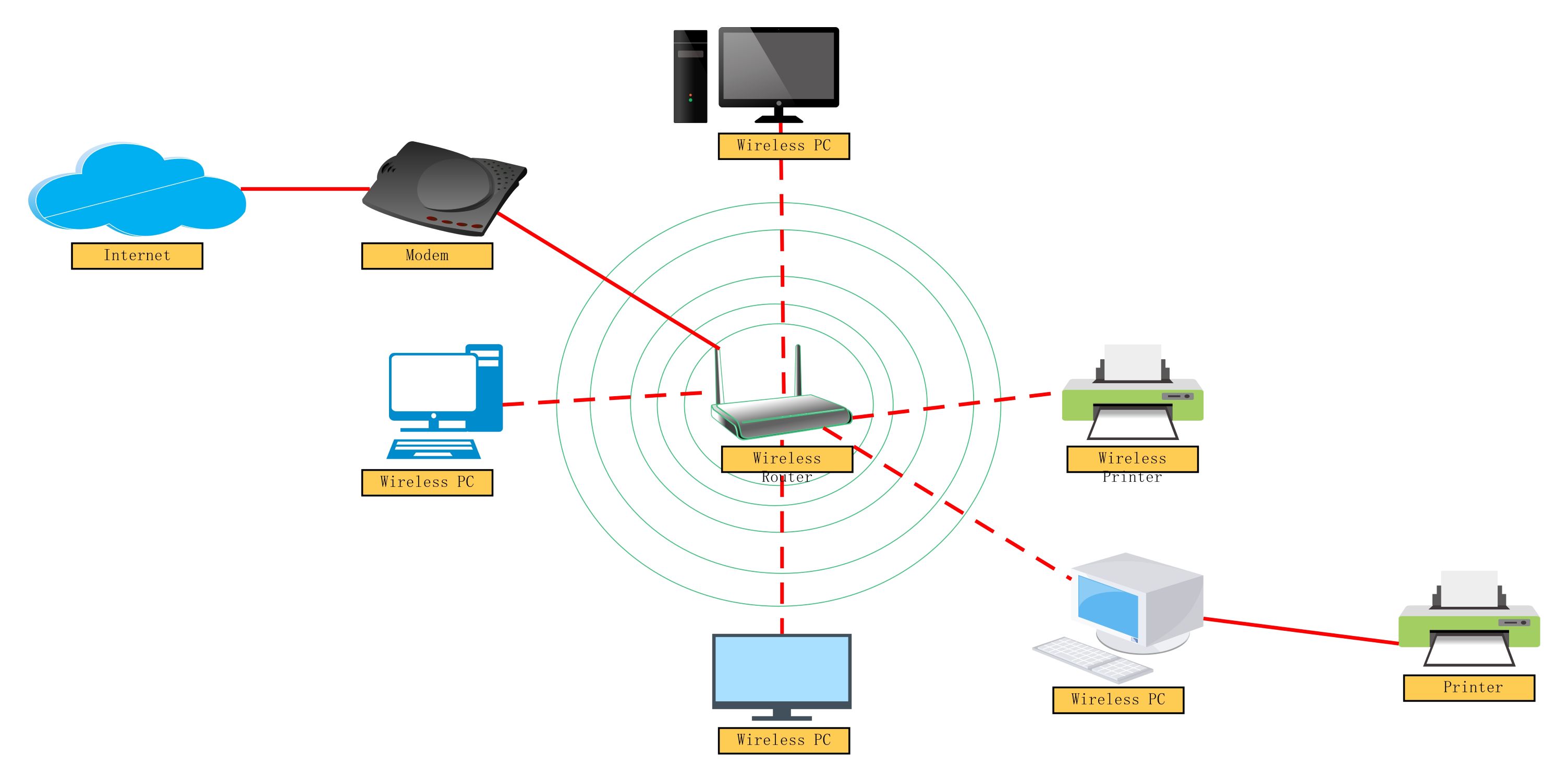
This template provides a clear visual map of how local devices interact with the wider internet. It covers essential components like routers, switches, and external servers to help you design or analyze complex network systems easily.
Local Network Infrastructure
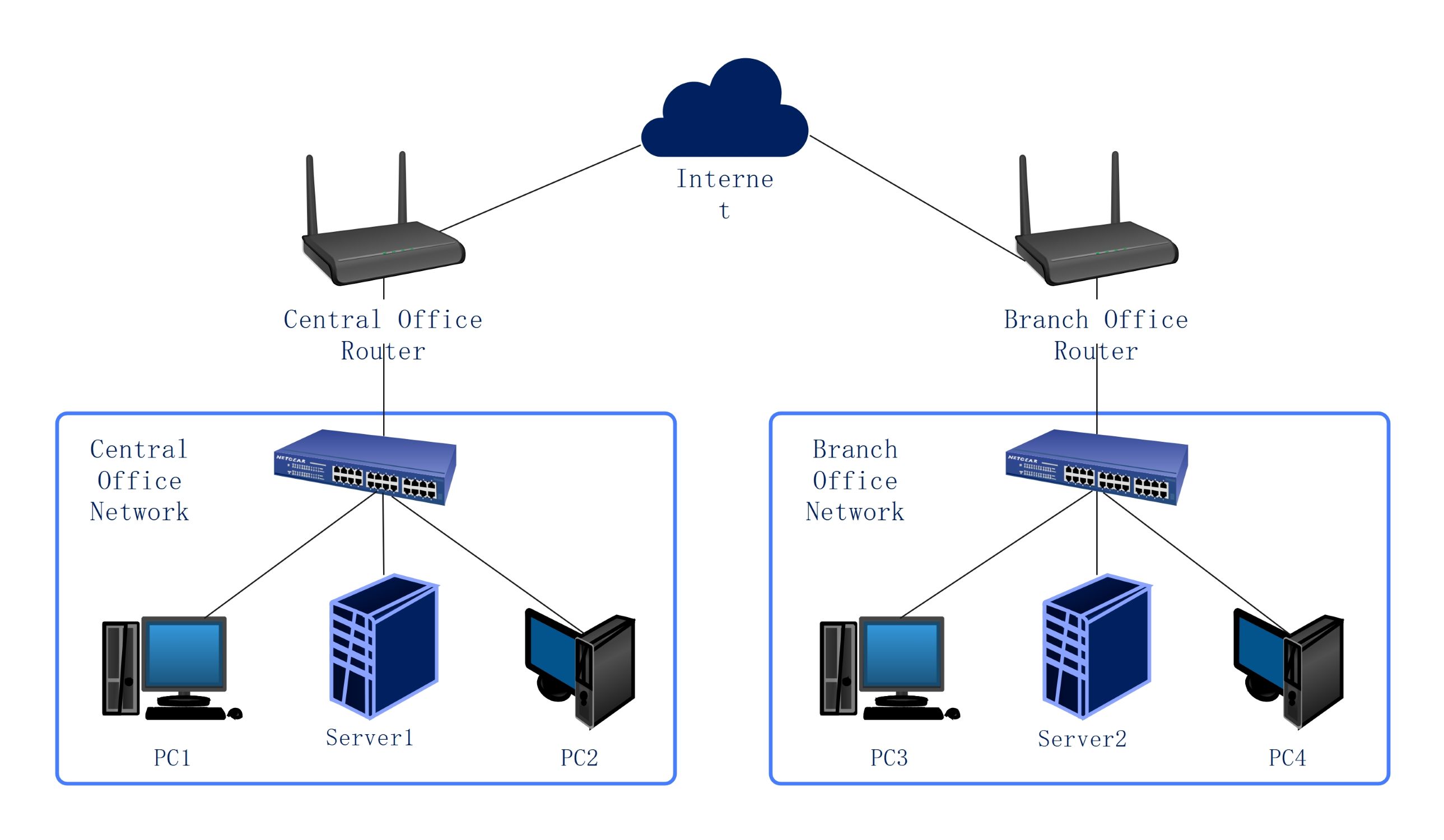
This section represents the private area where user devices connect to local hardware. It includes switches and routers that manage internal data traffic before sending it out to the provider for global web access.
- Router
- Network Switches
- Multiple Workstations (PC2, PC3, PC4)
- External Connection Point (PC1)
Internet Service Provider Role
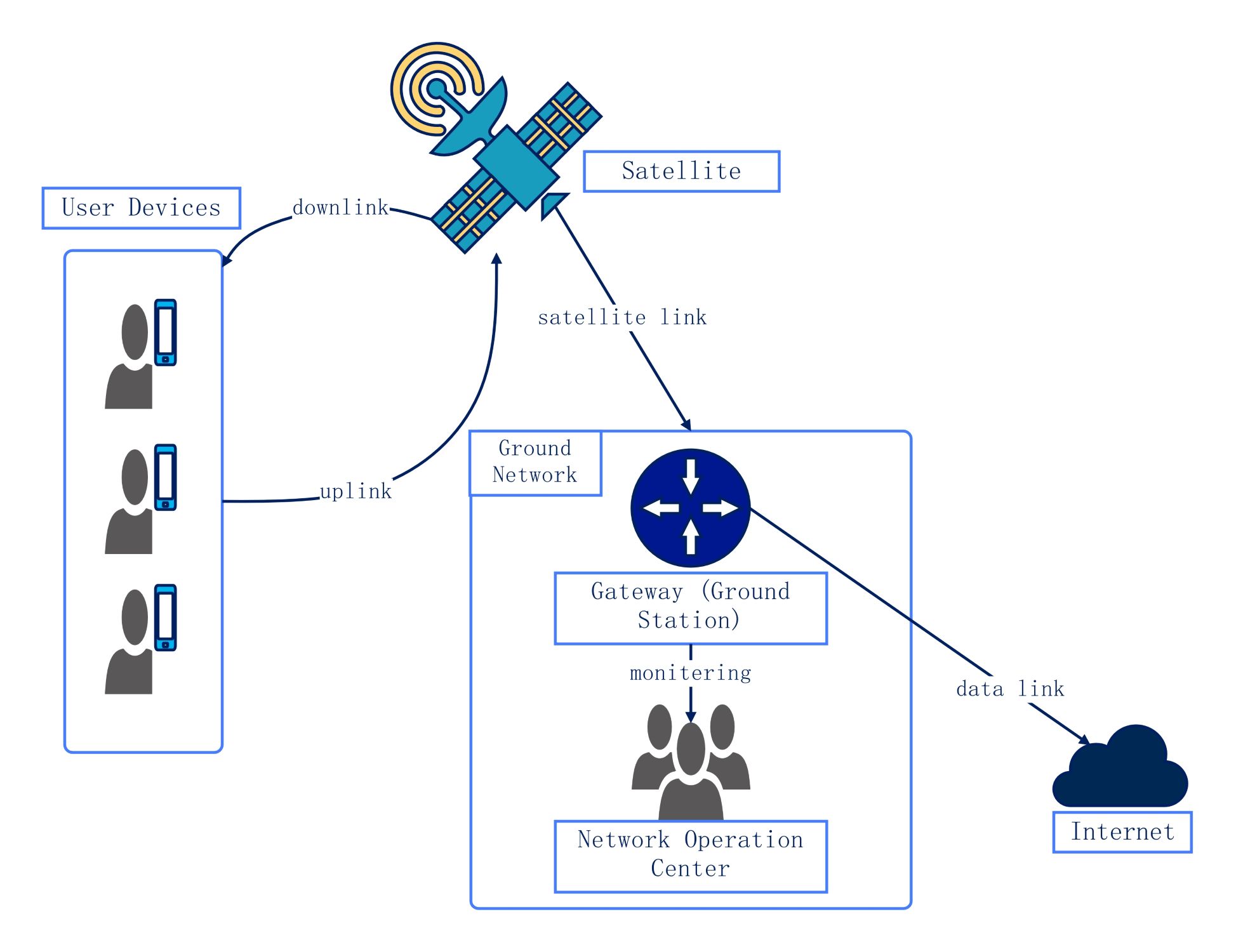
The ISP acts as the bridge between your local office setup and the cloud. It uses high-capacity towers and lines to transmit signals, ensuring your data reaches the intended web servers across the globe.
- Communication Tower
- Data Transmission Lines
- Gateway Connections
Cloud and Remote Servers
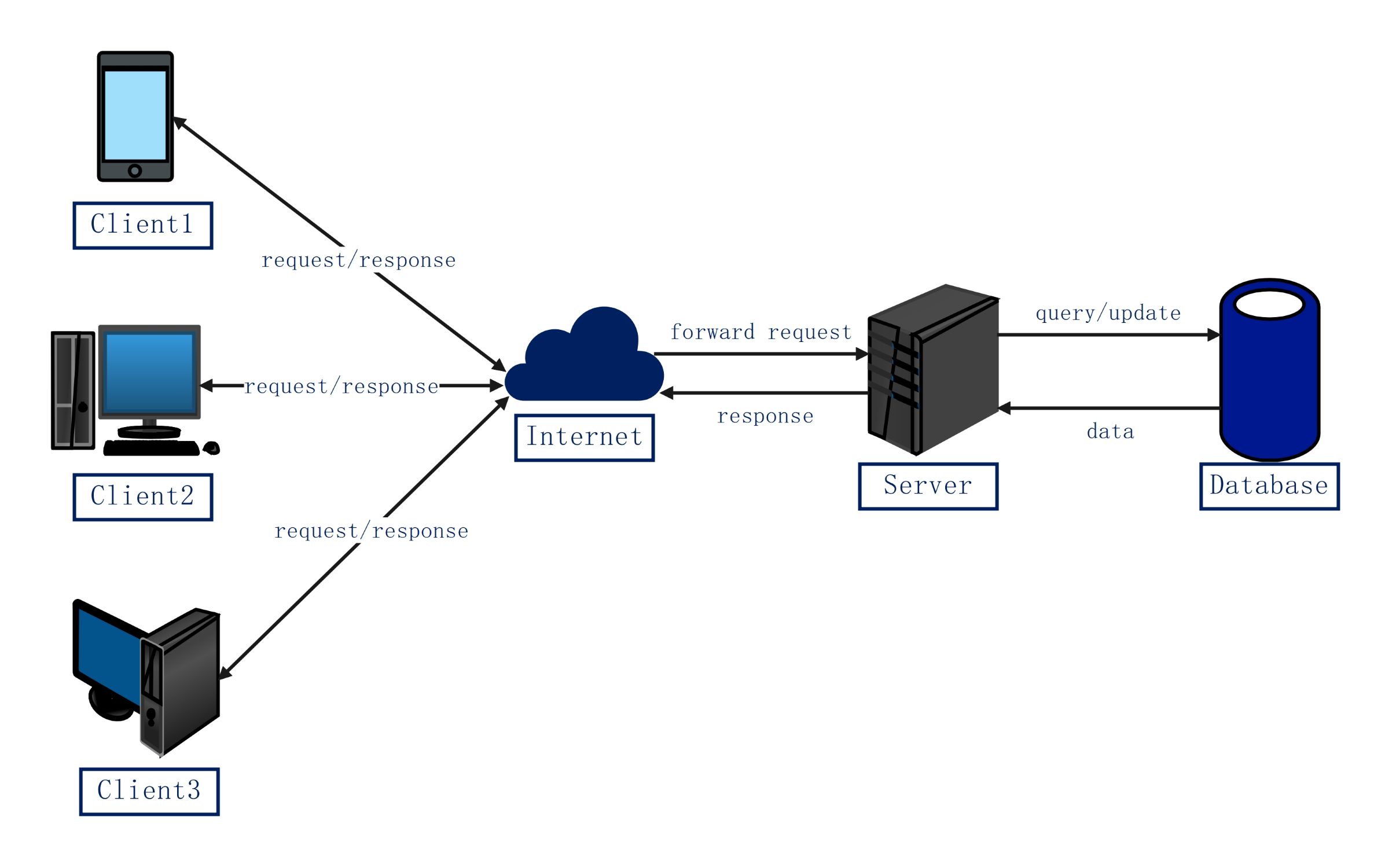
The internet cloud hosts the destinations for most user requests. It contains specialized machines that handle domain names, website files, and large data storage, allowing users to access services and information from anywhere.
- DNS Server
- Web Server
- Database Server
FAQs about this Template
-
What is the main purpose of an internet network diagram?
An internet network diagram serves as a blueprint for digital communication. It maps out how local computers, routers, and switches connect to external servers through an ISP. By visualizing these paths, administrators can identify weak points, plan for future hardware upgrades, and ensure that data flows efficiently between the local office environment and the global web infrastructure.
-
Why does the diagram include a DNS server?
The Domain Name System server is a critical part of the network flow shown in the diagram. It acts like a phone book for the internet. When you type a website address, the DNS server translates that human-friendly name into a numeric IP address. This step is necessary so that your router knows exactly where to find the correct web server.
-
How do switches and routers differ in this diagram?
In this setup, the router acts as the primary gateway that connects the entire local network to the internet. Switches, however, work within the local network to connect multiple devices together. While the router manages traffic between different networks, the switch facilitates high-speed communication between individual PCs and the router, ensuring data reaches the specific machine intended within the building.

 (AI & Web)