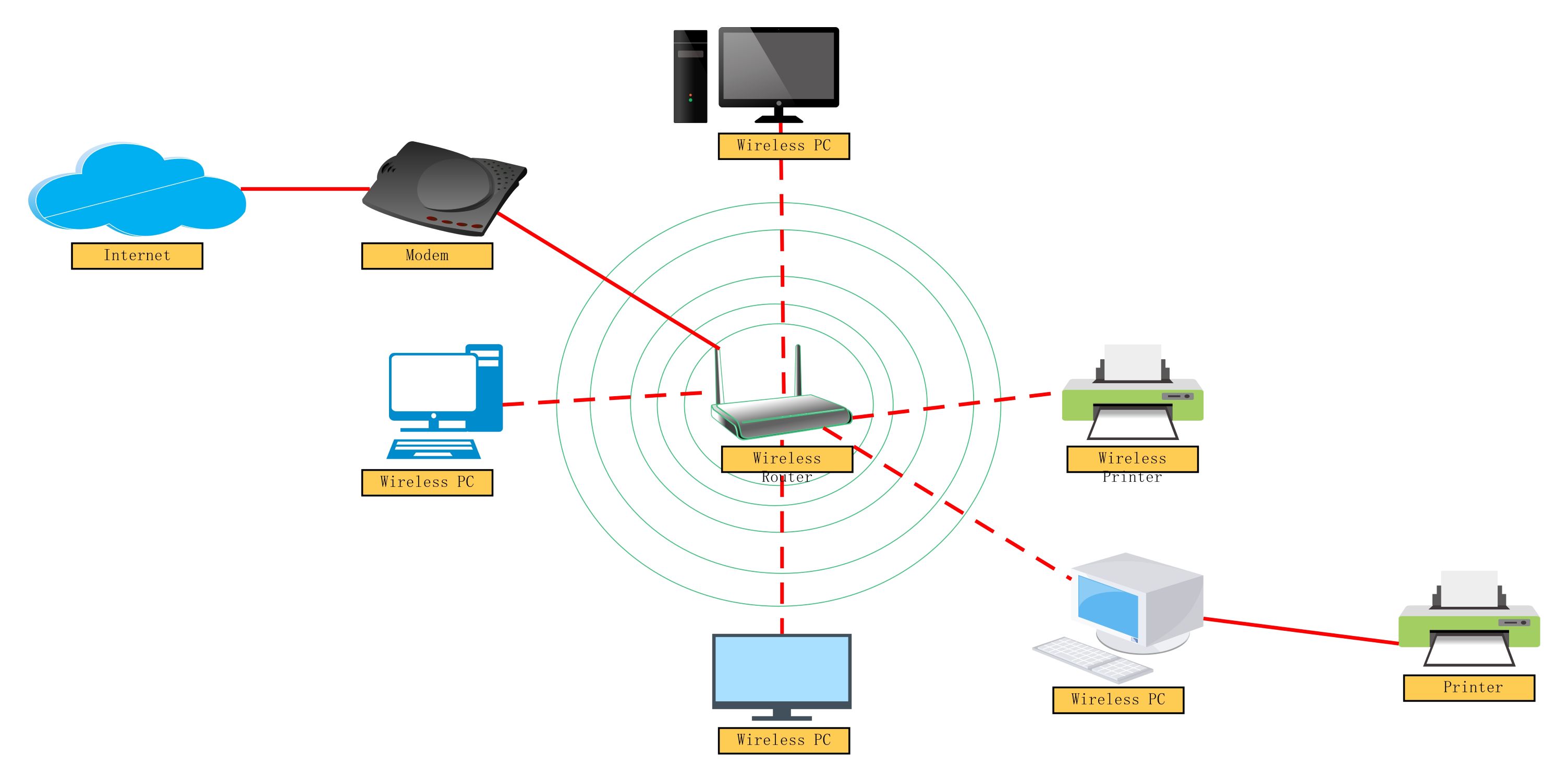
About this Wireless network diagram template
This template displays a standard Wi-Fi configuration for a small office or home environment. It illustrates the link between the external internet provider and local endpoints. Use this to plan hardware placement and understand signal paths across your entire workspace infrastructure.
Internet and Modem
This section represents the entry point for your digital data. The cloud icon shows the external web service, while the modem converts signals into a usable format for your internal office hardware components and routing devices.
- Cloud Internet Source
- Digital Modem Connection
- Wide Area Network Input
Wireless Router
The router acts as the central brain of your local network. It distributes data wirelessly to multiple devices in the area. This component manages traffic flow and ensures each computer receives the correct information data packet.
- Central Signal Hub
- Wi-Fi Distribution Point
- Network Traffic Management
Wireless Devices
Endpoints are the hardware tools that users interact with daily. This diagram includes several computers and printers that receive data over the air. These devices remain mobile and functional within the specific router signal range.
- Wireless PC Stations
- Networked Wireless Printer
- Remote Computing Hardware
FAQs about this Template
-
Why should I use a wireless network diagram for my office?
A wireless network diagram provides a clear visual map of your entire IT infrastructure. It helps you identify dead zones where the signal is weak and plan where to place routers for the best coverage. By documenting every device, your team can troubleshoot connection errors much faster. It also assists in planning security protocols to keep your private data safe from external threats.
-
What is the difference between a modem and a router?
The modem is your gateway to the internet, connecting your home or office to your service provider's network. It translates signals from the outside world into data. The router takes that data and shares it across all your local devices, like laptops and printers. While some modern units combine both, they serve two distinct roles in a standard network setup for connectivity.
-
How can I improve the security of my wireless network?
To secure your network, always start by changing the default administrator password on your router. Use WPA3 encryption if your hardware supports it for the strongest protection. You should also hide your network name or create a separate guest network for visitors. Regularly updating your router's firmware is another vital step to block hackers from exploiting old software bugs or known security vulnerabilities.

 (AI & Web)