About the Dental Clinic Floor Plan Template
This editable layout provides a practical starting point for visualizing how spaces work together. It is designed for early planning, communication, and review rather than dimensioned construction documentation.
What the Template Shows
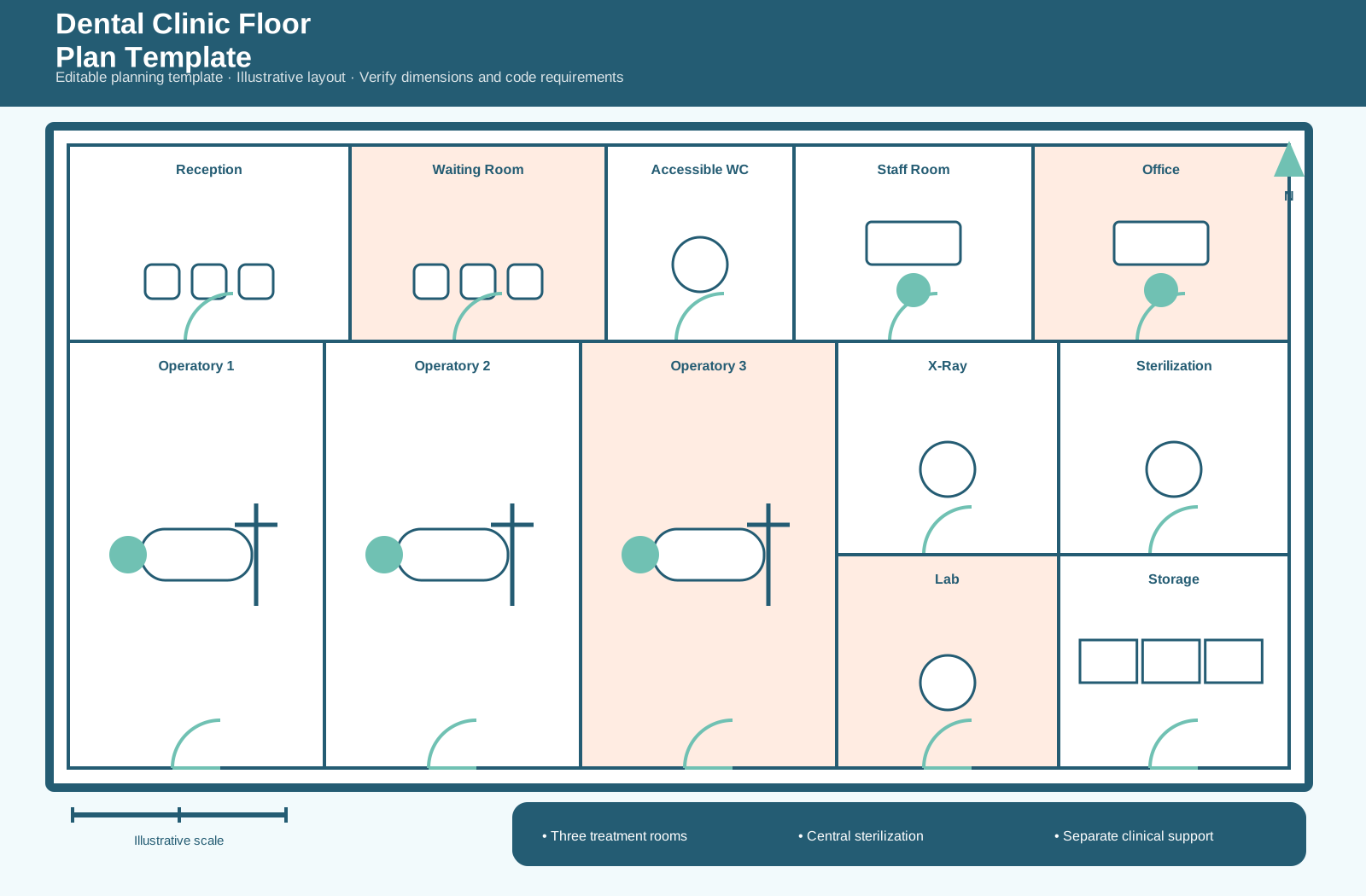
The drawing includes reception, waiting, an accessible restroom, three operatories, X-ray, sterilization, laboratory, storage, staff room, and office. Its organization emphasizes a central clinical-support core serving the treatment rooms while keeping patient and staff functions legible. A north arrow, illustrative scale, room labels, furniture, fixtures, and circulation cues make the plan easier to discuss.
How to Customize It
Open the EDDX template in EdrawMax and replace the example room names with your own program. Move or resize spaces, adjust wall positions, add doors and windows, update furniture or equipment symbols, and apply a color system that matches the project. Add verified dimensions only after confirming the site and operational requirements.
Practical Uses
Use this template for clinic concept planning, operatory allocation, patient-flow reviews, and equipment-location discussions. It can help teams compare zoning options, explain adjacencies, identify circulation conflicts, and record a preferred concept before detailed design begins.
Review Before Publishing
Confirm room names, capacities, access routes, secure or restricted areas, equipment clearances, and staff and visitor movement. Validate accessibility, egress, fire safety, utilities, structural constraints, and local code requirements with qualified professionals before relying on the plan for implementation.
FAQs about this Template
- What is a dental clinic floor plan template?
It is an editable planning diagram that organizes the main spaces and circulation relationships for a dental clinic. This example is illustrative and should be adapted to the actual site and operating requirements.
- What spaces are included in this floor plan?
The template includes reception, waiting, an accessible restroom, three operatories, X-ray, sterilization, laboratory, storage, staff room, and office. Each label and shape can be revised to match the intended facility.
- Can I customize the rooms, labels, and colors?
Yes. In EdrawMax, you can rename spaces, move walls and symbols, adjust colors, add dimensions, and replace example zones with project-specific information.
- Can this template be used as a construction drawing?
Use it as a concept-planning and communication starting point. Before construction or permitting, confirm dimensions, accessibility, life-safety, building-code, engineering, and professional-design requirements.

 (AI & Web)