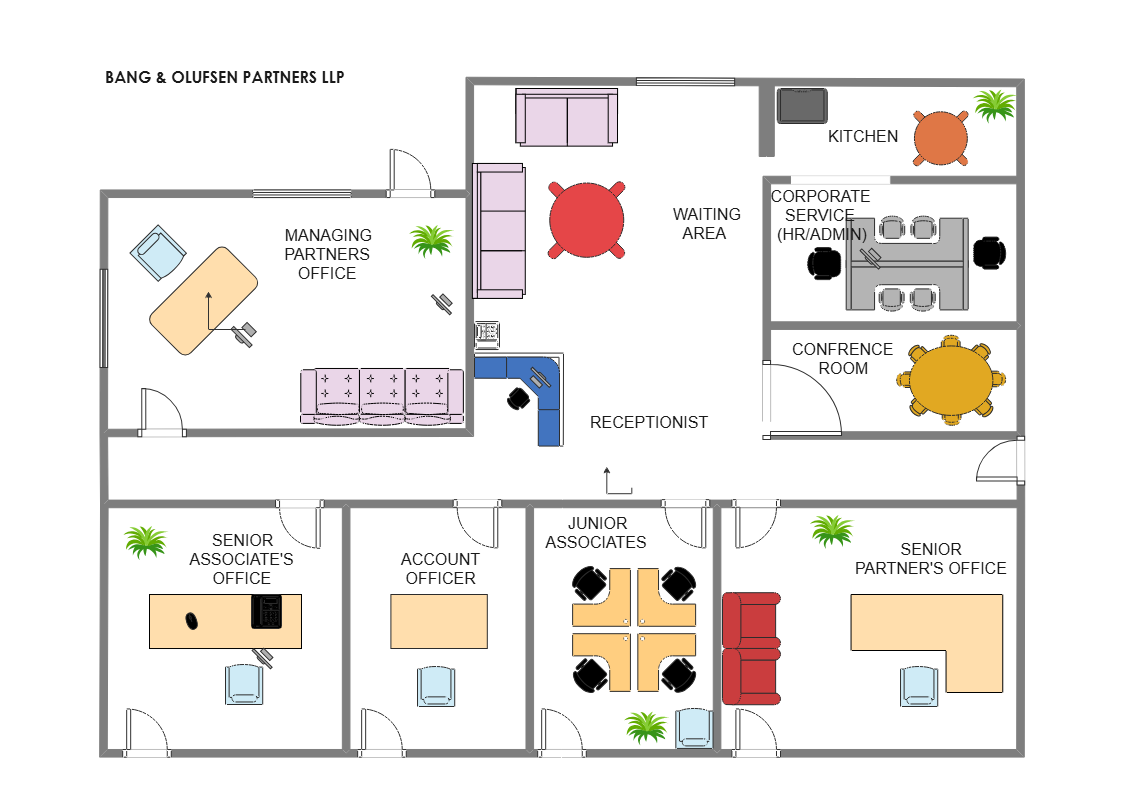
About the Office Floor Plan Template
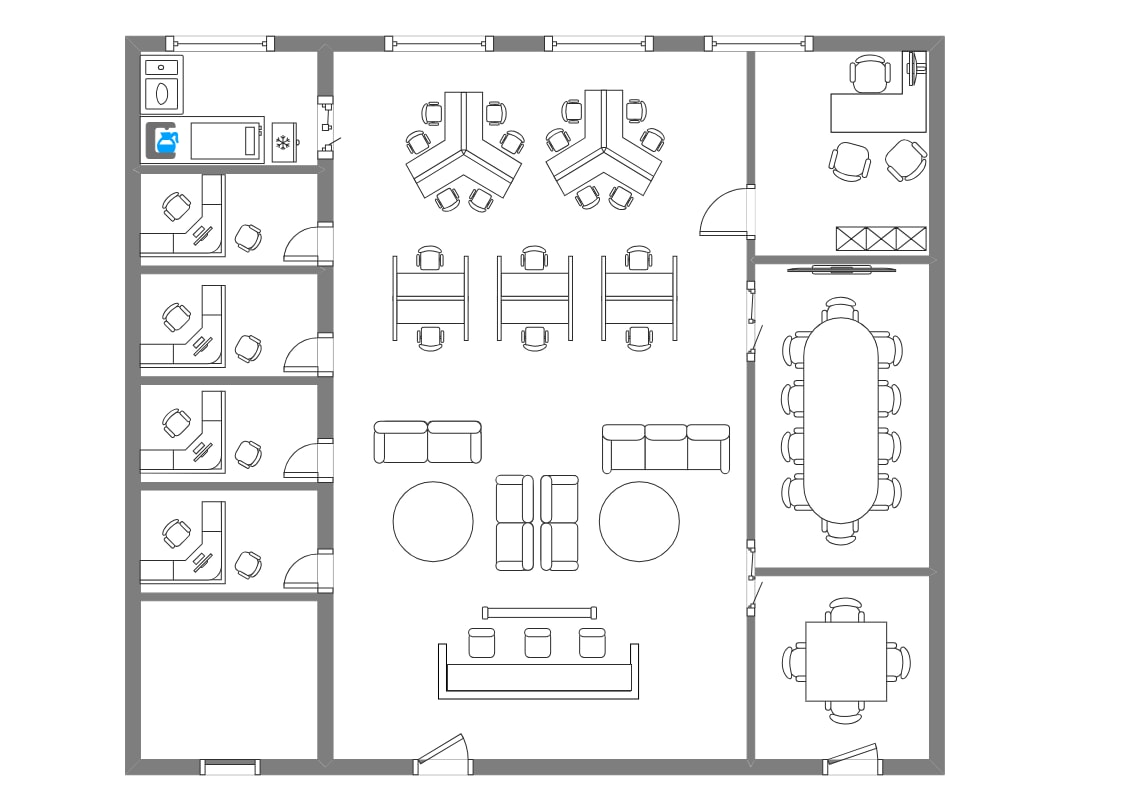
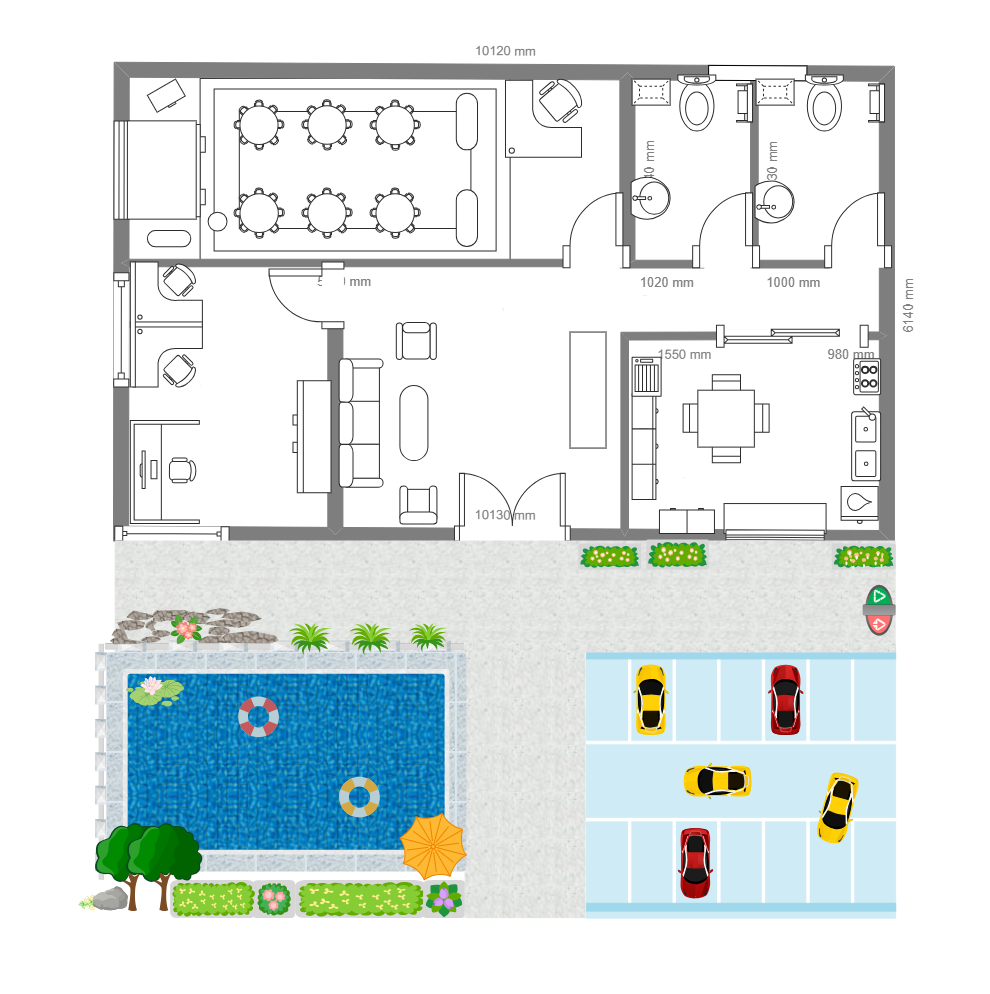
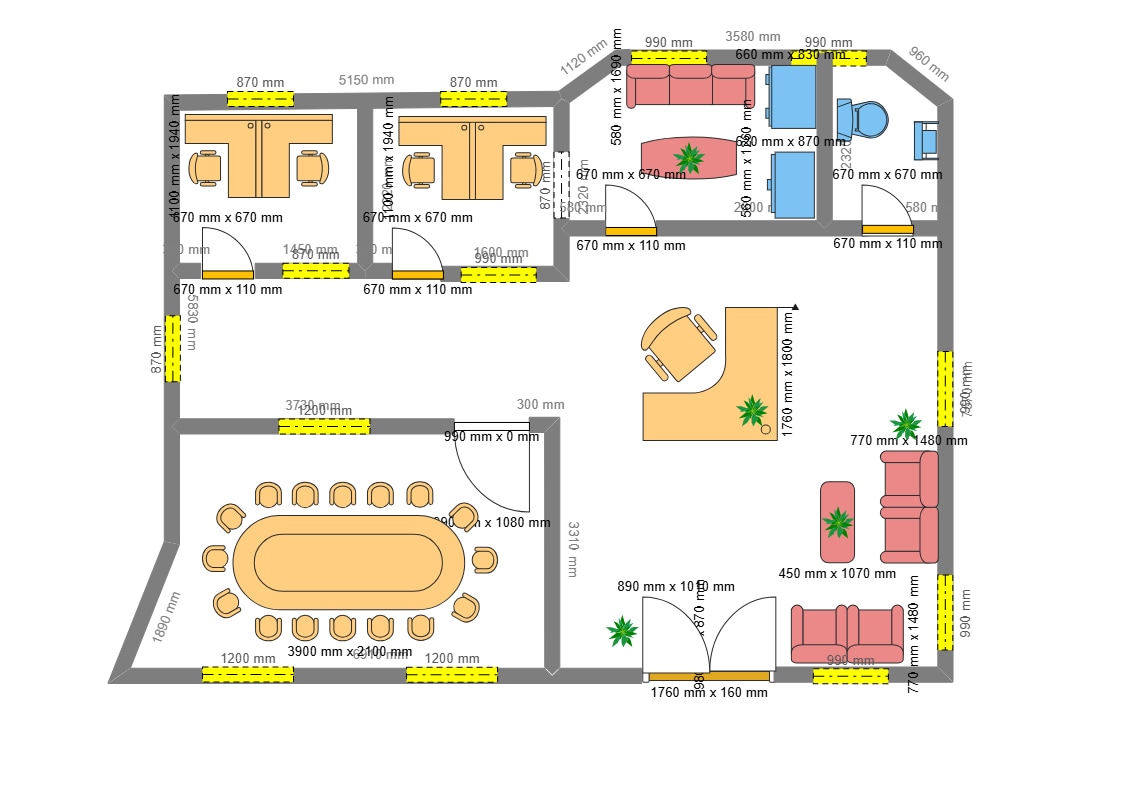
Use this office floor plan template to organize work zones, rooms, and circulation in a clear workplace layout.
Work zones and rooms
The layout provides a way to show how work areas and rooms fit together. Use plain labels for the functions represented in the office and remove any spaces that do not apply.
Circulation and access
Review the routes connecting work areas, rooms, and entrances. Make sure the plan represents the space and movement intended for the workplace.
Customize the office plan
In EdrawMax, edit boundaries, labels, furniture, and routes to suit the project. Check the drawing against site measurements and review it with the people who will use the office.
FAQs about this Template
-
What does an office floor plan show?
It shows how office work areas, rooms, and circulation are arranged. An editable plan helps a team discuss a proposed workplace layout.
-
What information belongs on an office floor plan?
Show the spaces, entrances, routes, and furniture that help readers understand the workplace arrangement. Use verified labels and dimensions when available.
-
How can I make an office floor plan?
Start with the room boundaries and entrances, then add work areas, furniture, labels, and routes that matter to the project. In EdrawMax, revise these elements as the layout changes.
-
Is this template a construction drawing?
No. It is a planning template. Verify dimensions and technical or code requirements with measured drawings and qualified professionals before construction.

 (AI & Web)