
About this Context Diagram SAD Assignment
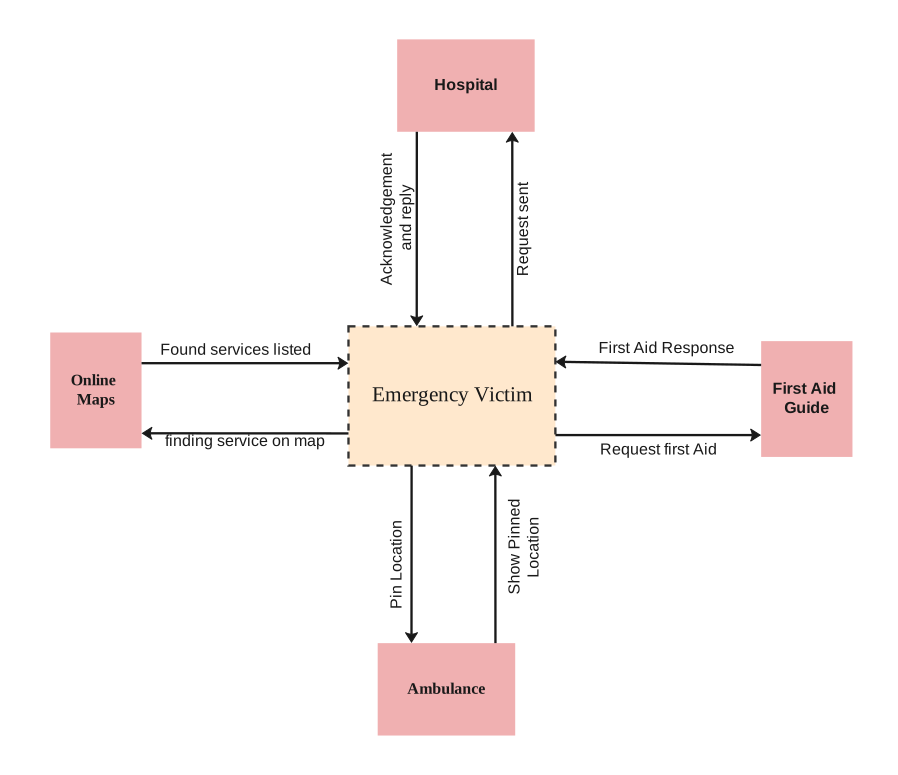
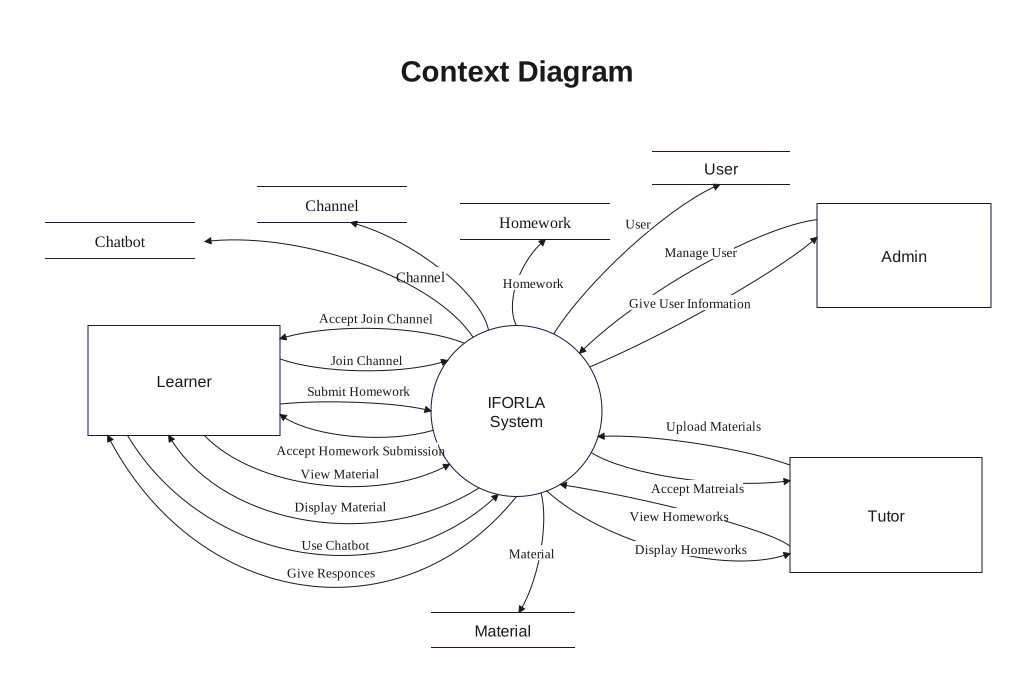
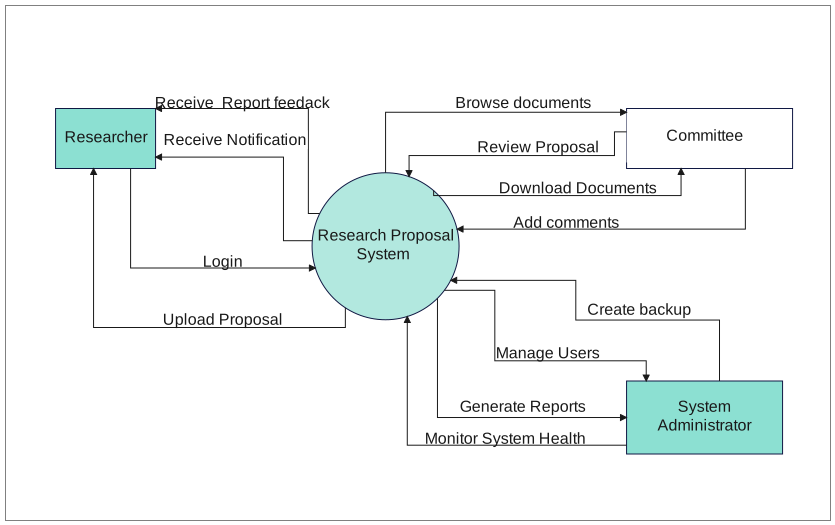
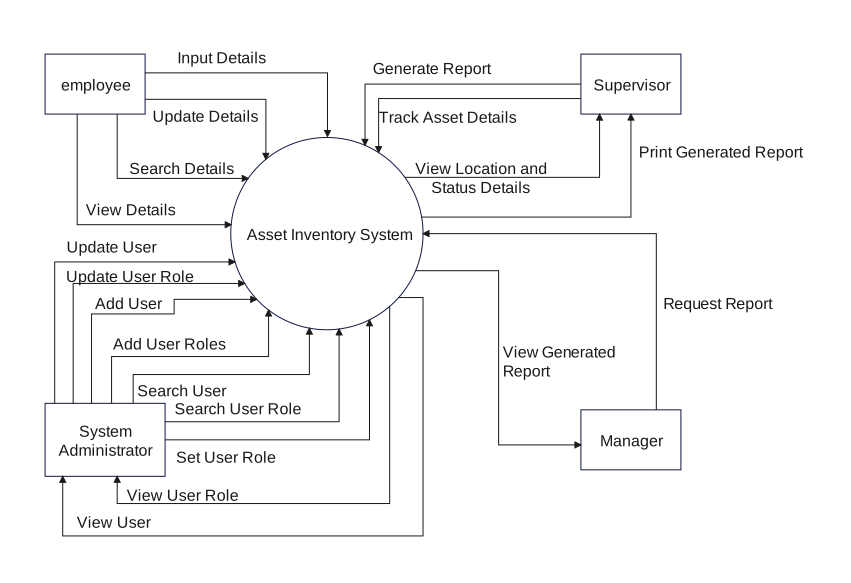
This Context Diagram SAD Assignment is meant to clarify system scope first, showing what sits at the center, which outside actors connect to it, and what information or actions move across that boundary.
Central System Boundary
The middle of the diagram is anchored by Service Request, Service Availability. In a context diagram, that central placement matters because it tells the reader what belongs inside the system before any lower-level design discussion begins.
- Service Request
- Service Availability
- Home Maintenance Service System
- Service Feedback
External Actors
The external side is represented by Customer. Those actors matter because they show who depends on the system, who sends requests into it, and who receives outputs from it.
- Customer
Inputs, Outputs, and Business Exchanges
Labels such as Job Offer, Confirmation & Update Status, Feedback, help define what actually crosses the boundary. That makes the page useful for scope definition, requirements discussion, and early system explanation.
- Job Offer
- Confirmation & Update Status
- Feedback
- Handyman
- Payment Notification
- Payment Info
- Payment Receipt
- Payment Processing Request
FAQs about this Template
-
What does this context Diagram SAD Assignment make clear first?
It makes the system boundary and the surrounding relationships clear first. That matters because a context diagram is supposed to answer what the system is connected to before anyone starts asking how it is built internally.
-
Why are outside actors important on a general context diagram?
Outside actors give the system a recognizable environment. They show which users, roles, or services exist beyond the boundary, which makes it easier to understand responsibility, dependency, and who the system is actually meant to serve or exchange information with.
-
How do exchange labels improve a general context view?
They turn lines into understandable interactions. Once the labels show what is being sent or received, the reader can interpret the system relationship more confidently without needing a separate workflow just to explain the connection.
-
When is it useful to create a general context diagram before other models?
It is useful at the start of analysis, documentation, or teaching because it gives everyone the same top-level frame. After that, more detailed diagrams can explore process or architecture without losing agreement on the basic scope.


 (AI & Web)