
About this Course Registration System Context Diagram
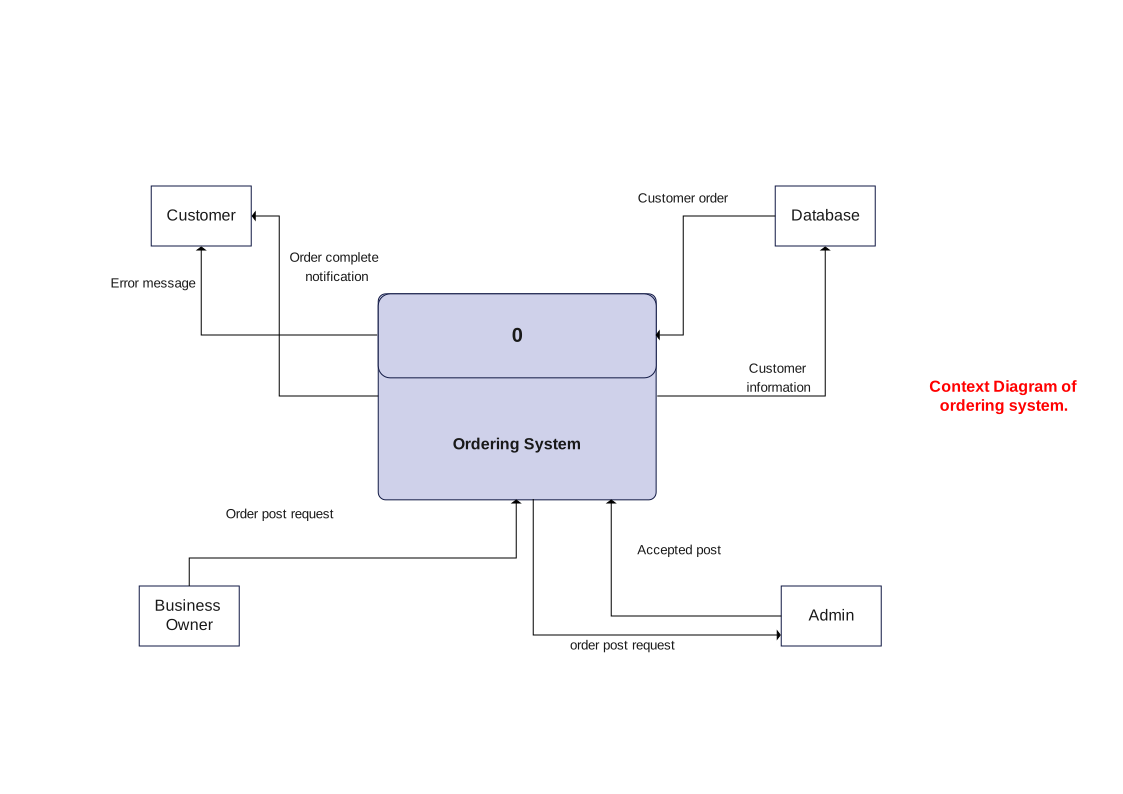
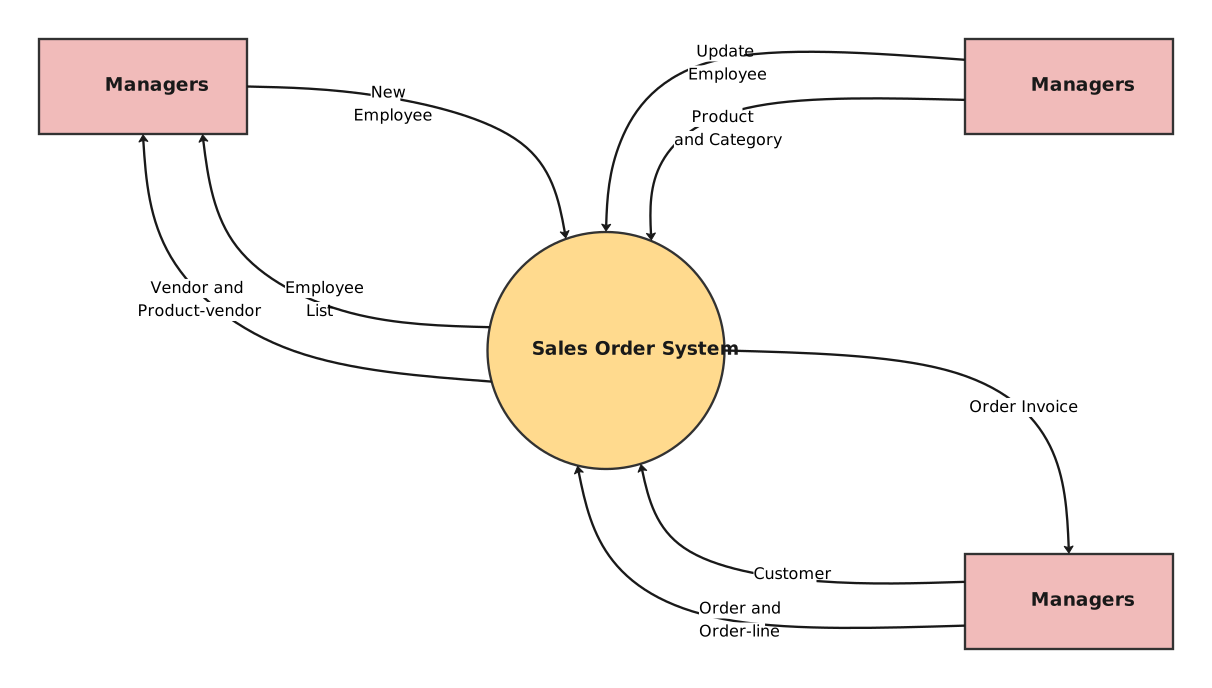
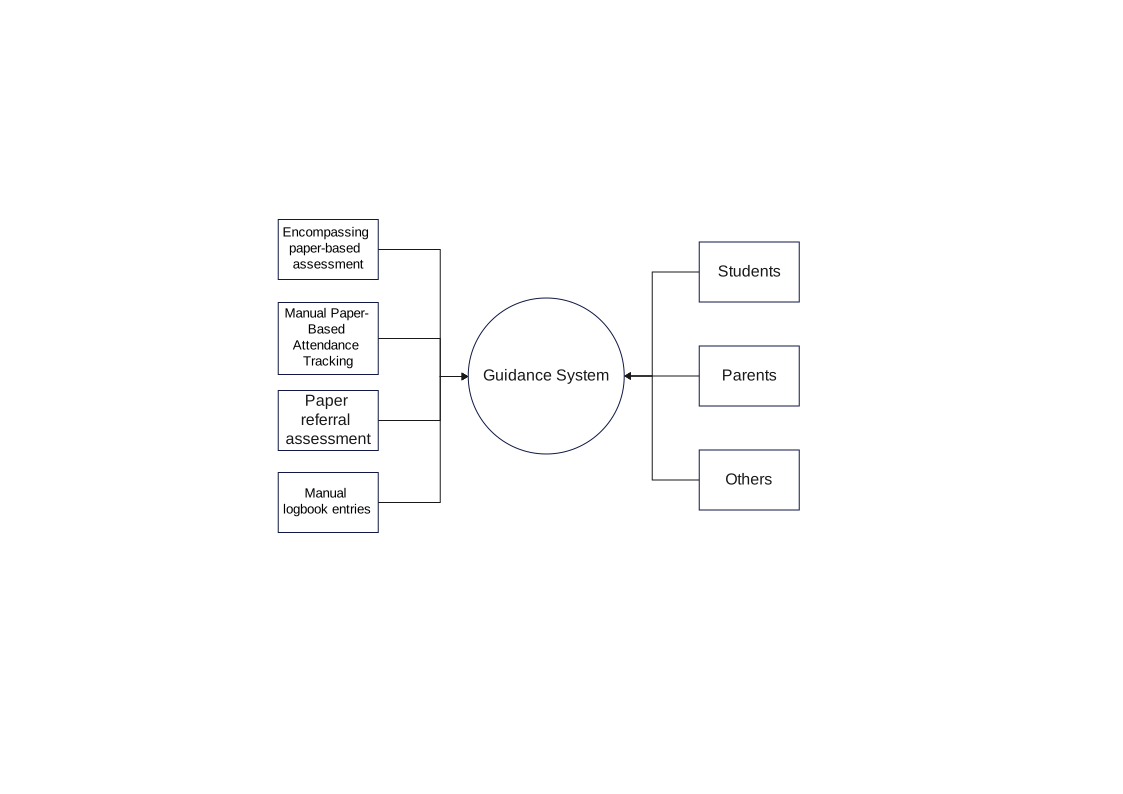
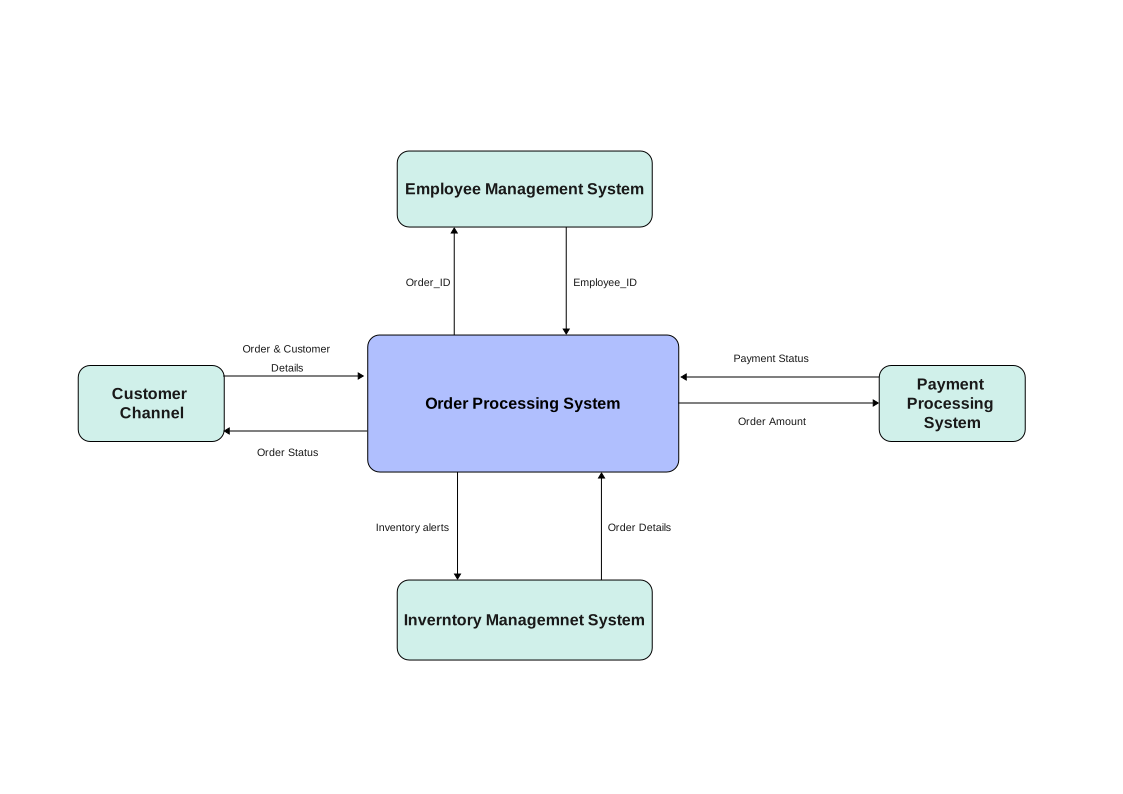
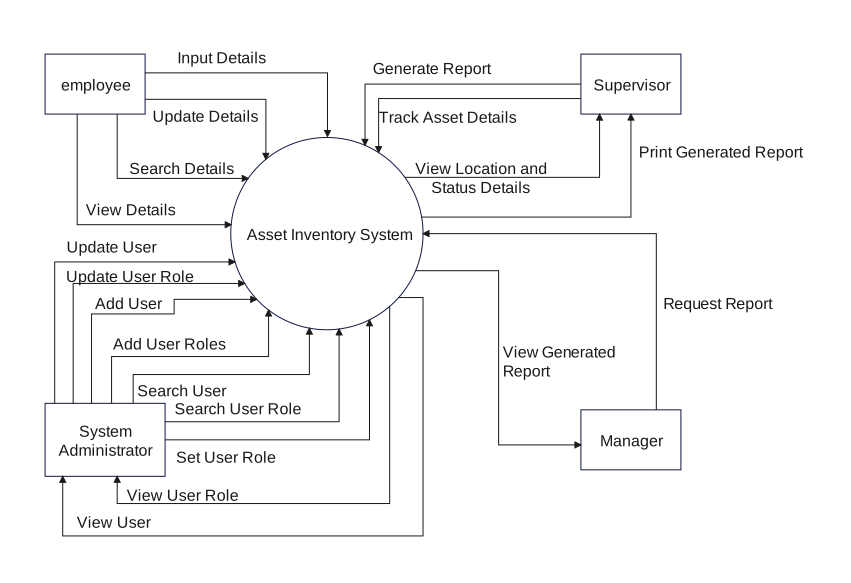
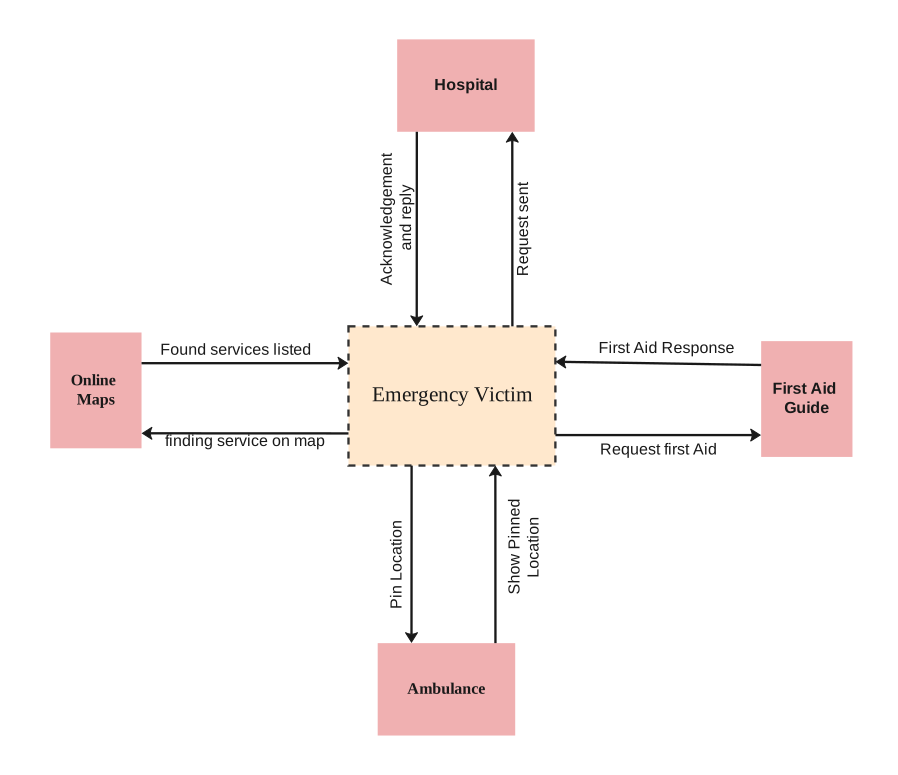
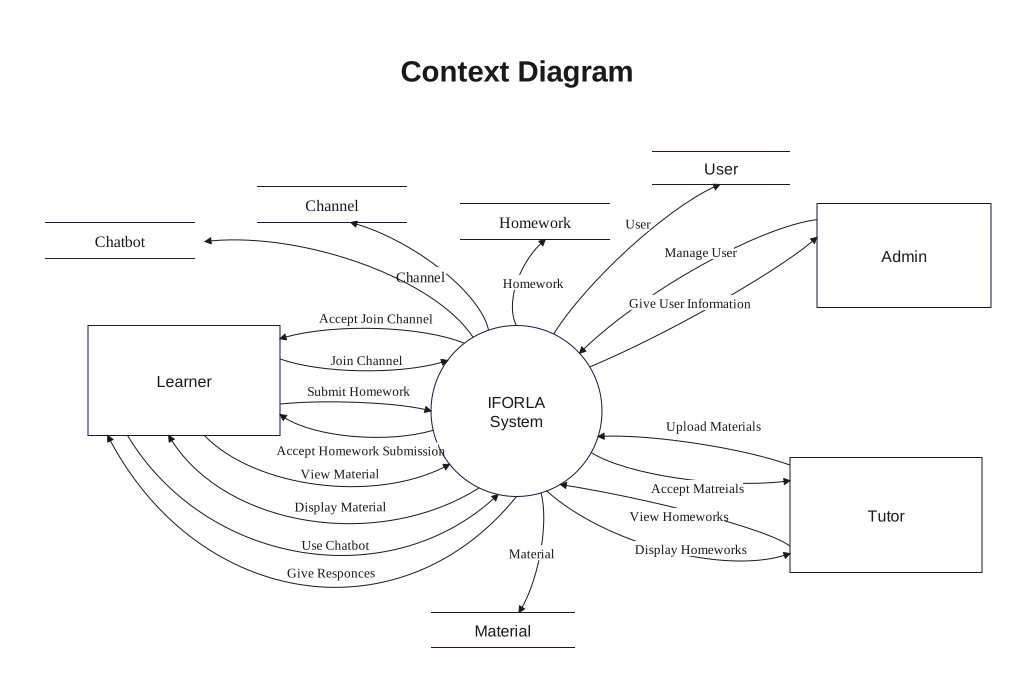
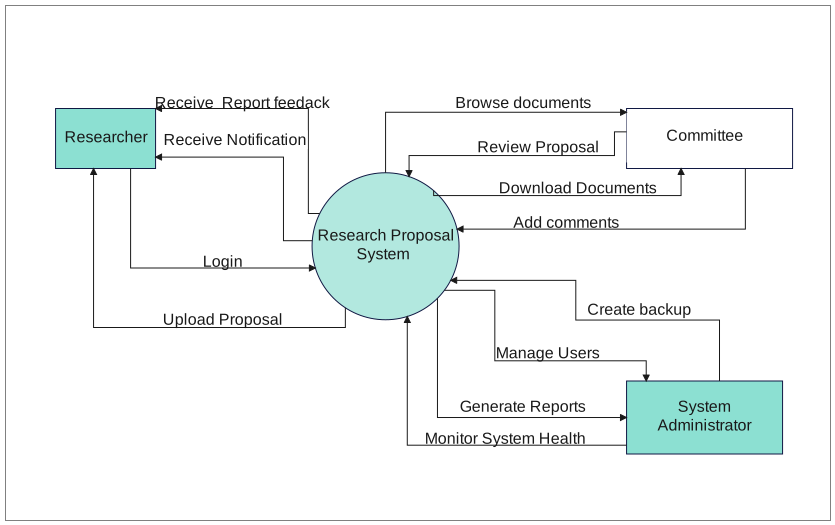
This Course Registration System Context Diagram is meant to clarify system scope first, showing what sits at the center, which outside actors connect to it, and what information or actions move across that boundary.
Central System Boundary
The middle of the diagram is anchored by Application & Enquiry, Course Registration System. In a context diagram, that central placement matters because it tells the reader what belongs inside the system before any lower-level design discussion begins.
- Application & Enquiry
- Course Registration System
- Application Approval
External Actors
The external side is represented by context diagram, payment & Test. Those actors matter because they show who depends on the system, who sends requests into it, and who receives outputs from it.
- context diagram
- payment & Test
- Study Material
- student
- Library
- enroll
- Test Issuing Request
- send task
Inputs, Outputs, and Business Exchanges
Labels such as context diagram, payment & Test, Study Material, help define what actually crosses the boundary. That makes the page useful for scope definition, requirements discussion, and early system explanation.
- context diagram
- payment & Test
- Study Material
- student
- Library
- enroll
- Test Issuing Request
- send task
FAQs about this Template
-
What is the main value of this course Registration System Context Diagram in a business setting?
Its value is that it frames the system in relation to the people, departments, or outside services around it. That helps business and product teams agree on scope early without jumping straight into process detail or technical implementation.
-
Why do external actors matter so much on a business context diagram?
They show who relies on the system, who provides inputs, and who receives outputs. In a business scenario, those roles often define ownership, expectations, and integration points, so showing them clearly makes the diagram much more useful for discussion.
-
How do exchange labels improve this kind of business context page?
The labels explain what the relationship actually involves, such as requests, payments, records, approvals, or notifications. That makes the page more actionable because the reader can understand not just that a connection exists, but what moves across it.
-
When should a team draw this kind of context diagram before deeper analysis?
A team should draw it at the start of discovery, system scoping, or handover work, especially when several stakeholders or partner systems are involved. It creates a stable high-level reference before later diagrams zoom into workflows, data, or components.


 (AI & Web)