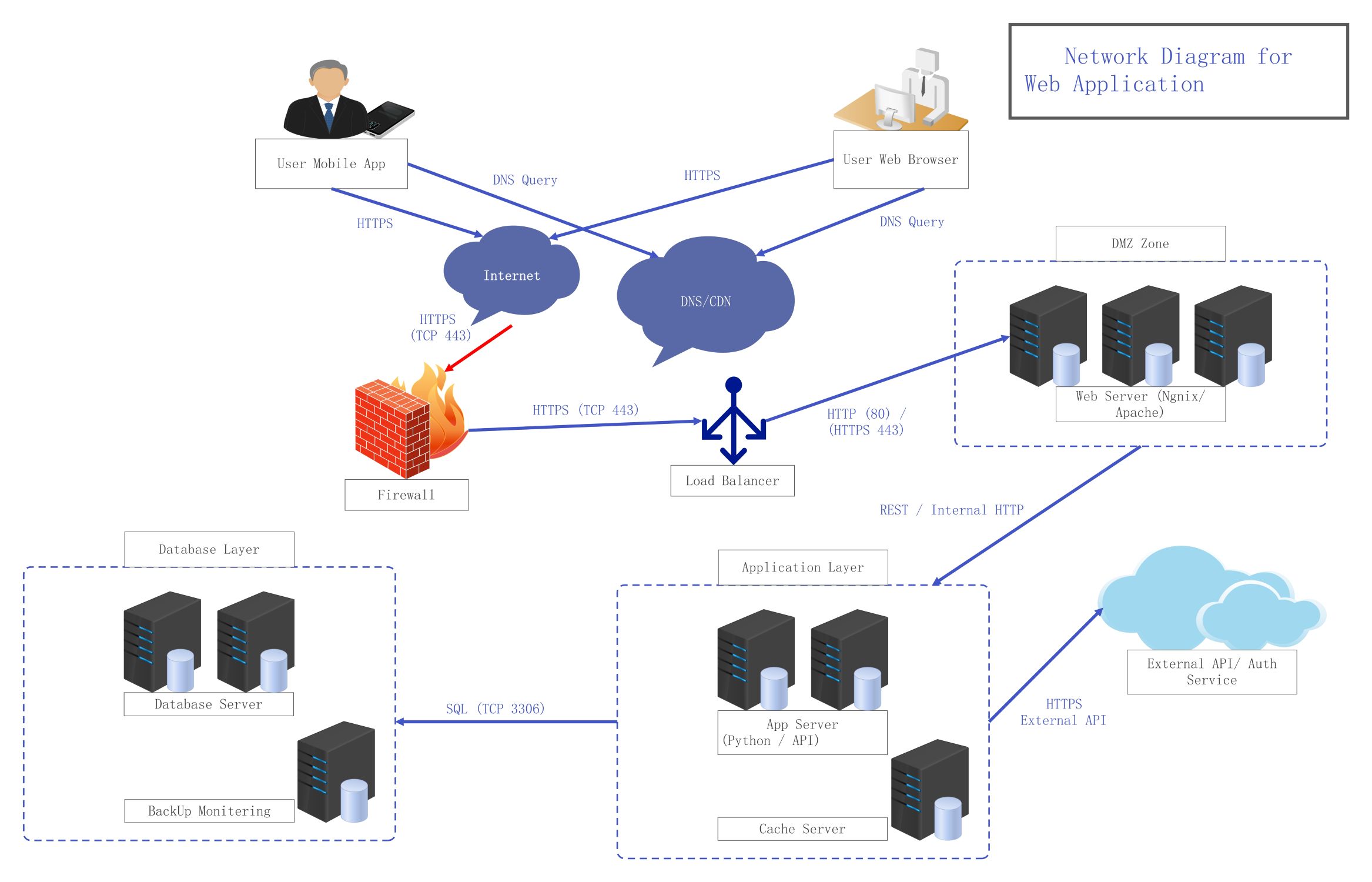
About this Network Diagram for Web Application template
This network diagram template illustrates a modern multi-tier architecture. It outlines how user traffic flows from devices through security layers like firewalls and load balancers to reach web servers, application logic, and backend databases efficiently.
User Access and Connectivity
Users access the application via browsers or mobile apps. Traffic moves through the internet and uses DNS/CDN services for fast delivery. This stage is crucial for managing initial requests and directing traffic to the server.
- User Mobile App
- User Web Browser
- Internet
- DNS/CDN
Security and Traffic Distribution
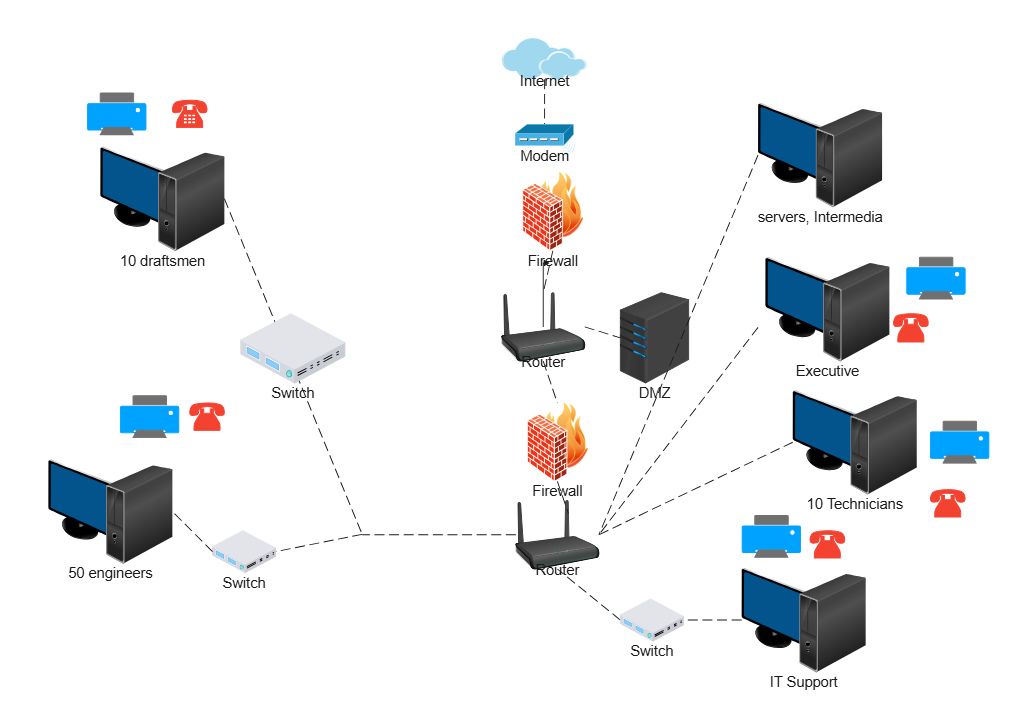
The firewall acts as a shield against malicious traffic before reaching the load balancer. The load balancer then distributes incoming requests across multiple web servers. This ensures no single server is overwhelmed by high traffic.
- Firewall
- Load Balancer
- HTTPS (TCP 443)
- HTTP (80)
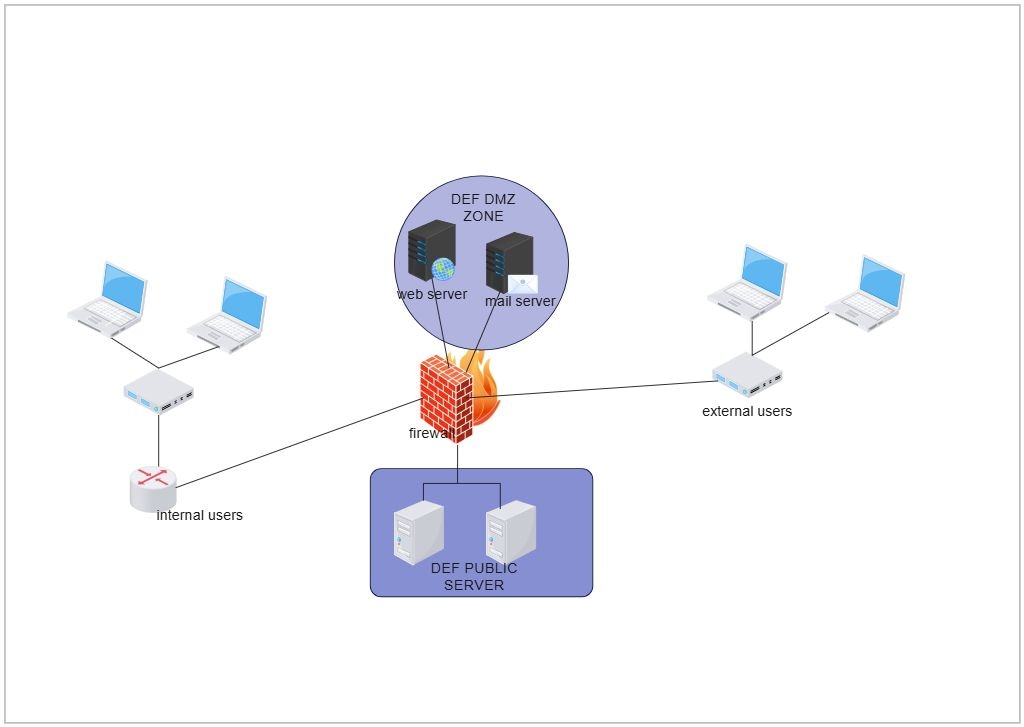
DMZ Zone
The Demilitarized Zone hosts the web servers like Nginx or Apache. These servers handle incoming requests from the load balancer. This layer adds a vital protection buffer between the public internet and internal application services.
- Web Server (Nginx/Apache)
- DMZ Boundary
Application Layer
This layer contains the core logic where app servers process data using Python or APIs. It includes cache servers for speed and connects to external authentication services. It bridges the gap between web interfaces and databases.
- App Server (Python / API)
- Cache Server
- External API / Auth Service
- REST / Internal HTTP
Database Layer
The database layer is the storage hub for all application information. It communicates with the application layer via SQL queries. Regular backup monitoring ensures data integrity and prevents loss during system failures or technical errors.
- Database Server
- Backup Monitoring
- SQL (TCP 3306)
FAQs about this Template
-
What is a network diagram for a web application?
A network diagram for a web application is a visual representation of the hardware and software components that power an online service. It shows how users, web servers, application logic, and databases interact. This map is essential for troubleshooting connection issues, planning security measures, and scaling the infrastructure to handle more traffic efficiently and securely.
-
Why is a Load Balancer important in this architecture?
A load balancer is critical because it manages incoming traffic by distributing it across multiple servers. This prevents any single web server from crashing due to high demand. By balancing the load, the application remains available and responsive. It also provides redundancy, ensuring that if one server fails, others can take over the task without any user downtime.
-
How does the DMZ zone enhance web application security?
The DMZ zone, or Demilitarized Zone, provides an extra layer of security by separating the public web servers from the internal private network. By placing web servers in a DMZ, organizations can control and monitor traffic strictly. Even if a web server is compromised, the attacker still faces more barriers before reaching sensitive application logic or database layers within the network.

 (AI & Web)