


- How to Create A Network Diagram in Word
- How to Make A Network Diagram Easier
- Network Diagram Word Templates
- Online Network Diagram Maker
- Key Takeaways
1. How to Create A Network Diagram in Word
It is crucial to understand every step of a network diagram , and it will be time-taking for any newbie. However, with Word and its user-friendly templates and other allied elements, a beginner will be able to get a vivid idea about network diagrams. So, here are the steps of how to draw a network diagram in Word:
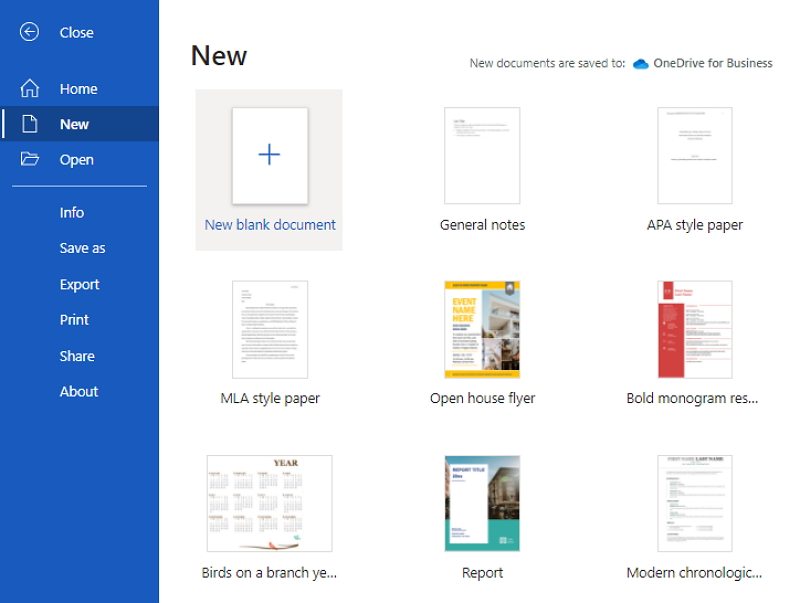
Step 1: Open the File
In Microsoft Word, start with a blank document and use Insert > Shapes to add boxes or other shapes for network devices. Word templates and menus vary by version, so do not rely on a dedicated Network diagram command being available.
Step 2: Add and Arrange Device Shapes
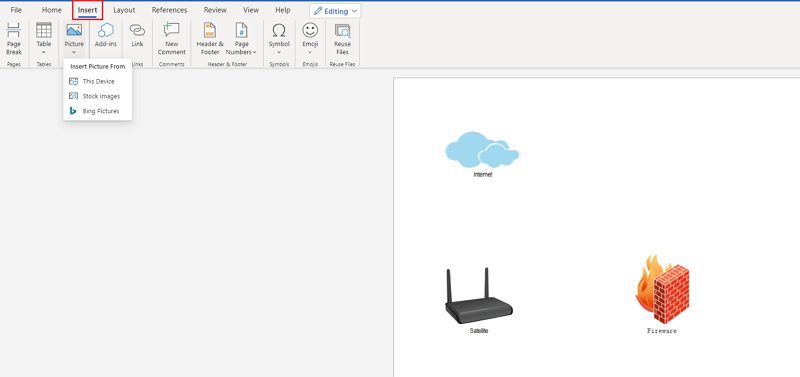
Add the device shapes that belong in the diagram, then arrange them to show the intended layout. Use clear labels for routers, switches, servers, endpoints, and network zones.
If your version of Word has no network-specific template, draw the diagram with Shapes and Lines. For larger diagrams, keep device names and connection labels readable and use a legend when symbols may be unfamiliar.
Step 3: Edit the Shapes
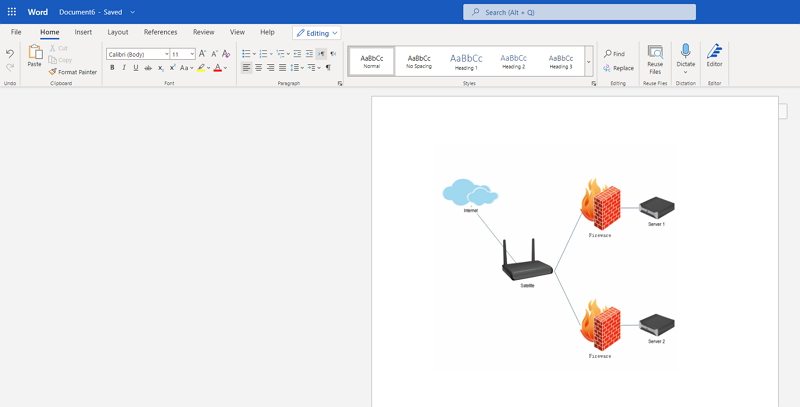
Use Word connector or line shapes to link related devices. Label important connections and review the diagram at normal page size so that crossings and device relationships remain clear.
Step 4: Add Test in the Shape
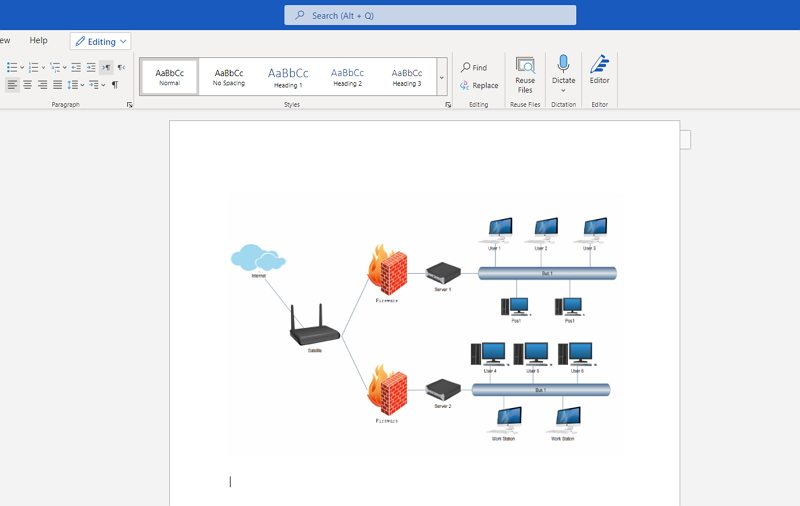
The user can add meaning to the diagram by adding significant texts in the network shape, clicking the same, and typing thereafter. Dragging the control handle will enable free movement of the text to the desired location in the network.
Step 5: Save and Export
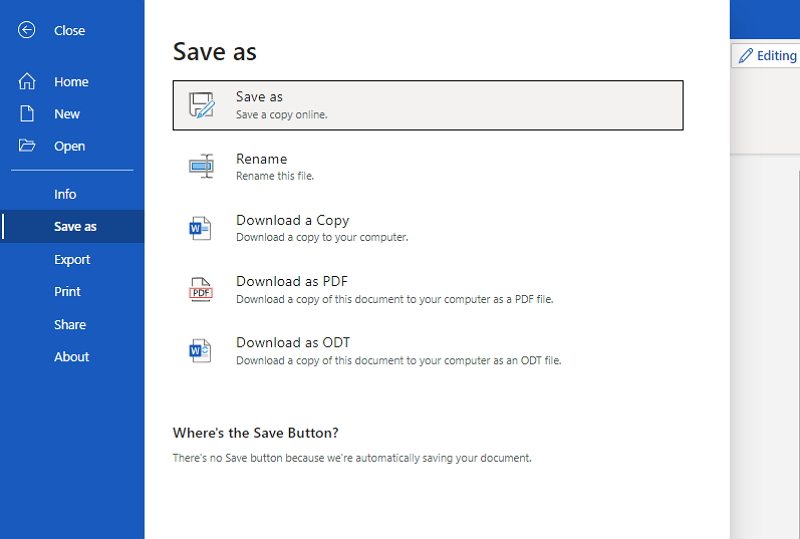
Now that your network diagram has finished, the user needs to click on Save and Close present in the top right corner of the drawing page. It will then add the user's diagran in Microsoft Word.
2. How to Make A Network Diagram Easier
Now that a user has some initial hands-on over creating a network diagram in Word, it is time to explore the advanced and even better and exciting platforms of drawing a network diagram with none other than EdrawMax Online. Below are the steps to assist in drawing a network diagram in EdrawMax Online:
 Get 500 free AI tokens
Step 1: Select MInd Map Template
The user needs to find the [Network Diagram] option in the EdrawMax online application. then select [Basic Network Diagram] under this classification, as image shows;

Step 2: Customize Your Network Diagram
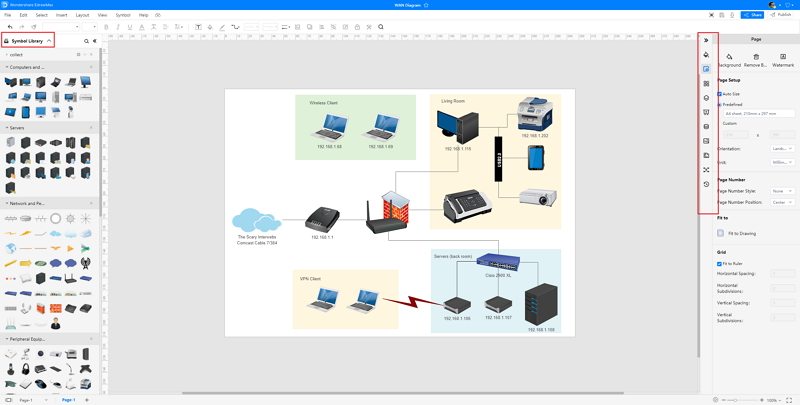
A page opens with a Plus sign to start with a fresh template. The user can now start editing and making changes in the template by dragging and dropping the shapes and connectors, adding texts, and then joining the whole thing in a relevant fashion to create the required Network Diagram.
Step 3: Export and Insert
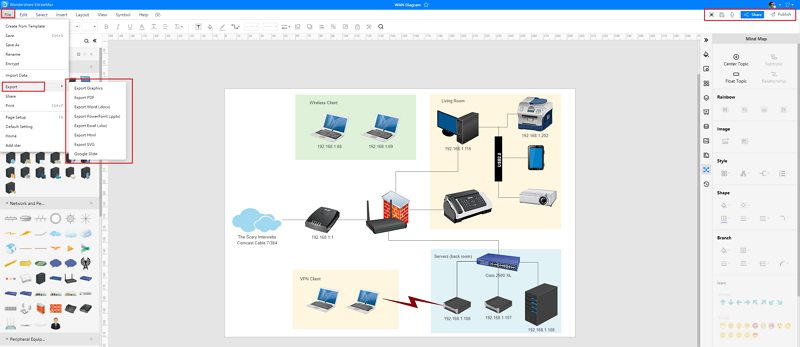
After completing the process, the user finally needs to save this in Word format. The file is now ready to use and share amongst all the users.
3. Network Diagram Word Templates
Sometimes, it is really hard to follow the steps on how to make a network diagram in Word or on EdrawMax Online and create the perfect diagram. At this time, there are network diagram examples you can edit immediately, or for more references. The network diagram exampels not only help people to understand a network diagram and its classification deeper, but also assist to draw network diagrams without efforts.
Network Diagram Word Template
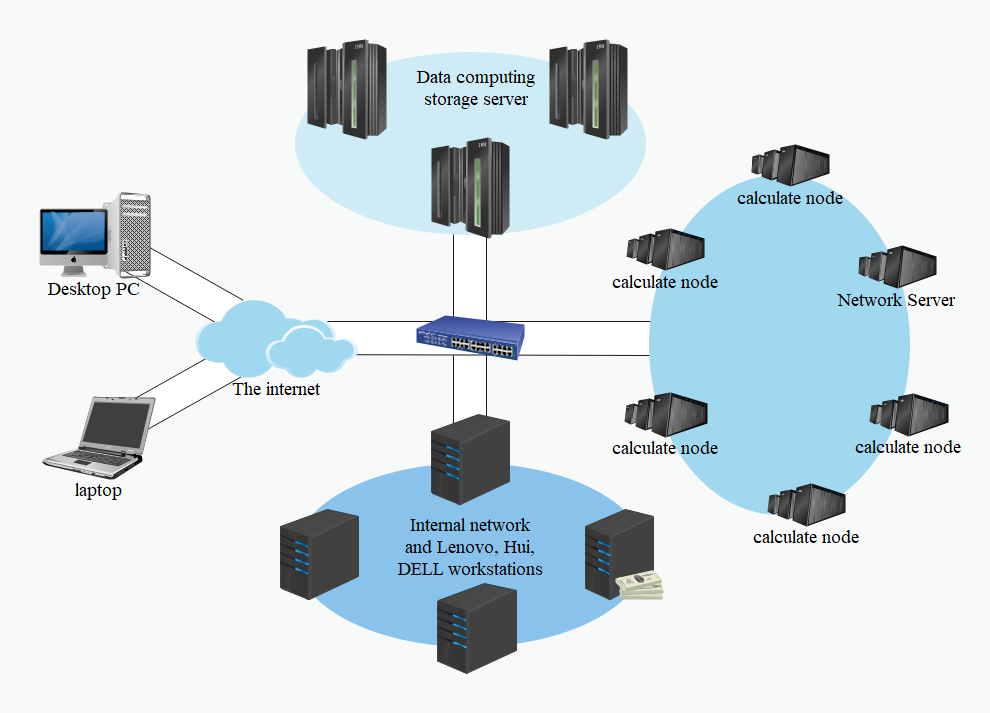
There is a network diagram about the 3D computering cluster upgrade plan. The system network diagram belongs to the system design stage, and the system architecture diagram is only a product of this stage. This template is a system architecture diagram about the framework of the integrated office management platform.
 Source:EdrawMax Online
Visio Network Diagram Template
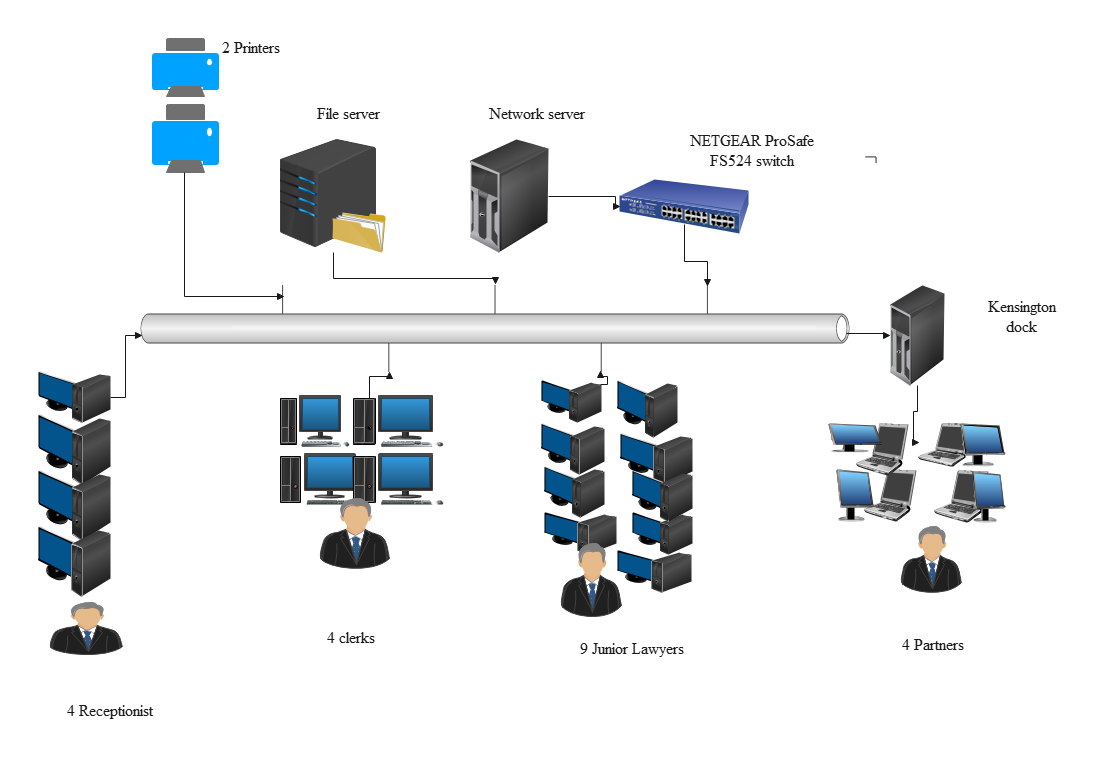
Here is a simple network diagram. You can optimize your current network architecture. For example, using a UML diagram to visualize your software, a flowchart to design system, and a network diagram to understand the devices' relations.
 Source:EdrawMax Online
Project Network Diagram Template
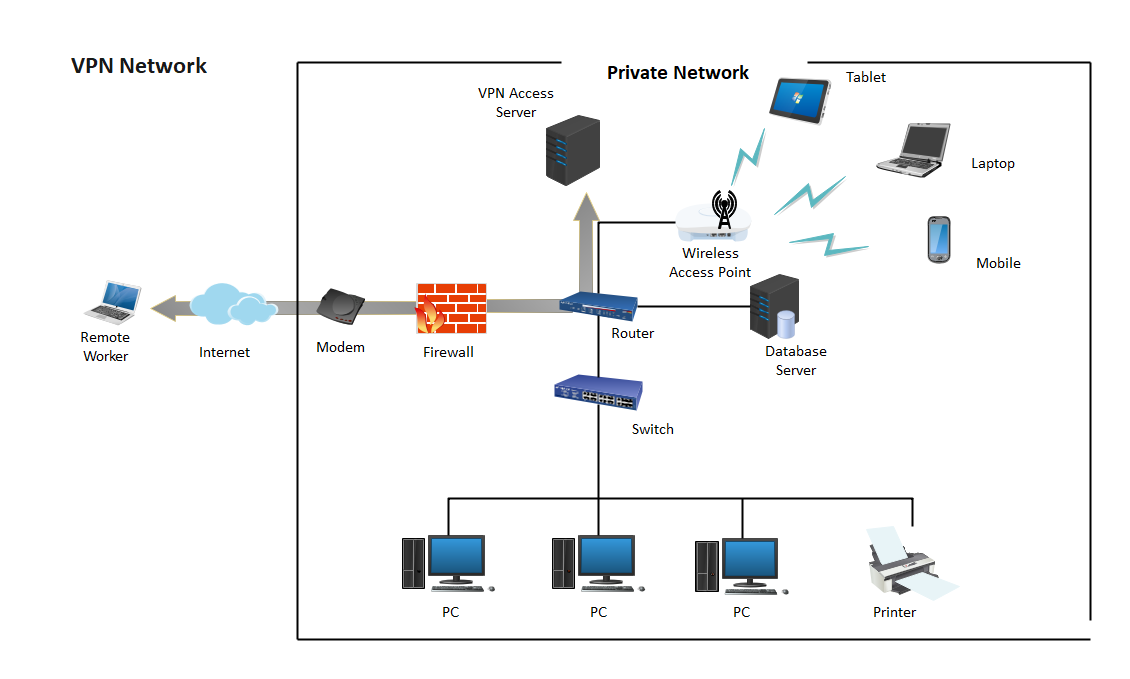
A Virtual Private Network (VPN) is a network that allows the private networks at a remote location securely connect to the public Internet and provide access only to the intended recipients for transmitting data. VPN is built by creating the virtual point-to-point connection using the dedicated connections, traffic encryption or virtual tunneling protocols
 Source:EdrawMax Online
4. Online Network Diagram Maker
A network diagram is basically and entirely a visual representation of a wholesome task in a synchronized manner of cluster grouping by way of the interconnection of various groups and systems. EdrawMax Online is a versatile graphical platform and one of the widely accepted choices by esteemed brands presently.
Since a network diagram might seem a little puzzling at first, the attractive graphical interface of network diagram tool makes it very enticing for the user to draw a Network Diagram. With a little bit of know-how on how To Draw a Network diagram in Word, the user can work wonders with the fantastic features of EdrawMax Online. It also ensures data security and privacy and is compatible with any and every other platform. So all the users across the platforms can share and make use of the same for monitoring the progress of the project and take action accordingly.

Why Choose EdrawMax Online
- Create over 280 diagram types
- Supports team collaboration
- Personal cloud & data protection
- Print, share and download
- Powerful template community
Get 500 free AI tokens
5. Key Takeaways
It is always mandatory to have a handy network diagram in place before setting up any computer or other telecommunication network. It helps to ensure seamless delivery of the tasks promptly. It does so by helping in an appropriate visualization of the process flow, troubleshooting the loopholes, getting the same rectified on time, applying the necessary updates in the network by foreseeing the requirements. Last but not least, present it to the financial stakeholders for sale purposes.
Network Diagrams are the need of the hour for any industrial project. Therefore, knowing how to create a network diagram in word is of utmost necessity for any user associated with any such project. With EdrawMax Online, a user can always have a helpful and tactful way to solve the jargon of drawing a network diagram owing to its enhanced modern features. If you still confused about how to make a network diagram in EdrawMax Online, here is a network diagram guide to help you create in minutes.
AI Diagram Generator
Enter your prompt. Upload files if needed. Generate diagrams, charts, or slides instantly.