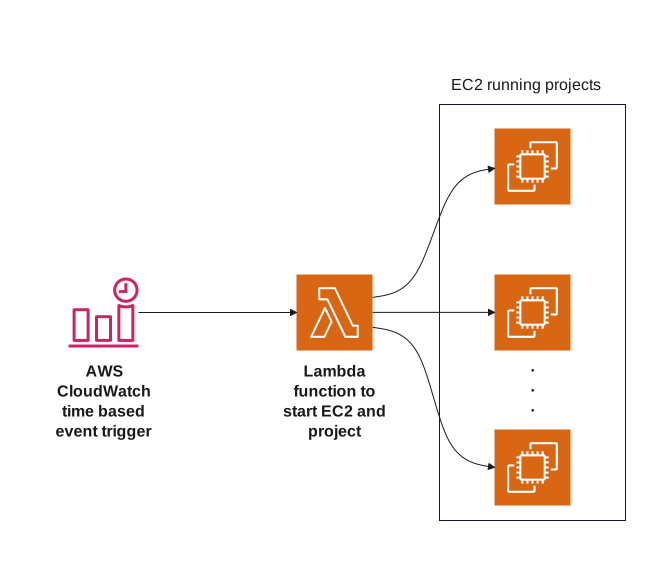
About this AWS Automated EC2 Instance Trigger Flowchart
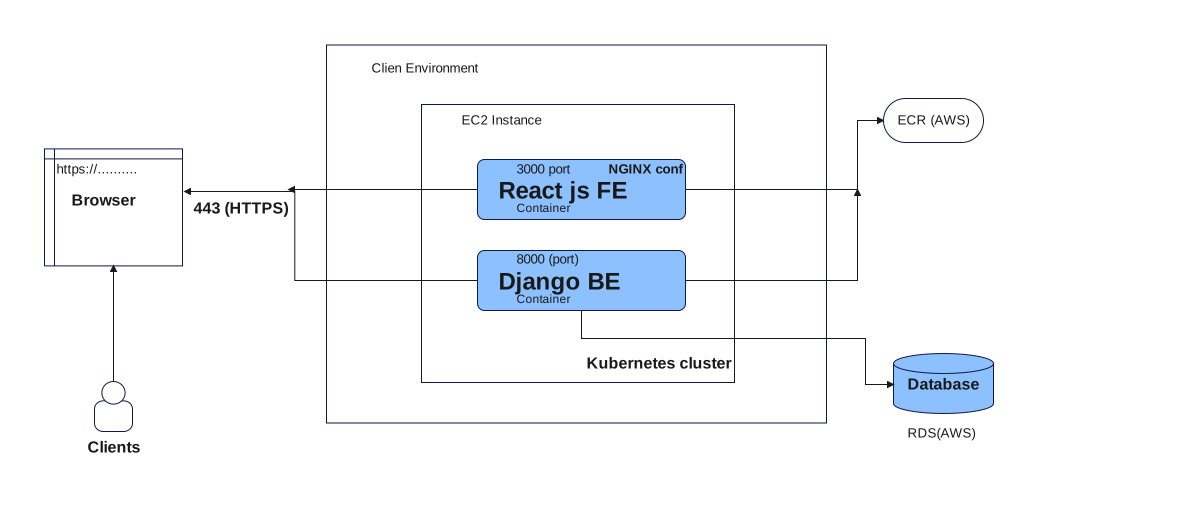
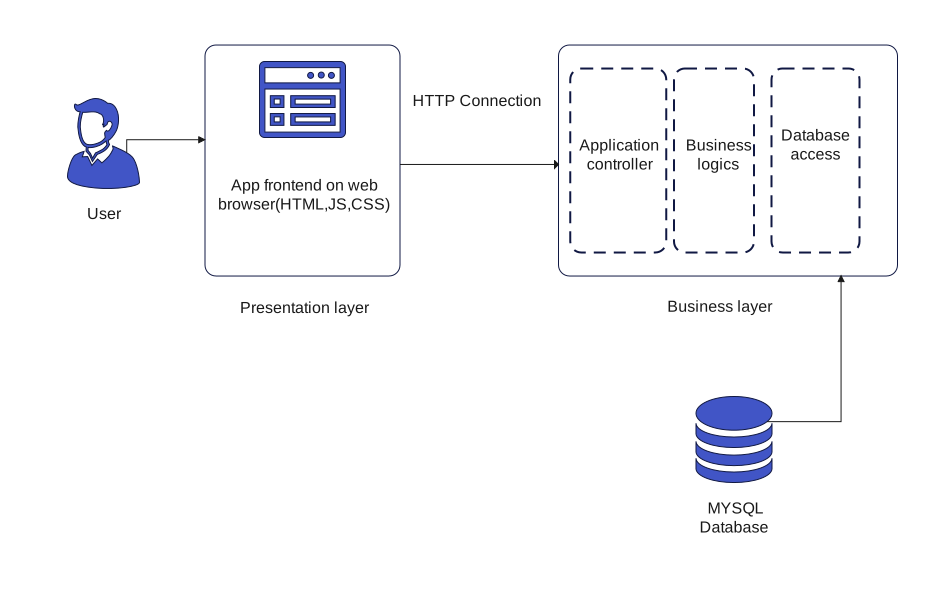
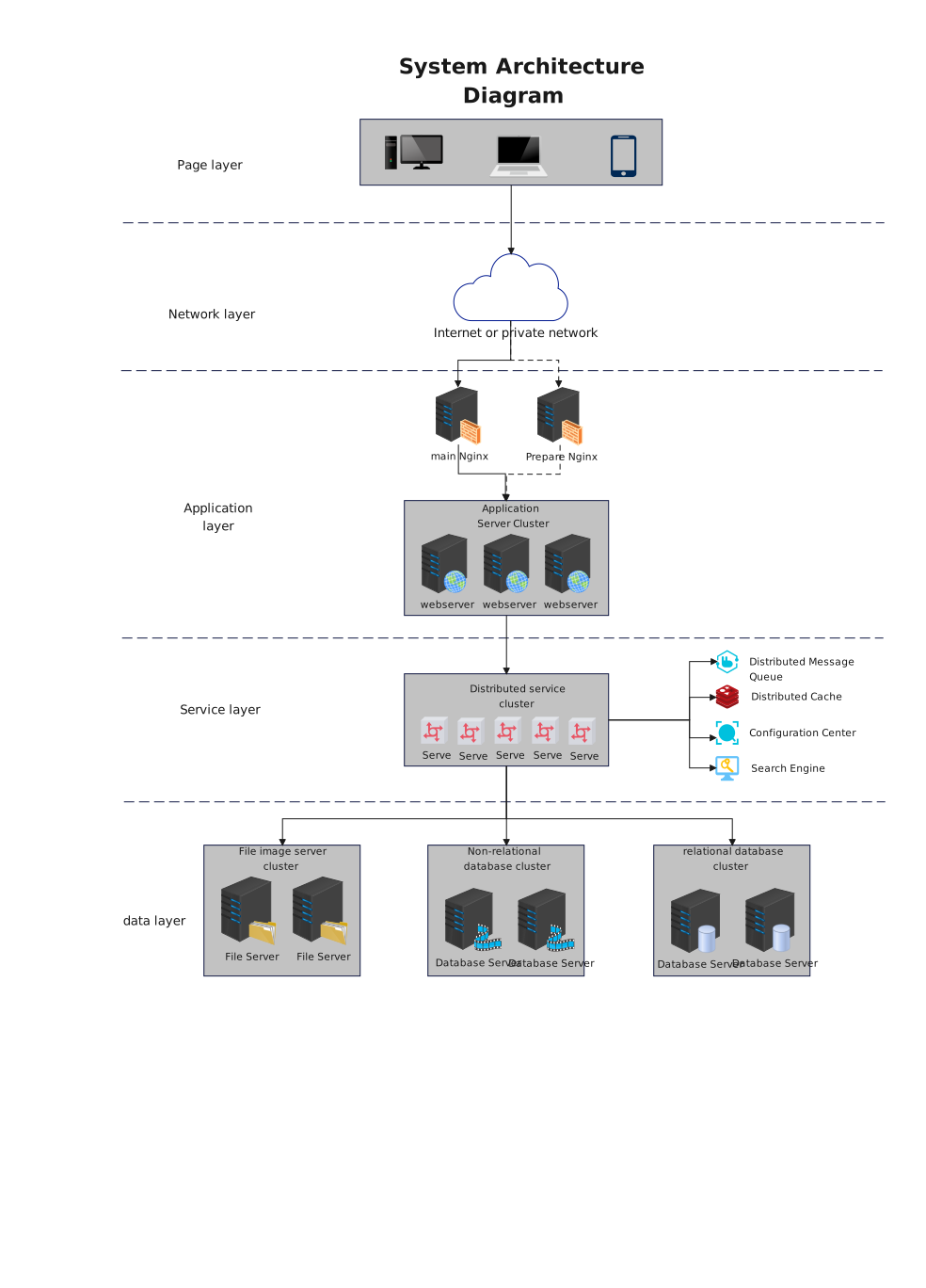
This AWS Automated EC2 Instance Trigger Flowchart template maps Application and Service Layer and Platform Components, showing how traffic, hosted services, storage, and platform controls are arranged across the deployment stack.
Application and Service Layer
This section groups the application logic and service components that handle requests, apply business rules, and connect the front end to downstream resources.
Platform Components
This section gathers the platform-level services and shared infrastructure that support deployment, monitoring, integration, or day-to-day operations.
FAQs about this Template
-
What makes this AWS Automated EC2 Instance Trigger Flowchart clearer than a paragraph explanation?
It shows the process as a sequence of steps and choices that can be scanned visually. That helps readers follow the logic of the page much faster than if the same information were buried inside a long block of written instructions.
-
Why are decision nodes important in a general flowchart?
Decision nodes show where the path can split based on a condition or result. They keep the flowchart honest by showing that the process is not always one straight line from start to finish.
-
When should a general flowchart template be used instead of plain text?
It should be used when order, branching, or handoff points matter. If the reader needs to see how one step leads to another or where the process can change direction, the flowchart format is easier to interpret.
-
What should be checked before a general flowchart is finalized?
The creator should check the sequence, branch conditions, labels, and end states before finalizing the chart. It is also helpful to confirm that the wording on each node matches the real process rather than a simplified guess.



 (AI & Web)