
About AWS React App Diagram
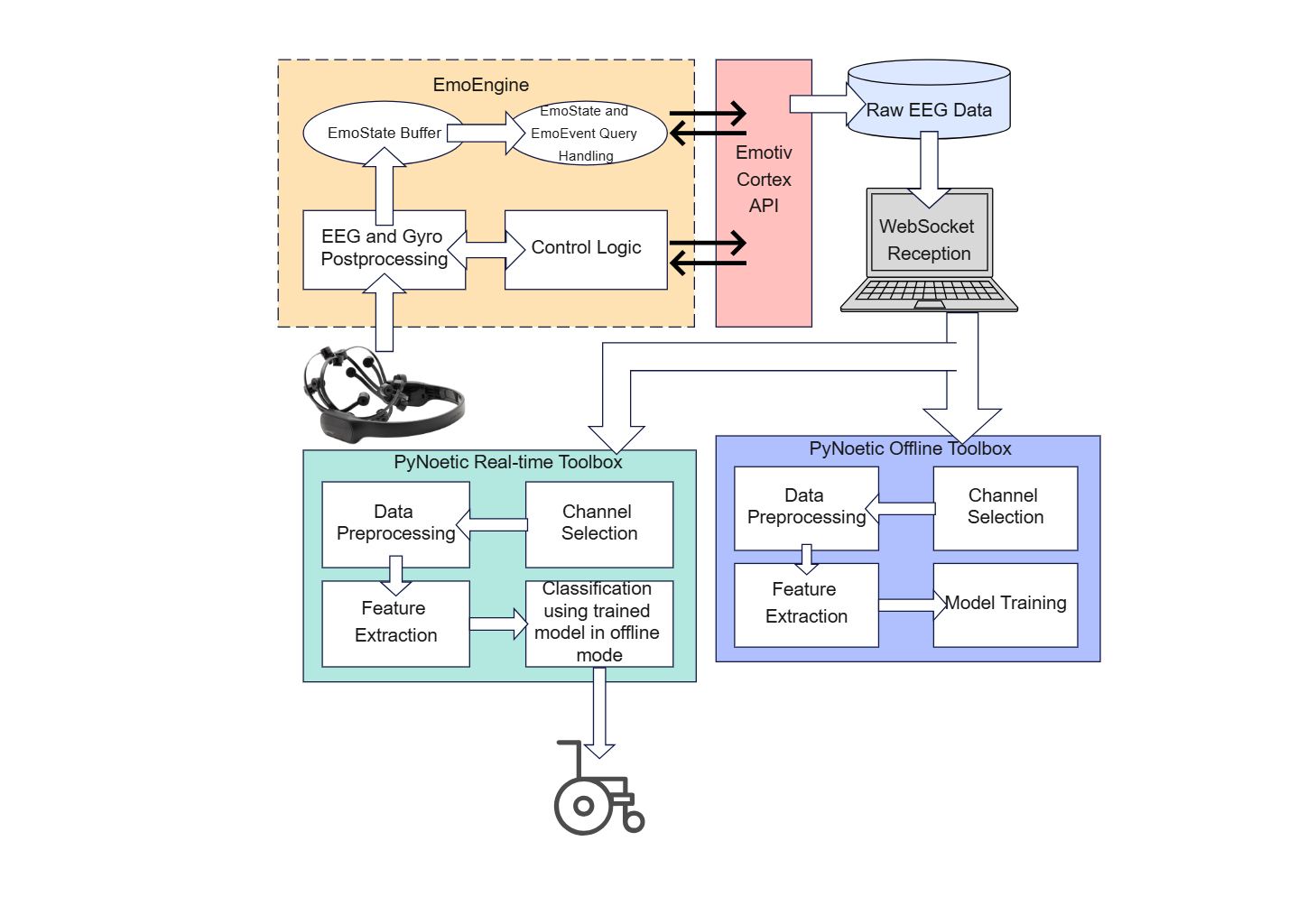
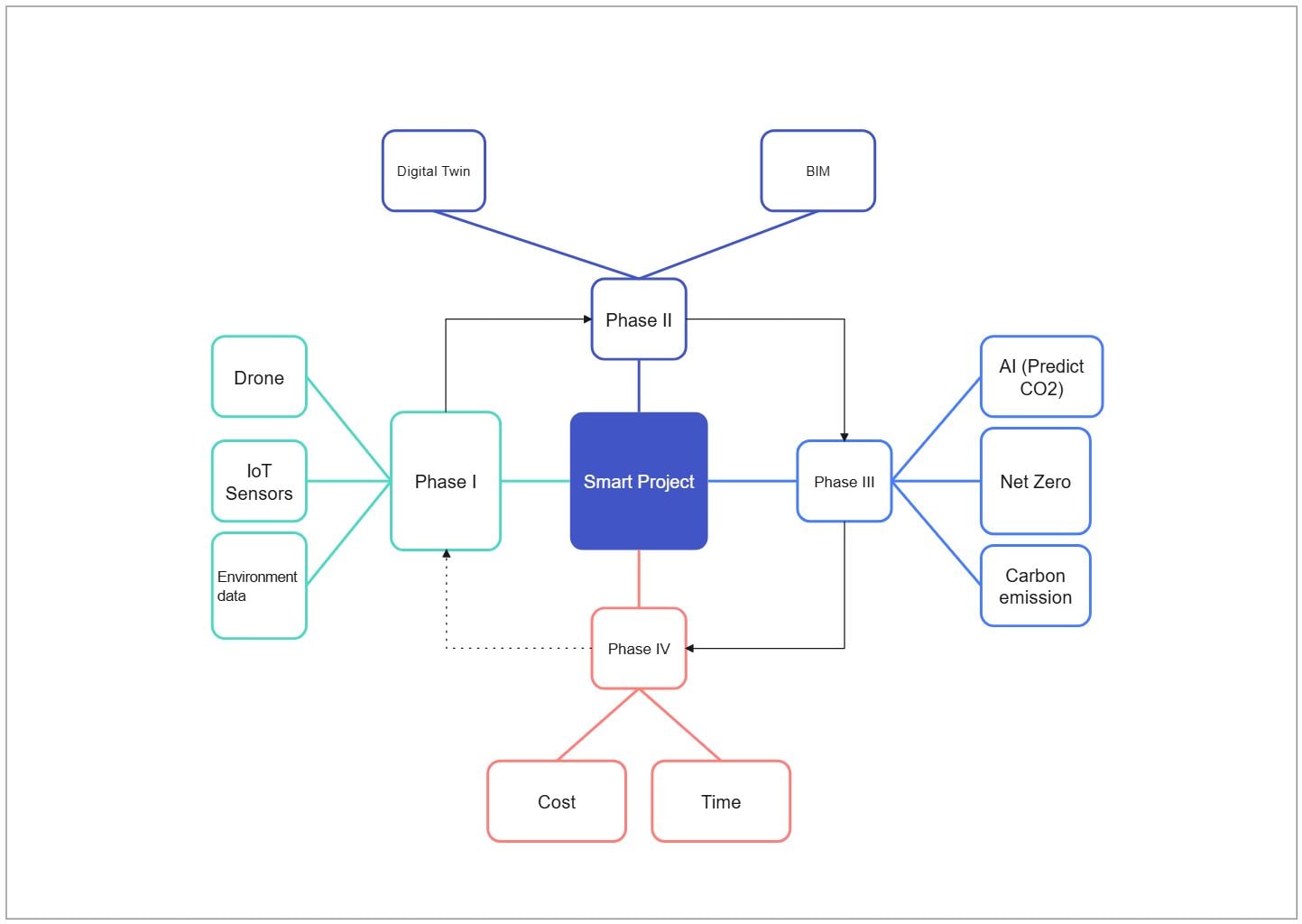
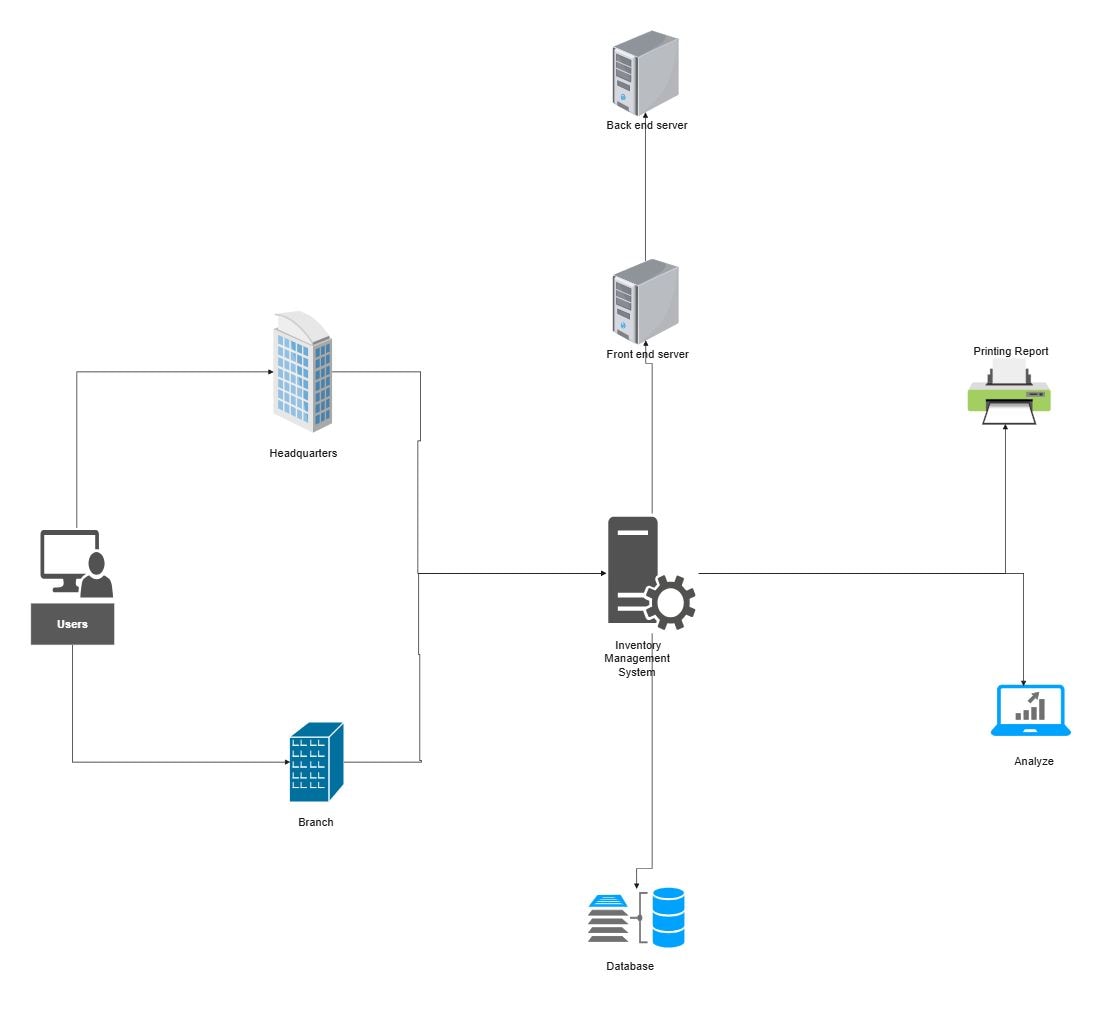
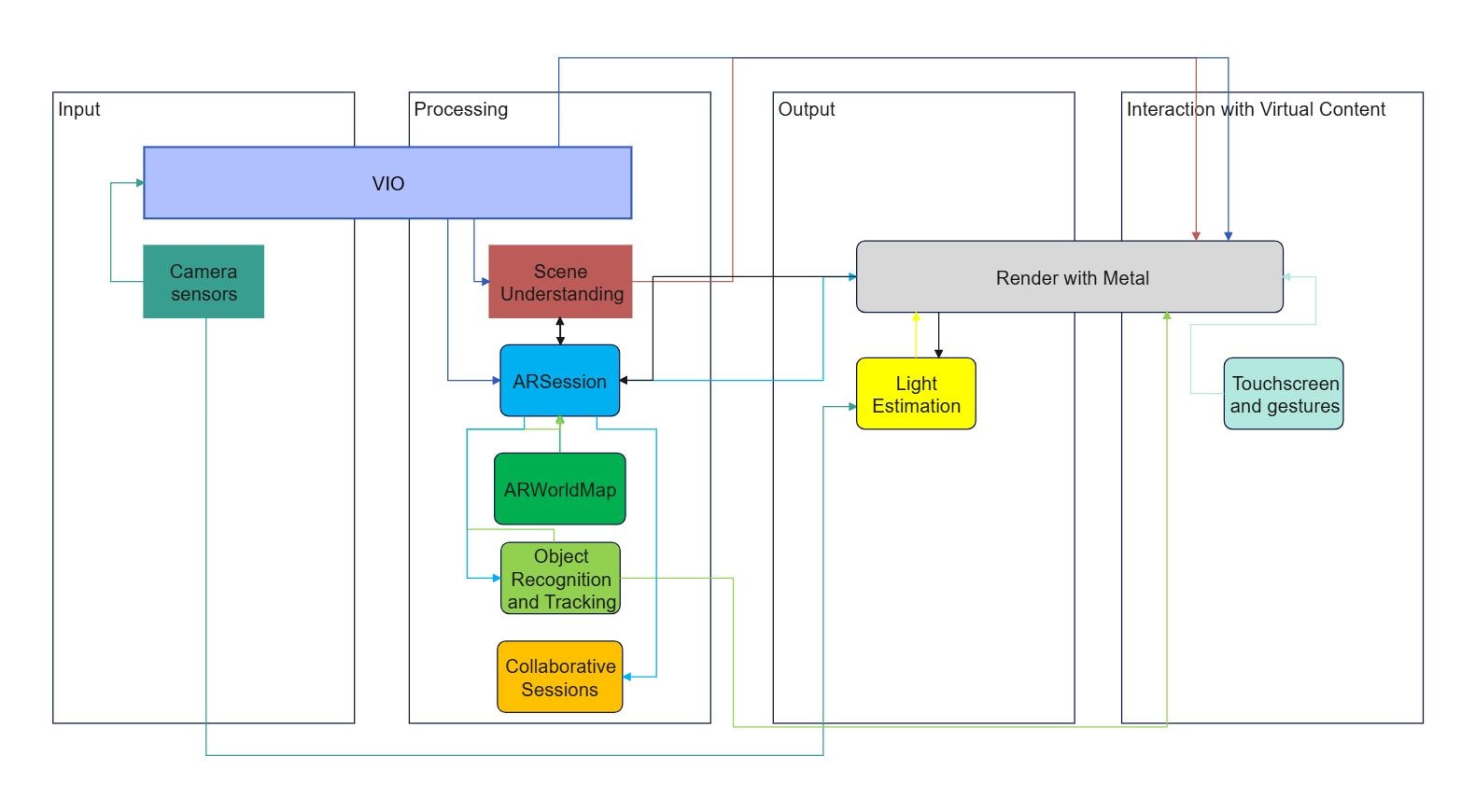
This aws react app diagram maps client, service, data, and control layers. The visible component labels show how access, processing, storage, and control are...
Visible Components
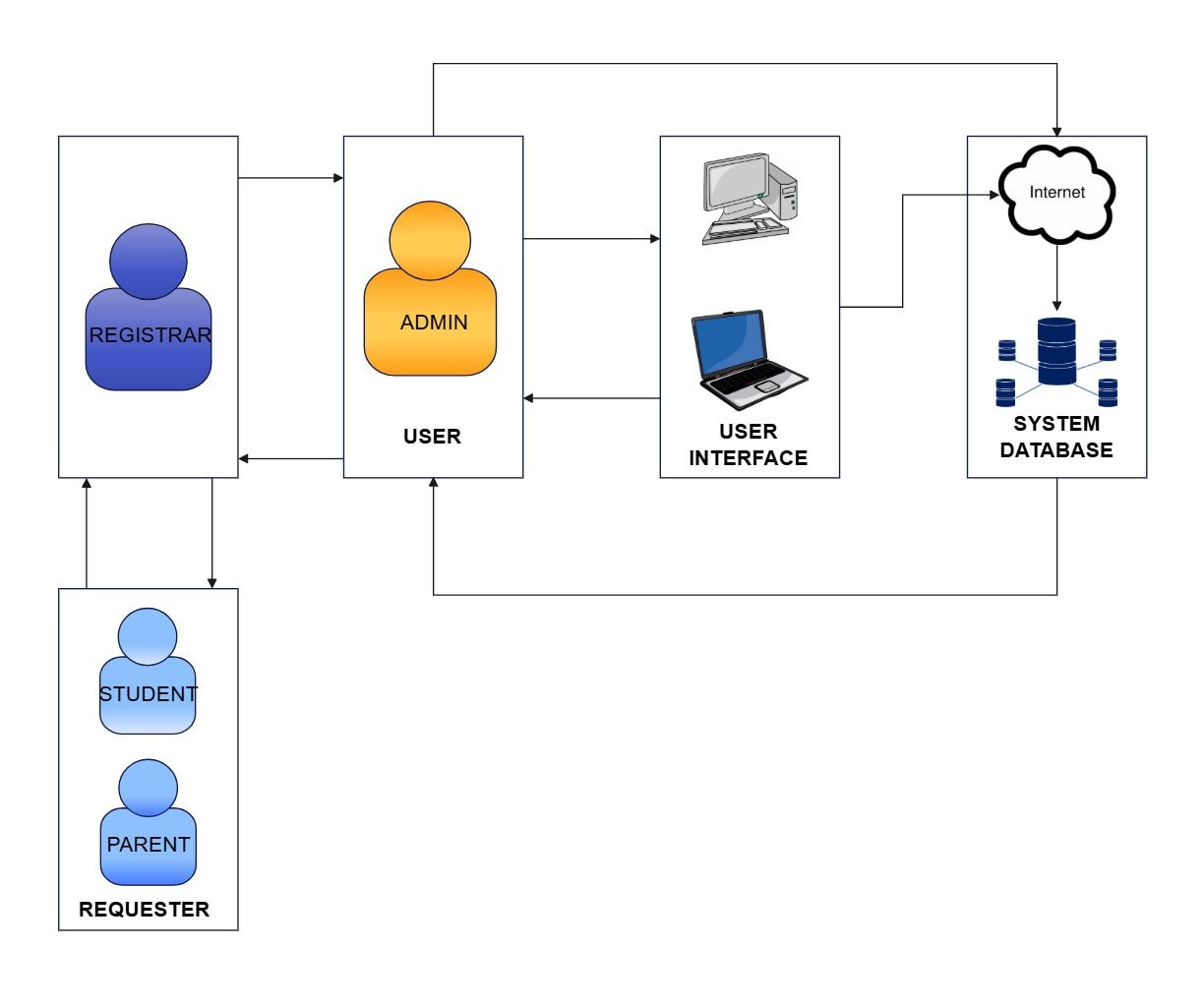
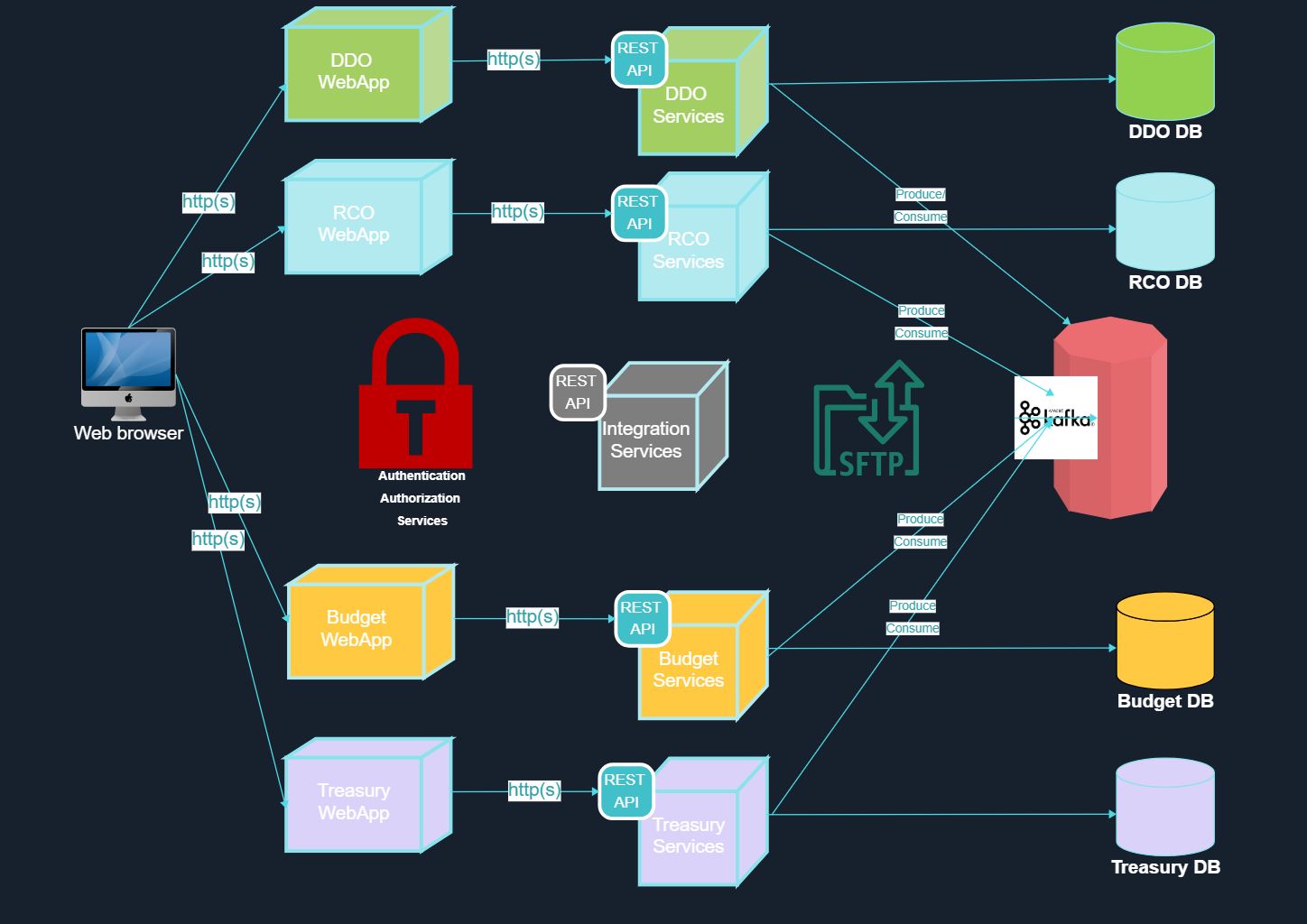
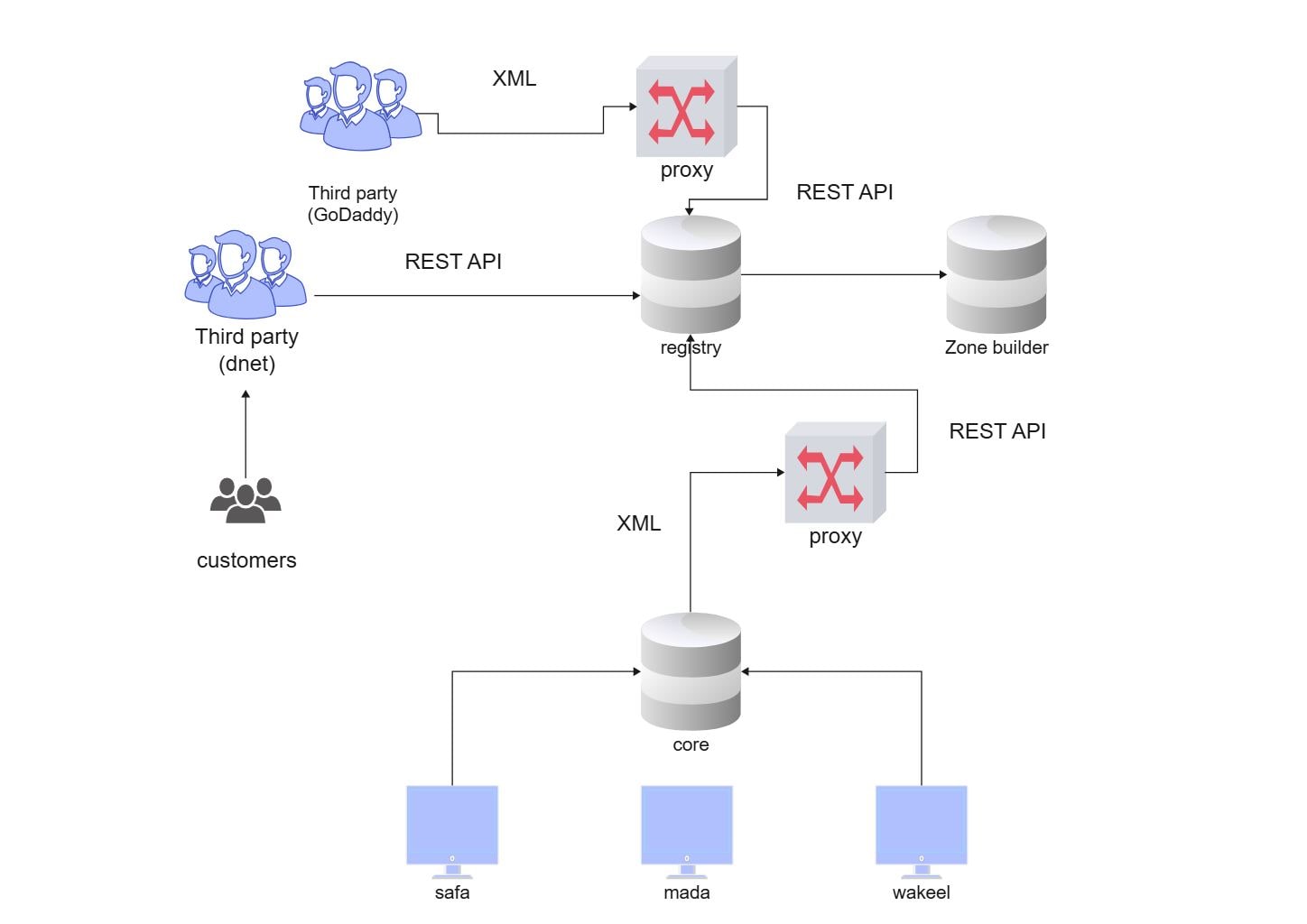
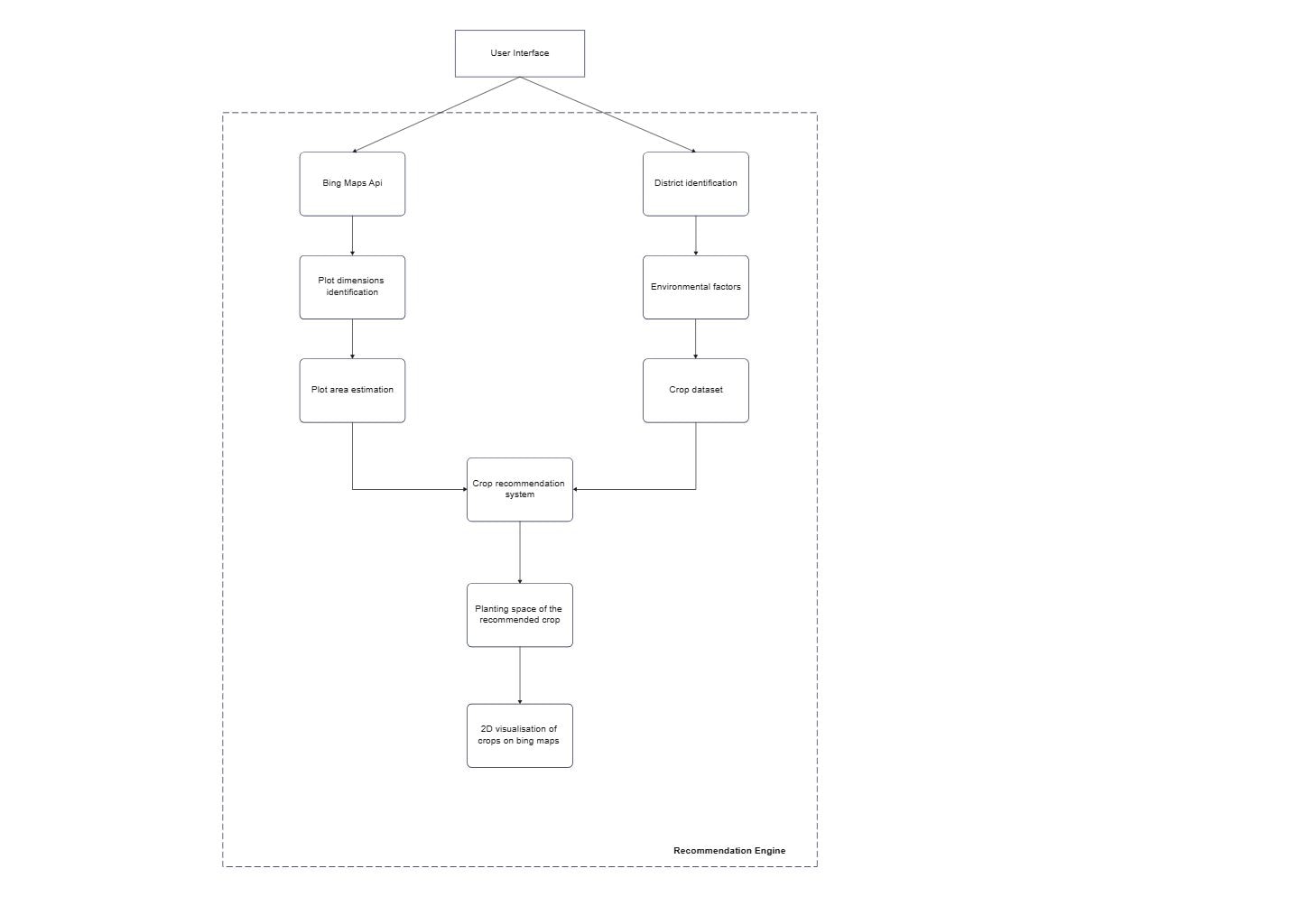
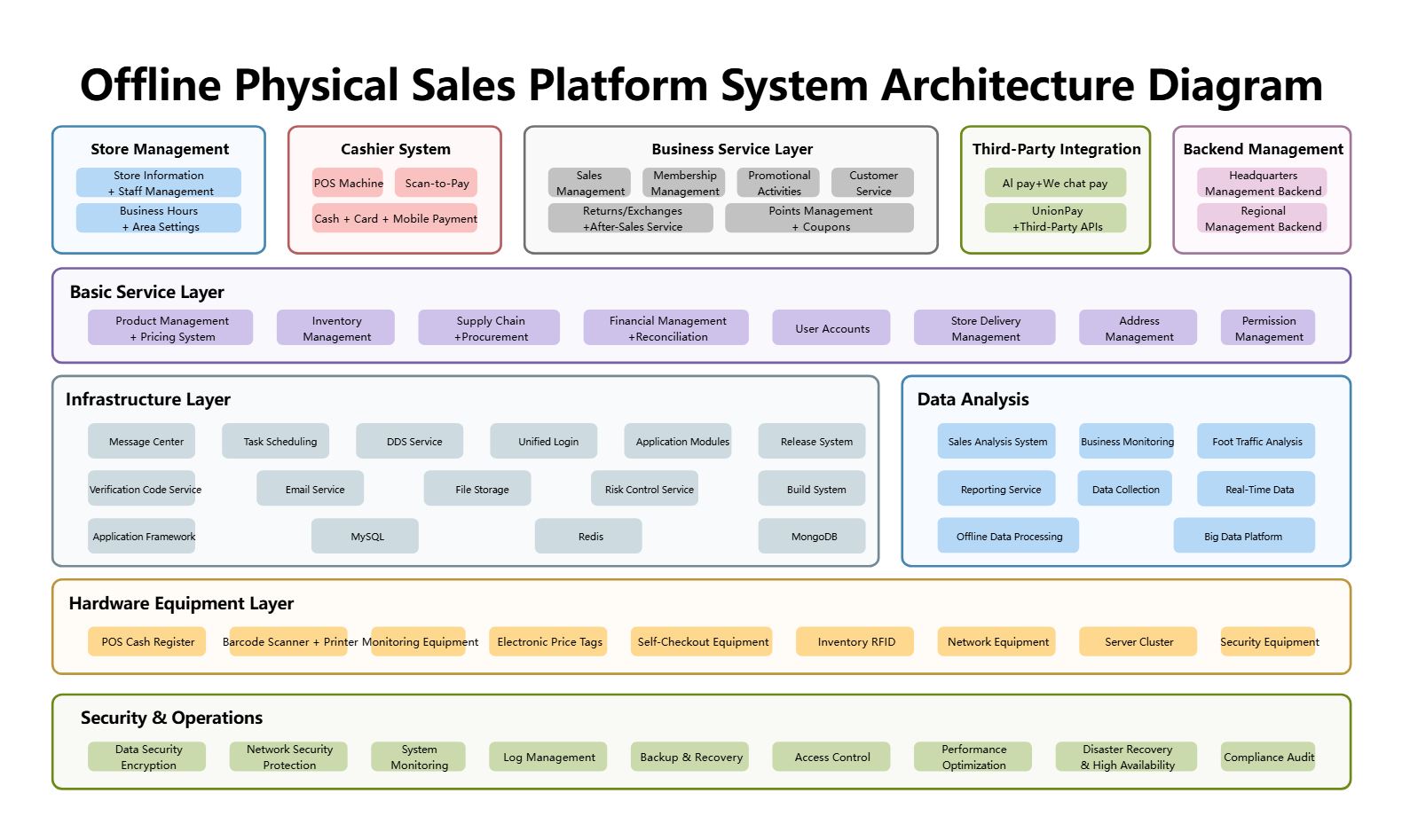
The image groups the technical design into named components that can be read as separate responsibilities across the same architecture.
FAQs about this Template
-
What does this aws react app diagram show?
This aws react app diagram shows the main technical layers and named components that make the system work together. Instead of focusing on one service in isolation, it presents how access, application logic, data support, and network or control boundaries are arranged across the same design.
-
Why are architecture diagrams easier to understand when the components are grouped?
Grouping turns a long list of services or nodes into readable layers with distinct roles. That makes it easier to explain what belongs to the access path, what runs core logic, what stores data, and what protects or connects the environment, especially during reviews and cross-team discussions.
-
What should someone look at first on an architecture diagram like this?
A good starting point is the top-level groups and the named components inside each one. Reading the diagram that way helps you understand the design boundary before you focus on lower-level details, service connections, or deployment choices that only make sense after the bigger structure is clear.
-
How is an architecture diagram different from a context diagram?
An architecture diagram focuses on internal structure, responsibilities, and technical layers inside the system, while a context diagram focuses on outside actors and system boundary. That difference matters because architecture diagrams answer how the system is organized, not just who interacts with it from outside.
-
When is this type of architecture template most useful?
This type of template is most useful during technical planning, onboarding, documentation, and implementation review. Because the component labels are already visible in the structure, the diagram can support both high-level explanation and more detailed discussions about how the system is divided into working parts.

 (AI & Web)