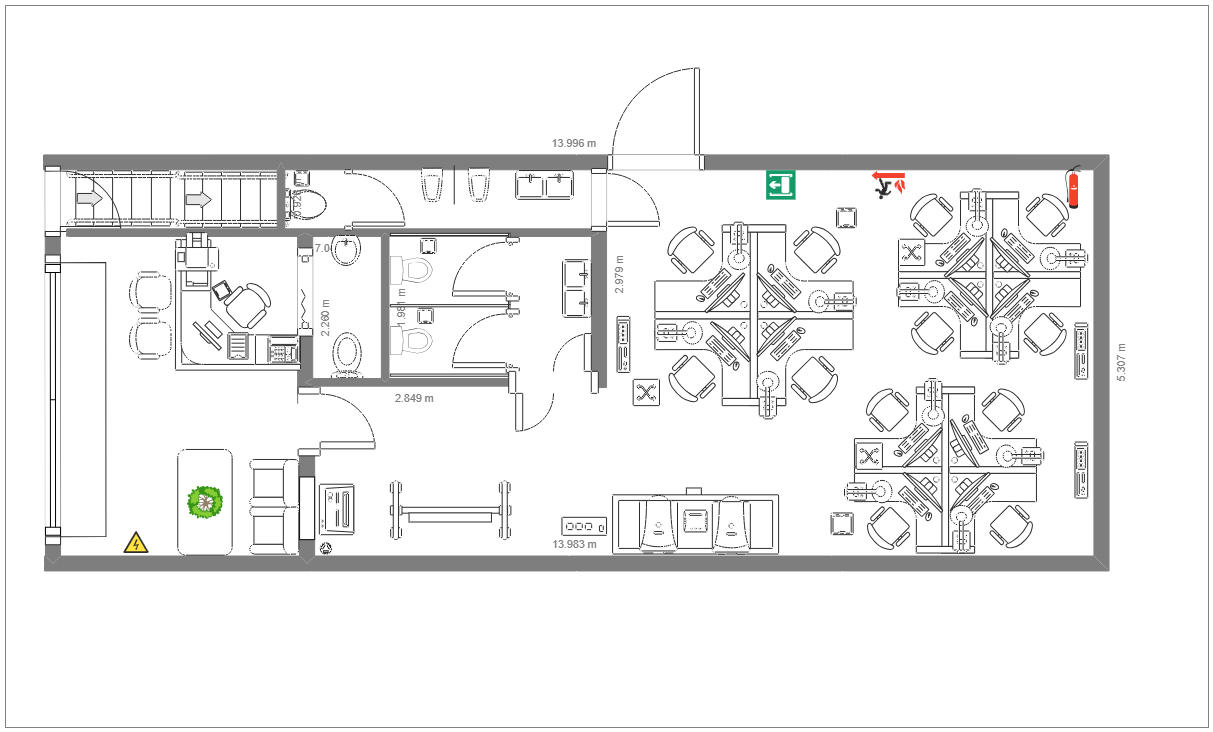
About the Detailed Office Floor Plan Template
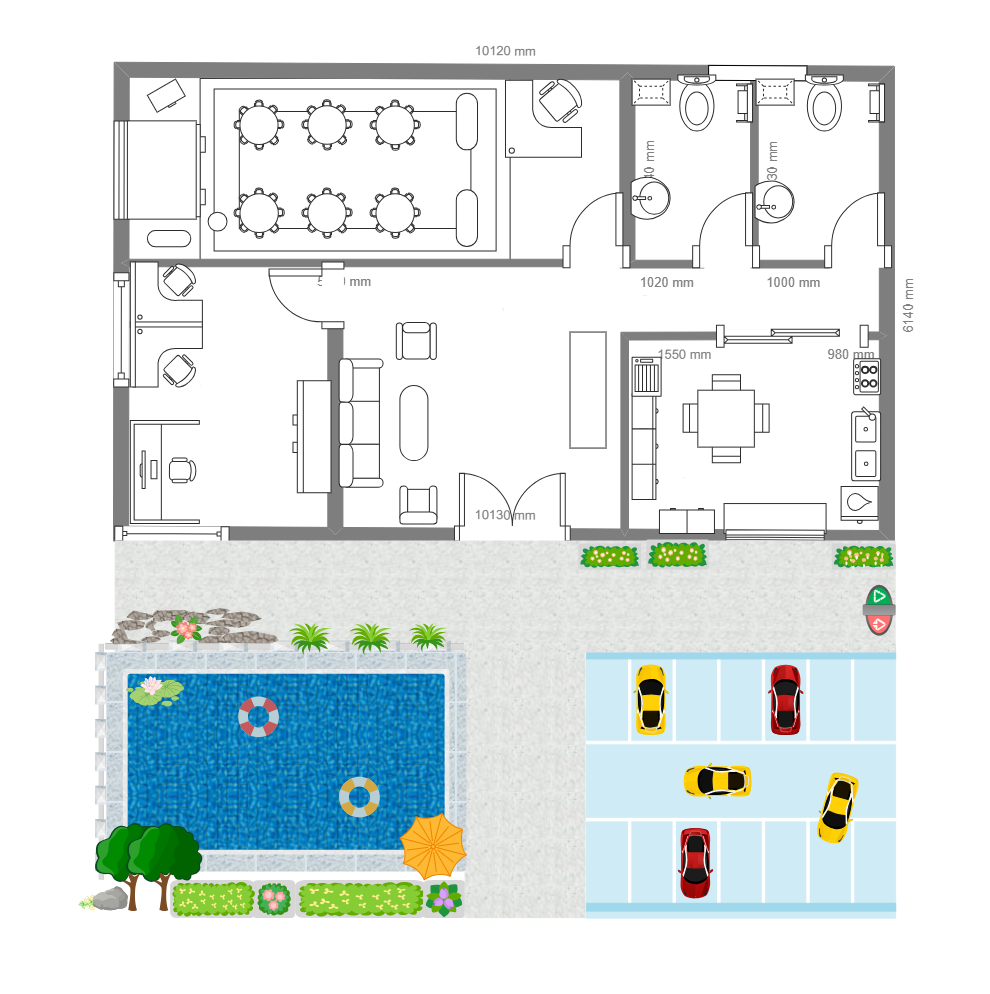
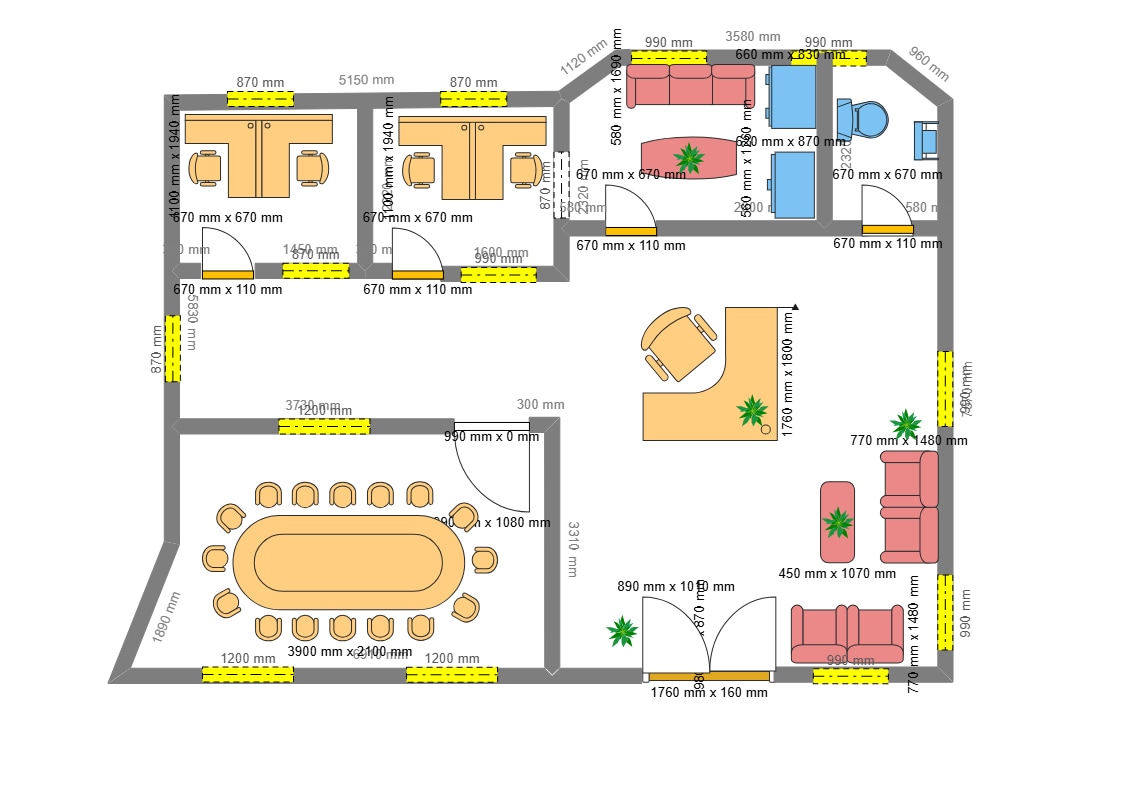
Use this detailed office floor plan template to communicate room grouping, work areas, and internal circulation.
Room grouping and work areas
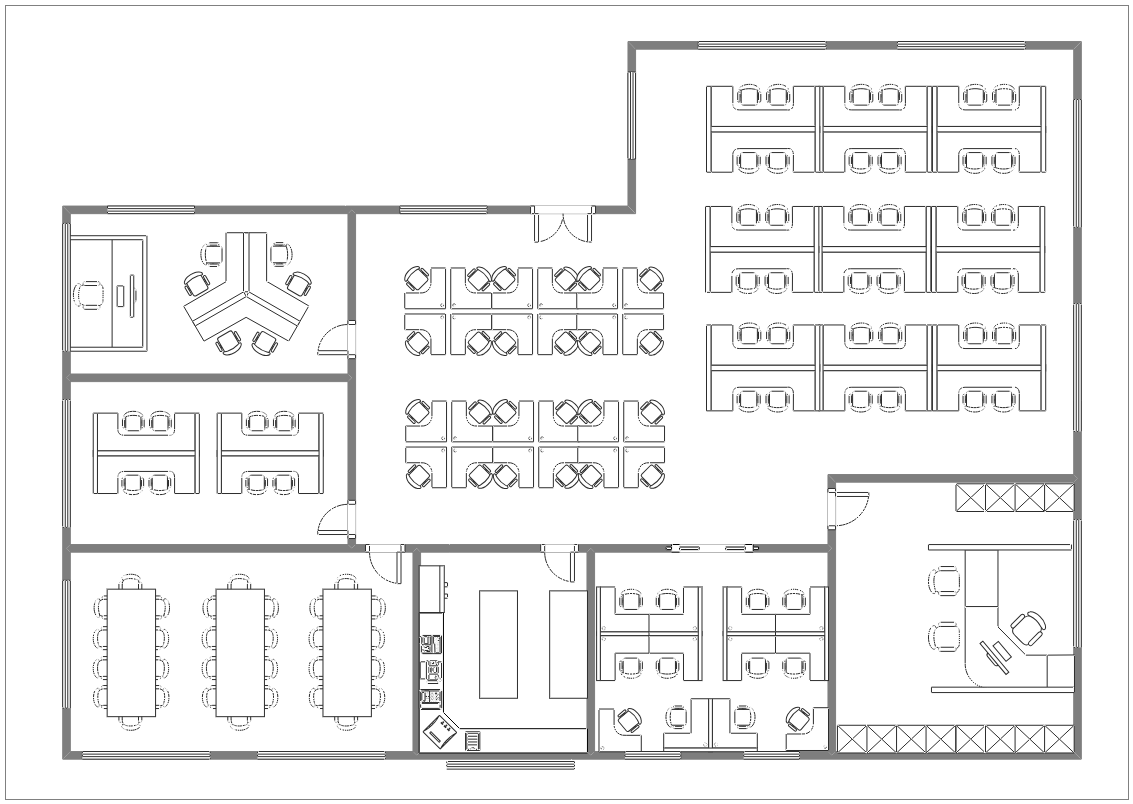
A detailed plan helps readers see how work areas relate to enclosed rooms and shared spaces. Keep labels specific to the office and make the boundaries easy to follow.
Furniture and internal routes
Show furniture or equipment when it affects how the office will be used. Check the routes between the main areas and revise any details that do not match the measured space.
Prepare a review copy
In EdrawMax, edit labels, furniture, room boundaries, and circulation. Confirm dimensions and have workplace users review the drawing before it is used for renovation or operational decisions.
FAQs about this Template
-
What makes an office floor plan detailed?
A detailed office plan can identify room groupings, work areas, furniture, and circulation needed to explain the layout. Include only details that are verified for the project.
-
When should furniture be included in an office plan?
Include furniture when its position affects circulation, capacity, or how a work area functions. Keep the drawing readable and update it when the proposed arrangement changes.
-
How do I edit this detailed office floor plan?
In EdrawMax, update the room labels, boundaries, furniture, and routes to match the measured office. Review the final drawing with workplace users and facilities staff.
-
Can a detailed floor plan replace measured drawings?
No. Use it to communicate a layout concept, then verify dimensions and construction details with appropriate measured drawings and qualified professionals.

 (AI & Web)