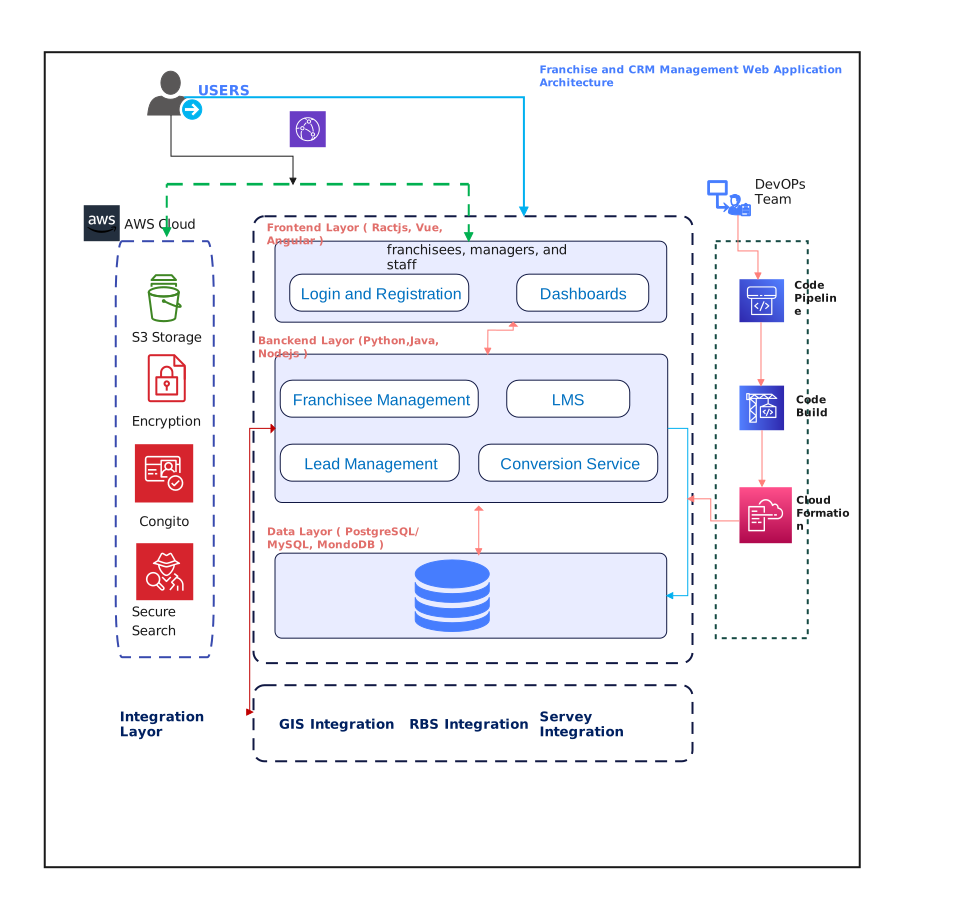
About this Franchise and CRM Management Web Application Architecture Diagram
This template is centered on a CRM-style web application, where user entry points, business service logic, data support, and platform resources need to be explained as parts of one connected product stack.
Access and Client Layer
This section represents the user-facing access path for staff, franchise users, or connected systems that interact with the application.
Application and Service Layer
This layer groups the business services that handle CRM logic, coordinate workflows, and turn incoming requests into application actions.
Data and Support Layer
This part covers the stored records and support resources that hold franchise, customer, or operational information used throughout the system.
Platform Components
This area gathers the supporting platform services that help the application run reliably and stay manageable at scale.
FAQs about this Template
-
What should someone notice first on this Franchise And CRM Management Web Application Architecture Diagram?
Start with the biggest application sections, such as user access, service logic, data support, or platform components. Reading the diagram in that order makes it easier to understand the product structure before looking at smaller tools, services, or technical details.
-
Why are the main sections separated on an application architecture page?
The separation makes it easier to understand which parts handle user interaction, which parts run business logic, and which parts support storage or operations. That is especially useful for application diagrams because many different responsibilities often live behind a single product.
-
How is an application architecture diagram different from a context or process diagram?
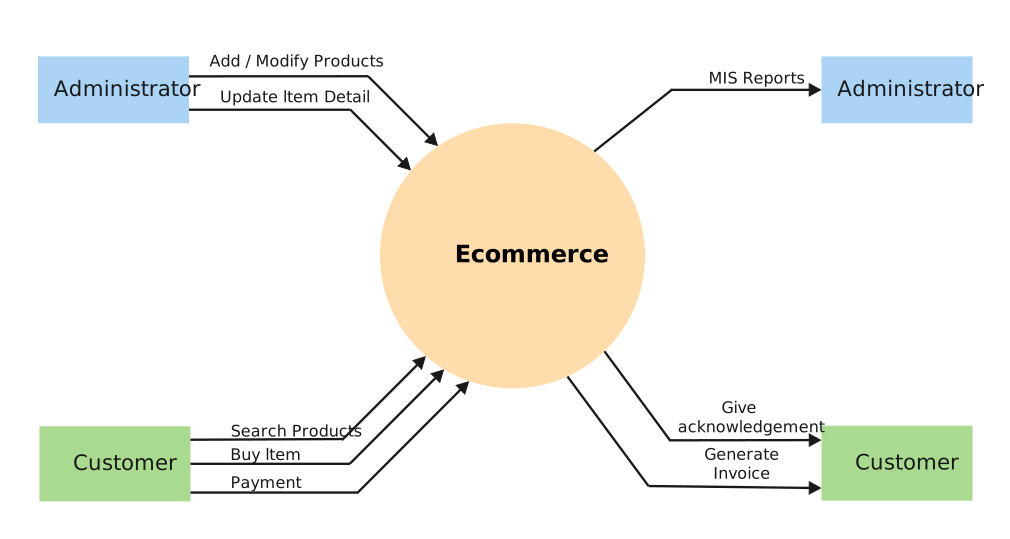
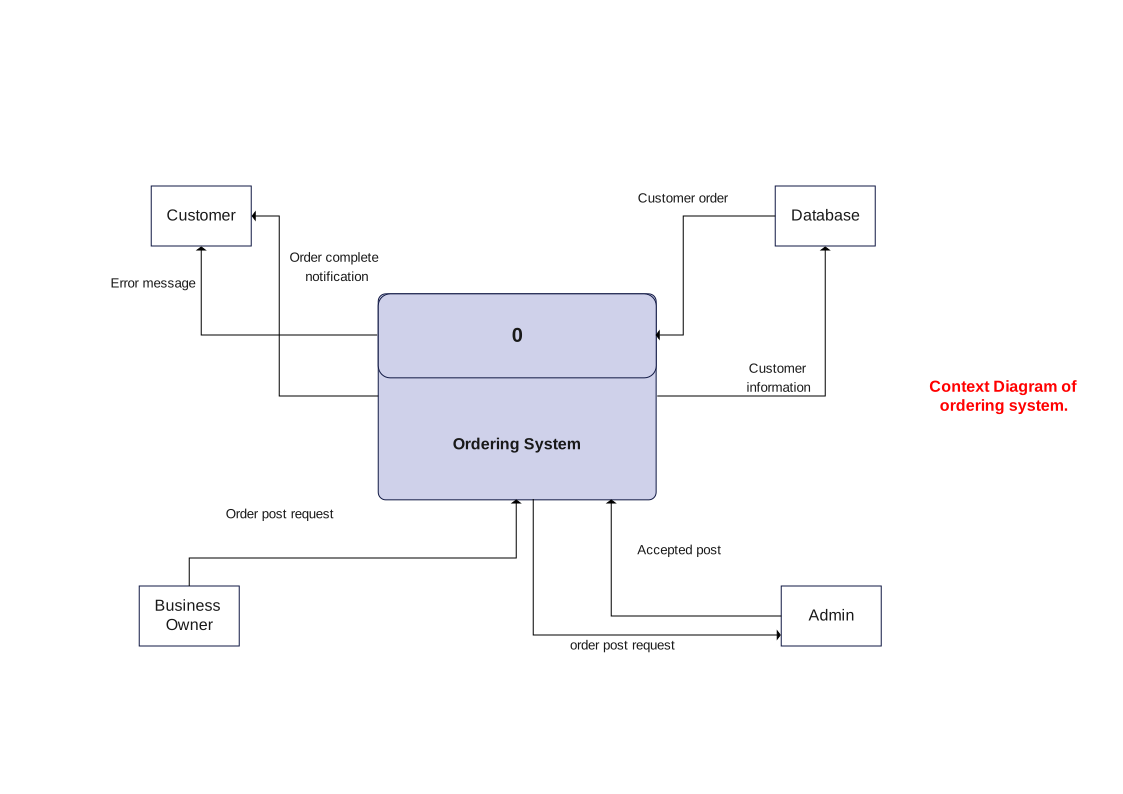
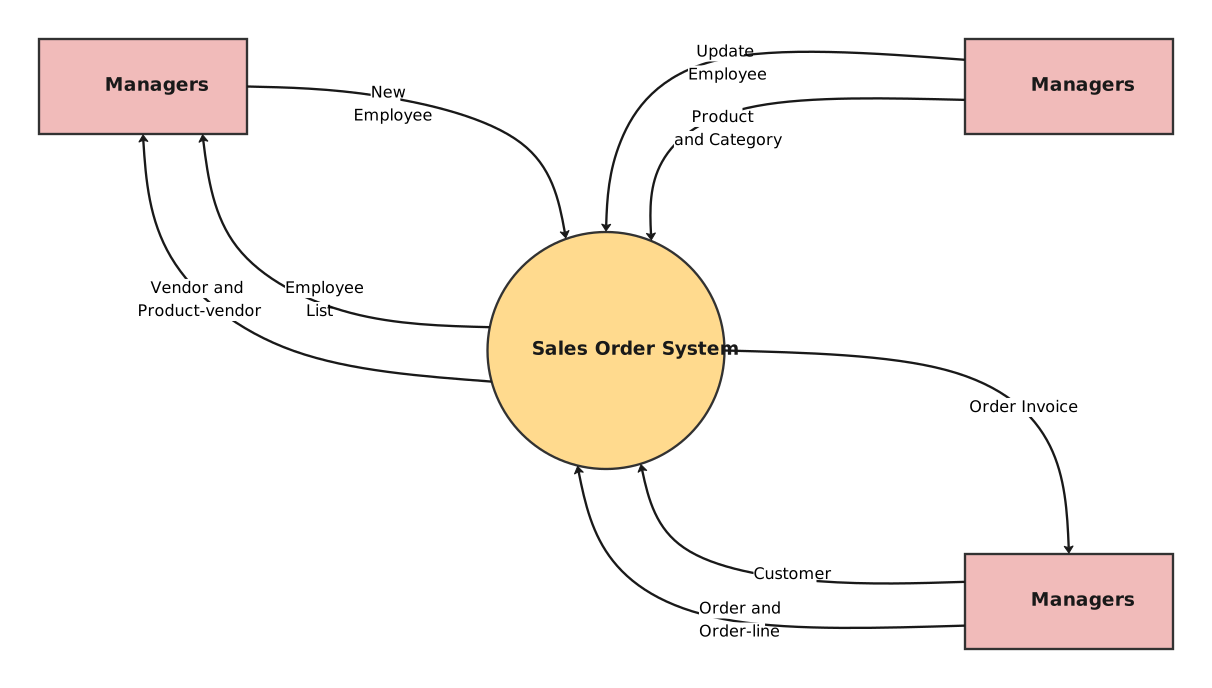
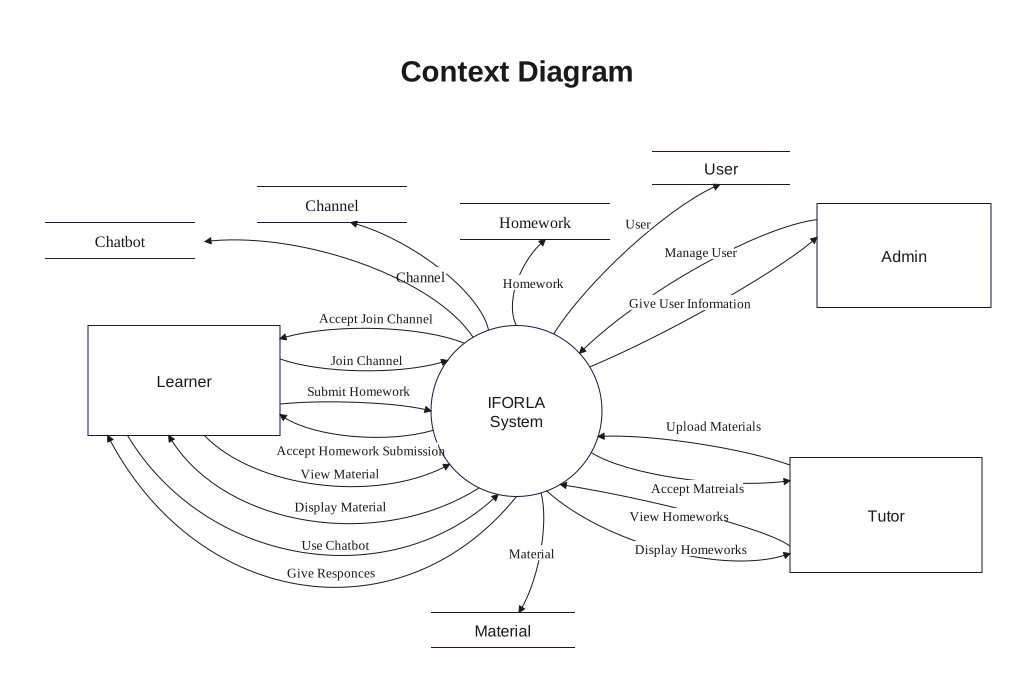
An application architecture diagram explains how the system is internally organized, not just who interacts with it or what steps happen in sequence. That difference matters because product teams often need both boundary views and internal structure views for the same application.
-
When is this kind of application template most useful?
It is most useful when a team needs a shared picture of the product stack for design review, onboarding, planning, or communication across roles. The template gives enough structure to explain the system without requiring a full low-level technical specification.



 (AI & Web)