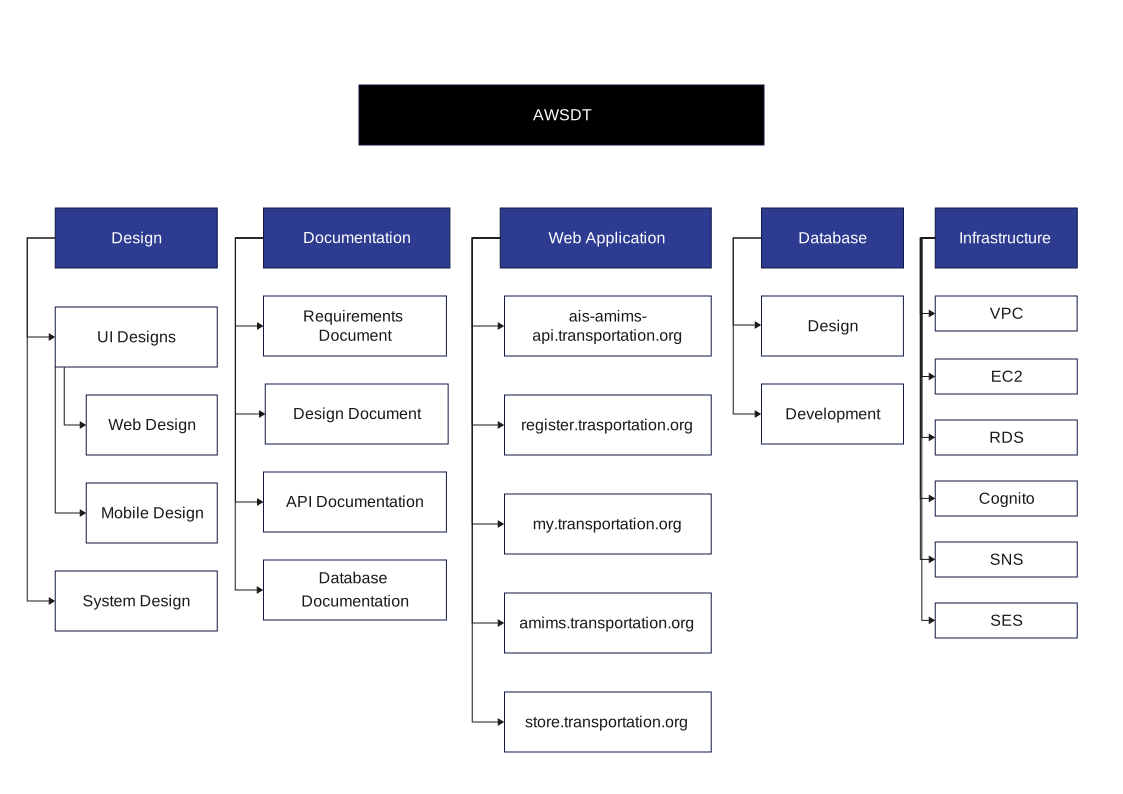
About this AWS Work Breakdown Structure Design Example
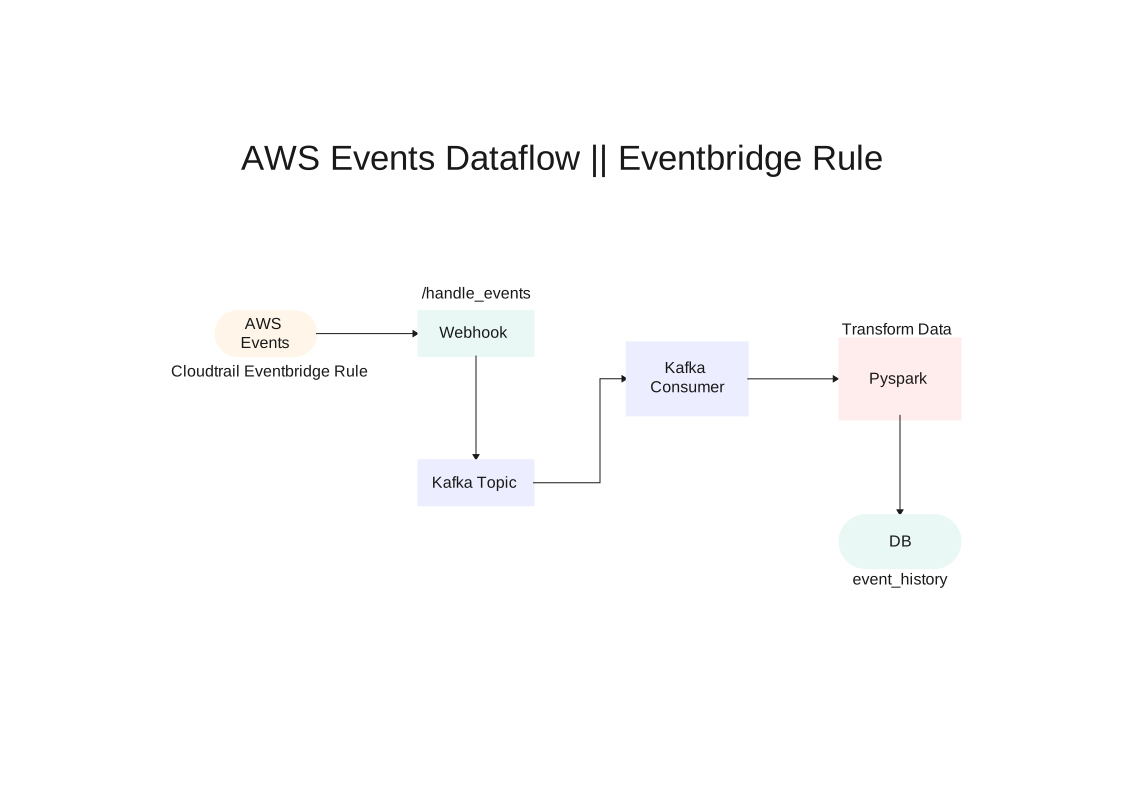
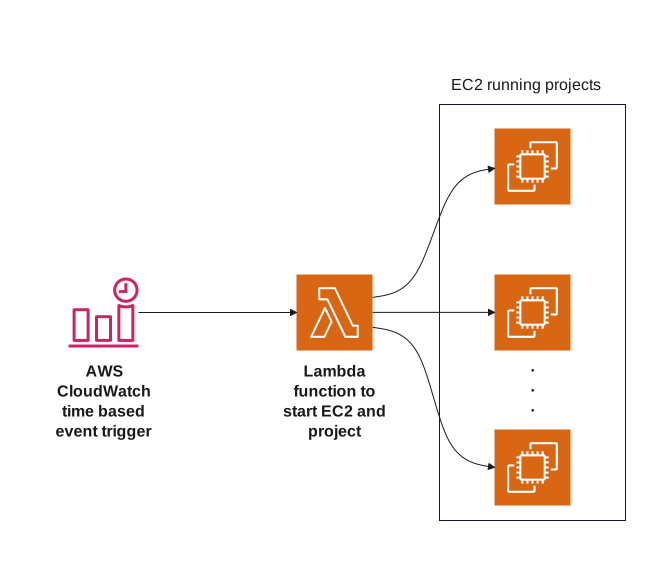
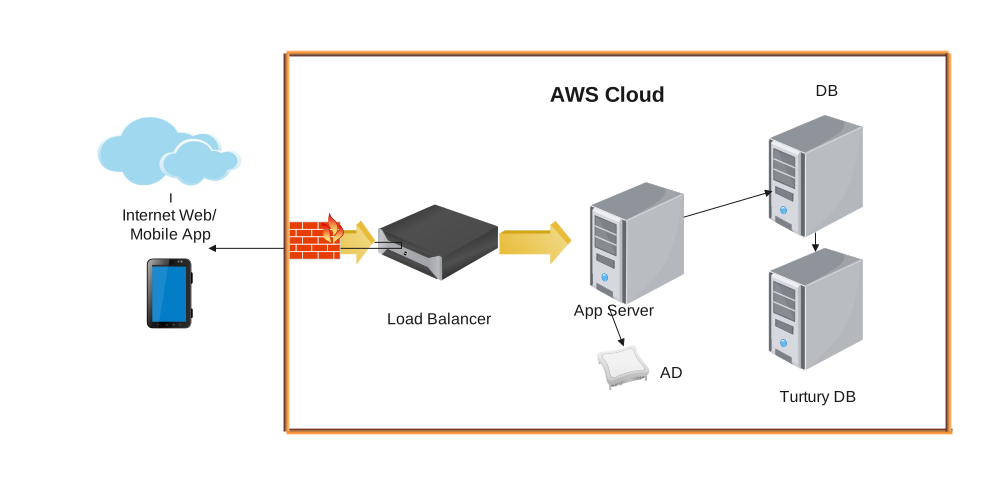
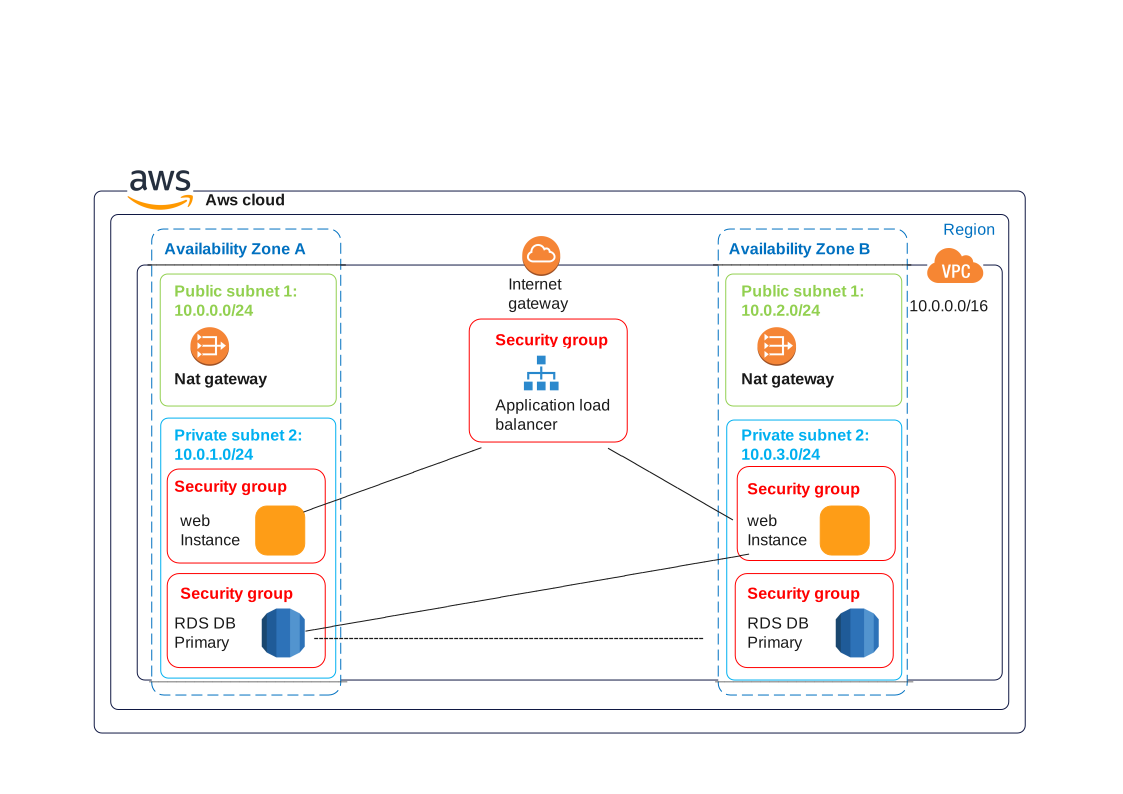
This AWS Work Breakdown Structure Design Example template maps Access and Client Layer, Application and Service Layer, Data and Support Layer, and Platform Components, showing how traffic, hosted services, storage, and platform controls are arranged across the deployment stack.
Access and Client Layer
This layer covers the user-facing entry points, client surfaces, and first-hop services that receive traffic before it moves deeper into the system.
Application and Service Layer
This section groups the application logic and service components that handle requests, apply business rules, and connect the front end to downstream resources.
Data and Support Layer
This part brings together the data stores, persistence services, and support resources that keep the application state, records, or shared assets available.
Platform Components
This section gathers the platform-level services and shared infrastructure that support deployment, monitoring, integration, or day-to-day operations.
FAQs about this Template
-
What should someone notice first on this AWS Work Breakdown Structure Design Example?
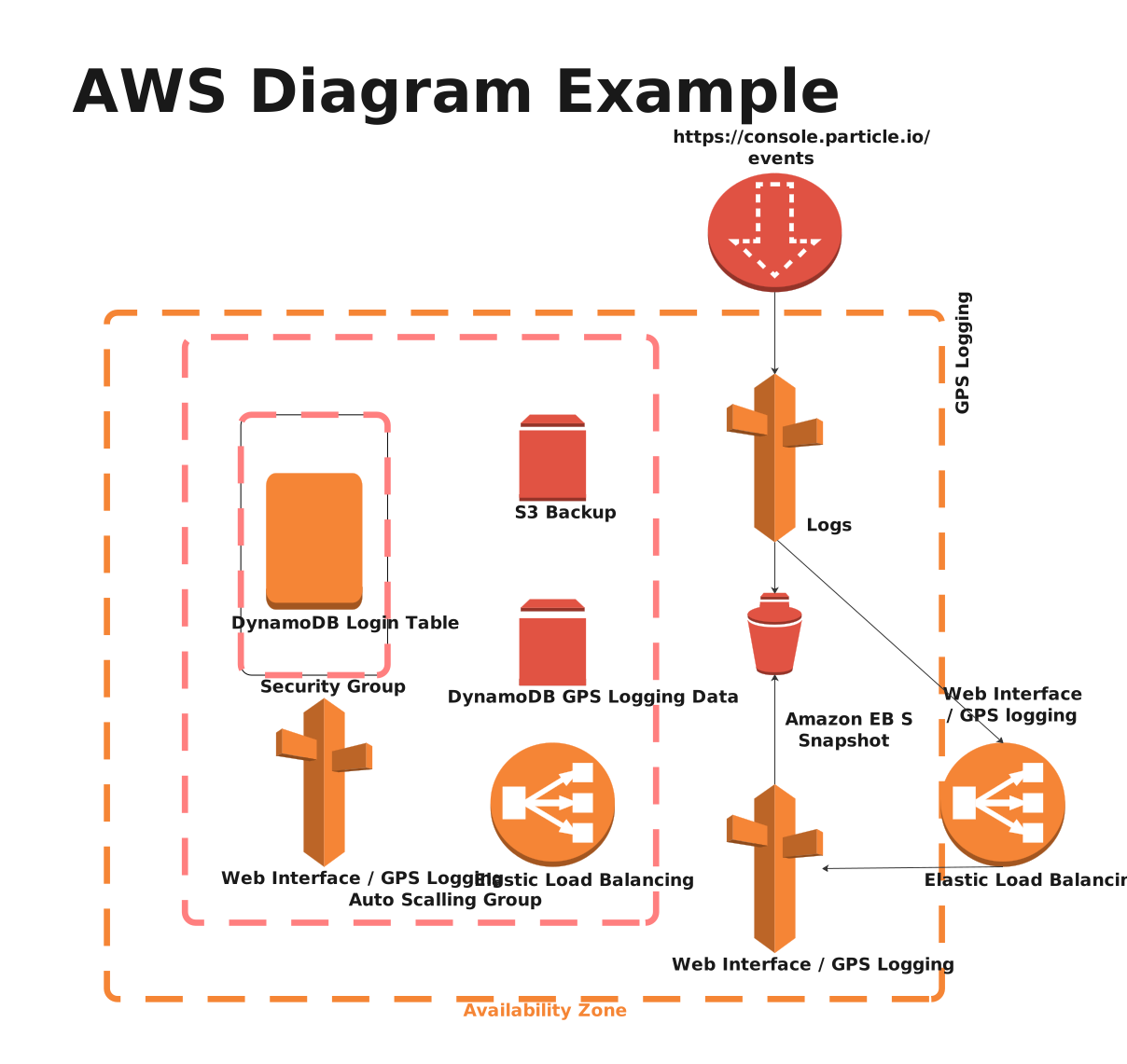
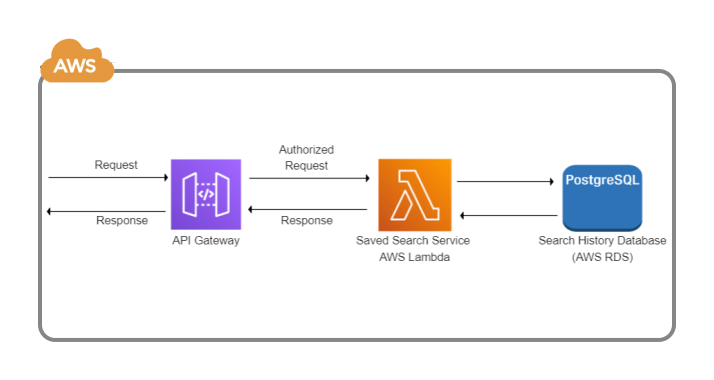
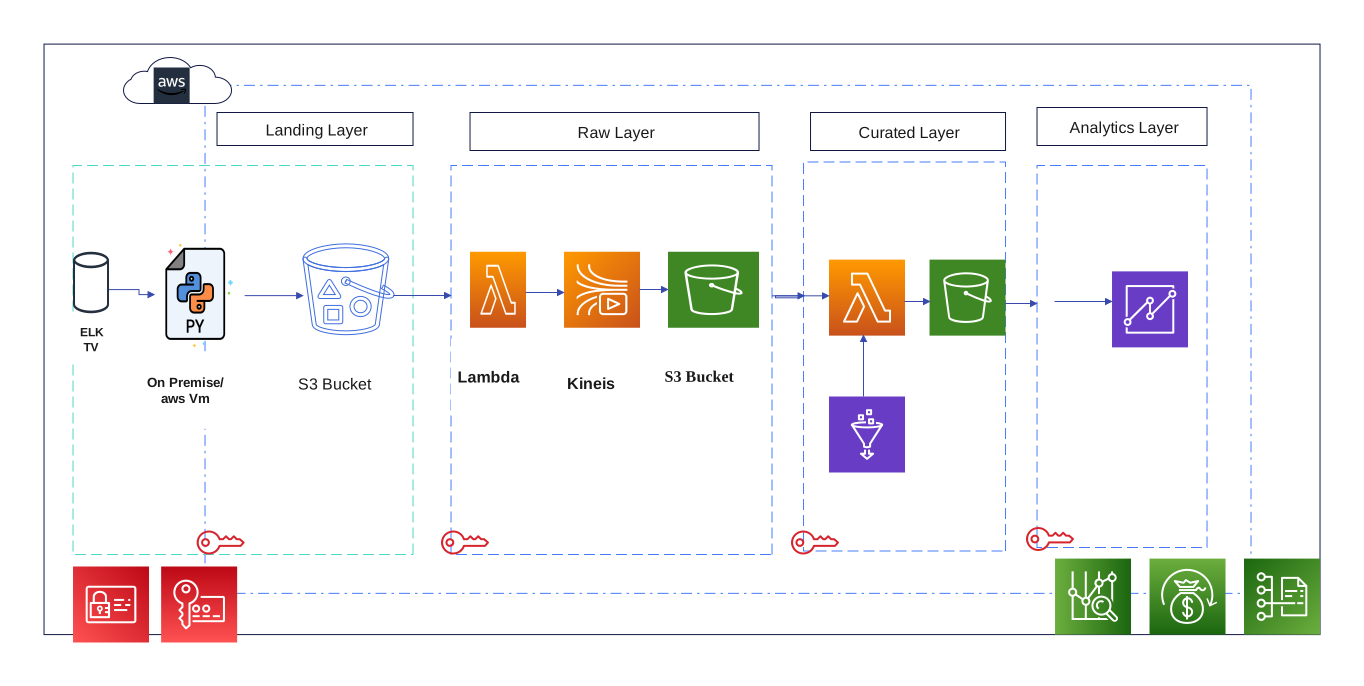
The first thing to notice is how the cloud layers are divided—entry points, hosted services, storage, controls, and supporting platform elements. That high-level structure explains the shape of the system before the reader focuses on individual provider services.
-
Why are the main layers separated in a cloud architecture diagram?
They are separated so readers can distinguish access, runtime, data, and control responsibilities instead of seeing one undifferentiated list of services. That separation makes the deployment logic easier to discuss during planning, review, or onboarding.
-
How is a cloud architecture diagram different from a context or process diagram?
A cloud architecture diagram focuses on the technical organization of the hosted environment, while a context diagram focuses on outside relationships and a process diagram focuses on step-by-step flow. Each type answers a different question about the same system.
-
When is this kind of cloud template most useful?
It is most useful when teams need to explain service placement, platform responsibilities, or the relationship between runtime, storage, and control layers at a glance. That makes it a strong starting point for design discussion before implementation details are added.




 (AI & Web)