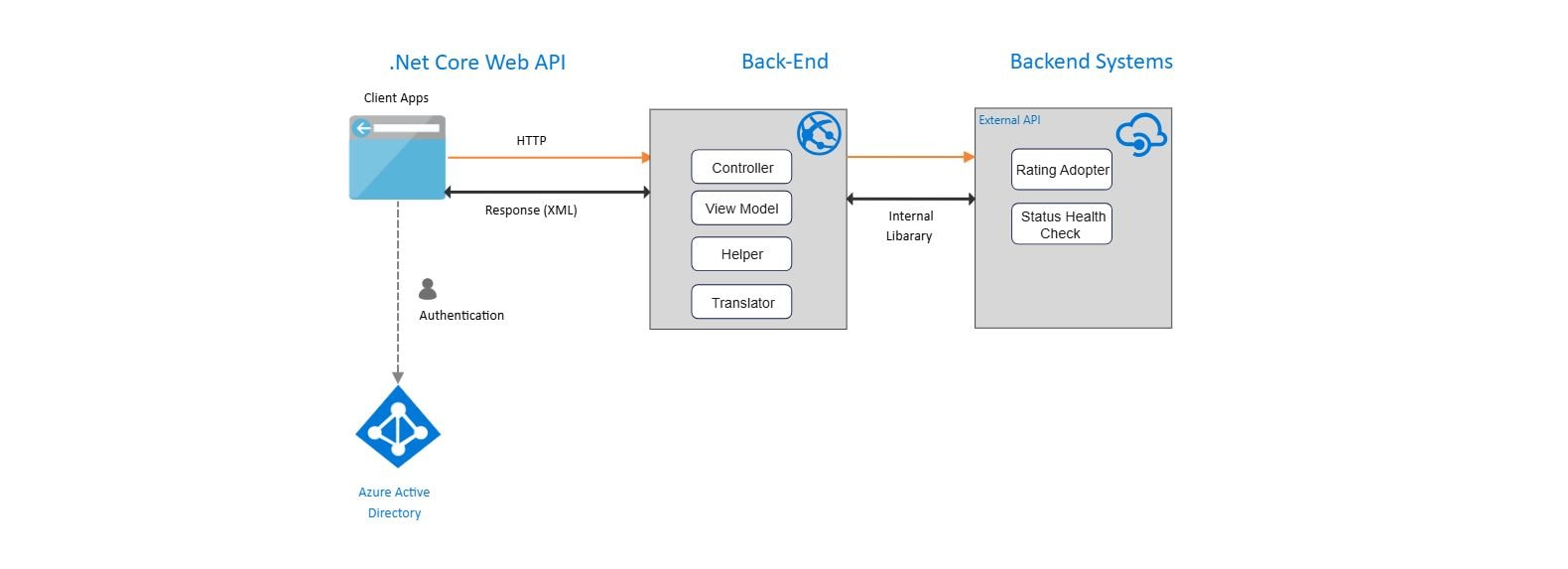
About this Azure App Service Architecture Diagram
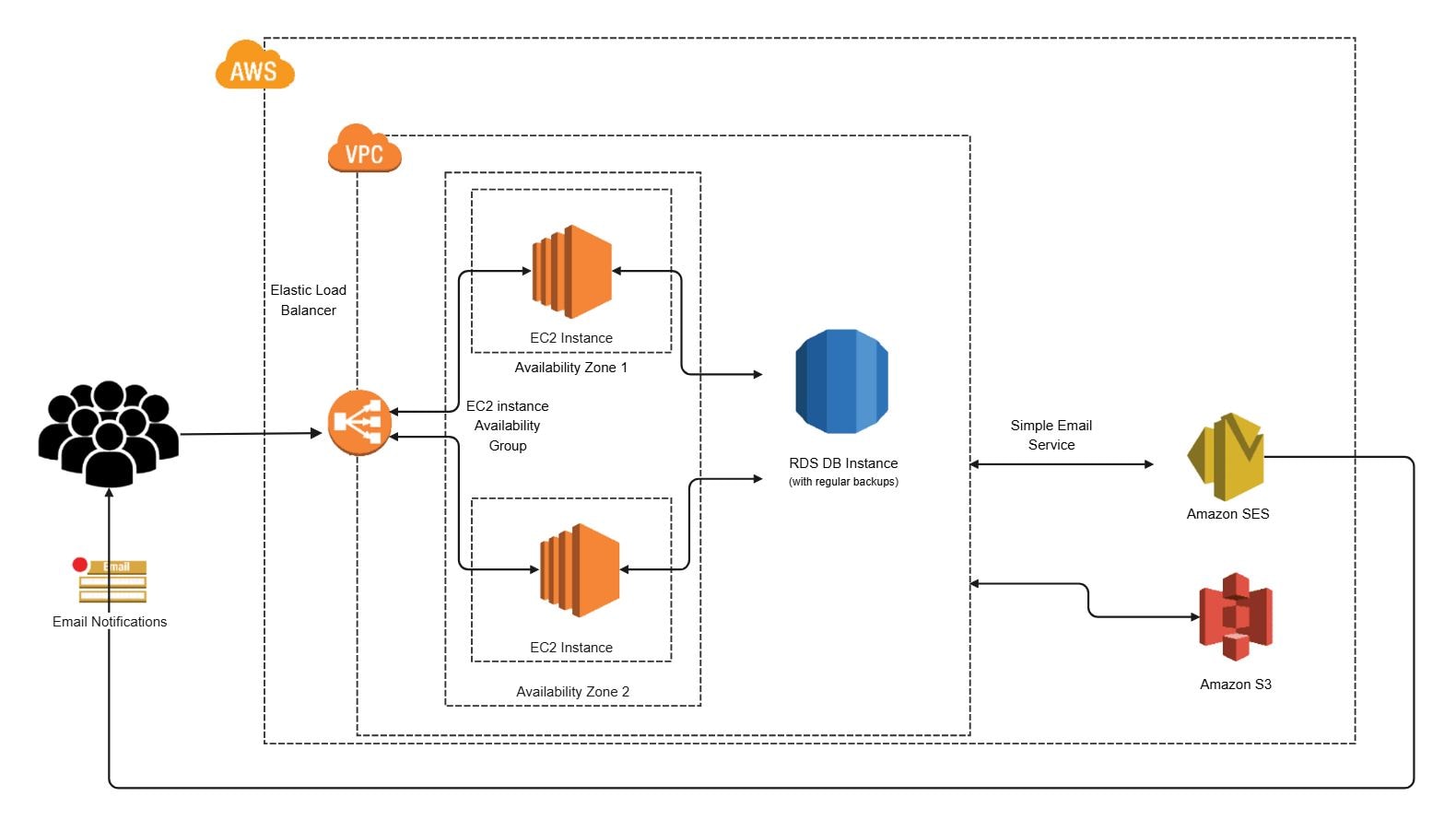
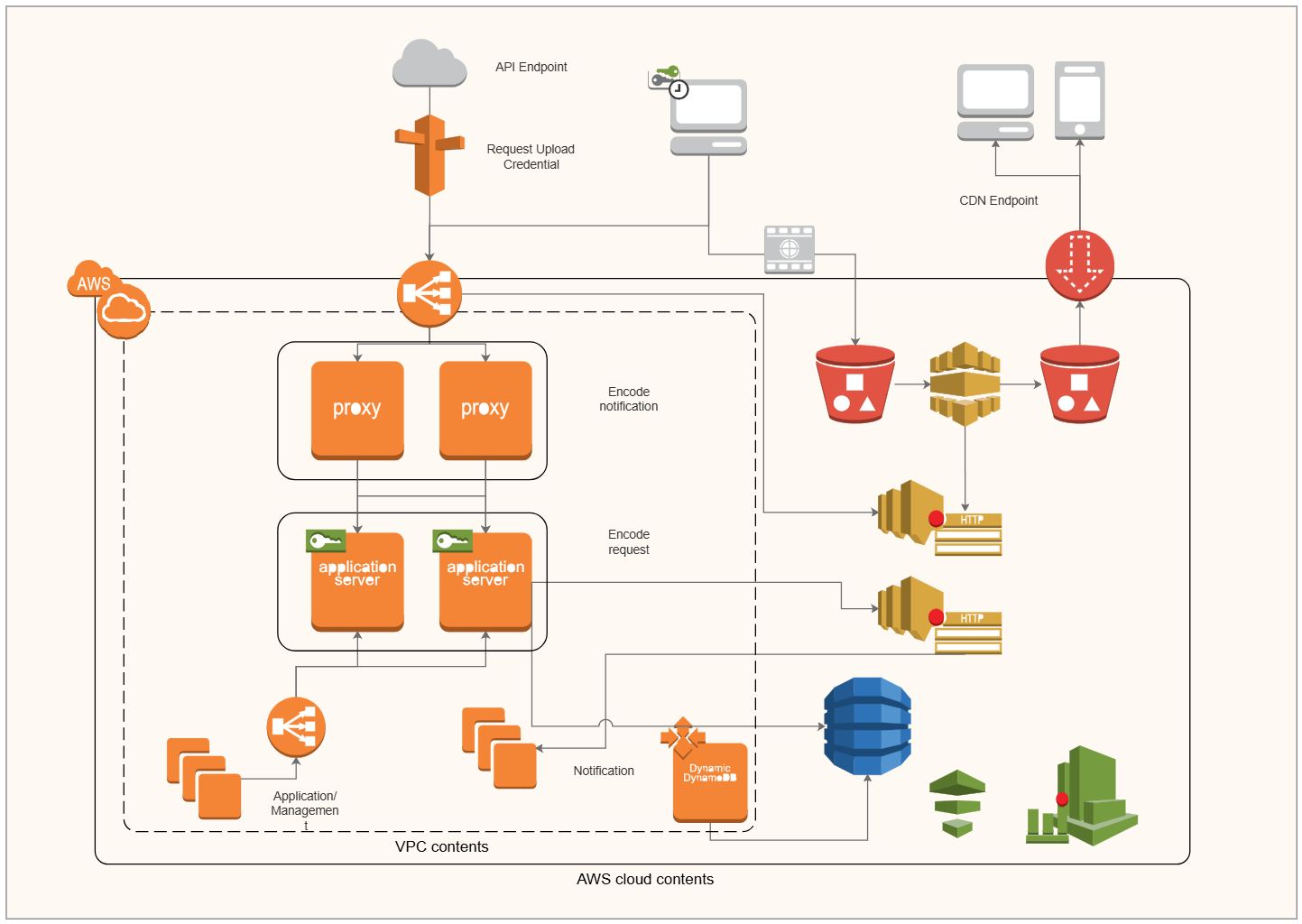
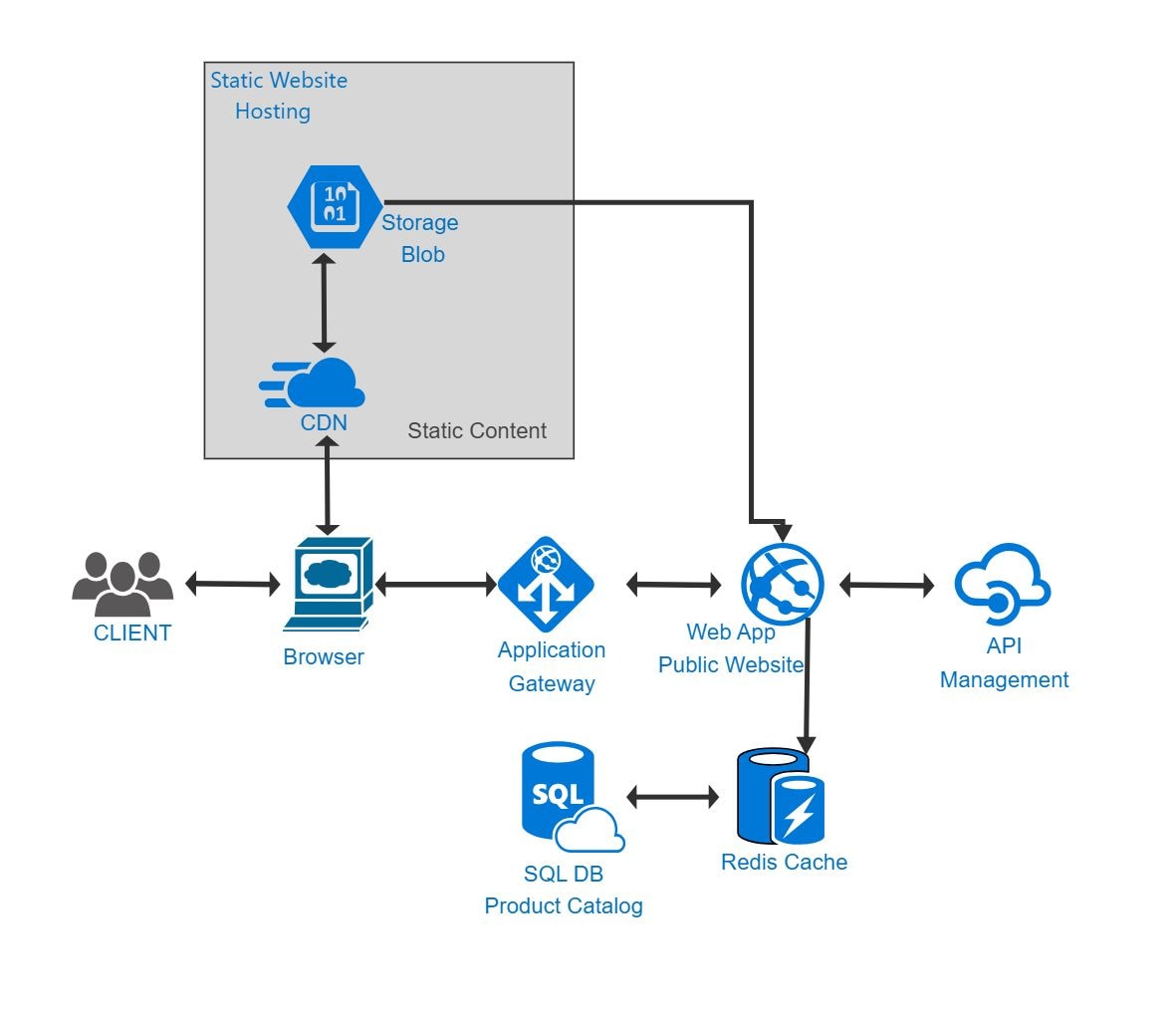
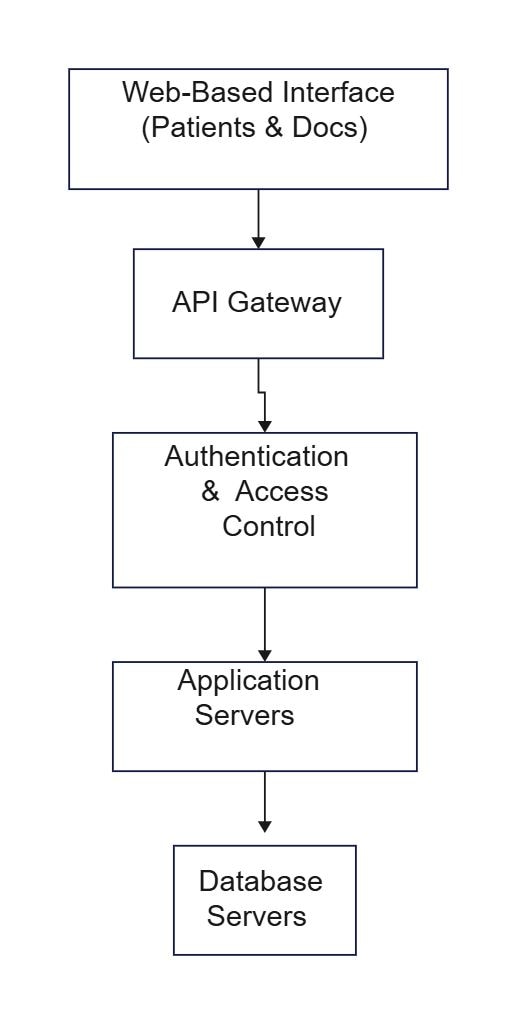
This diagram shows azure app service architecture diagram in a clearer structure, so the main layers or modules are easier to explain.
Application & Service Layer
The Application & Service Layer section is one visible block in the diagram. Its placement helps explain how this part fits into the overall architecture without collapsing the layout into a single undifferentiated system view.
- Application & Service Layer
FAQs about this Template
-
How do IT teams visualize Azure architecture?
IT teams usually visualize Azure architecture with a layered diagram that separates identity, application, data, and infrastructure services. This makes it easier to review service dependencies, deployment boundaries, and operational flow across sections such as Application & Service Layer, especially when Azure resources need to support both scalability and governance. This also makes technical review, stakeholder communication, and future changes easier to manage.
-
Can AI generate Azure architecture diagrams automatically?
Yes, AI can generate an initial Azure architecture diagram, but it should not replace technical review. AI can suggest resource groupings and service flow, while engineers still need to confirm the real Azure services, networking setup, security controls, deployment logic, and support assumptions before using the diagram for planning, delivery, or stakeholder communication.
-
What is the difference between Azure architecture and cloud architecture?
Azure architecture is a cloud architecture pattern built specifically around Microsoft Azure services, while cloud architecture is a broader category that also covers AWS, Google Cloud, and hybrid environments. Azure diagrams usually focus more directly on Azure-native resources, service relationships, deployment paths, security controls, and platform-specific integration choices.
-
What should an Azure architecture diagram include?
An Azure architecture diagram should include the main services, user entry points, data handling flow, and the core network or security boundaries. It should also show how application services, storage, identity, monitoring, external integrations, and access controls connect, so the system can be reviewed for design clarity, maintainability, and deployment readiness.
-
Which diagram type is best for Azure solution planning?
A high-level architecture diagram is usually the best choice for Azure solution planning because it shows how major services and boundaries fit together before implementation starts. Teams often pair it with deployment, data flow, or network views later when they need more detail for delivery planning, troubleshooting, compliance review, infrastructure operations, or role alignment.

 (AI & Web)