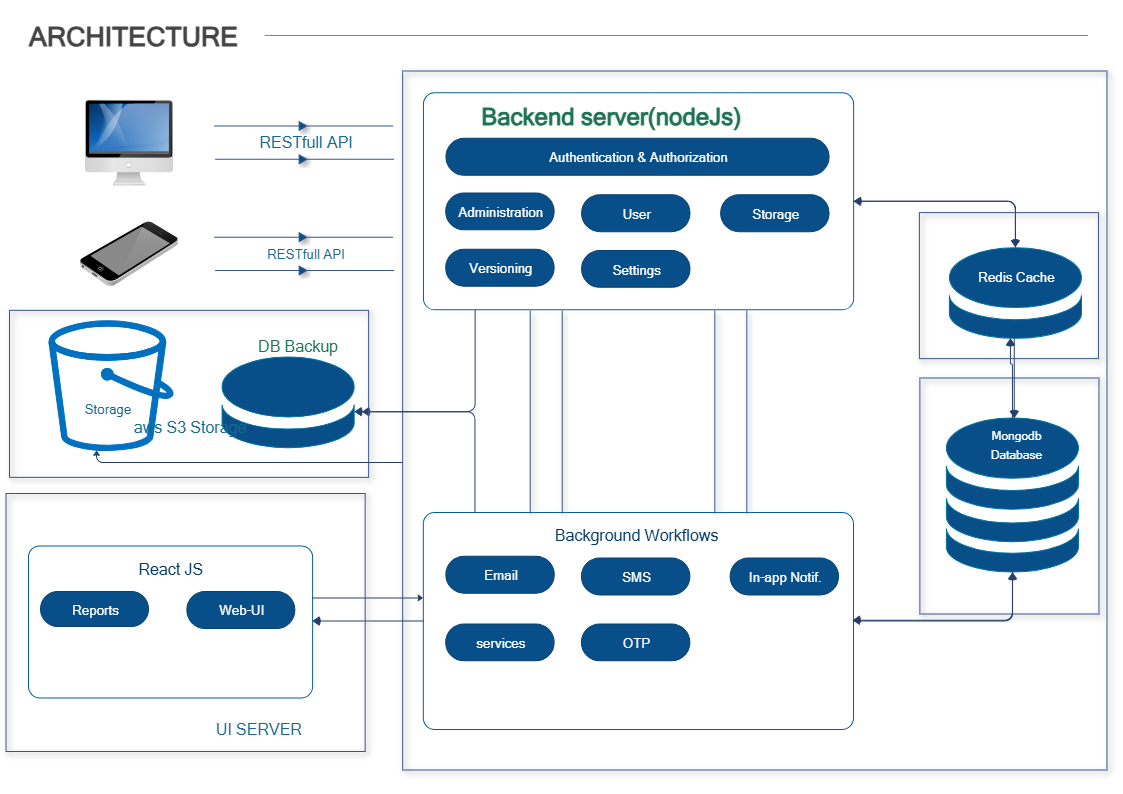
About Web Application Architecture Diagram Template
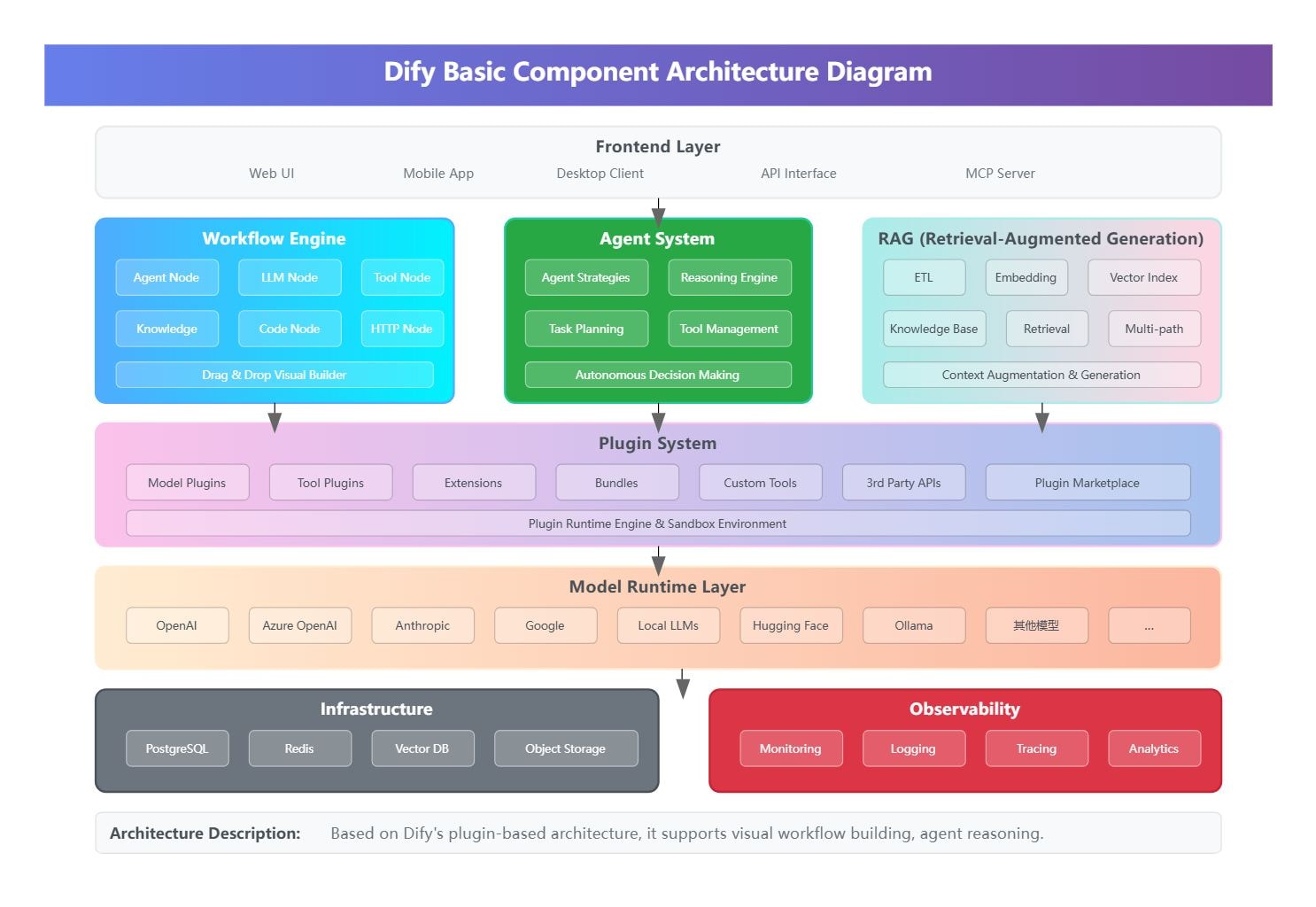
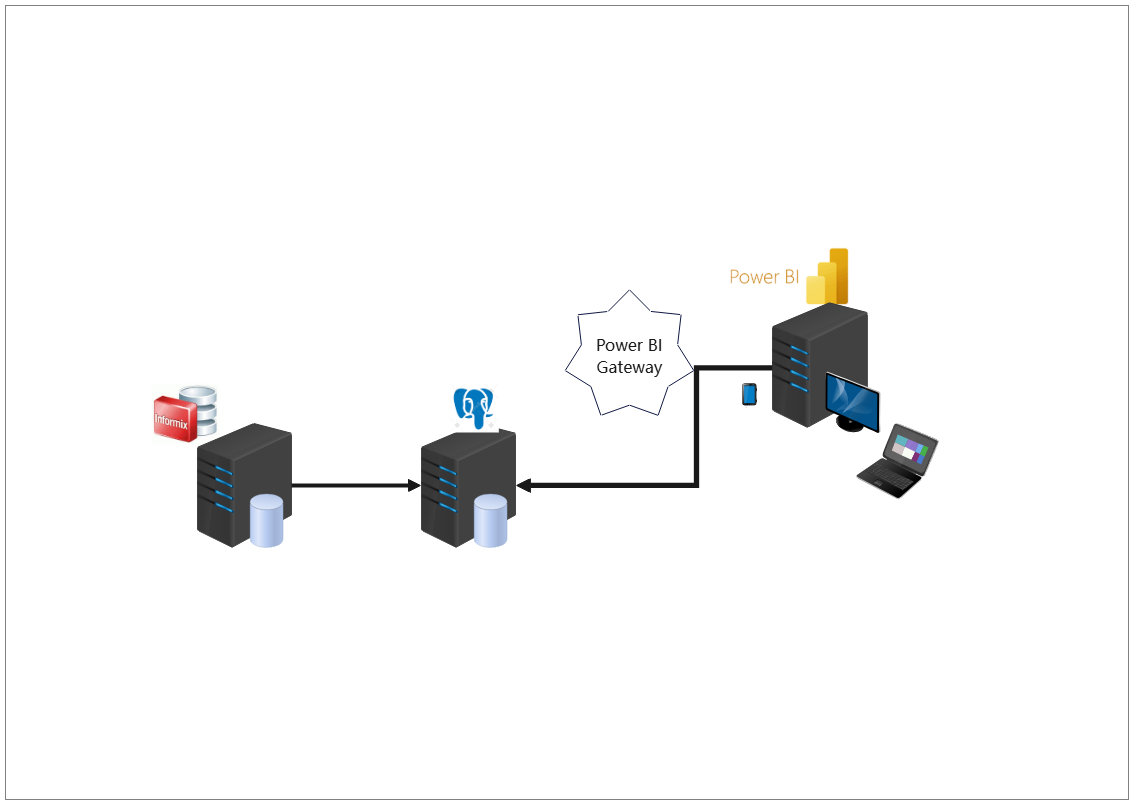
This web application architecture diagram template shows how a web system may be organized across client-side, application, and data-related layers. It helps users explain architecture structure more clearly instead of reducing the system to a flat list of technical parts.
Client, application, and data structure
The diagram appears to organize the system through major architectural layers, which is important because web application understanding often depends on seeing how different tiers are separated and connected. This makes the system easier to explain and review.
- Helps explain the major structural layers of the web application
- Supports architecture planning and technical review
- Useful for clearer system communication
Service relationships
The visual arrangement also helps users review how the layers and services work together rather than treating them as disconnected blocks. In web architecture, these relationships matter because performance, access, and maintainability often depend on how the layers connect.
- Shows how the main web application layers relate to each other
- Supports discussion of dependency and architecture logic
- Useful for explaining system structure more clearly
Design and documentation value
Beyond the layers themselves, the diagram helps users discuss how the application may be planned, documented, or explained across teams. This is useful because architecture diagrams often serve both technical implementation work and stakeholder communication.
- Useful for planning, documentation, and technical explanation
- Supports clearer cross-team communication
- Helps make the application structure reusable as a reference
FAQs about this Template
-
What is a technical architecture diagram?
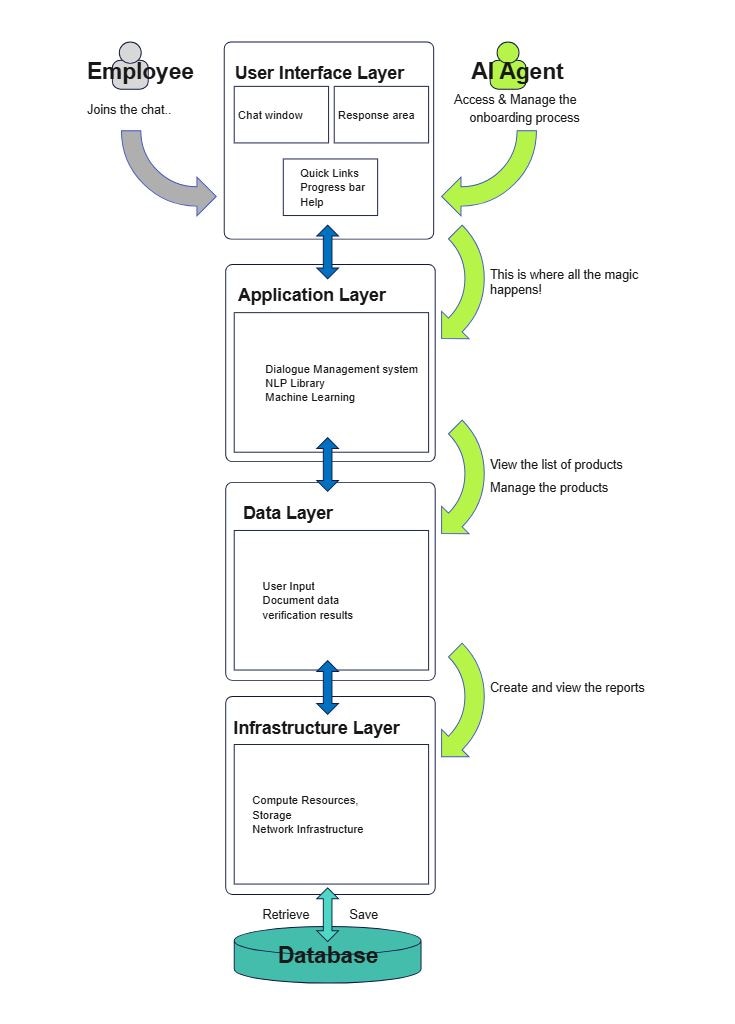
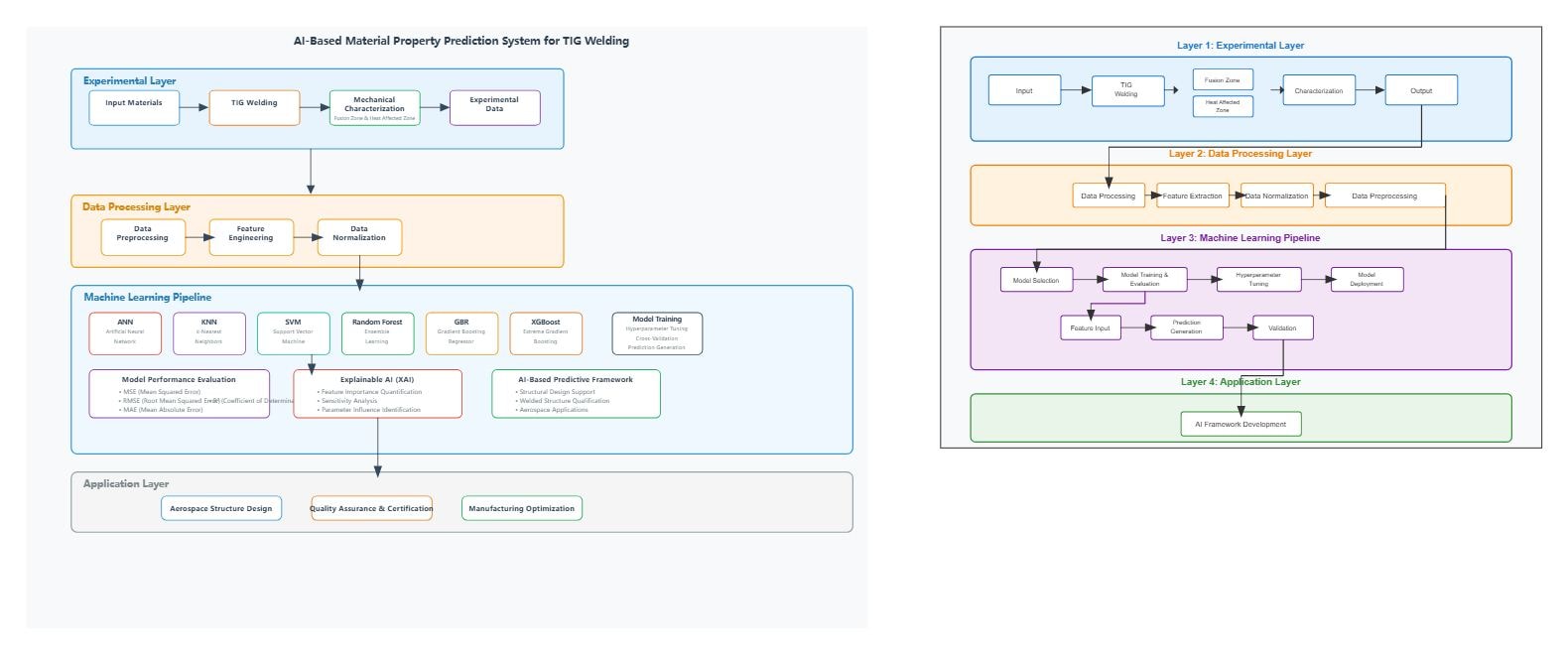
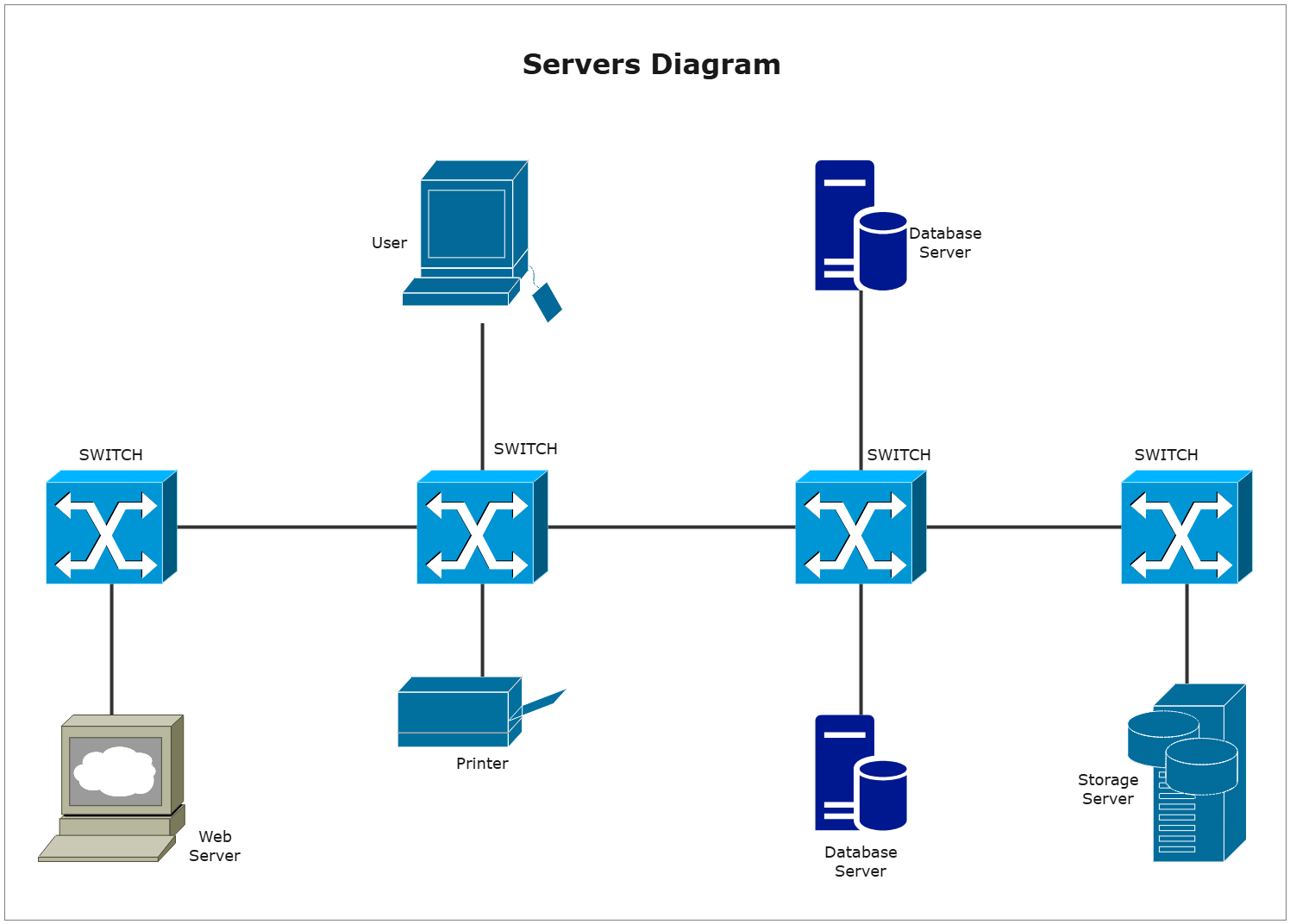
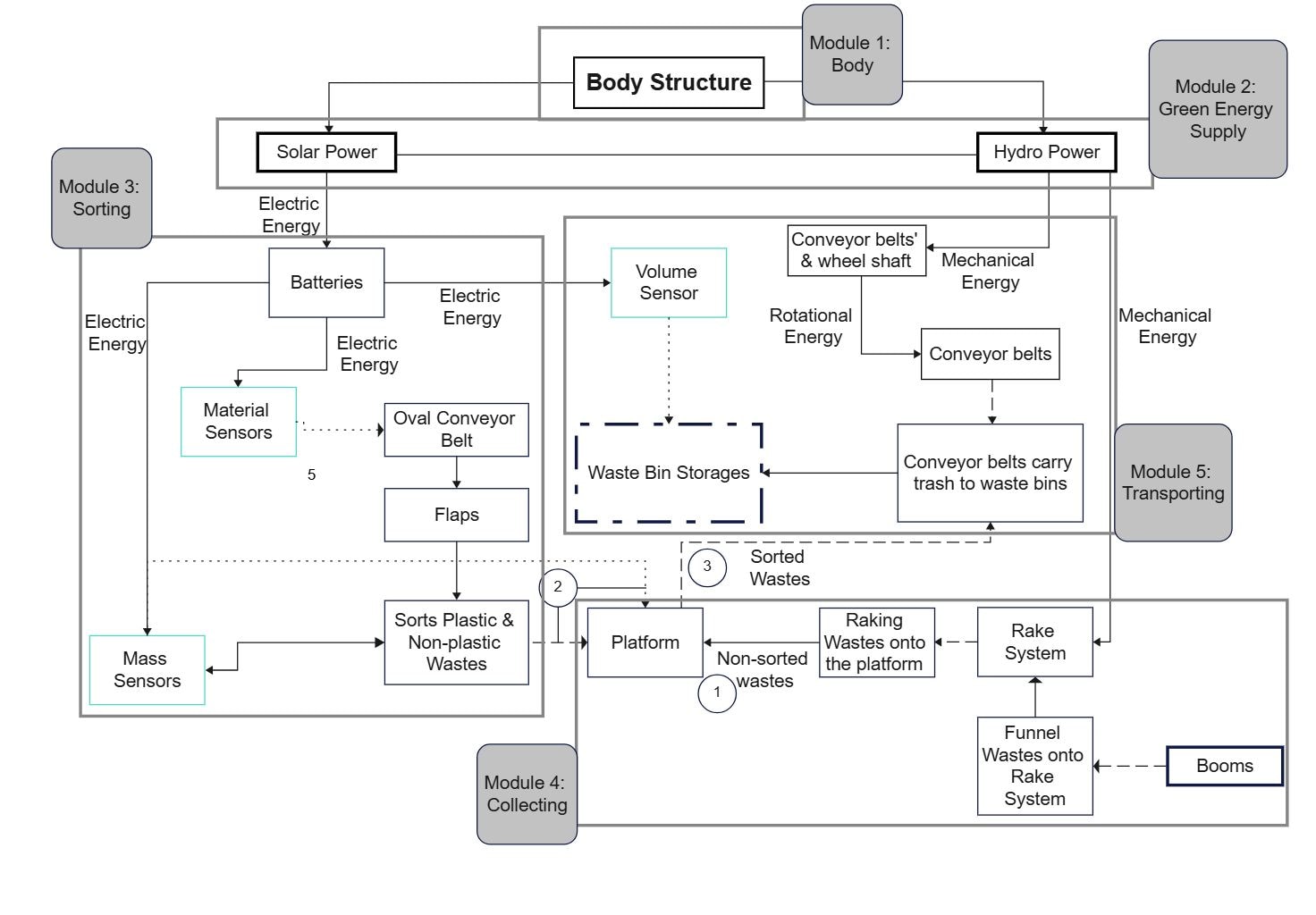
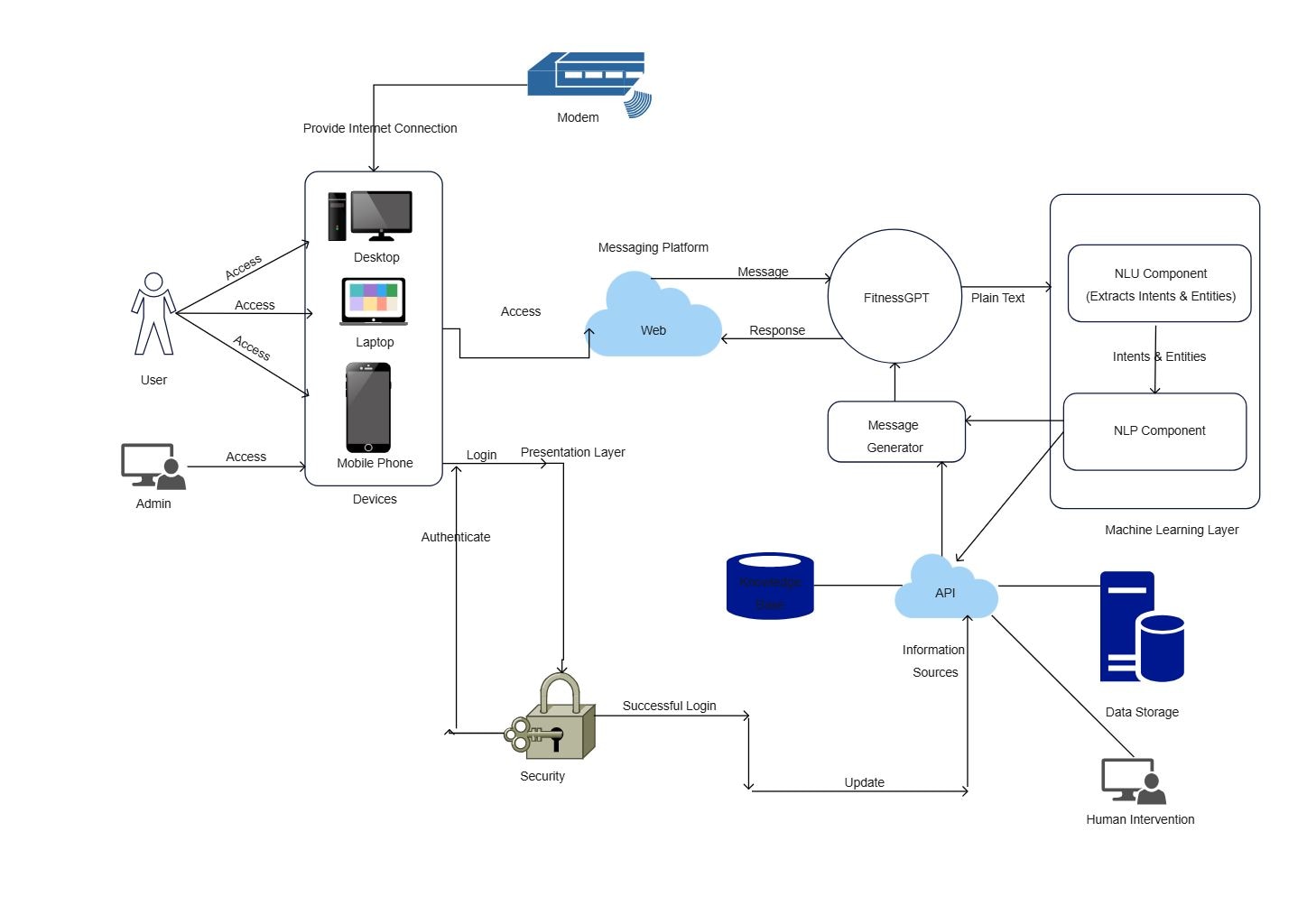
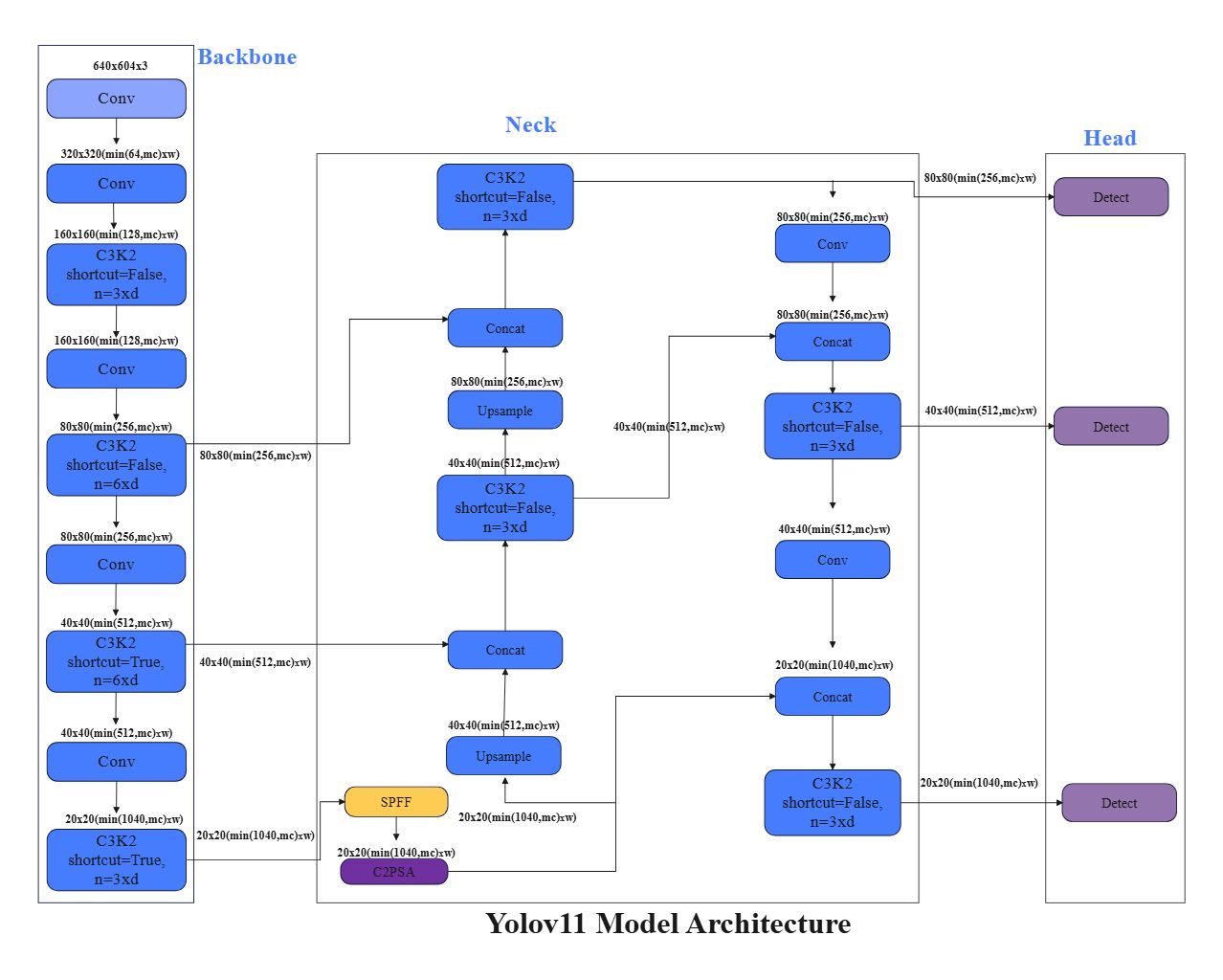
A technical architecture diagram is a visual explanation of how services, modules, infrastructure components, or integrations relate to one another inside a system. It helps teams understand structure, dependencies, and implementation logic more clearly than a plain written description.
-
What should a technical architecture diagram include?
A technical architecture diagram should include the main services or modules, the connections between them, and the boundaries that matter for operation or security. Depending on context, it may also include users, APIs, databases, external systems, or deployment environments.
-
How do you create a technical architecture diagram?
To create a technical architecture diagram, identify the core components first, group them by layer or function, and connect them according to how the system works in practice. The goal is to make architecture easier to review rather than turning the diagram into a dense inventory.
-
Why is technical architecture important?
Technical architecture is important because it improves planning, communication, and review before changes are made to a system. A clear architecture view reduces misunderstanding, helps document decisions, and makes complex technical environments easier to explain across teams.



 (AI & Web)