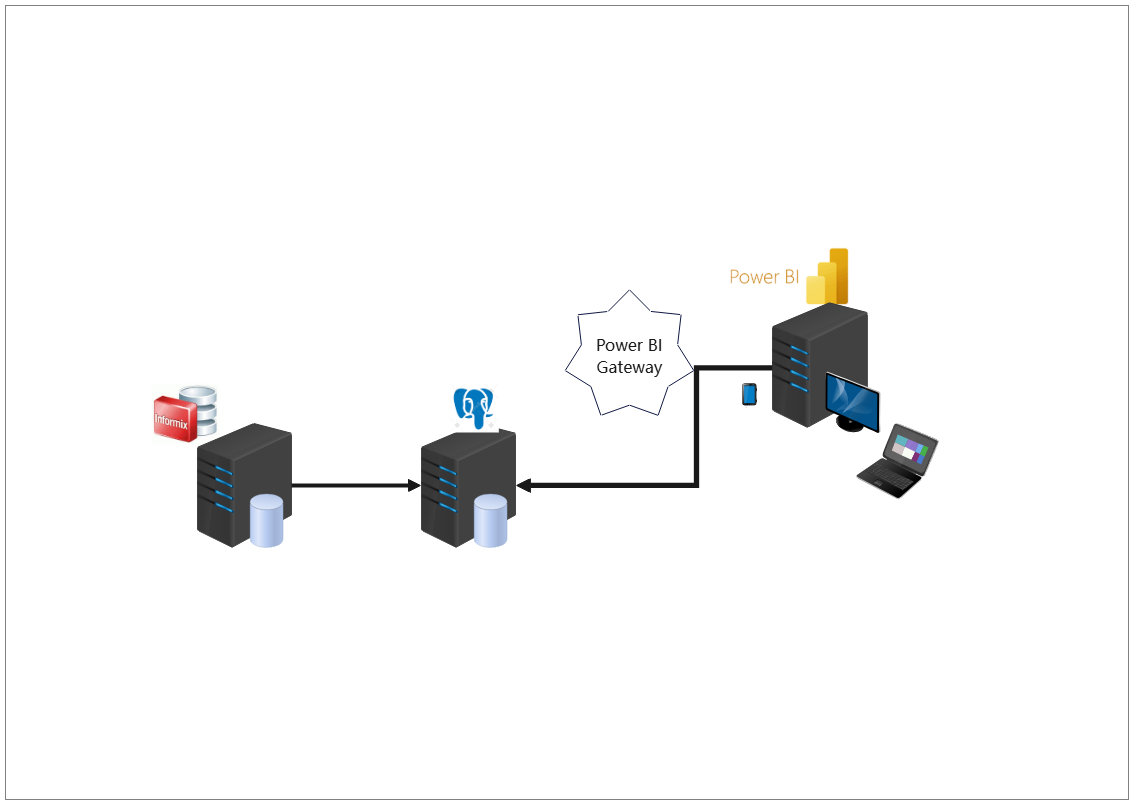
About Power BI Data Architecture Diagram Template
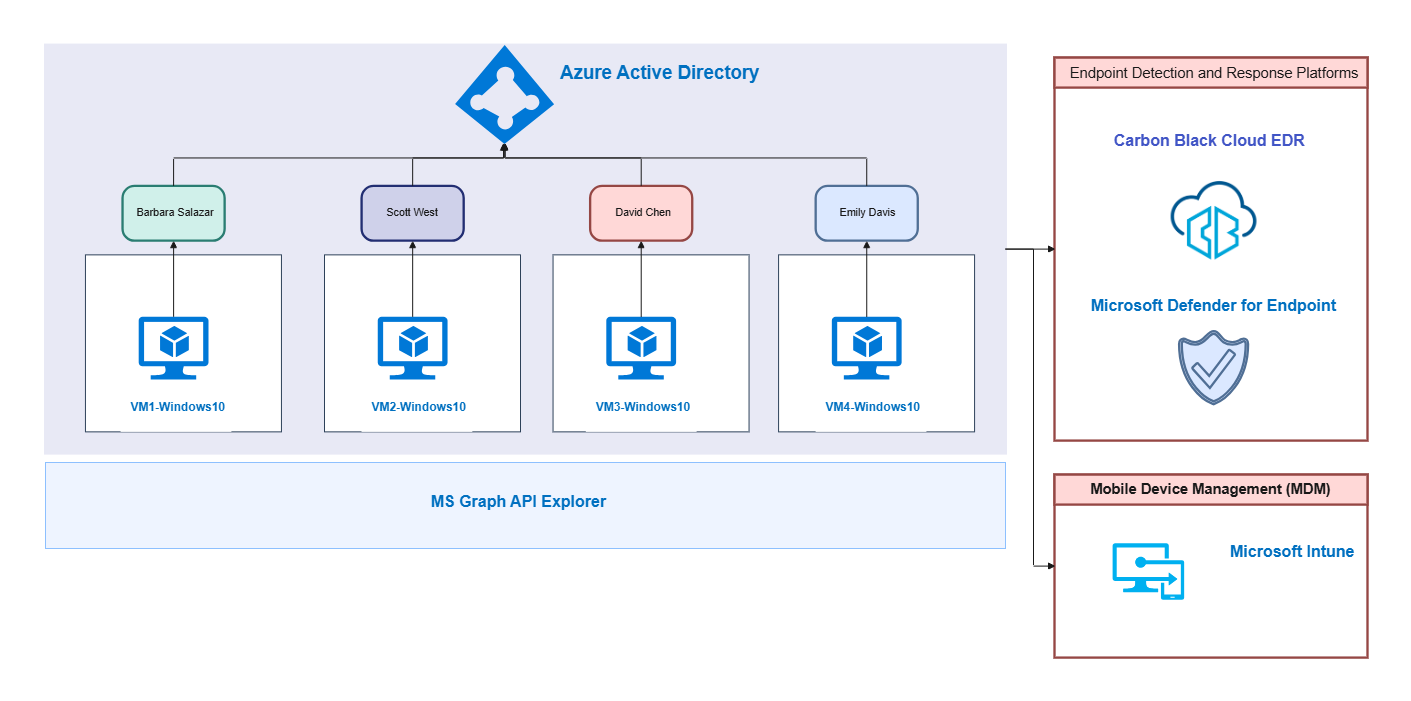
This data architecture diagram template shows how data sources, integration flow, and reporting-related structure may be organized in one environment. It helps users explain the system more clearly than a generic list of tools or data connections.
Data-source structure
The diagram appears to highlight the main data-related components that define the environment. This matters because architecture understanding often begins with identifying where the key data inputs come from and how they are positioned in the system.
- Helps explain the main data-related components
- Supports reporting architecture review and planning
- Useful for clearer technical communication
Integration and reporting relationships
The visual arrangement also helps users review how the data sources and reporting layers relate to one another rather than treating them as isolated parts. In a reporting architecture, these relationships matter because the usefulness of the system depends on how data moves and is transformed.
- Shows how data and reporting layers may connect
- Supports discussion of integration and reporting logic
- Useful for explaining the architecture more clearly
Planning and documentation value
Beyond the data components themselves, the diagram helps users discuss how the environment may be documented, reviewed, or improved. This is useful because data-architecture diagrams often serve both technical planning and stakeholder explanation purposes.
- Useful for planning, review, and technical explanation
- Supports clearer communication around reporting structure
- Helps make the architecture reusable as a reference
FAQs about this Template
-
What is a technical architecture diagram?
A technical architecture diagram is a visual explanation of how services, modules, infrastructure components, or integrations relate to one another inside a system. It helps teams understand structure, dependencies, and implementation logic more clearly than a plain written description.
-
What should a technical architecture diagram include?
A technical architecture diagram should include the main services or modules, the connections between them, and the boundaries that matter for operation or security. Depending on context, it may also include users, APIs, databases, external systems, or deployment environments.
-
How do you create a technical architecture diagram?
To create a technical architecture diagram, identify the core components first, group them by layer or function, and connect them according to how the system works in practice. The goal is to make architecture easier to review rather than turning the diagram into a dense inventory.
-
Why is technical architecture important?
Technical architecture is important because it improves planning, communication, and review before changes are made to a system. A clear architecture view reduces misunderstanding, helps document decisions, and makes complex technical environments easier to explain across teams.







 (AI & Web)