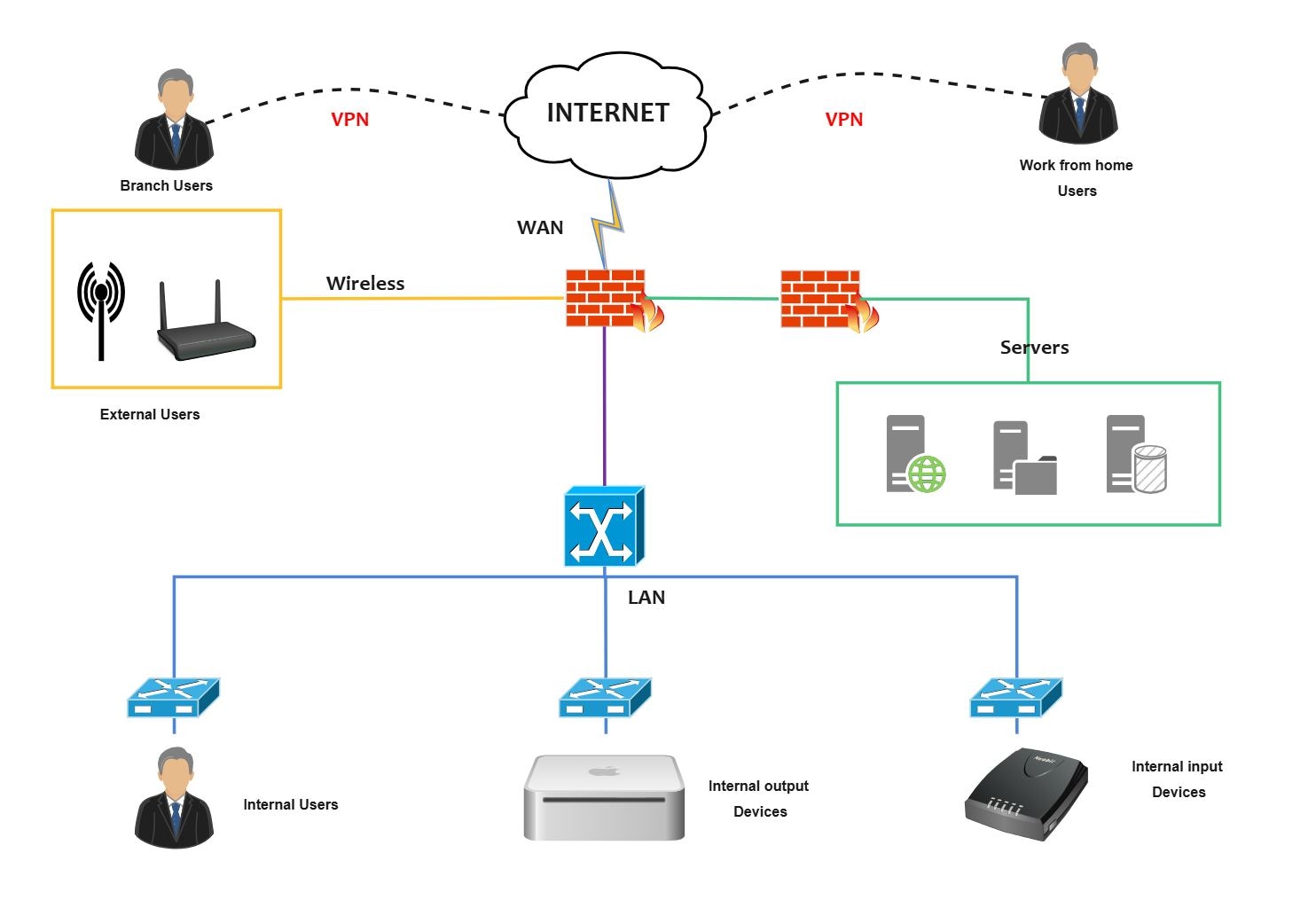
About this Project Architecture Diagram
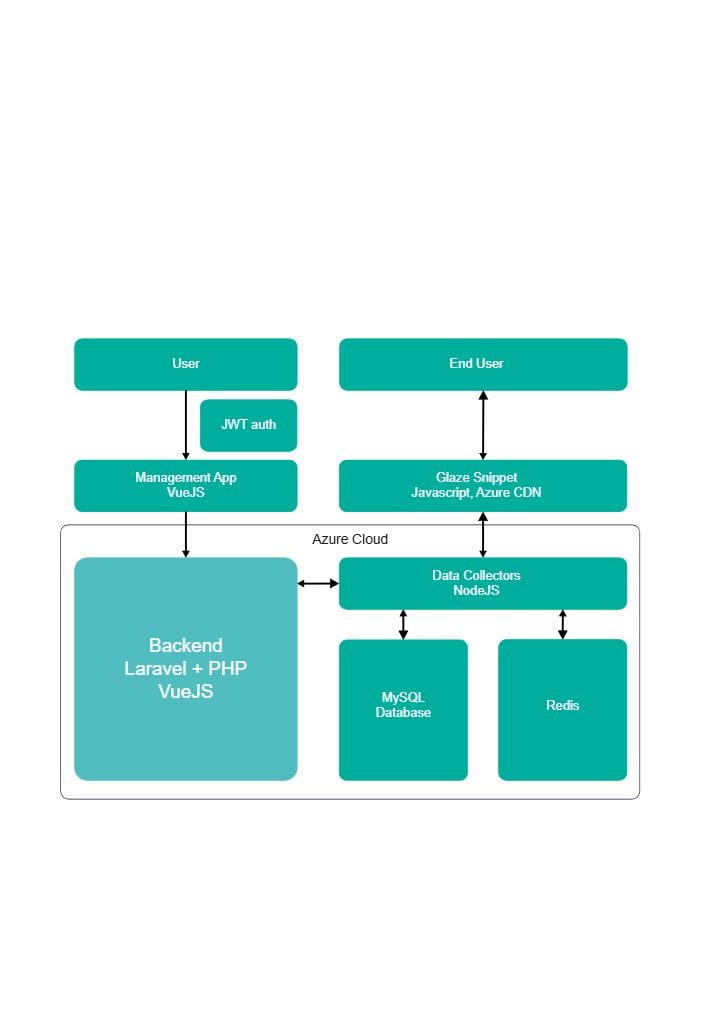
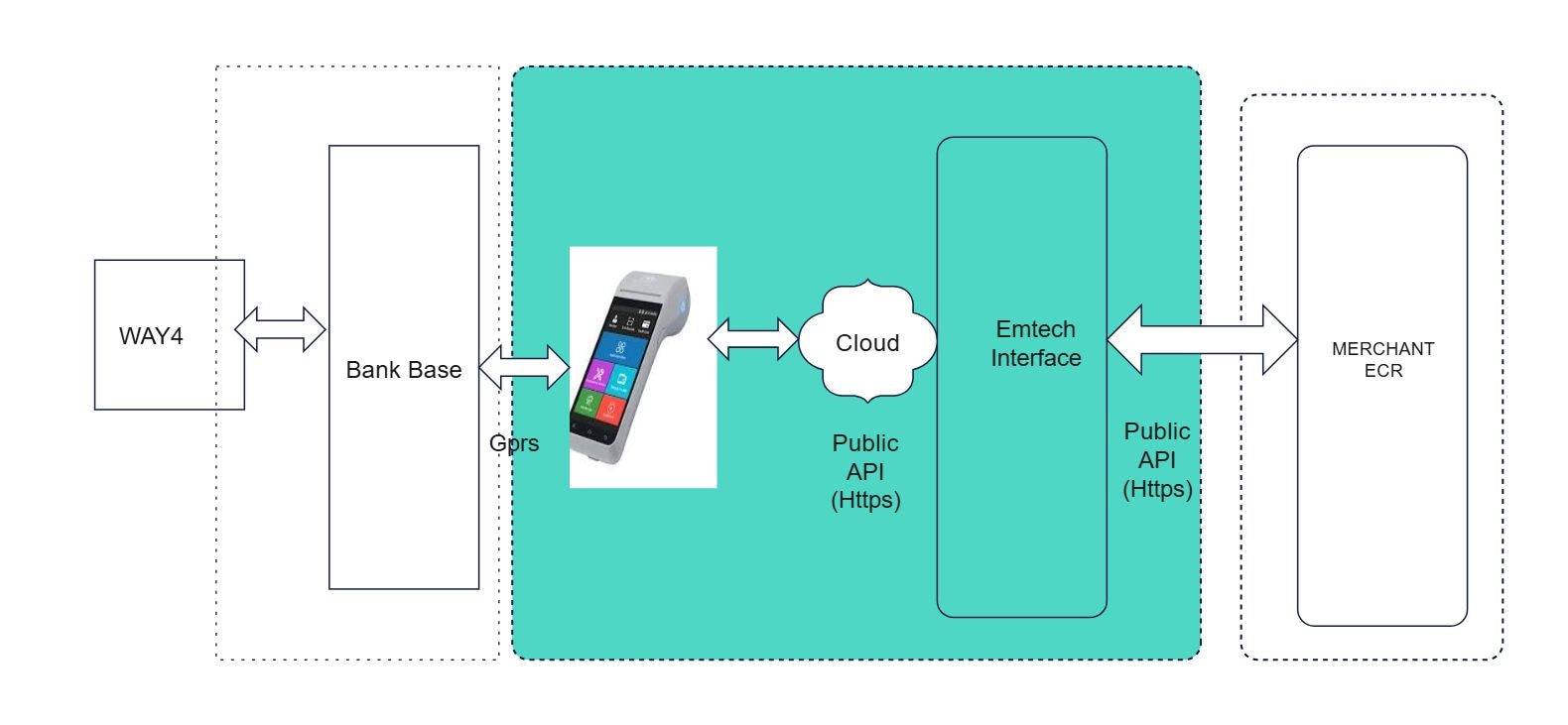
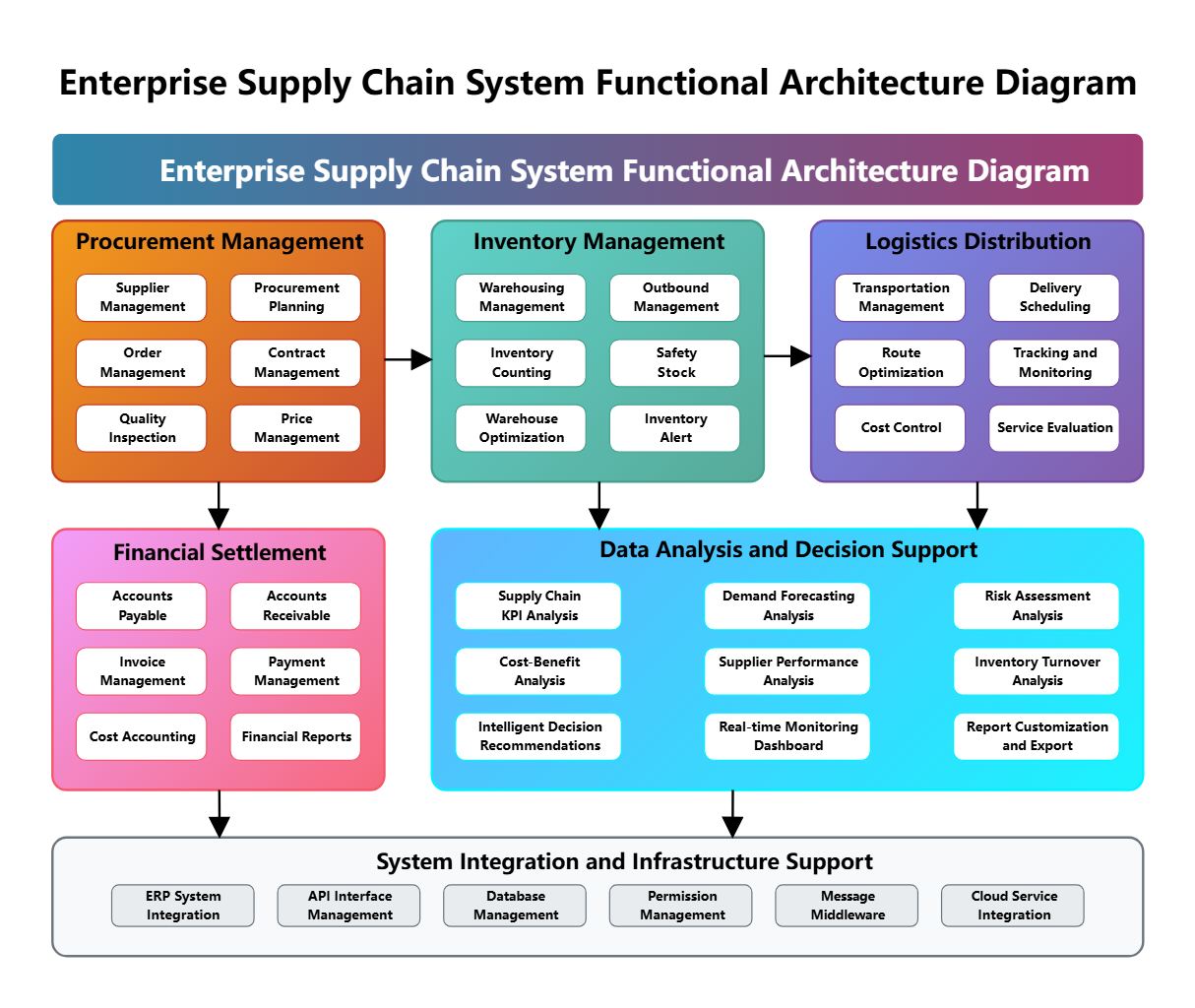
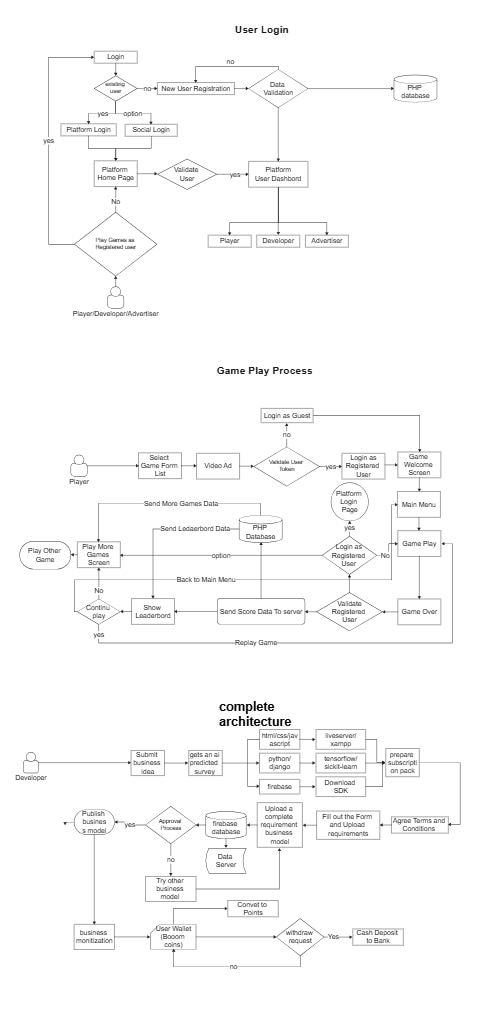
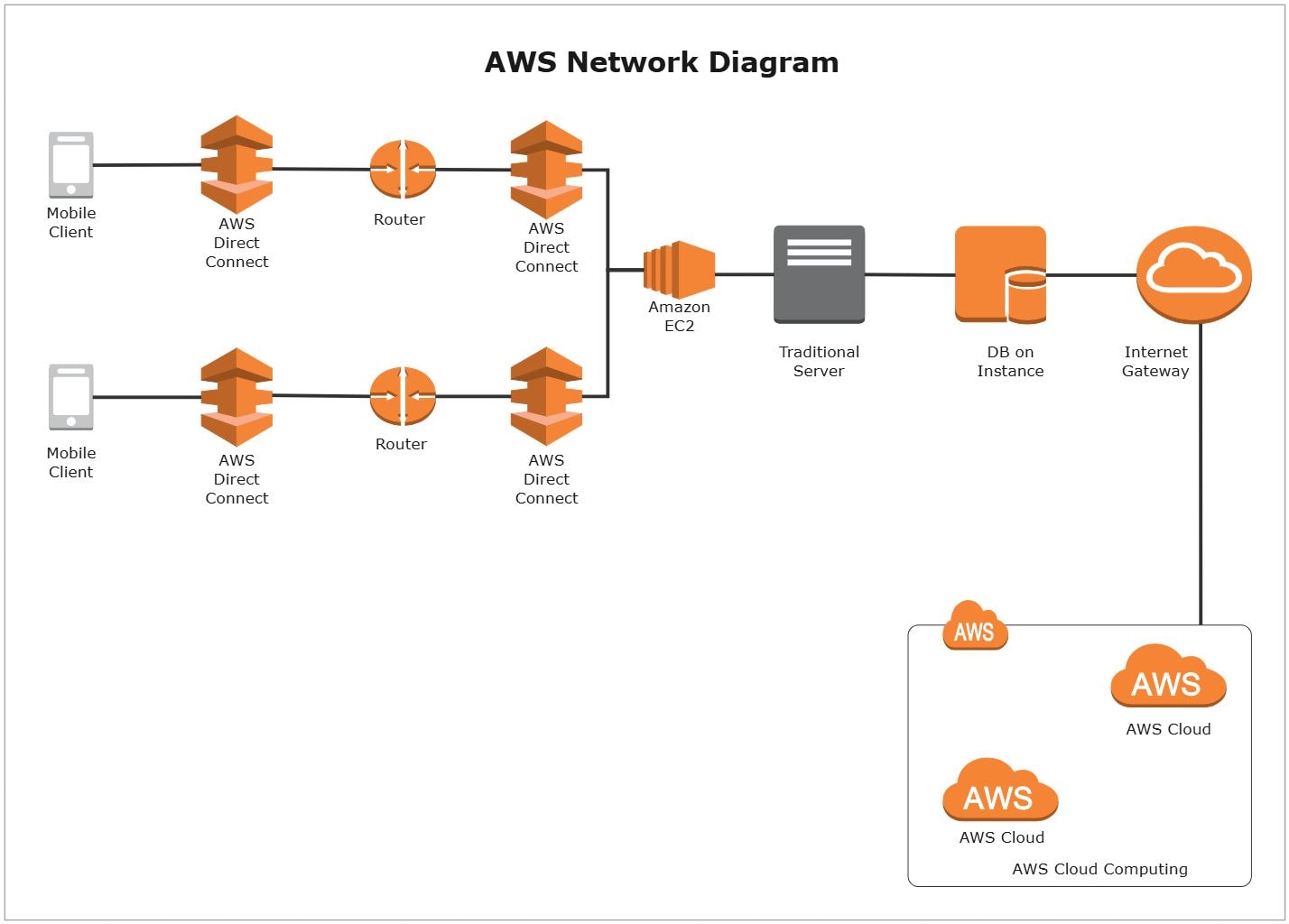
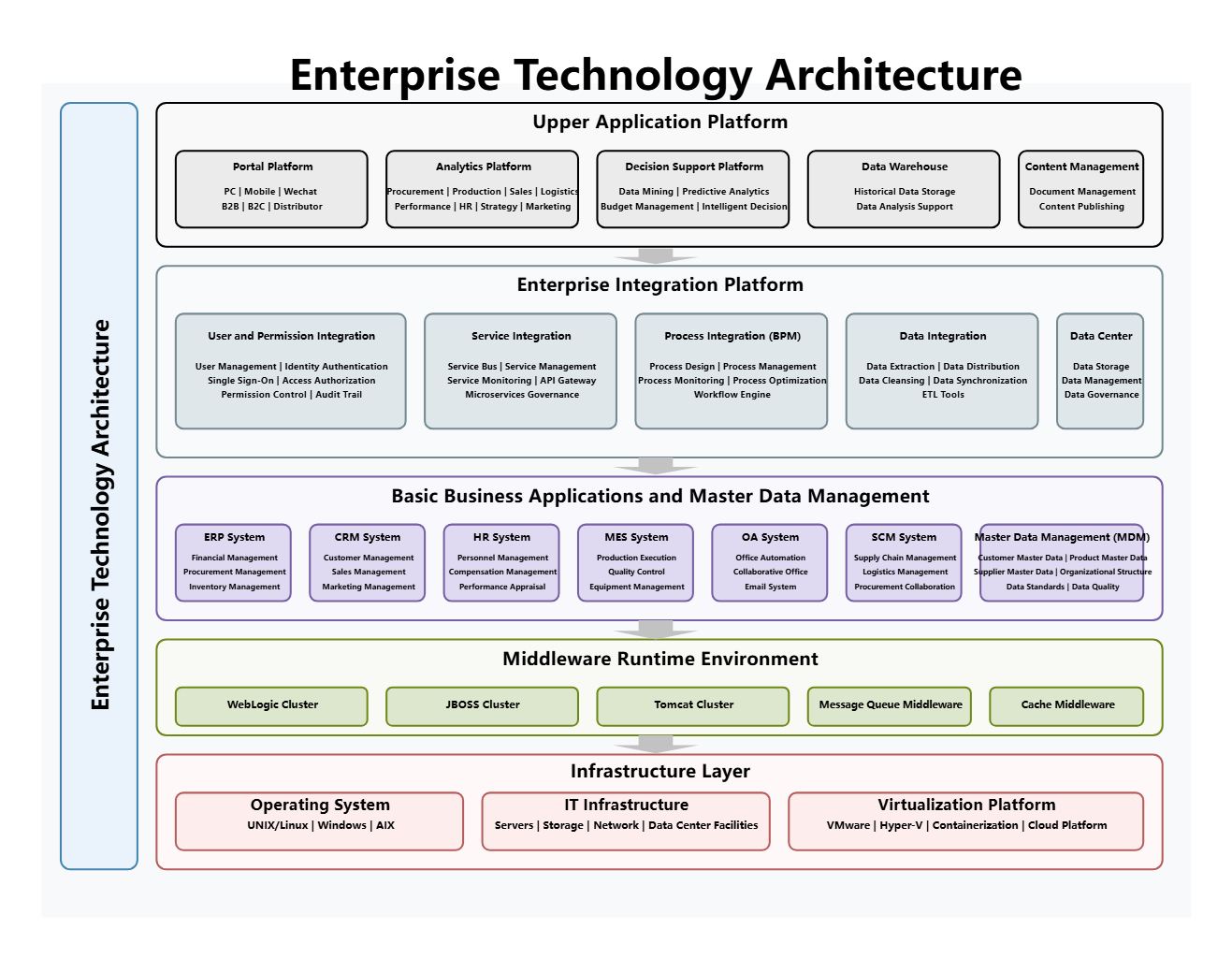
This diagram shows project architecture diagram in a clearer structure, so the main layers or modules are easier to explain.
Network Edge & Access
The Network Edge & Access section is one visible block in the diagram. Its placement helps explain how this part fits into the overall architecture without collapsing the layout into a single undifferentiated system view.
- Network Edge & Access
Core Network Services
The Core Network Services section is one visible block in the diagram. Its placement helps explain how this part fits into the overall architecture without collapsing the layout into a single undifferentiated system view.
- Core Network Services
Security & Monitoring
The Security & Monitoring section is one visible block in the diagram. Its placement helps explain how this part fits into the overall architecture without collapsing the layout into a single undifferentiated system view.
- Security & Monitoring
FAQs about this Template
-
How do teams map Project network architecture?
Teams usually map Project network architecture with a diagram that separates endpoints, traffic paths, security zones, and core infrastructure. This makes it easier to review routing logic, access boundaries, and failure points across sections such as Network Edge & Access, Core Network Services, and Security & Monitoring, especially when the network has to support both connectivity and controlled access.
-
What is the difference between network architecture and system architecture?
Network architecture focuses on connectivity, traffic flow, security zones, and how devices or services communicate, while system architecture describes the broader application or platform structure. Teams use network diagrams when they need to explain routing, segmentation, VPN paths, firewall boundaries, infrastructure relationships, and traffic control that are not obvious in a general system view.
-
What should a Project network diagram include?
A strong Project network diagram should include the main nodes, traffic routes, trust boundaries, and key access points. It should also show how firewalls, gateways, VPN links, user endpoints, cloud segments, monitoring controls, or identity checks connect, so the topology can be reviewed for both connectivity and risk exposure. This also makes technical review, stakeholder communication, and future changes easier to manage.
-
Which diagram type is best for documenting Project connectivity?
A network architecture diagram is usually the best choice for documenting Project connectivity because it shows endpoints, routes, and control points in one view. If a team also needs application behavior or deployment detail, they often pair it with sequence, infrastructure, or system diagrams instead of forcing performance, security, and deployment concerns into one topology map.
-
Can AI generate Project network diagrams automatically?
Yes, AI can generate a draft network diagram, but technical review is still essential. AI can help suggest topology structure and common network groupings, while engineers should validate the real routing logic, segmentation, firewall rules, VPN paths, device relationships, and traffic assumptions before using the diagram for operations or security review.

 (AI & Web)