AI-powered bill of materials (BOM) generator
Streamline your procurement process with an AI-powered Bill of Materials (BOM) generator. No more manual calculations or missing data in spreadsheets.
Available for:


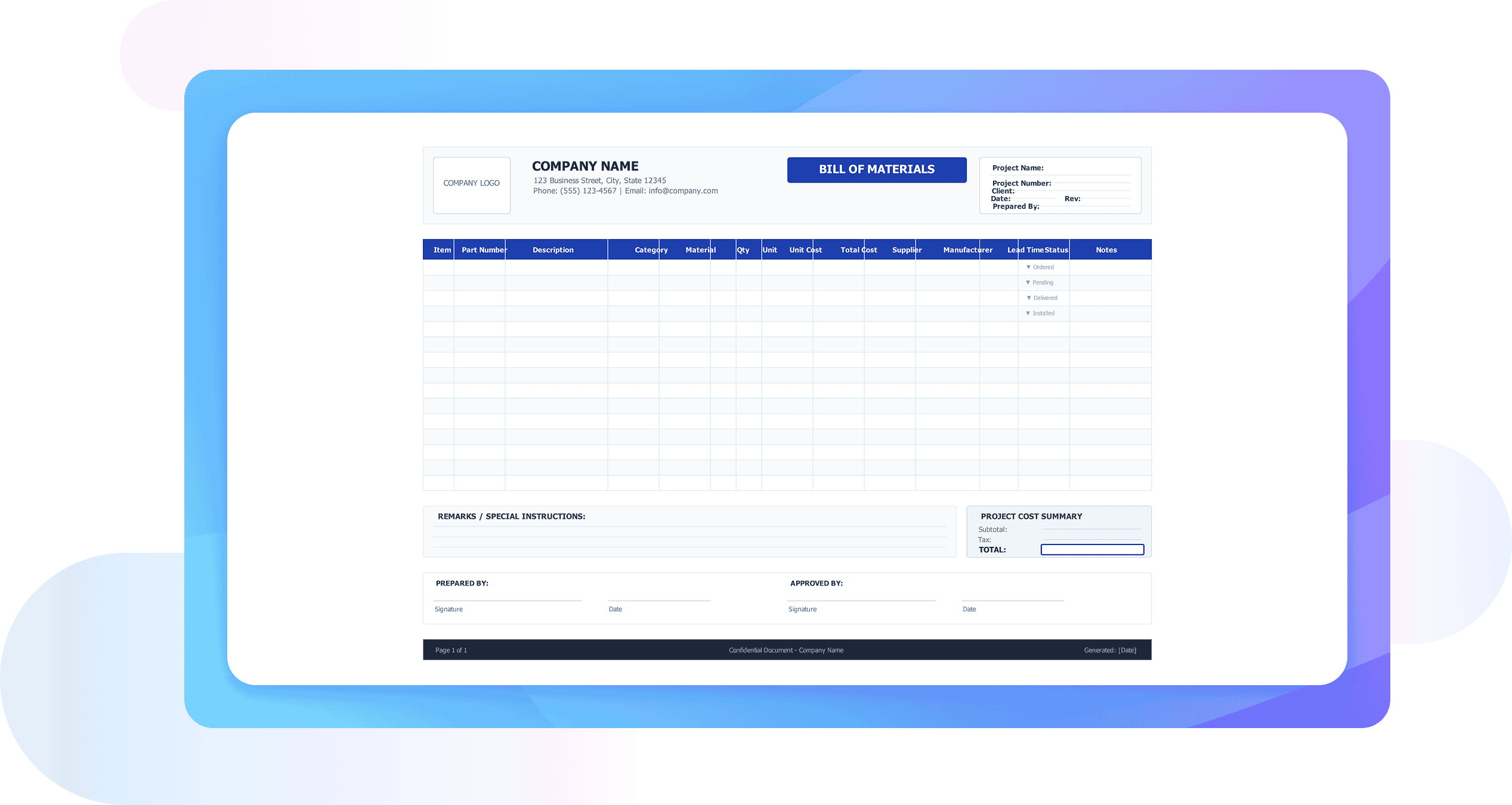
Free bill of materials generator for automated cost estimation
AI BOM: No more manual calculations
Stop wasting hours counting symbols on a canvas. EdrawMax’s AI-assisted bill generator scans your entire diagram to generate an instant, error-free bill of materials. Whether it’s a complex network rack or a simple floor plan, the software handles the math, so you can focus on the design.
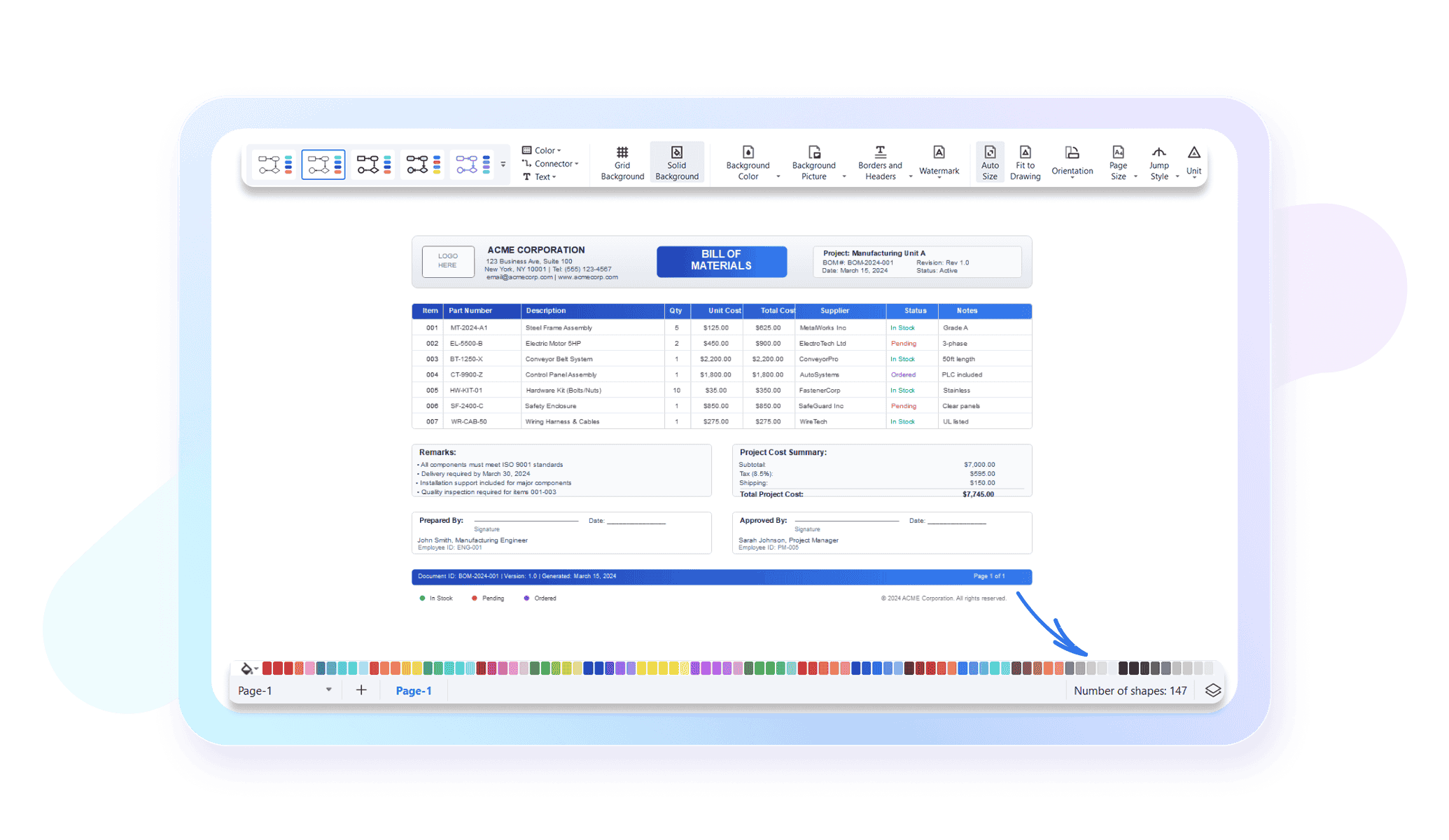
Centralized BOM management
Keep your project data organized in one place. Our quotation software integrates prices, component names, unique IDs, and device specifications into a single dashboard. This unified BOM structure makes it easy to update project data, compare components, and maintain full control over your quotation workflow.
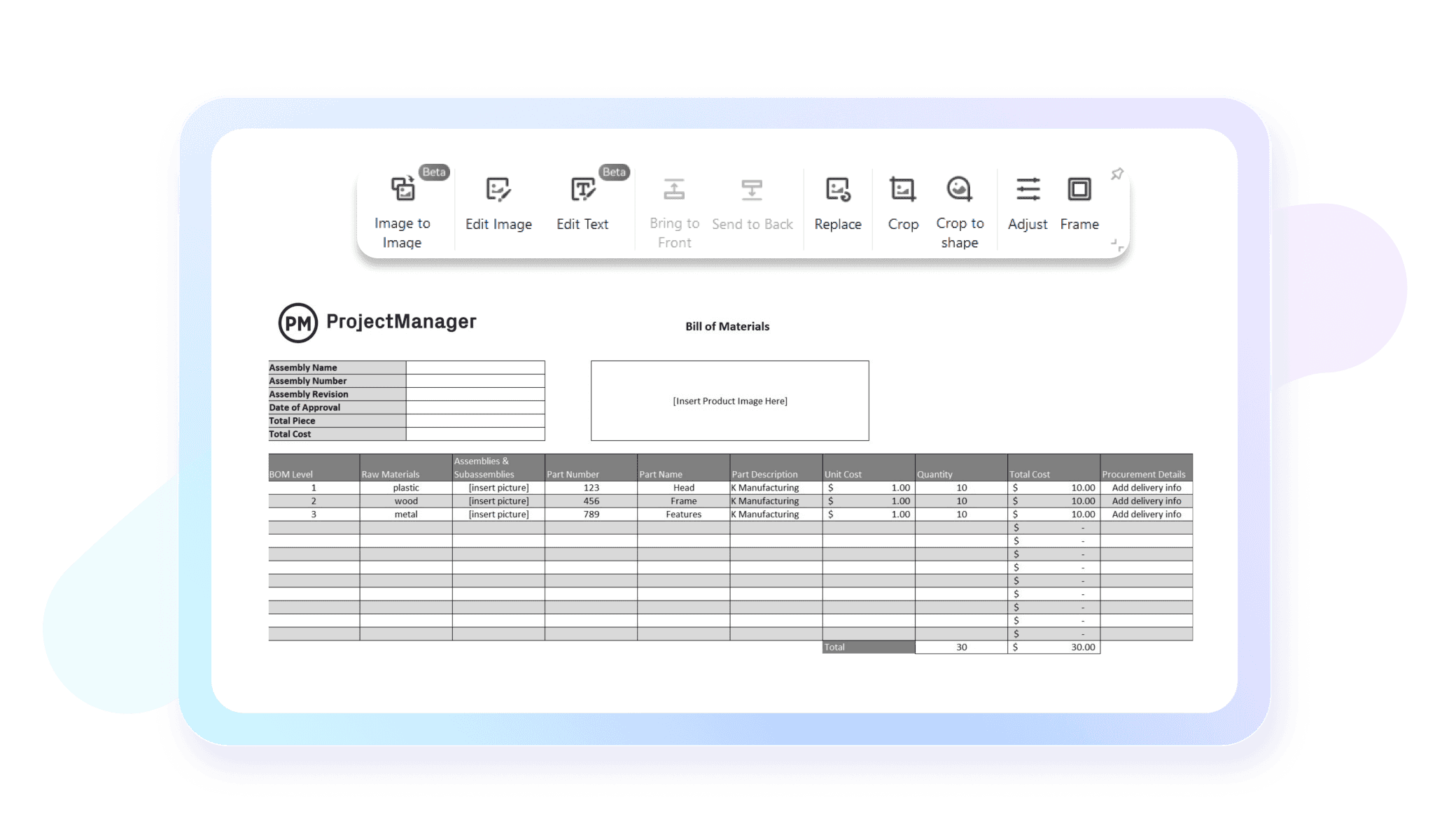
Fully editable symbol specifications
Precision is key in professional quoting. Every symbol in EdrawMax is data-rich and fully customizable. You can easily edit the names, prices, manufacturers, and technical specs of individual components directly within the BOM list, allowing for hyper-accurate project costing.try’s best practices (e.g., UML for software).
Work from anywhere, anytime
EdrawMax gives you full access to your BOMs and quotations from any device. You can continue your work at the office, at home, or on the move. All your project data stays synced so you can pick up exactly where you left off anytime.

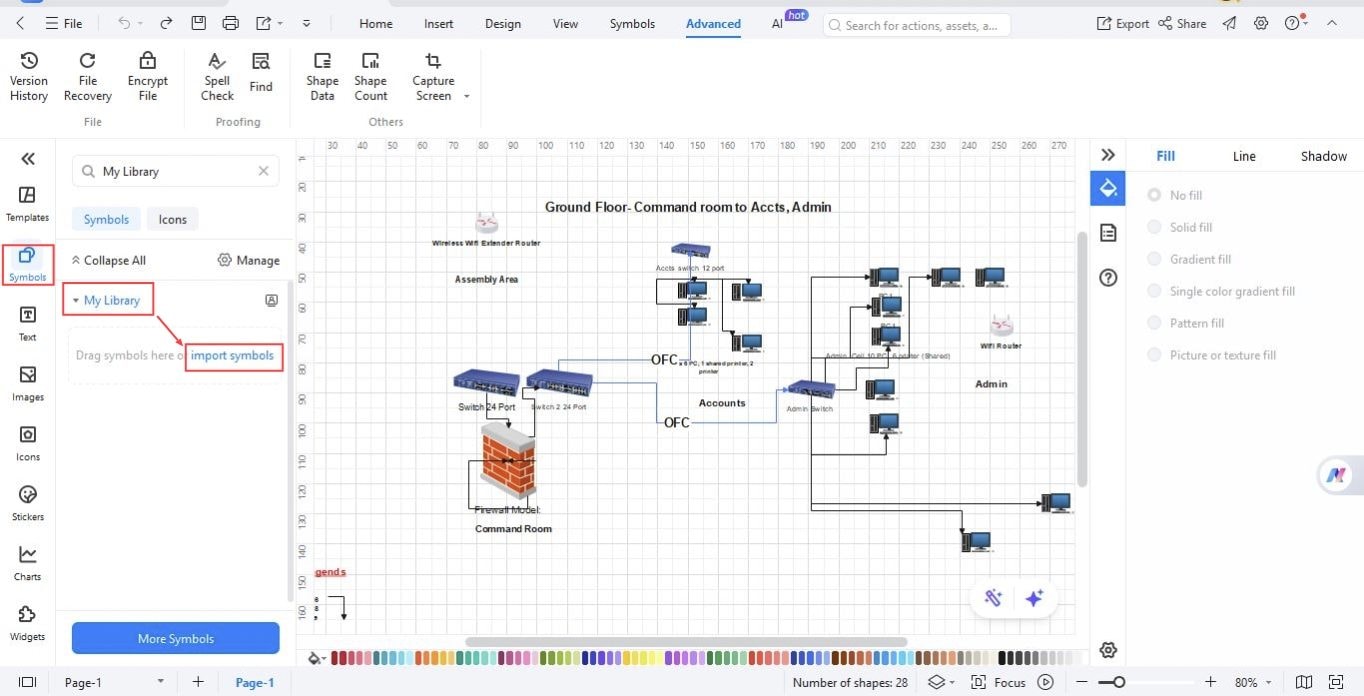
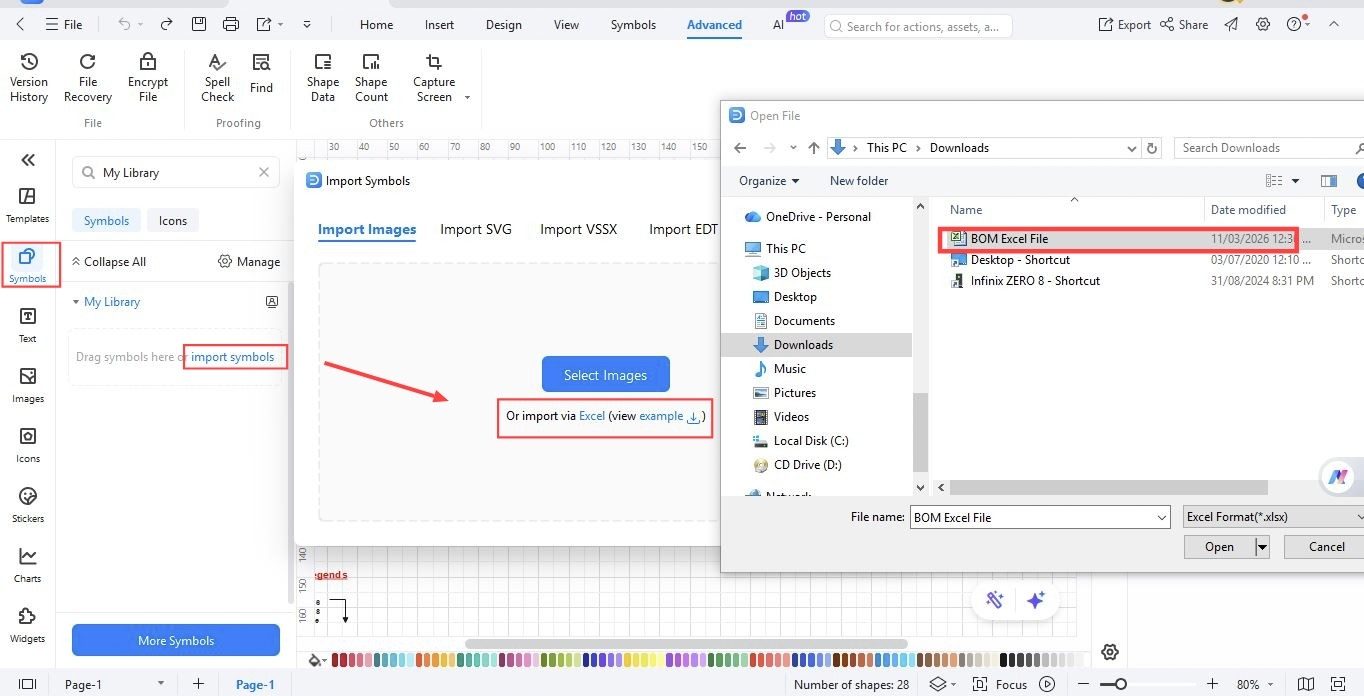
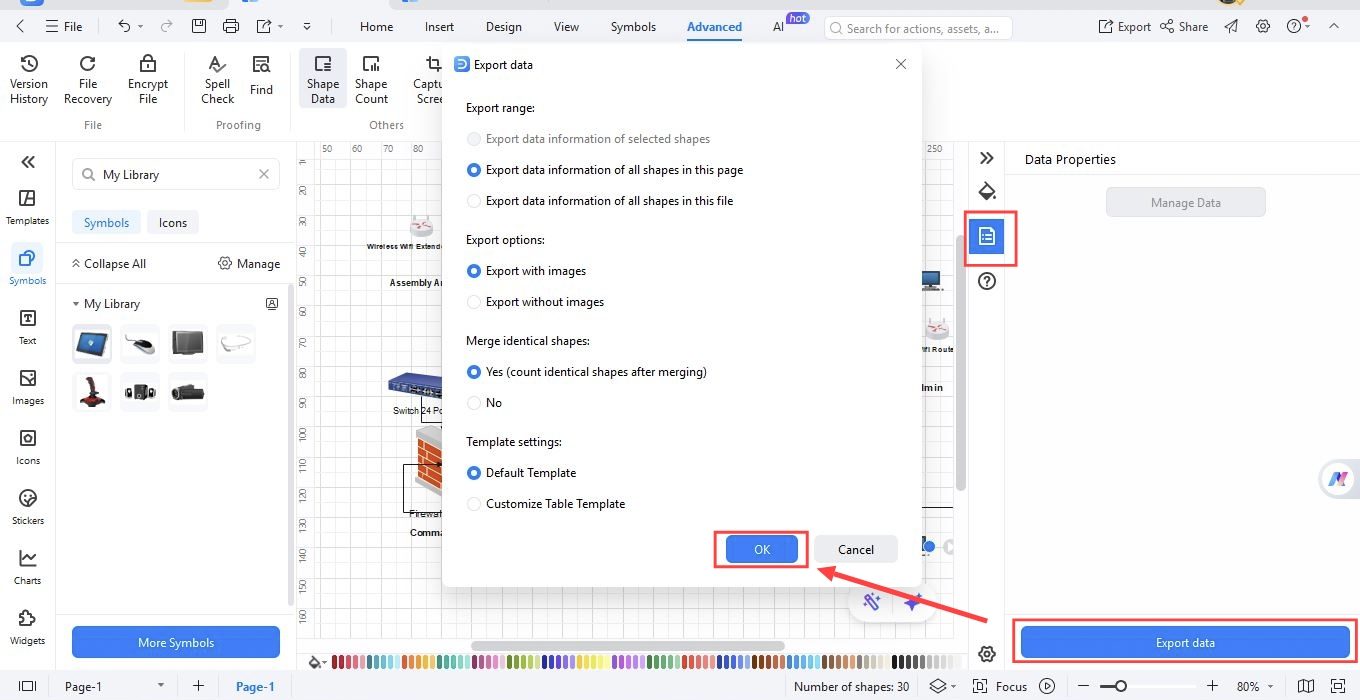
How to generate a BOM in EdrawMax?
What our users say

Jake Sterling, Co-Founder & CTO in Consumer Electronics industry
Honestly, I was about ten seconds away from throwing my laptop out the window trying to manage our component list in a messy spreadsheet. One tiny typo in a part number and your whole production run is toast—it’s a massive pain in the neck. Switched to the Wondershare BOM tool and it’s been a total game changer for our hardware builds. It just pulls everything together without the usual manual headache. Now I can actually focus on the engineering instead of playing "find the hidden error" in Excel. It’s a solid bit of kit and pretty much bulletproof.
Sarah Jenkins, Senior Procurement Lead in Industrial Manufacturing
Dealing with overseas suppliers is enough of a faff as it is without sending them messy, half-baked parts lists. I’ve been using Wondershare’s generator for a few months now and it’s spot on. It tidies everything up and ensures the vendors know exactly what’s what, right down to the last nut and bolt. No more endless back-and-forth emails asking for clarification on specs. It’s saved us a massive amount of time and kept the shop floor running smoothly. Proper job.
Mike DeLuca, Independent Design Engineer
As a freelancer, time is literally money. I used to spend hours—plural—manually compiling BOMs for my clients, and it was easily the worst part of the gig. Wondershare basically automated all that grunt work for me. I can generate a clean, pro-looking list in a couple of clicks and get back to the actual design work that pays the bills. It’s a total no-brainer if you’re tired of the manual grind. They really nailed the workflow on this one; it’s super intuitive.
More EdrawMax floor plan tools
Discover more AI-powered diagram makers to boost your productivity.
FAQs About BOM generators
-
What is a Bill of Materials (BOM) generator?A Bill of Materials (BOM) generator is a specialized software tool designed to create comprehensive lists of raw materials, components, and assemblies needed to manufacture a product. It automates the documentation process, ensuring that every part is accounted for, which reduces manual entry errors and streamlines the entire production workflow effectively.
-
What are the primary benefits of using a BOM generator?Using a BOM generator increases accuracy by eliminating manual data entry mistakes common in spreadsheets. It saves time by automatically compiling lists from design data, improves collaboration across departments, and ensures that procurement teams order the correct quantities. Ultimately, it helps maintain consistency throughout the product lifecycle and reduces manufacturing delays.
-
Can a BOM generator integrate with my existing CAD software?Yes, most modern BOM generators are designed to integrate seamlessly with Computer-Aided Design (CAD) software. This allows the tool to automatically extract part numbers, quantities, and specifications directly from your digital designs. Integration ensures that your material list stays synchronized with the latest engineering changes, preventing costly manufacturing discrepancies.
-
How does a BOM generator assist with product cost estimation?A BOM generator helps with cost estimation by linking individual components to their current market prices. By aggregating the costs of all parts and sub-assemblies, the software provides a real-time total cost for the finished product. This allows manufacturers to analyze profit margins and identify areas for cost reduction.
-
Does the software support multi-level or hierarchical BOMs?Absolutely. A robust BOM generator can manage complex, multi-level structures where one product contains several sub-assemblies, each with its own list of parts. This hierarchical view is essential for complex manufacturing, as it allows teams to see how every small component fits into the larger, finished assembly or system.
-
How does a BOM generator handle revisions and version control?BOM generators typically include version control features that track every change made to a material list. This ensures that everyone on the team is working from the most recent documentation. You can easily compare different versions, view the history of edits, and revert to previous configurations if necessary during development.
-
Can I export my Bill of Materials to other formats?Yes, flexibility is a key feature of BOM generators. Most tools allow you to export your finalized lists into various formats such as CSV, Excel, or PDF. This makes it easy to share data with external suppliers, import information into ERP systems, or create physical documentation for the shop floor.
-
Who typically uses a BOM generator in a manufacturing company?BOM generators are used by various professionals, including mechanical engineers, product designers, procurement specialists, and production managers. Engineers use them to document designs, while procurement teams rely on them for accurate ordering. Production managers use the generated lists to schedule assembly tasks and ensure all necessary parts are available.
Stop drawing. Start describing.
AI diagramming isn't just text-to-diagram.
AI now understands any input, fetches live data, adapts through dialogue, and works everywhere.
 (AI & Web)