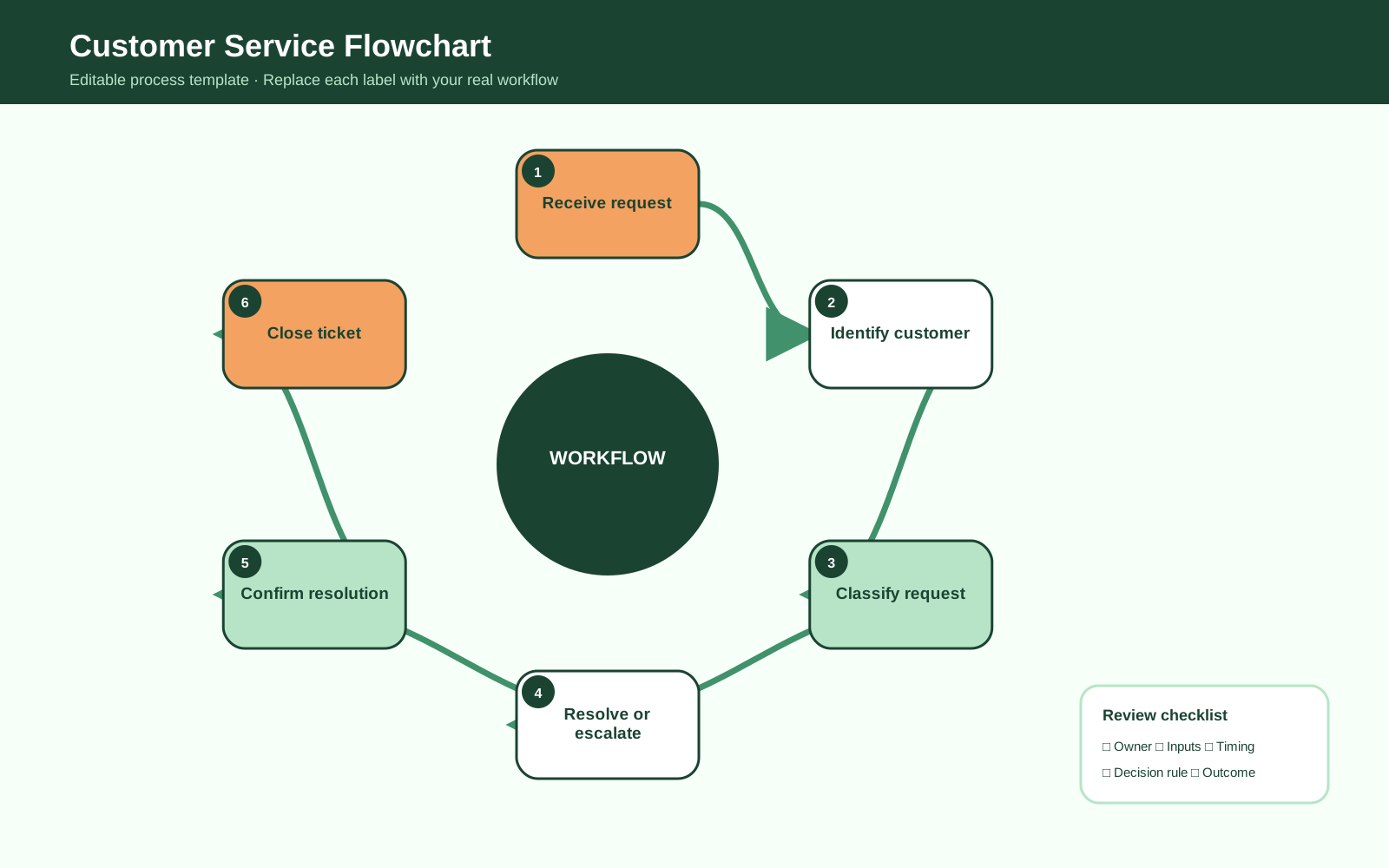
About Customer Service Flowchart
Document the main steps, reviews, decisions, and handoffs in customer service flowchart with an editable workflow.
What the Template Shows
The design organizes six editable stages: Receive request, Identify customer, Classify request, Resolve or escalate, Confirm resolution, and Close ticket. The varied layout makes the sequence easy to scan while leaving room for project-specific wording.
How to Customize It
Replace each example label with the real activities or milestones used by your team. Add owners, timing, decision rules, inputs, or evidence where they change how the process flowchart should be interpreted. Keep labels concise and move detailed procedures into supporting documentation.
Practical Uses
Use the template in planning workshops, process documentation, training, stakeholder reviews, and improvement discussions. It can describe a current state, a proposed future state, or a communication summary when the intended state is labeled clearly.
Review Before Publishing
Confirm that the order reflects actual practice, every branch or milestone has a clear outcome, and terminology matches the intended audience. Validate the finished diagram with the people who perform or receive the work.
FAQs about this Template
- What is a customer service flowchart?
It is an editable process flowchart for organizing the key stages of customer service flowchart so the sequence and responsibilities are easier to discuss.
- Can I change the steps and colors?
Yes. Replace all example labels, reorder stages, apply your brand colors, and add or remove shapes to match the real process or story.
- What details should be added to the template?
Add only details that affect understanding, such as owners, decision criteria, timing, inputs, outputs, dependencies, or evidence.
- How should the completed template be reviewed?
Review it with the people closest to the work and confirm that the sequence, labels, outcomes, and intended current or future state are accurate.

 (AI & Web)