About Process Map Template
Document workflow steps, decisions, owners, inputs, and outputs with an editable process map template built for quick process review.
What This Process Map Includes
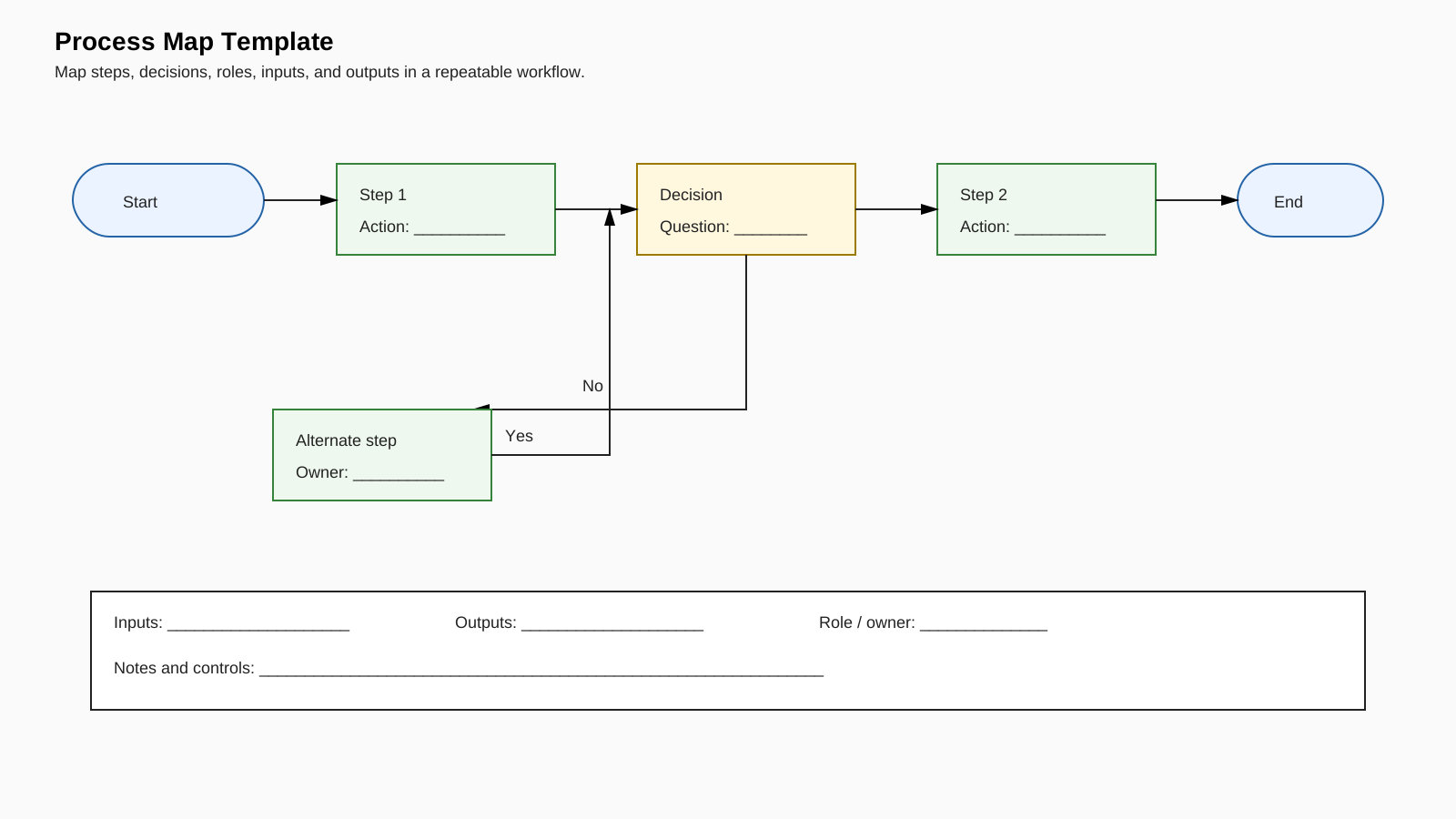
The template provides a start point, two action steps, a decision, a Yes path, a No path leading to an alternate step, and an end point. A supporting panel captures inputs, outputs, the responsible role, and process controls.
How to Fill It In
Define one clear trigger for Start and one observable result for End. Replace the action placeholders with verb-led activities. Write a question inside the decision box that can be answered consistently with Yes or No, then verify that each branch reaches the next correct step. Add the owner, inputs, outputs, and controls after the flow is stable.
Practical Uses
Use the map for onboarding, standard operating procedure discussions, service handoffs, approval flows, quality reviews, and improvement workshops. It gives teams a shared view of how work currently moves before they redesign it.
Review Before Sharing
Walk through the diagram with someone who performs the work. Confirm that no branch ends without a destination, each activity has a clear boundary, and the map represents the actual workflow rather than an idealized version. Add detail only when it changes a decision or handoff.
FAQs about this Template
- What is a process map template used for?
It is used to document the sequence of activities, decisions, handoffs, inputs, and outputs in a workflow.
- How detailed should a process map be?
Include enough detail to explain decisions and handoffs to the intended audience. Create a separate lower-level map when one step requires substantial detail.
- What should go inside a decision box?
Use a clear question with defined outcomes, commonly Yes and No, so each branch can be followed consistently.
- Should a process map show the current or future process?
It can show either, but label the state clearly. Mapping the current process first usually makes improvement opportunities easier to justify.

 (AI & Web)