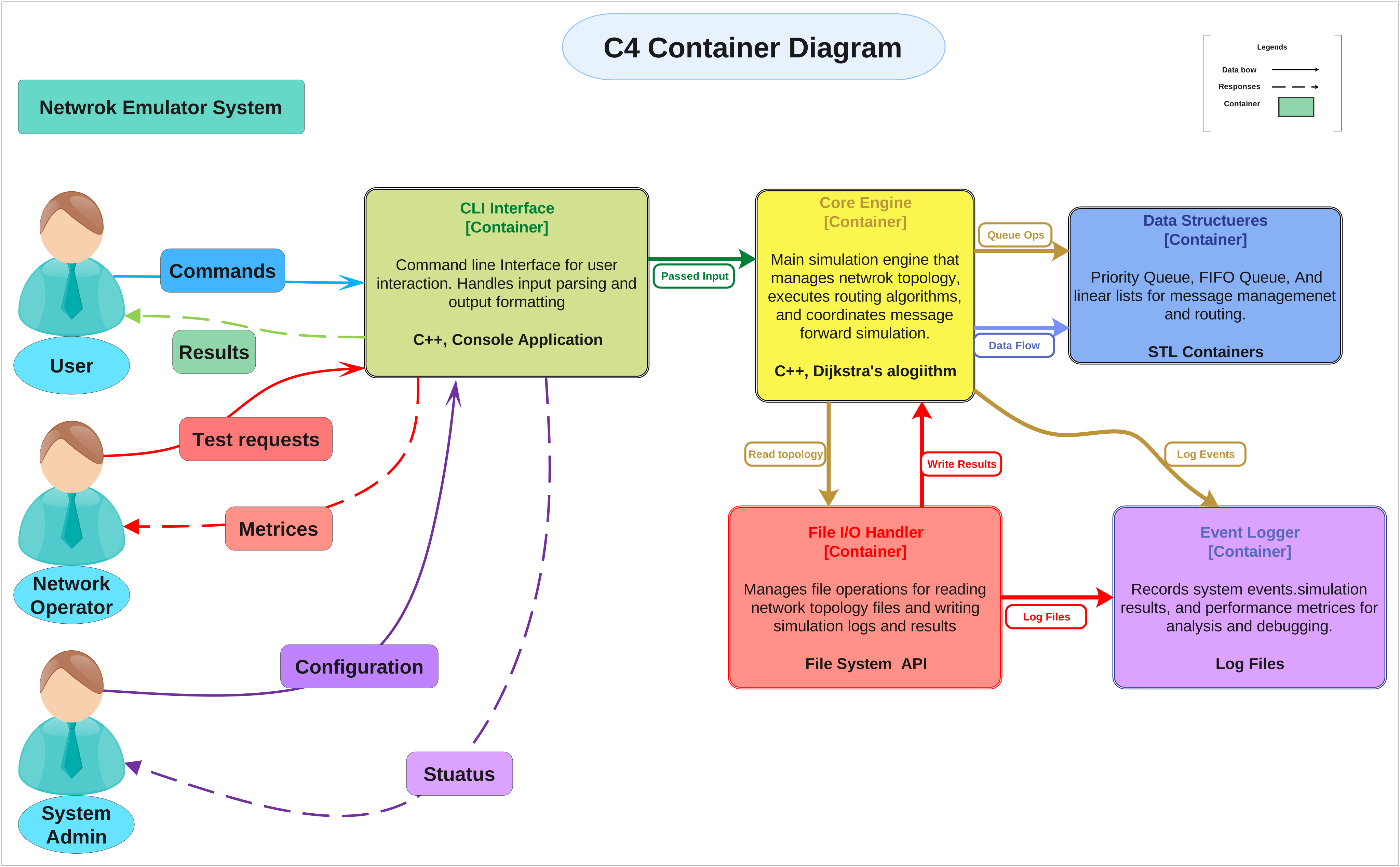
About this C4 Container Diagram
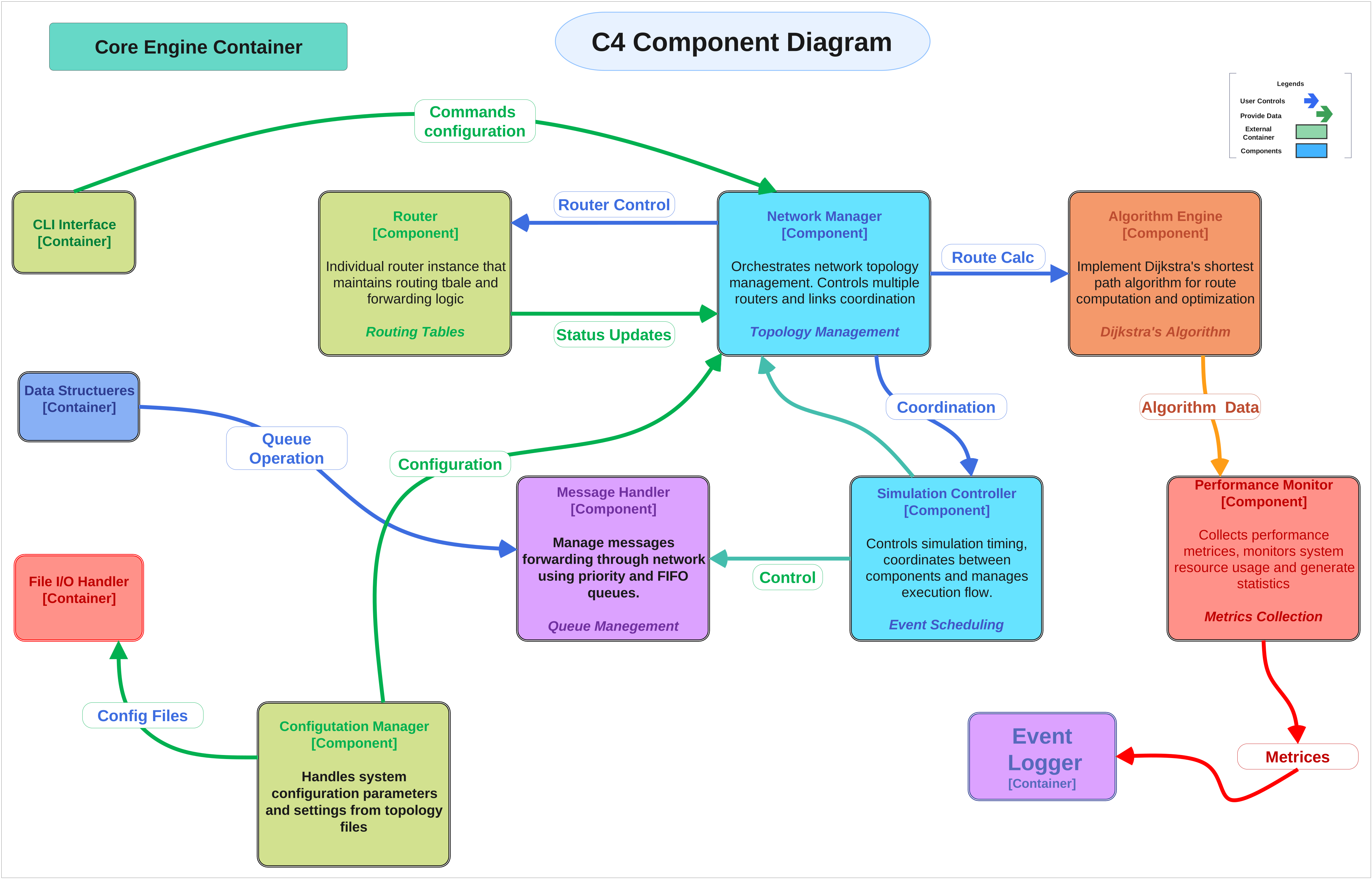
This C4 Container Diagram template focuses on the container-level structure of a system, helping the reader see how the main runtime units, data dependencies, and support services fit together.
Access and Client Layer
This section marks the people, systems, or entry surfaces that connect to the application containers from outside the boundary.
Data and Support Layer
This layer covers the databases, storage, or support services that the containers depend on during normal operation.
Platform Components
This part groups the platform and runtime support pieces that help the containers communicate, deploy, or stay observable.
FAQs about this Template
-
What should someone read first on this c4 Container Diagram?
Begin with the broadest system layers or grouped areas. That approach gives the reader a mental map of the whole design before they start reading the smaller service labels or role-specific details inside each section.
-
Why are the major sections separated in a system architecture diagram?
They are separated so different responsibilities remain visible instead of blending into a single component list. That makes the page easier to explain because readers can distinguish access, processing, storage, and control functions more naturally.
-
How is a system architecture diagram different from a context or process diagram?
A system architecture diagram focuses on the internal technical structure of the system. A context diagram focuses on external relationships, and a process diagram focuses on flow over time, so each diagram type highlights a different aspect of the same subject.
-
When is this kind of system template most useful?
It is most useful when a team needs a high-level technical reference for design review, onboarding, or planning. The template provides enough structure to support discussion without forcing the page into low-level implementation detail too early.

 (AI & Web)