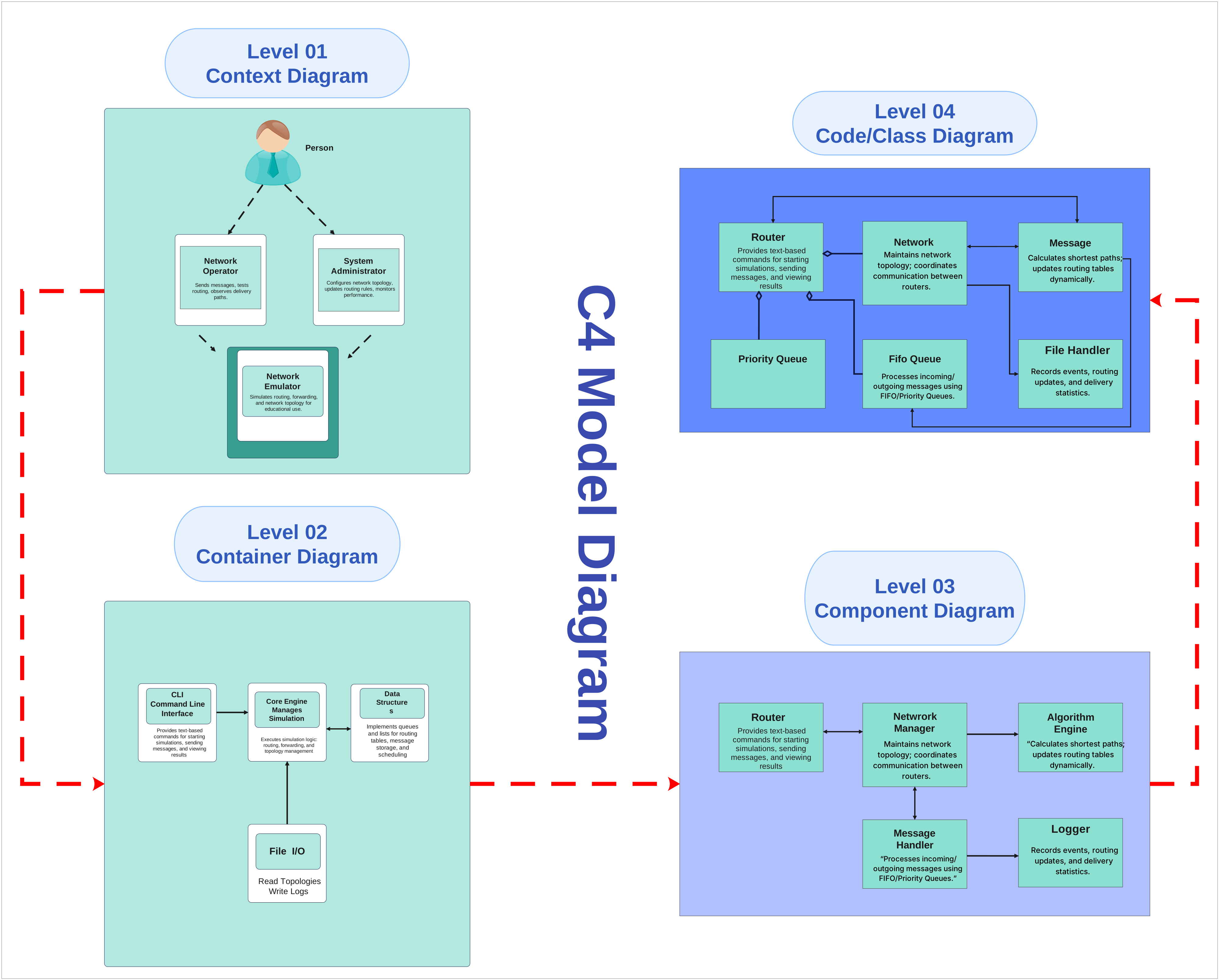
About C4 Model Diagram
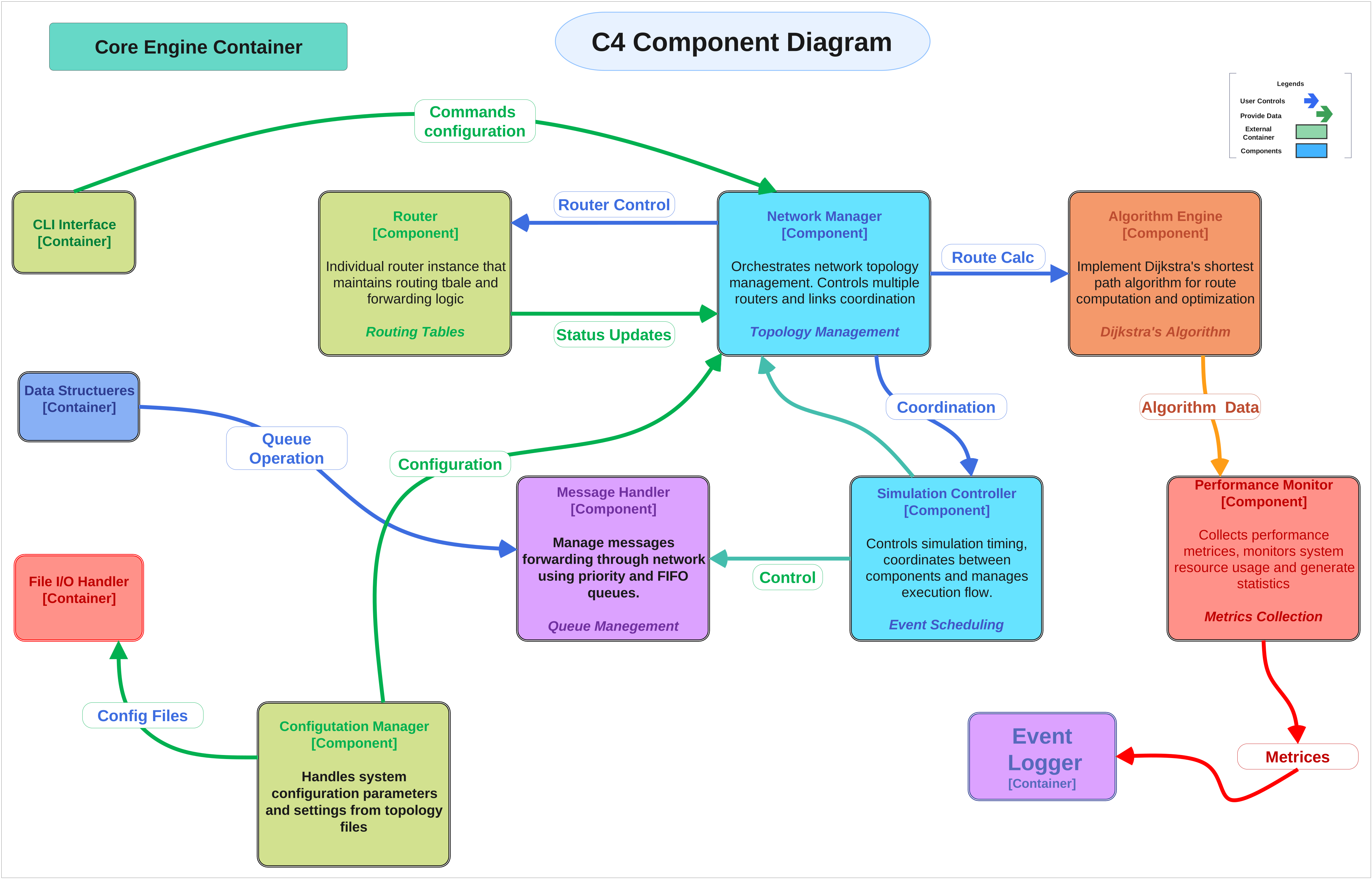
This c4 model diagram shows the main system in the middle of its external actors and information exchanges. It is useful for clarifying who interacts with the...
Central System Boundary
The center of the diagram is anchored by System Administrator. That central placement matters because a context diagram is mainly about scope and boundary, not internal implementation detail.
- System Administrator
External Actors
The surrounding actors include Netwrork Manager. These entities show who sends requests, receives outputs, or depends on the central system from outside the boundary.
- Netwrork Manager
Inputs, Outputs, and Business Exchanges
Visible exchange labels such as Level 01 Context Diagram, Level 04 Code/Class Diagram, Person, Student, Router, and Network show what actually moves between the center and the outside. That makes the diagram effective for scoping requirements and explaining business interaction at a glance.
- Level 01 Context Diagram
- Level 04 Code/Class Diagram
- Person
- Student
- Router
- Network
- Message
- Provides text-based commands for starting simulations, sending messages, and viewing results
FAQs about this Template
-
What is the main purpose of a c4 model diagram?
The main purpose of a c4 model diagram is to show the boundary of one system and the outside people or services that interact with it. That makes the scope easier to read quickly because the focus stays on actors and exchanges rather than the system’s internal technical design.
-
Why is the central system placed in the middle of a context diagram?
The center position reinforces that everything around it is external to the system boundary. That layout helps viewers separate core scope from connected parties, which is especially useful during early planning, requirement discussions, and business process reviews where internal design is not the main question yet.
-
What kinds of labels matter most on a context diagram?
The most useful labels are the actor names and the information exchanges between those actors and the system. Those labels explain who is involved and what they send or receive, which is what makes a context diagram practical for scoping, validation, and communication with non-technical stakeholders.
-
How is a context diagram different from a flowchart or architecture diagram?
A context diagram emphasizes system boundary and external interaction, while a flowchart focuses on sequence and an architecture diagram focuses on internal structure. That difference matters because each format answers a different question even when the diagrams describe the same product or business domain.
-
When should teams create a context diagram first?
Teams should create a context diagram first when they need to align on scope, external dependencies, or stakeholder expectations before discussing implementation details. It provides a simple shared picture that helps reduce confusion about where the system starts, where it ends, and who relies on it.

 (AI & Web)