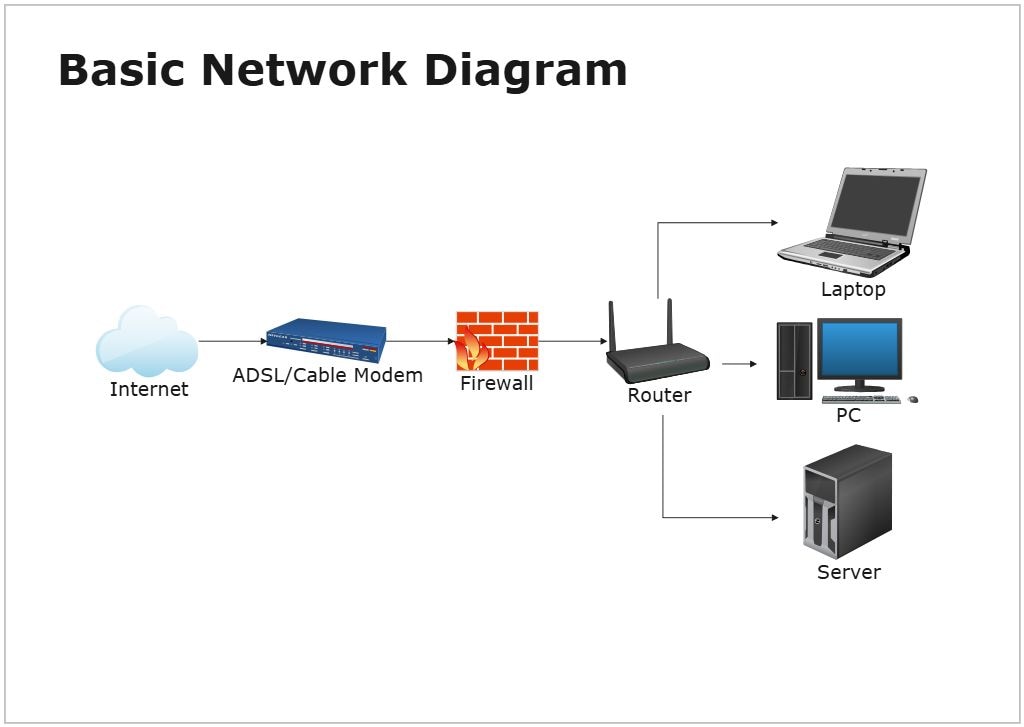
About Network Diagram Template
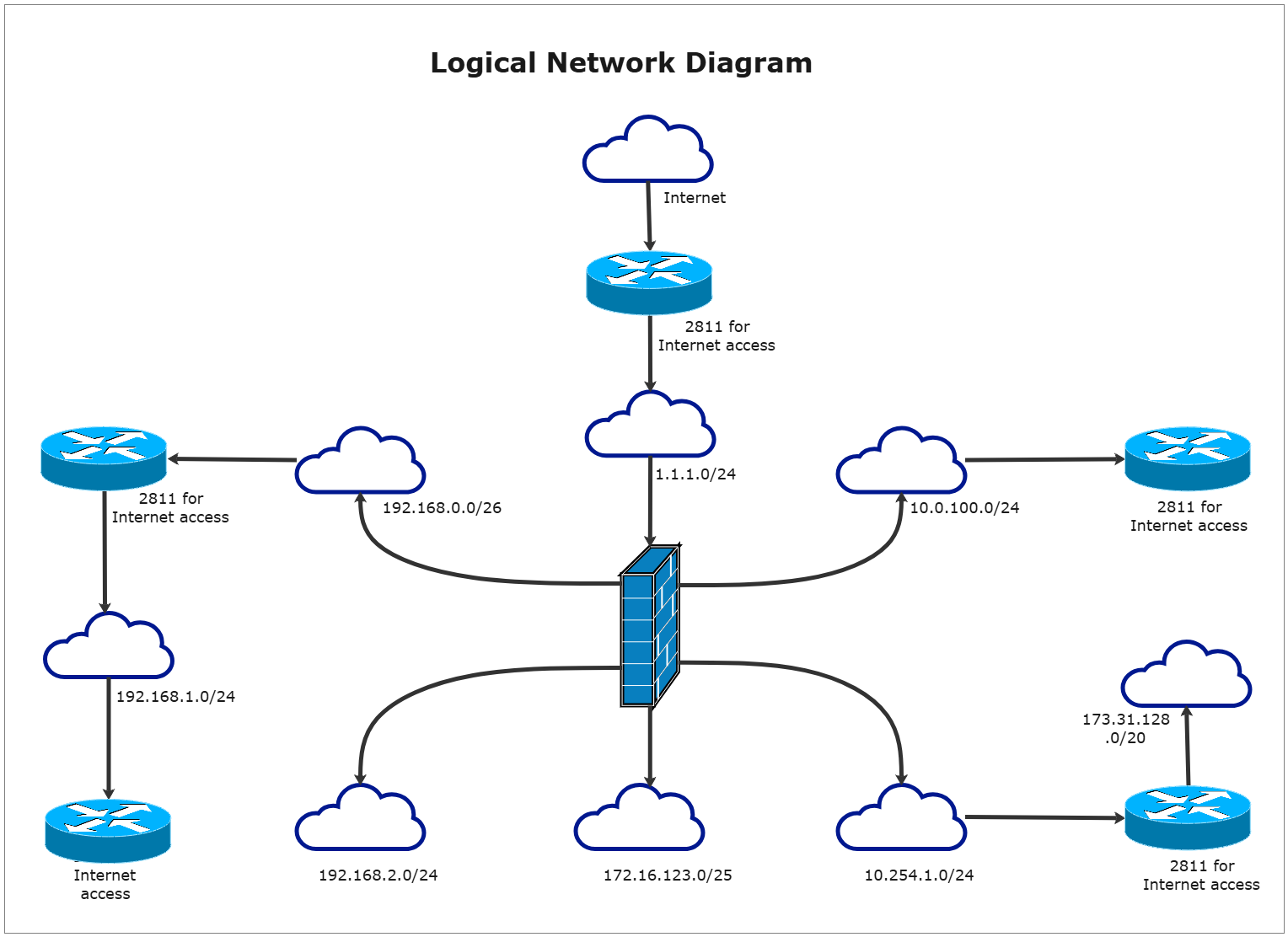
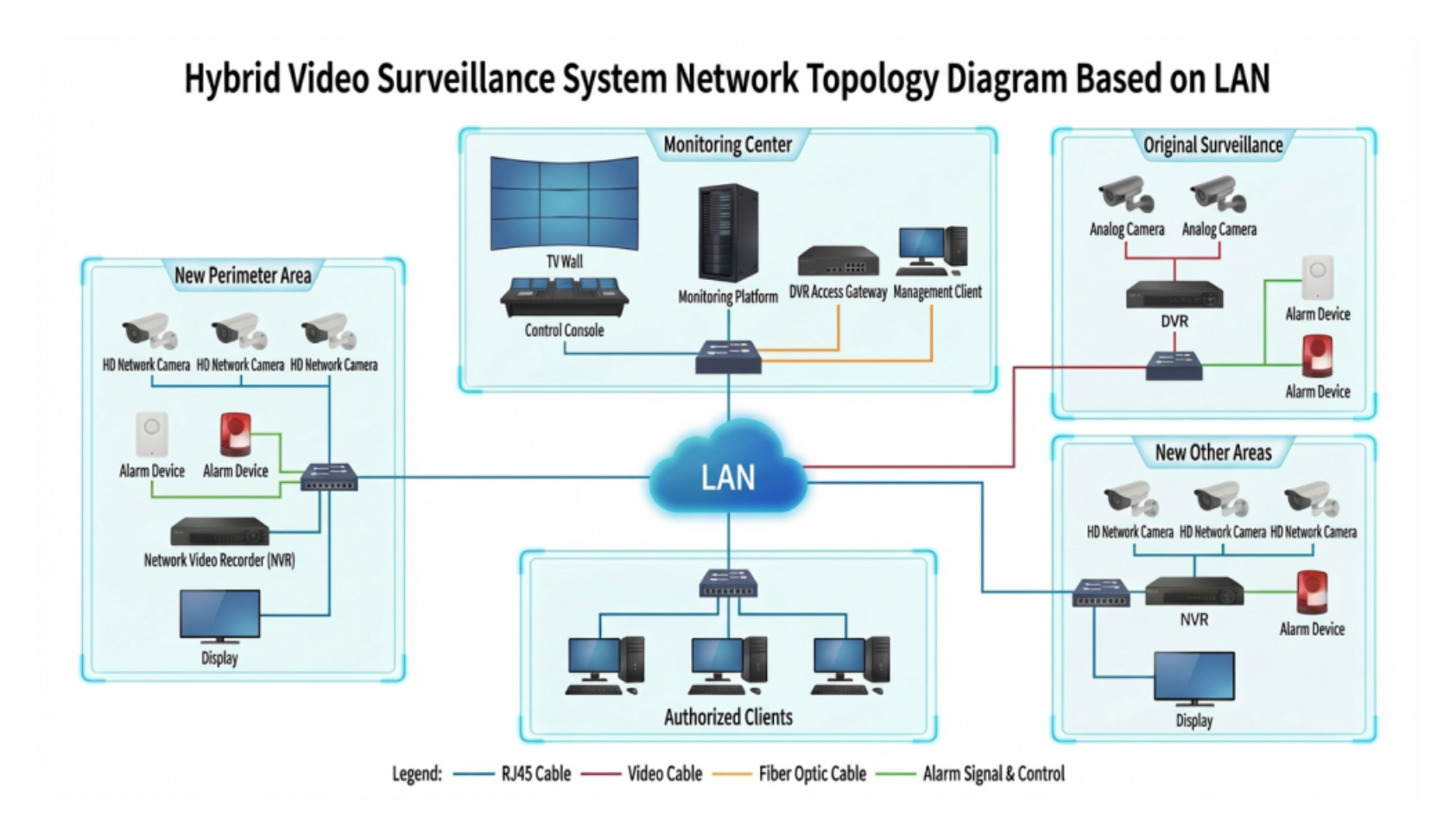
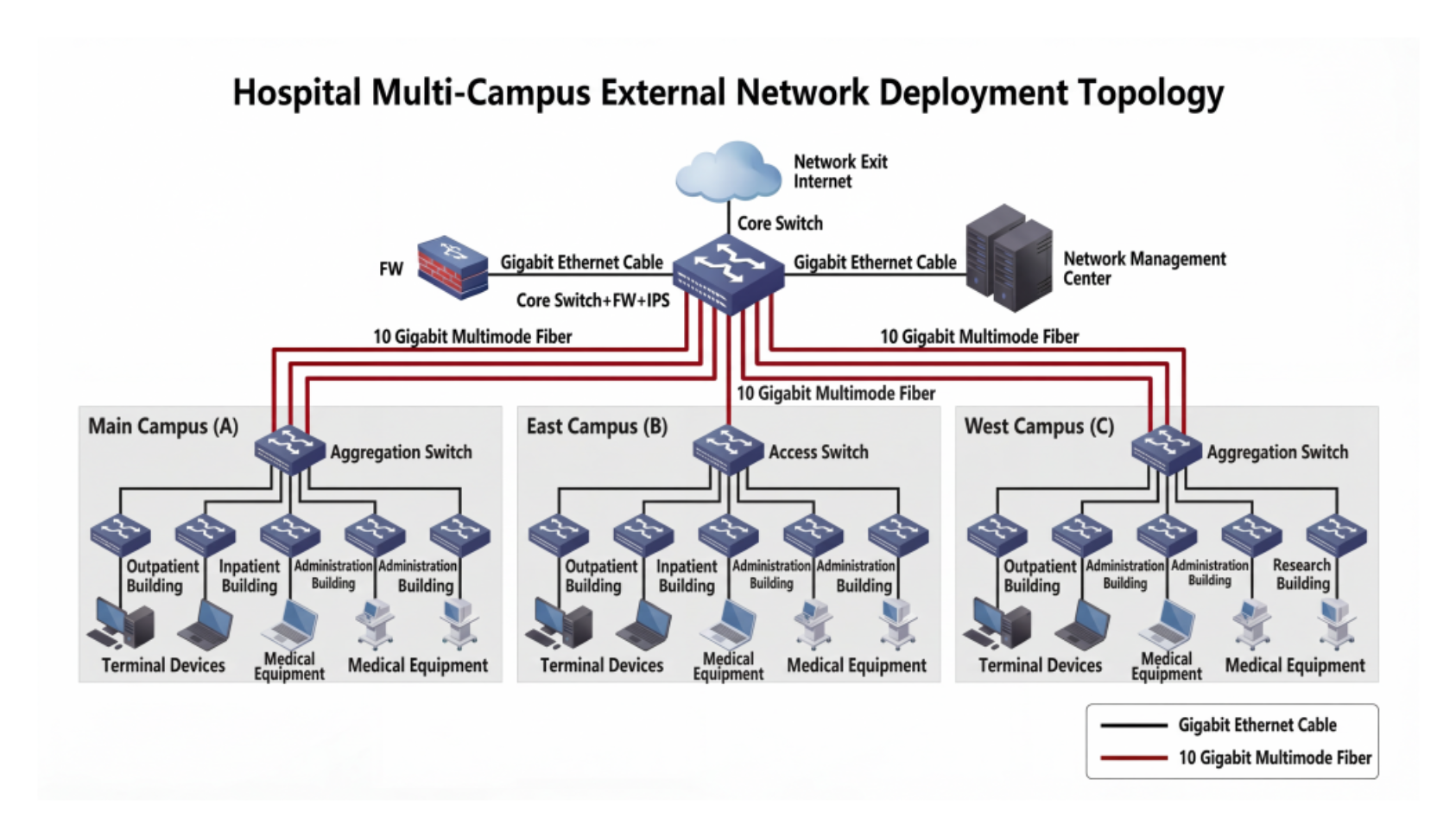
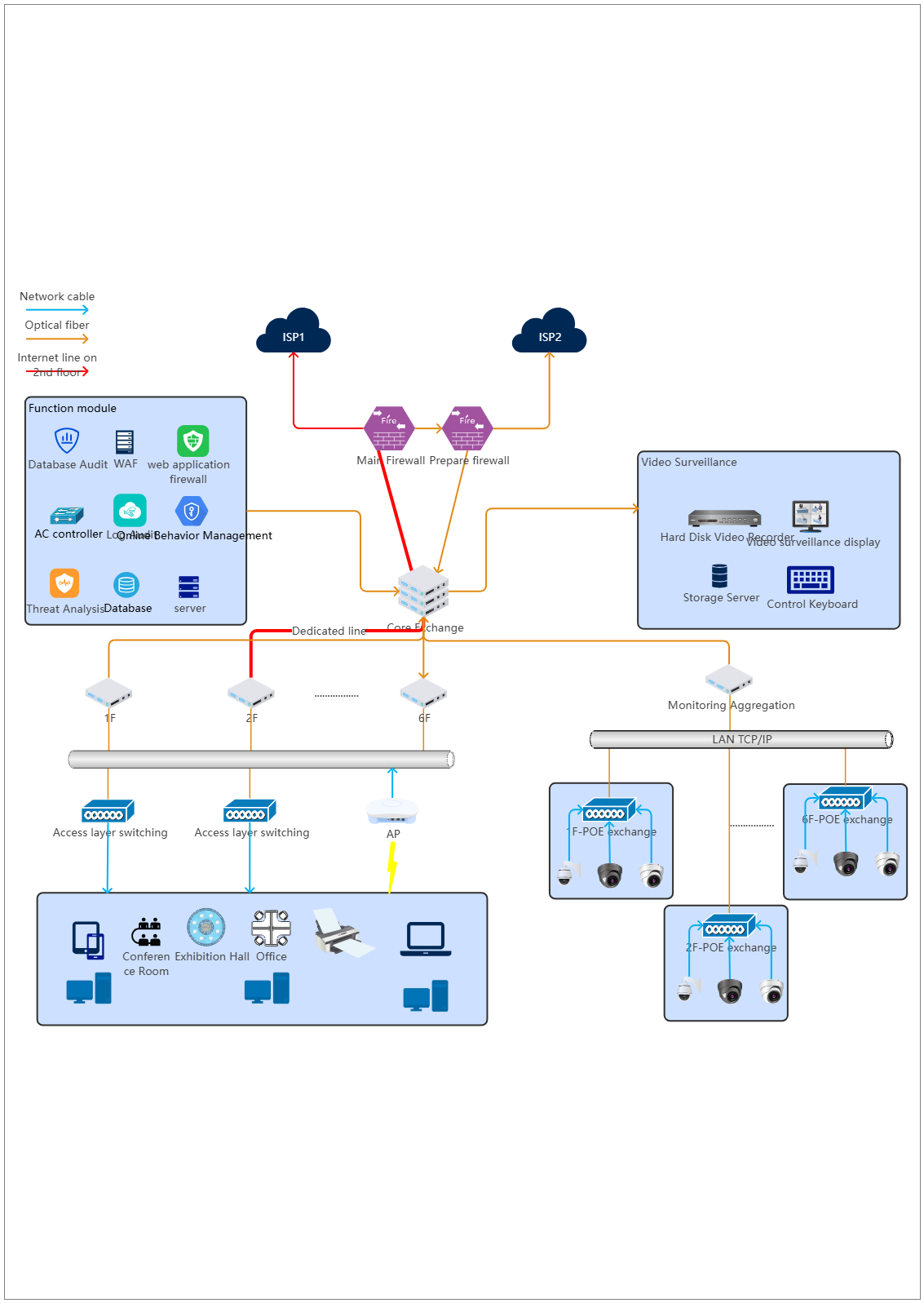
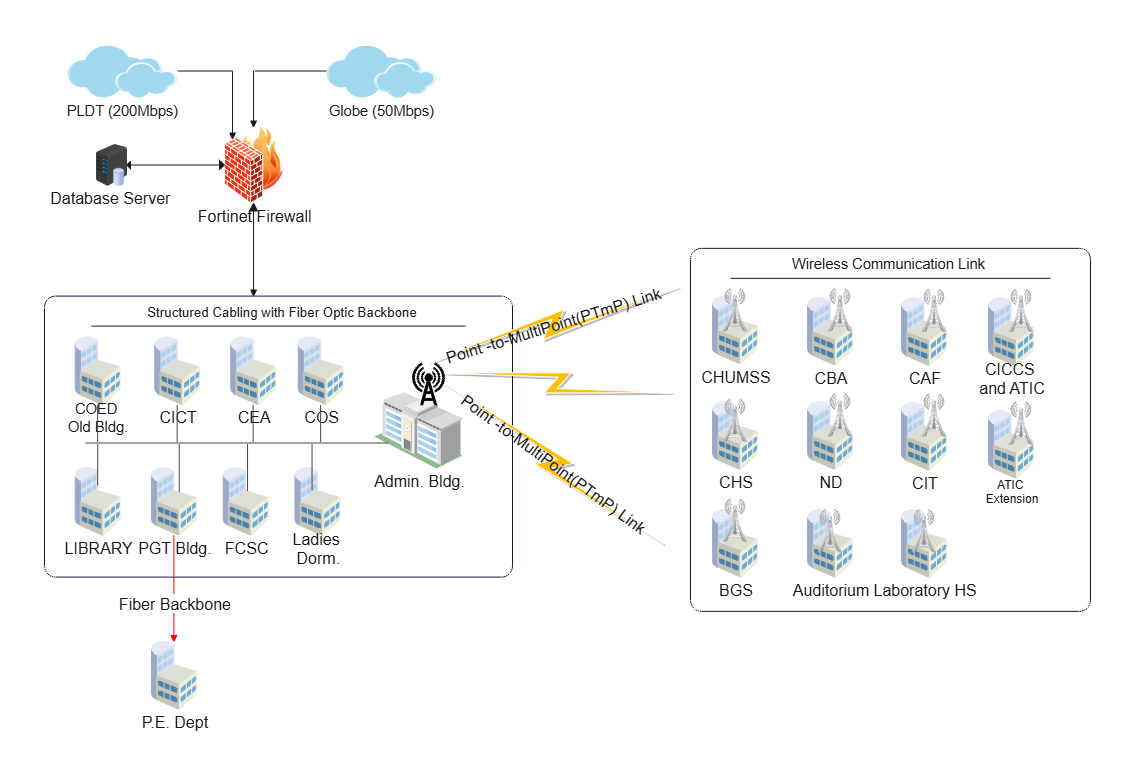
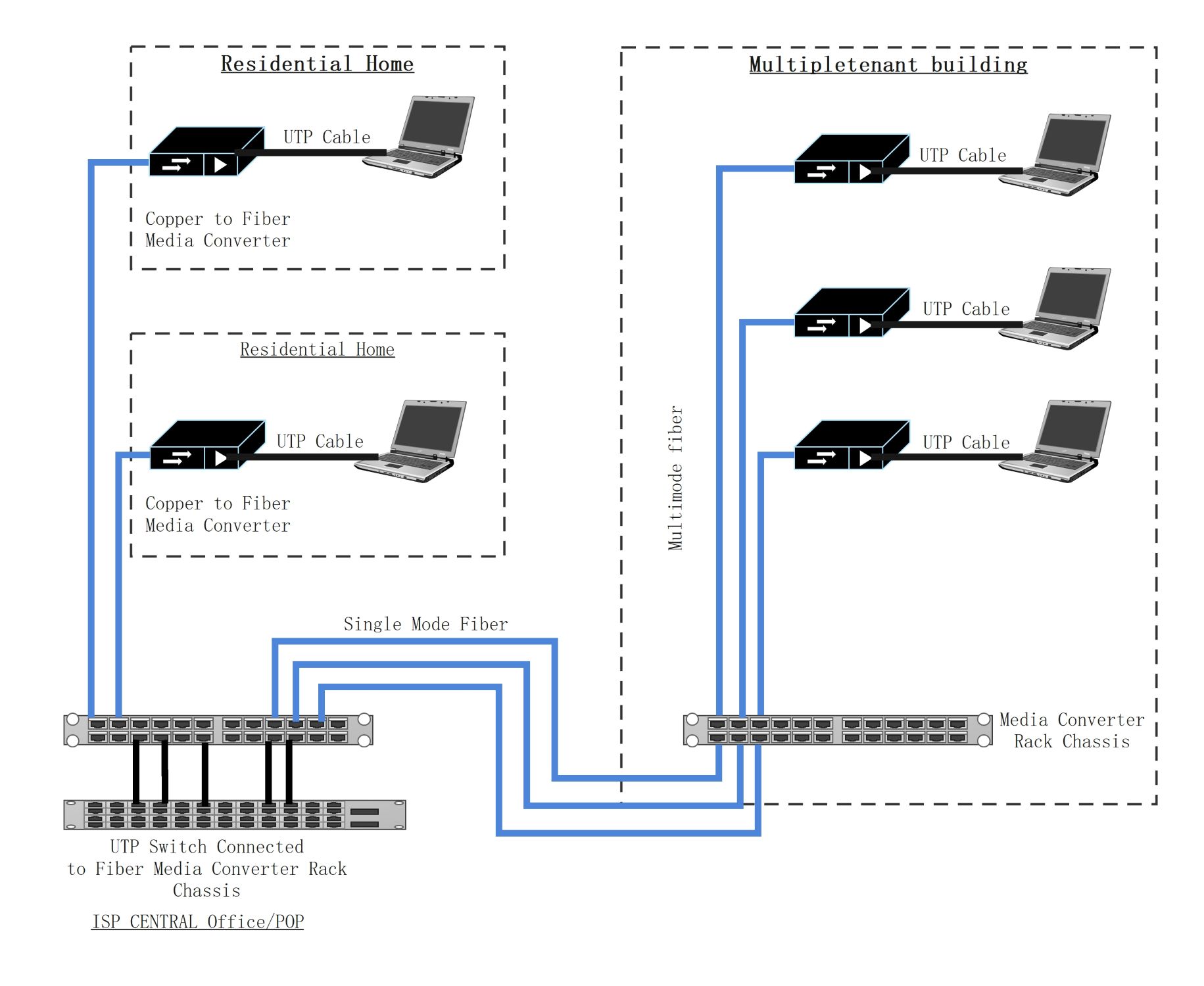
This network diagram template shows how devices, services, and connection paths may be organized inside one technical environment. It helps users explain network structure more clearly than a plain list of components or labels.
Core network components
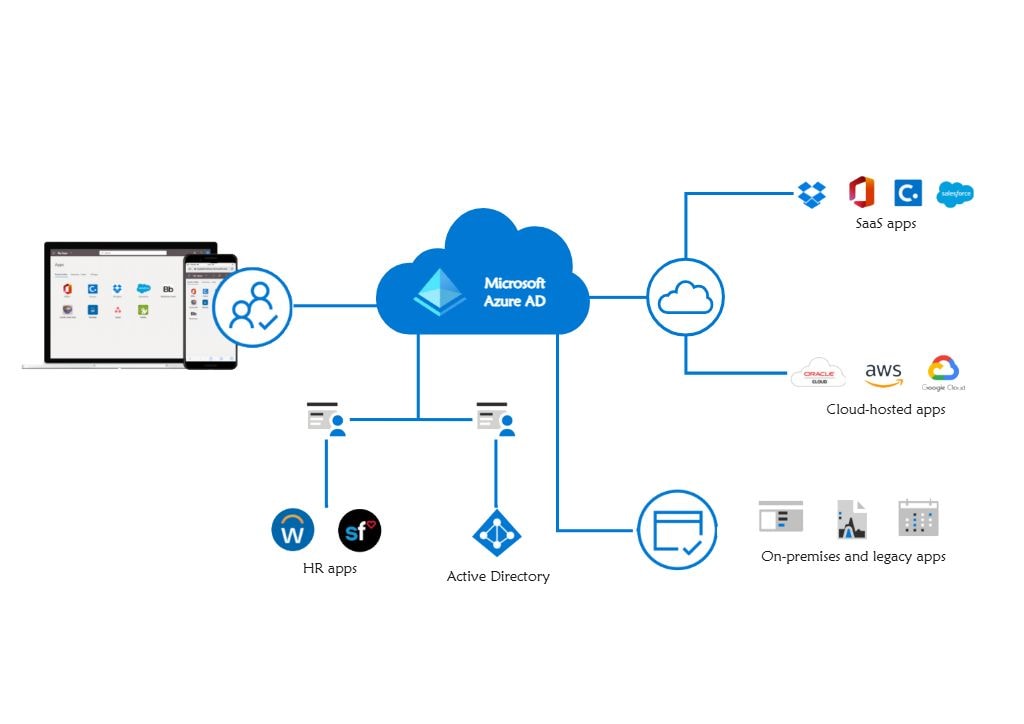
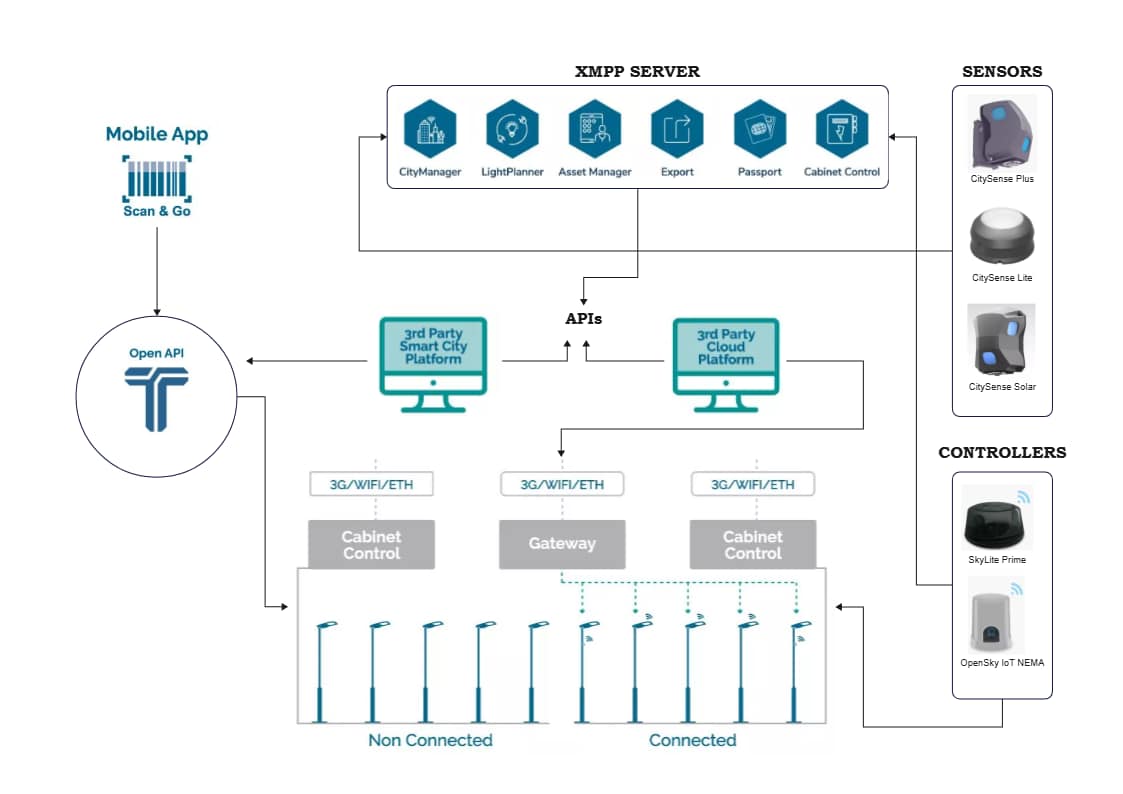
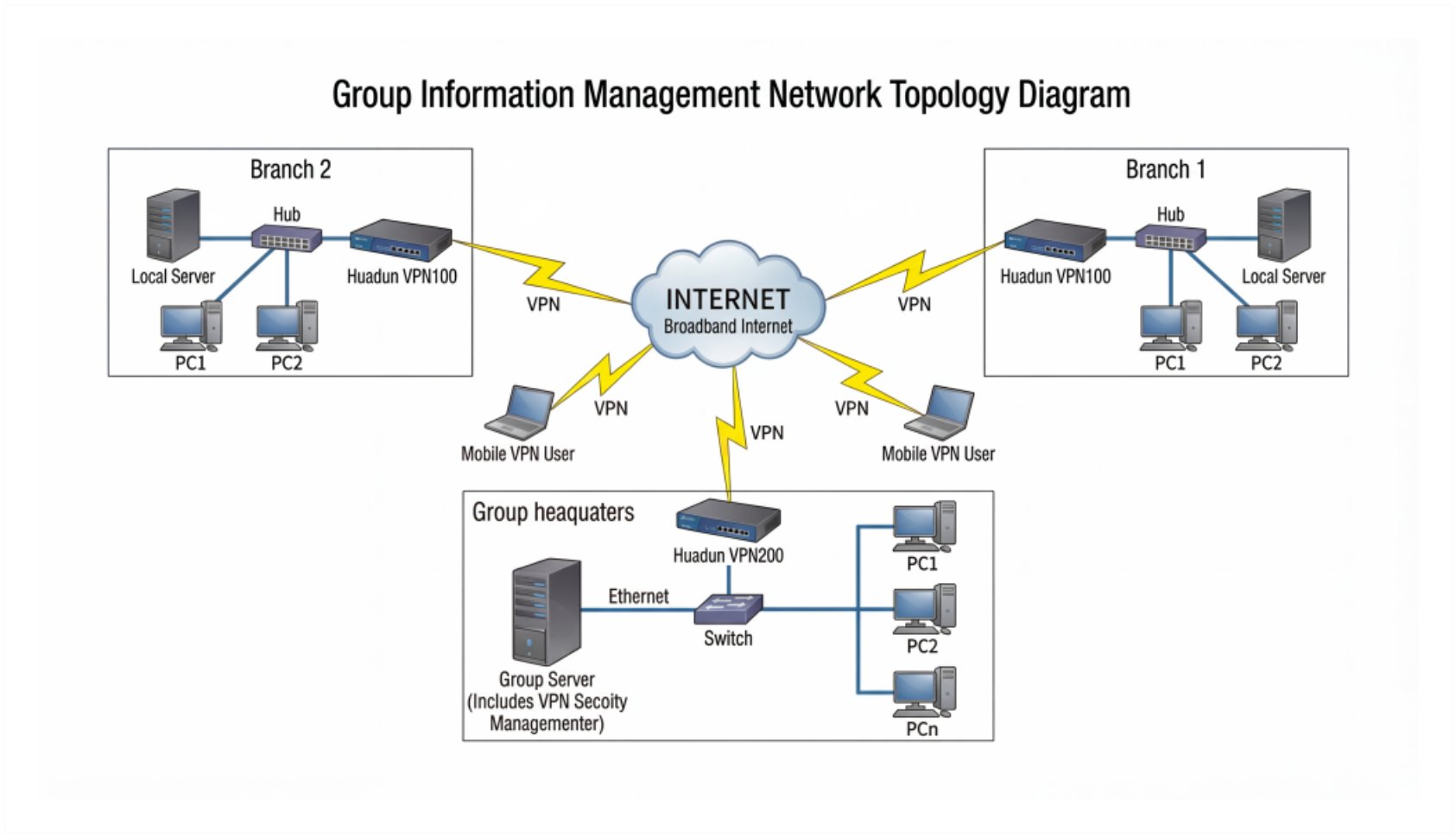
The diagram appears to identify the main devices or system blocks that form the environment. This matters because network review often starts with understanding the key components before analyzing the details of how they interact.
- Helps explain the major parts of the network
- Supports technical planning and documentation
- Useful for clearer infrastructure communication
Connection paths
The visual arrangement also helps users review how the components are linked instead of treating them as isolated objects. In a network diagram, these relationships matter because structure is often defined by connectivity as much as by the devices themselves.
- Shows how the main parts of the network connect
- Supports discussion of structural and dependency logic
- Useful for explaining network organization more clearly
Review and communication value
Beyond the devices themselves, the diagram helps users turn the network into a reusable reference for planning and explanation. This is useful because many teams need a shared structural view before deeper technical discussion begins.
- Useful for review, onboarding, and technical presentation
- Supports clearer communication across teams
- Helps make network structure easier to reuse
FAQs about this Template
-
What is a network diagram?
A network diagram is a visual map of devices, systems, services, and connections inside a network environment. It helps people understand how the network is organized, how communication flows, and where dependencies or boundaries exist across the infrastructure.
-
What should a basic network diagram include?
A basic network diagram should include the main devices, connection paths, access points, and any systems that matter for understanding the environment. Even in a simplified view, it should still make roles and relationships clear enough for review, explanation, or troubleshooting.
-
What is the difference between a network diagram and a topology diagram?
A network diagram is a general visual explanation of the environment, while a topology diagram focuses more specifically on structural connection logic. A topology view often emphasizes arrangement, while a broader network diagram may also include service roles or practical context.
-
Why is a network diagram useful?
A network diagram is useful because it makes technical environments easier to explain, document, and troubleshoot. It helps teams communicate dependencies more clearly and gives both technical and non-technical viewers a faster understanding of how systems are connected.


 (AI & Web)