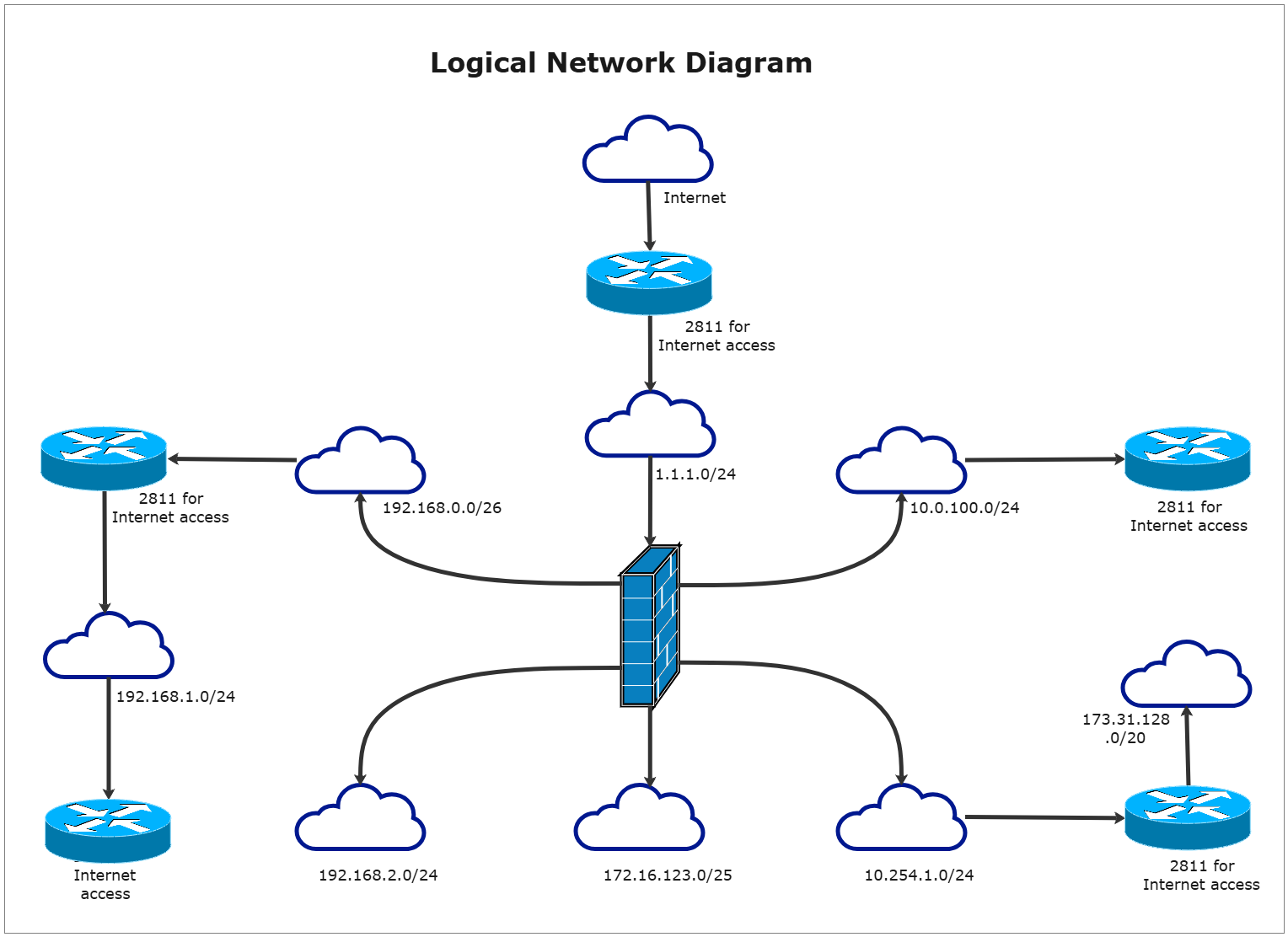
About Logical Network Diagram Template
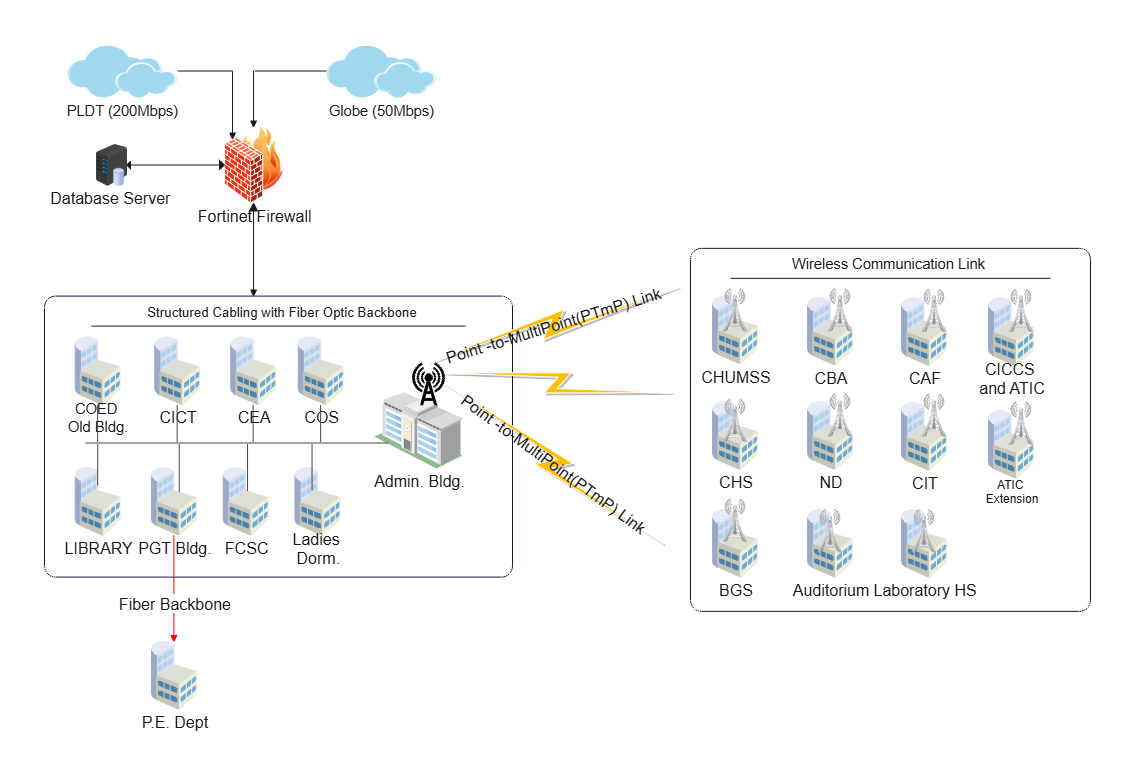
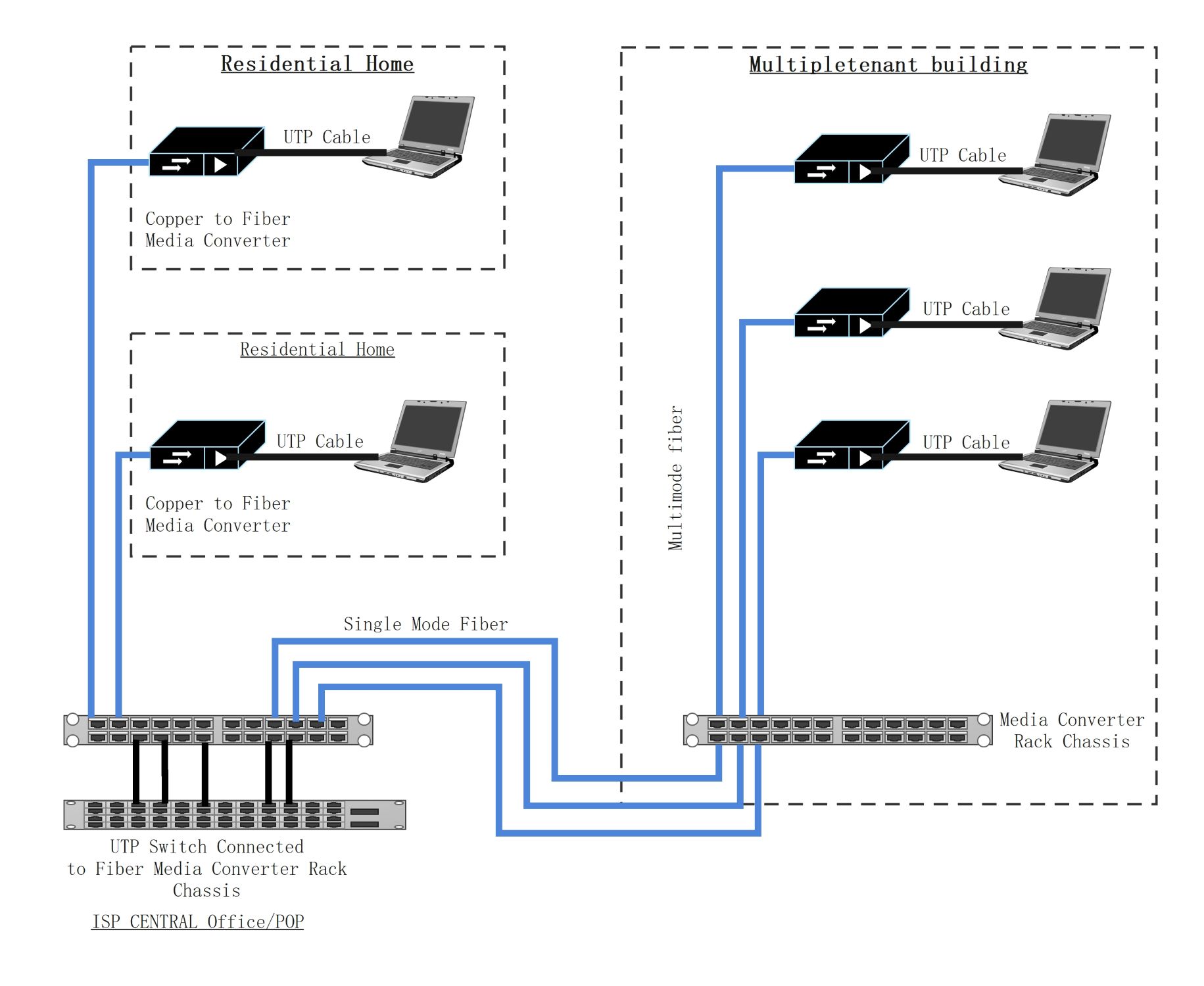
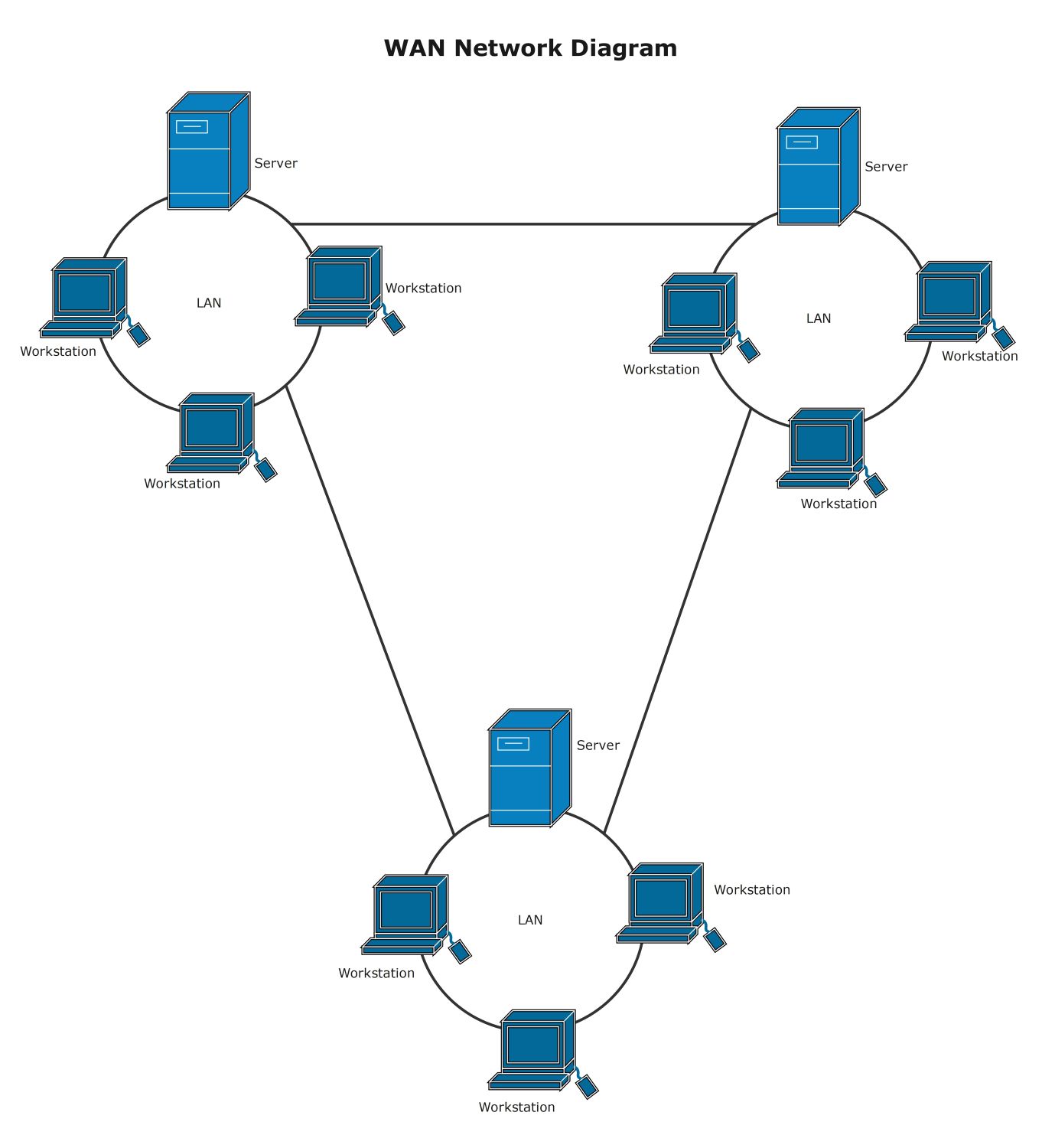
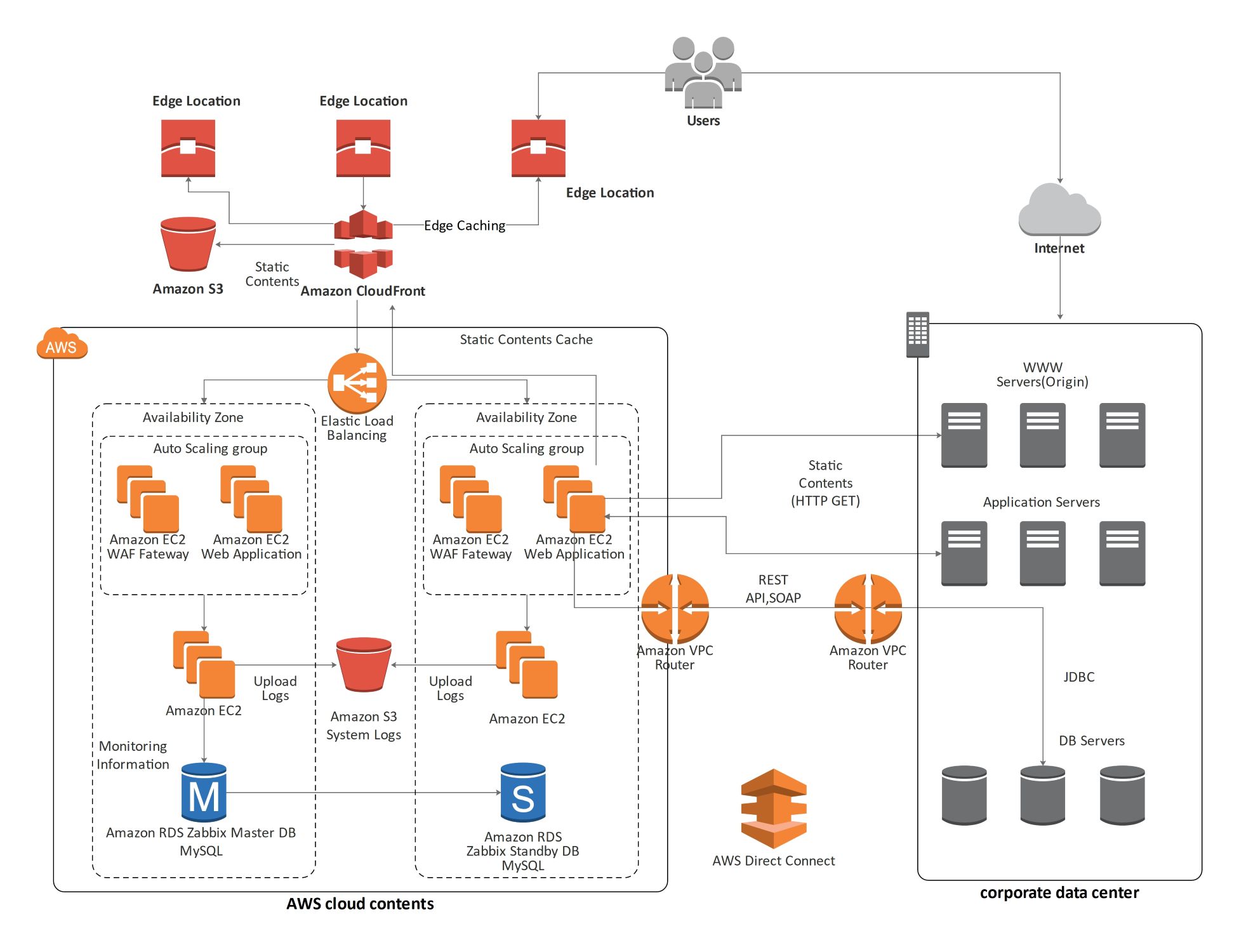
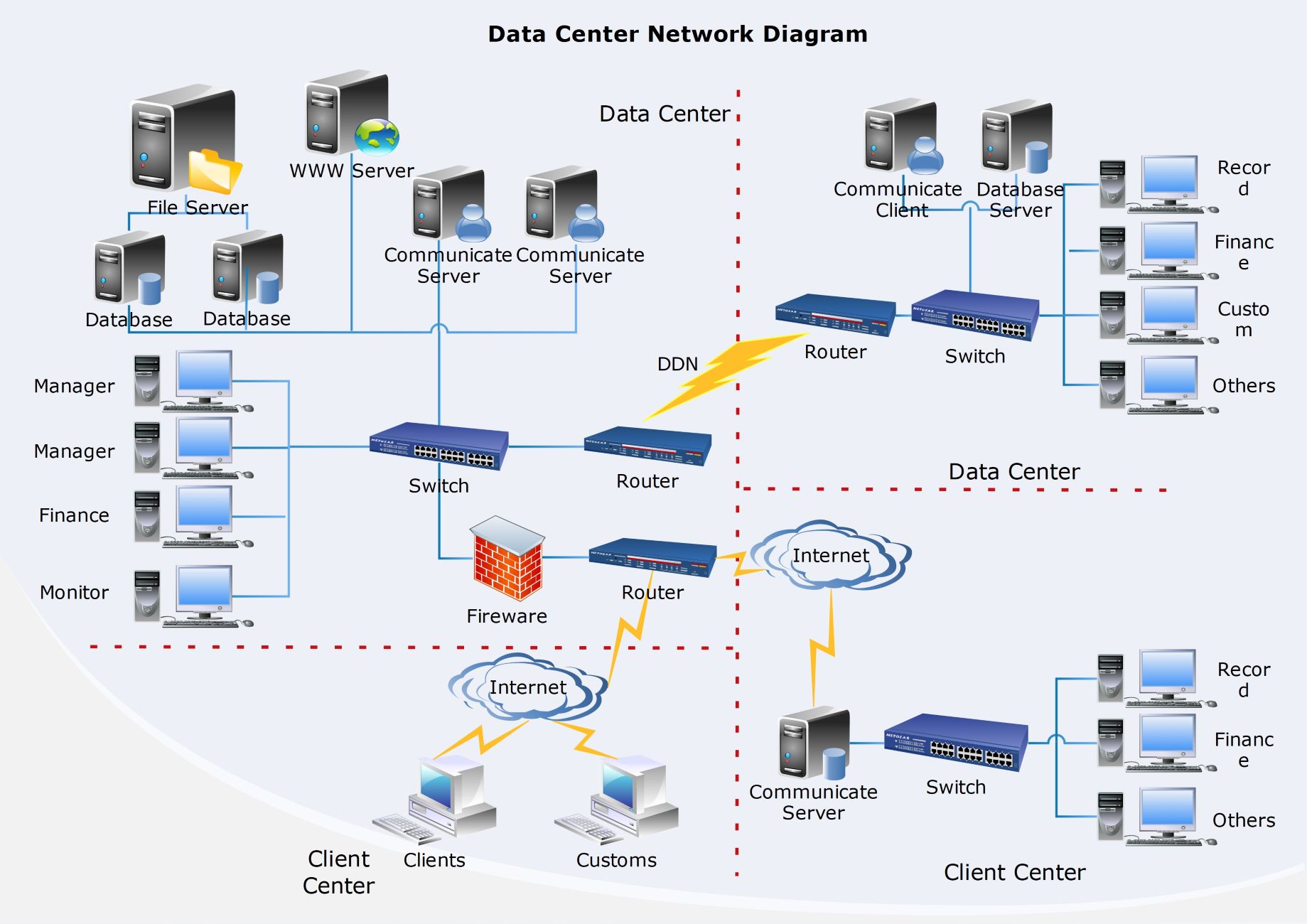
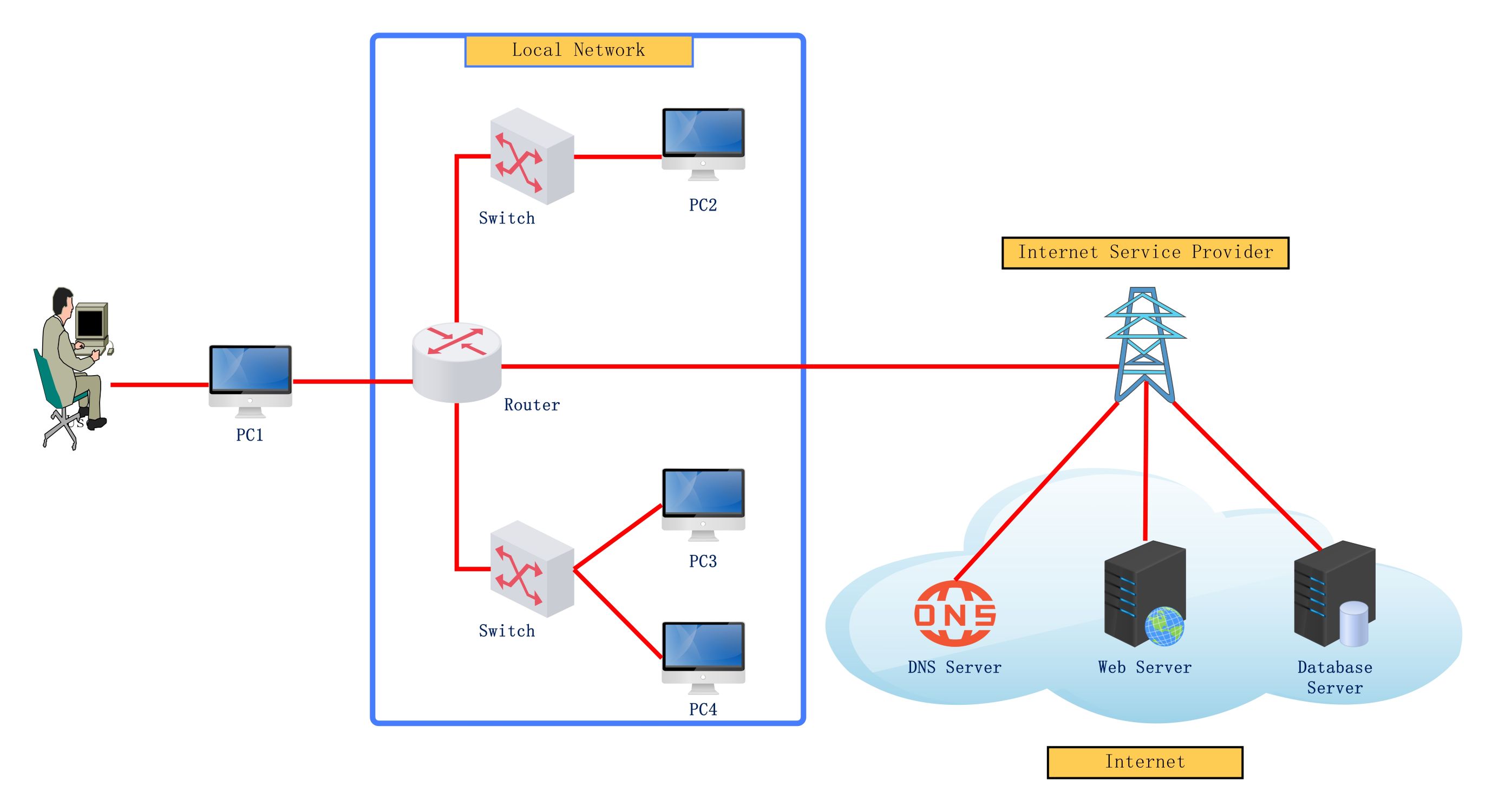
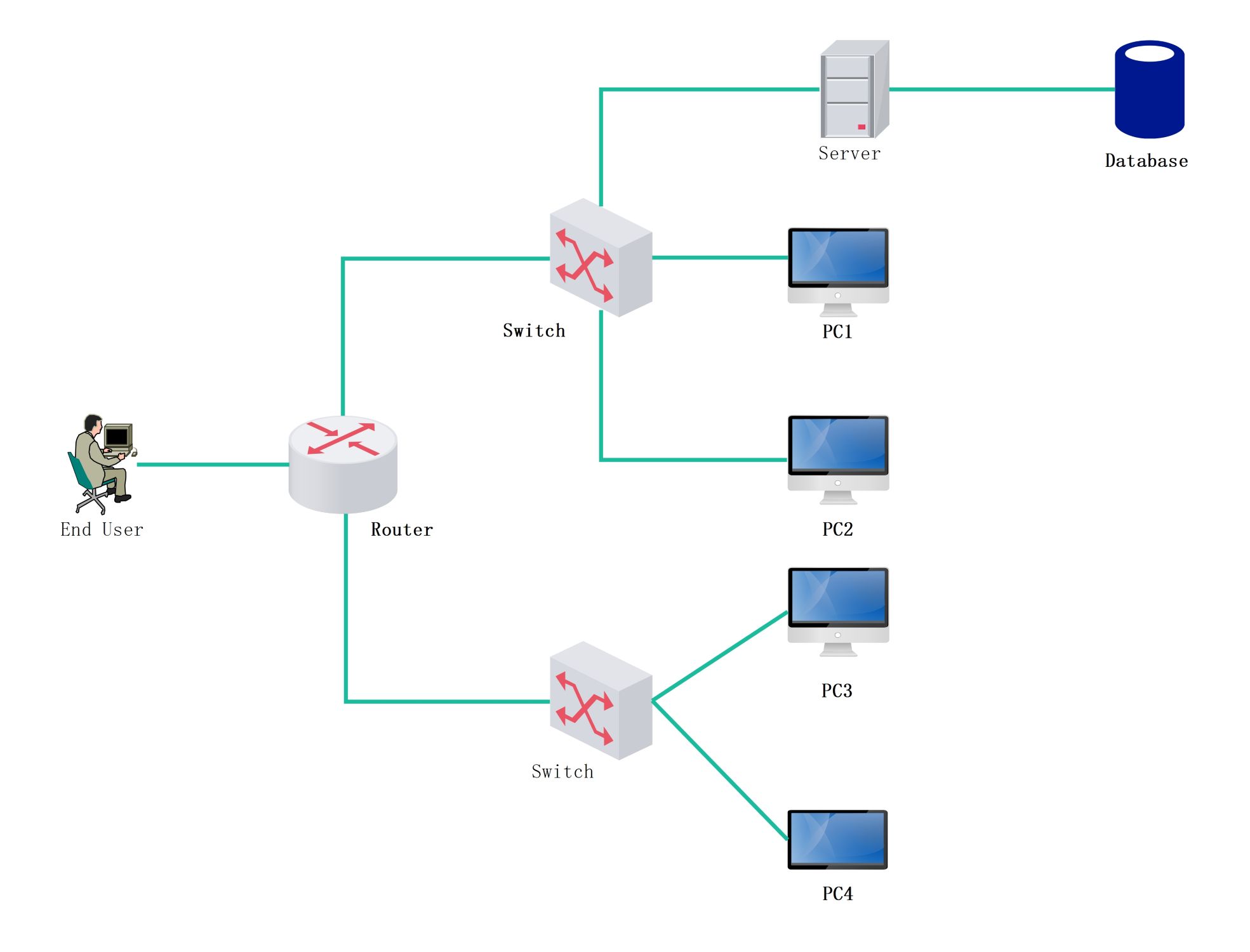
This logical network diagram template shows how devices, communication structure, and logical relationships may be organized across a network environment. It helps users explain the network more clearly than a generic list of technical components.
Core network components
The diagram appears to identify the major technical elements that define the environment. This matters because logical-network review often begins by understanding which parts play the main structural roles in the system.
- Helps explain the major components of the network
- Supports technical planning and documentation
- Useful for clearer system communication
Logical relationships
The visual arrangement also helps users review how the parts are related logically rather than only physically. In a logical network diagram, these relationships matter because the system is usually understood through how communication and function are structured across the environment.
- Shows how the major parts relate through logical network structure
- Supports discussion of communication and dependency logic
- Useful for explaining the system more clearly
Review and architecture value
Beyond the components themselves, the diagram helps users create a reusable technical reference for architecture review and explanation. This is useful because many teams need a shared network view before more detailed design or troubleshooting discussion begins.
- Useful for review, documentation, and technical communication
- Supports clearer long-term network explanation
- Helps make the structure easier to reuse
FAQs about this Template
-
What is a network diagram?
A network diagram is a visual map of devices, services, links, and communication paths inside a network environment. It helps teams understand how systems connect, where dependencies sit, and how the infrastructure is organized for design, review, troubleshooting, or documentation.
-
What should a network diagram include?
A network diagram should include the main devices, zones, services, and access paths relevant to the environment. Depending on scope, it may also show routers, switches, firewalls, servers, cloud links, security boundaries, or how internal and external systems interact.
-
What is the difference between a network diagram and a topology diagram?
A network diagram is a broad visual map of the environment, while a topology diagram focuses more specifically on how components are arranged and connected. A topology view emphasizes structure, while a general network diagram may also include more functional or operational detail.
-
Why is a network diagram important?
A network diagram is important because it improves communication, review, and troubleshooting before or during system changes. It helps teams document infrastructure clearly, explain dependencies faster, and reduce confusion across both technical and non-technical stakeholders.

 (AI & Web)