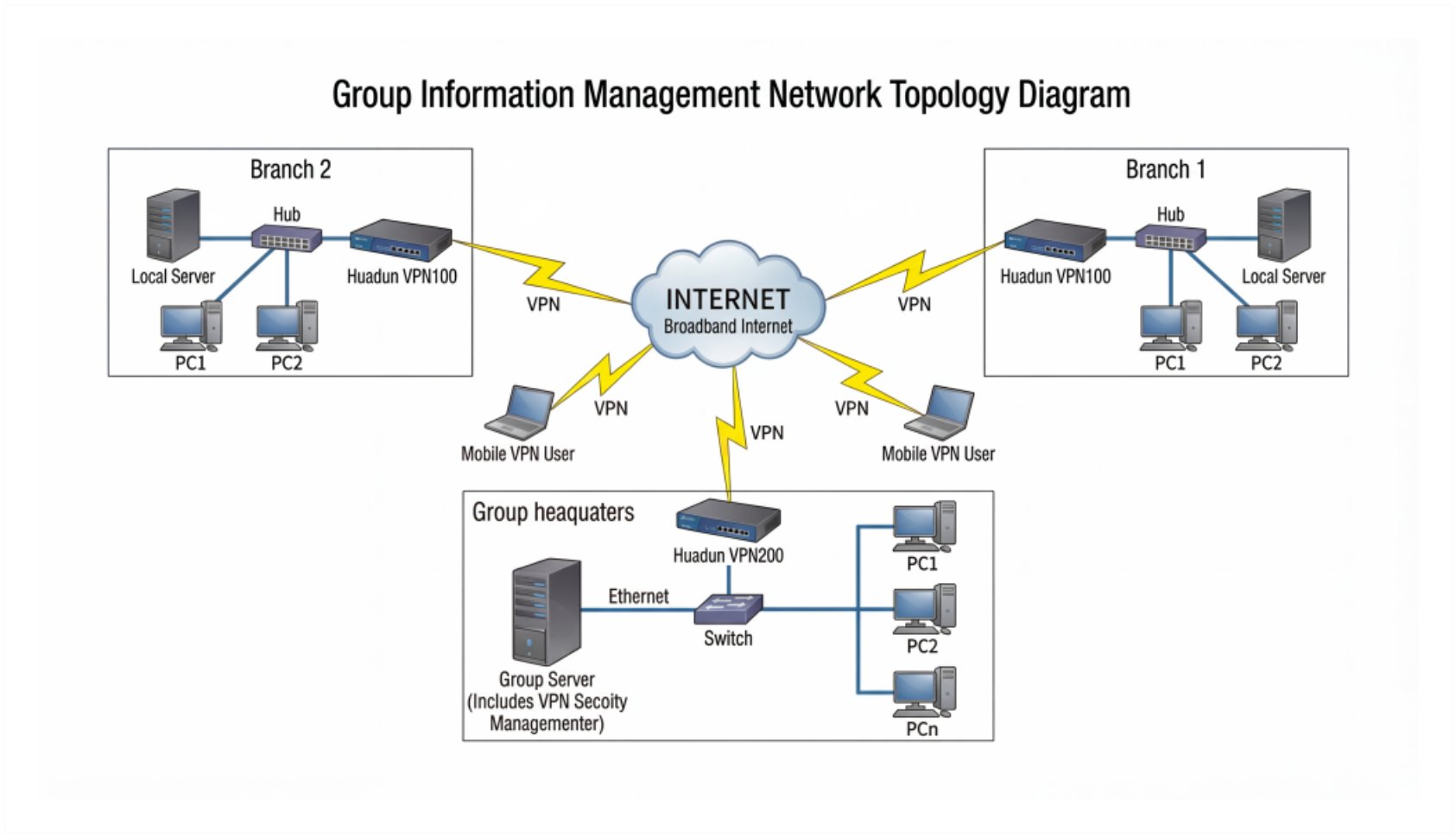
About Group Information Management Network Topology Diagram Template
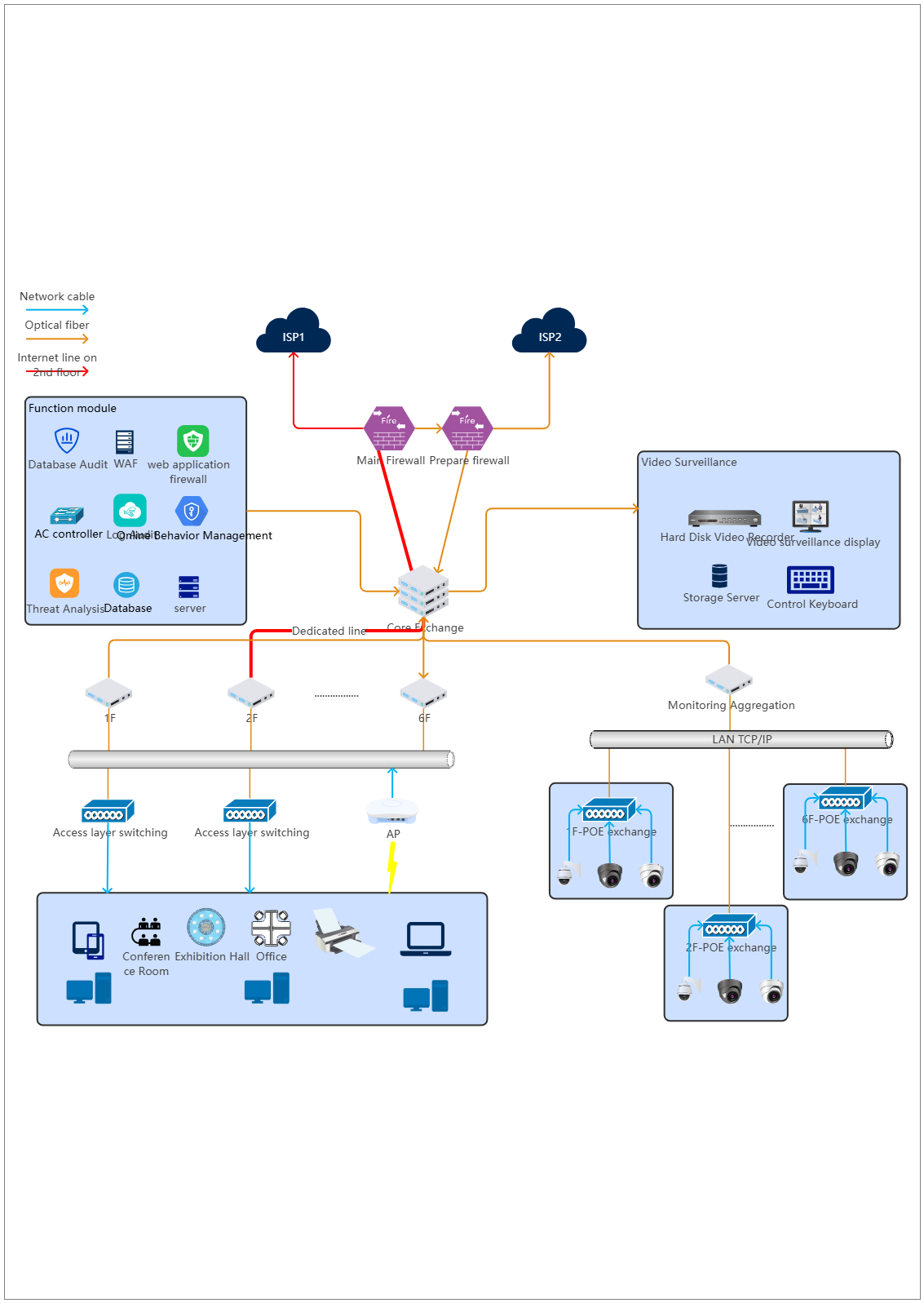
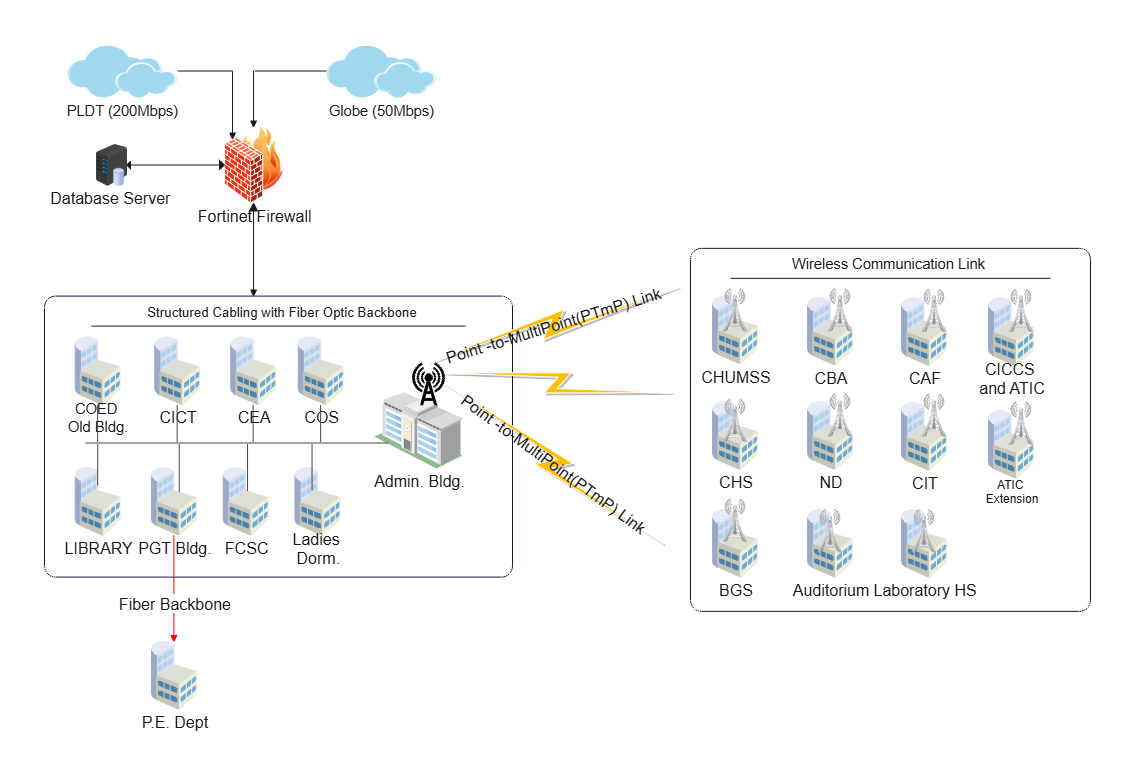
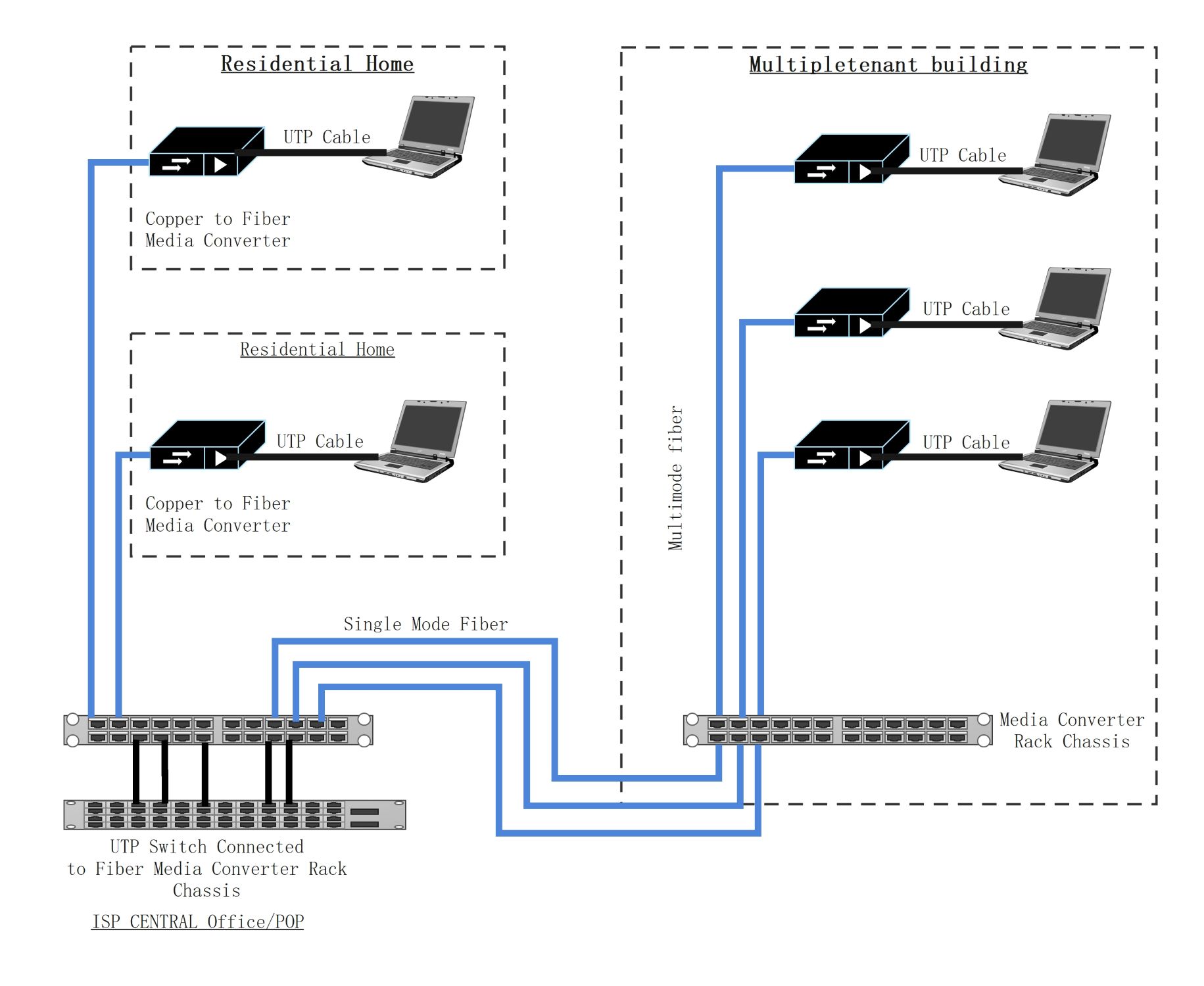
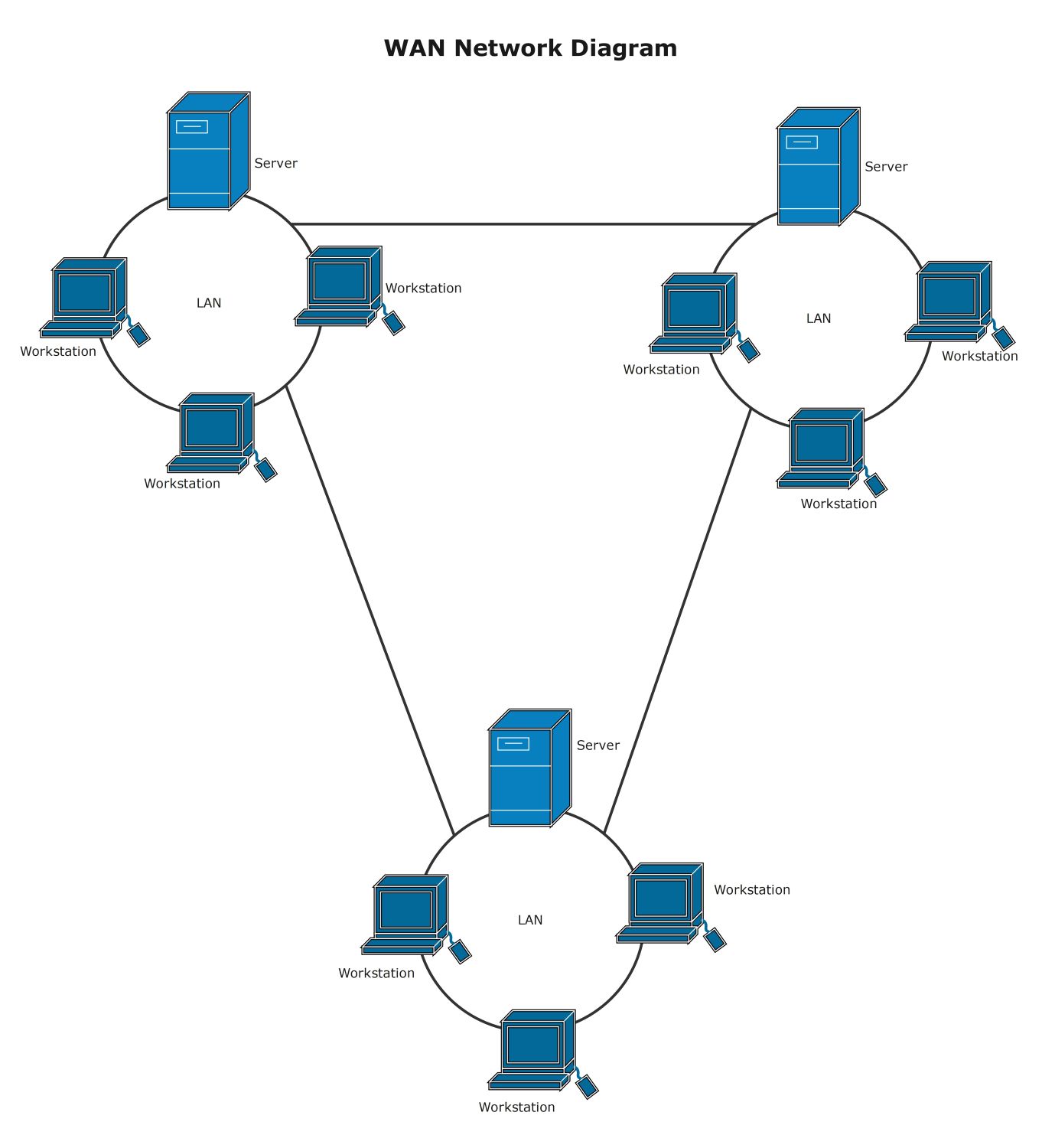
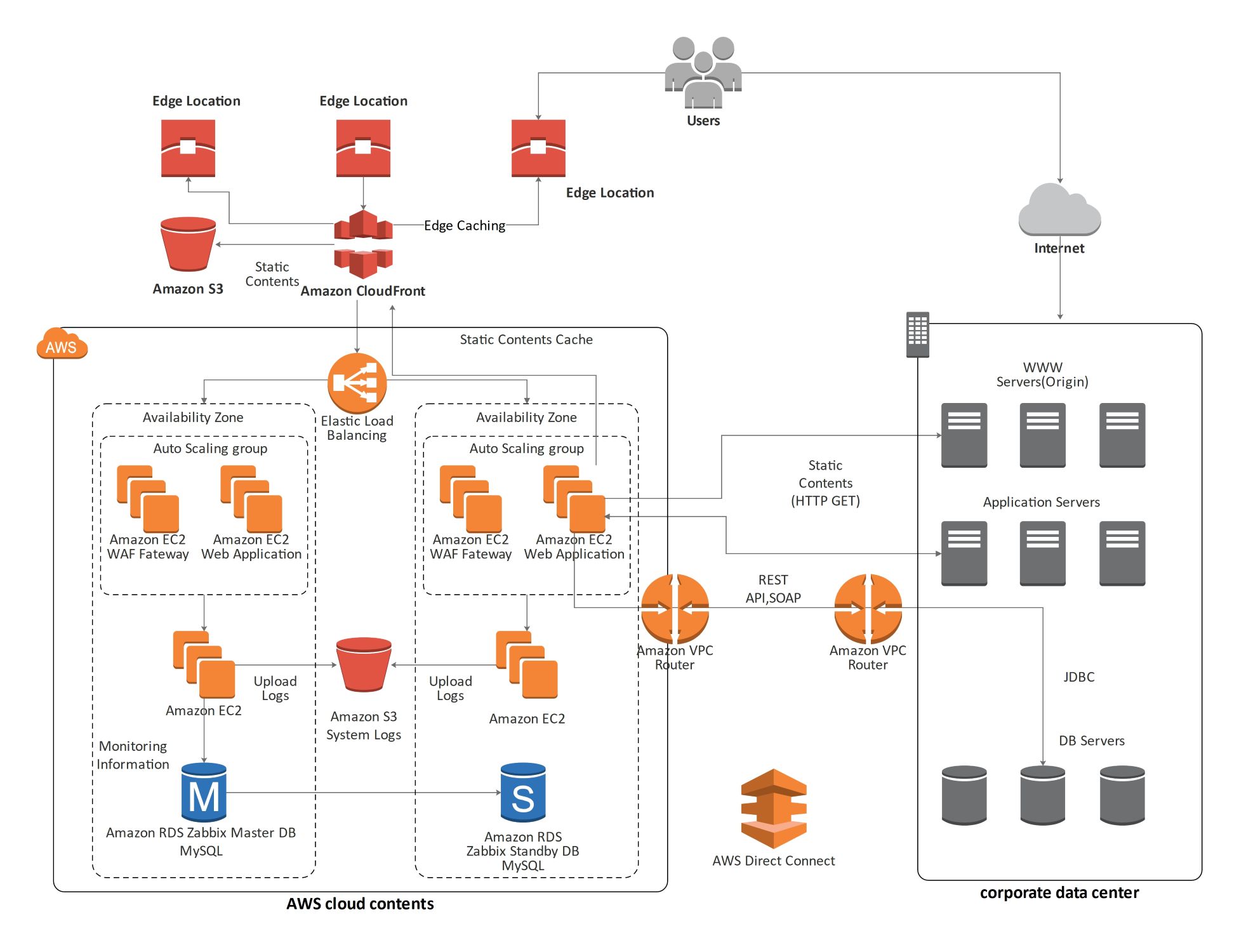
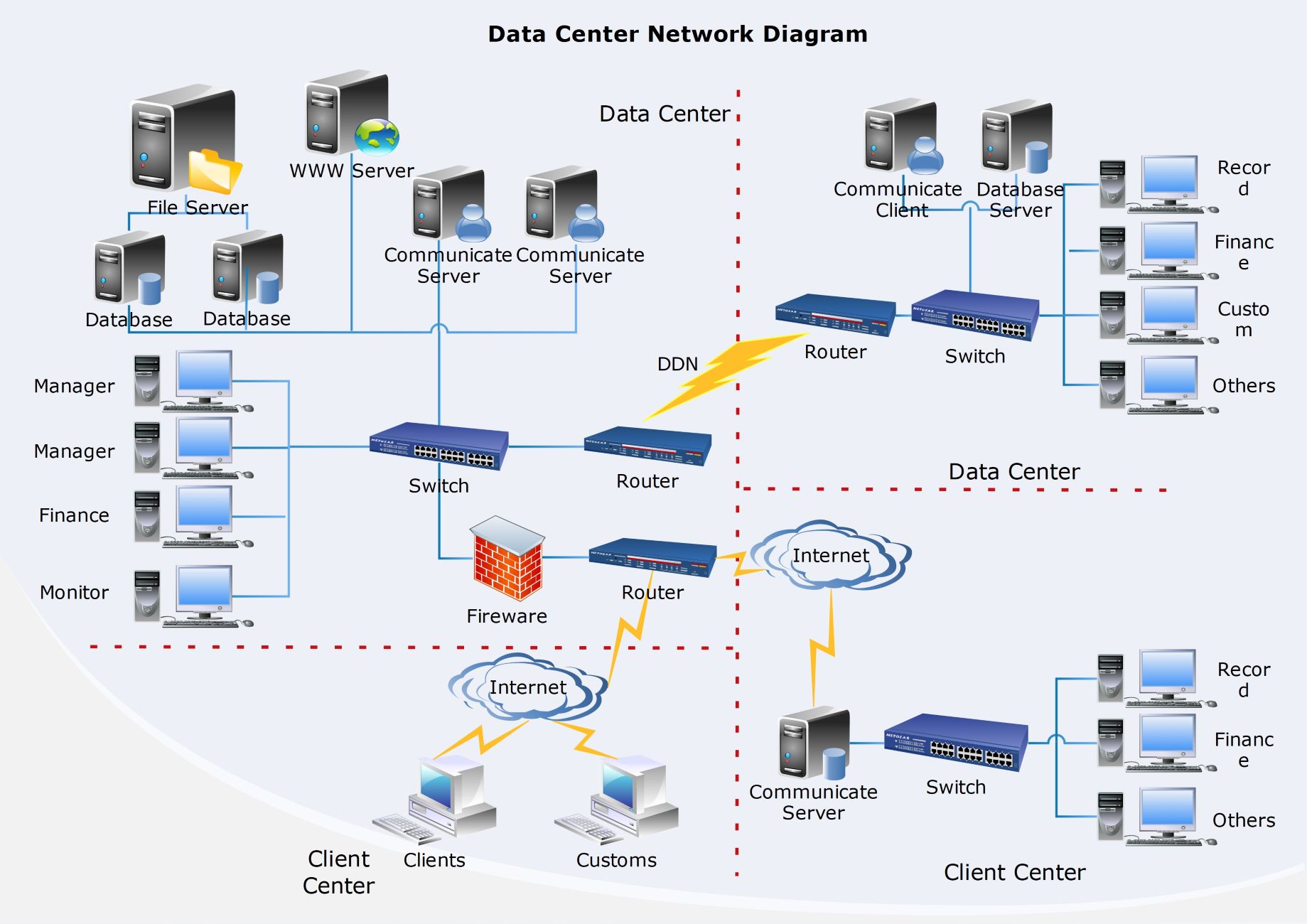
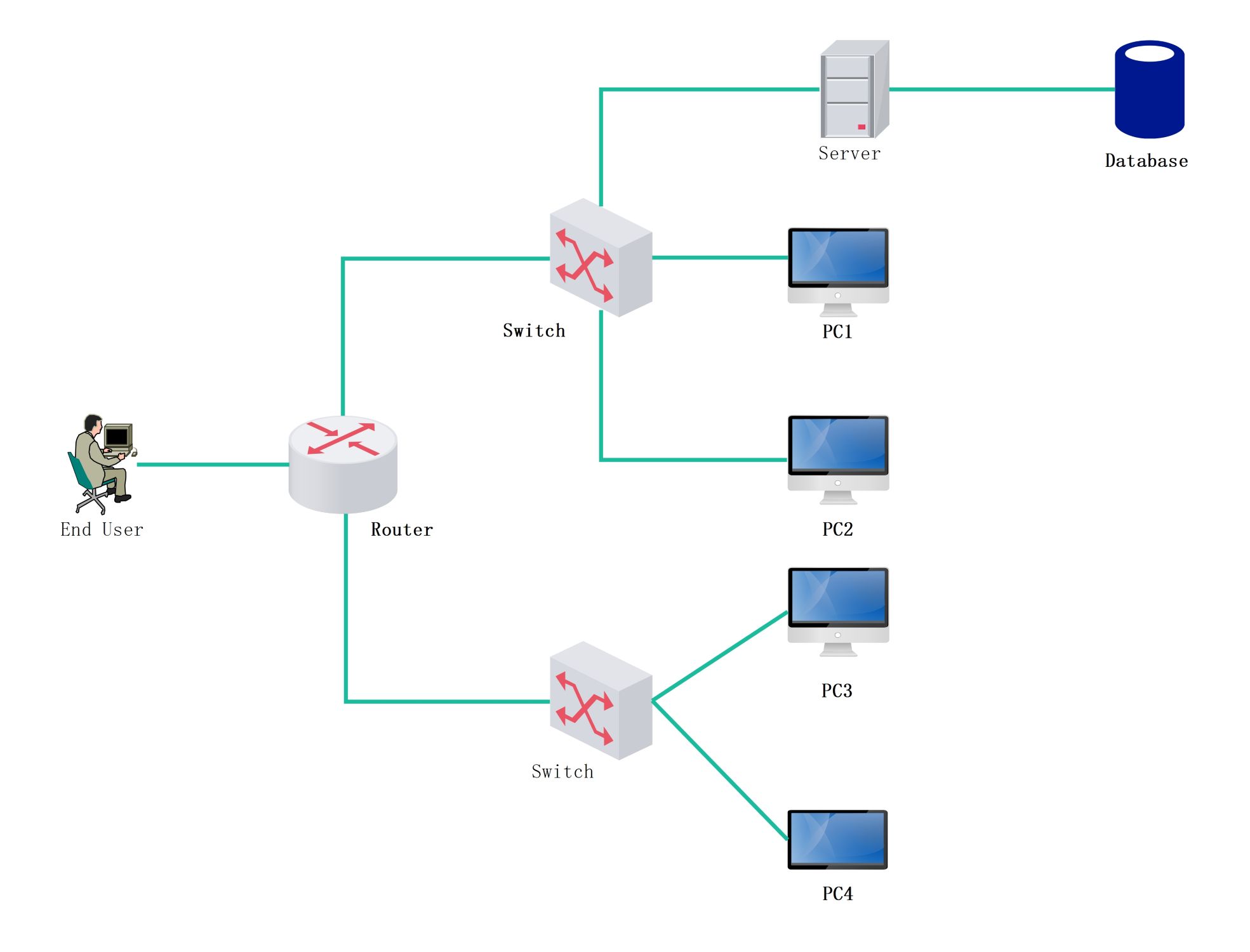
This network topology diagram template shows how system blocks, connection paths, and structural relationships may be organized inside a managed environment. It helps users explain topology more clearly than a generic list of network-related components.
Managed system components
The diagram appears to highlight the major systems or technical blocks that define the environment. This matters because topology review usually begins with understanding which components play the main organizational roles.
- Helps explain the main system-related parts of the topology
- Supports technical planning and review
- Useful for clearer network communication
Connection and topology structure
The visual arrangement also helps users review how the parts connect instead of treating them as isolated labels. In a topology diagram, these relationships matter because the structure is usually defined by logical connection and network organization.
- Shows how the components relate across the topology
- Supports discussion of connection and dependency logic
- Useful for explaining structure more clearly
Operational and documentation value
Beyond the parts themselves, the diagram helps users turn the environment into a reusable technical reference. This is useful because topology diagrams often support documentation, review, and communication across teams.
- Useful for documentation, review, and technical explanation
- Supports clearer operational communication
- Helps make the topology easier to reuse
FAQs about this Template
-
What is a network diagram?
A network diagram is a visual map of devices, services, links, and communication paths inside a network environment. It helps teams understand how systems connect, where dependencies sit, and how the infrastructure is organized for design, review, troubleshooting, or documentation.
-
What should a network diagram include?
A network diagram should include the main devices, zones, services, and access paths relevant to the environment. Depending on scope, it may also show routers, switches, firewalls, servers, cloud links, security boundaries, or how internal and external systems interact.
-
What is the difference between a network diagram and a topology diagram?
A network diagram is a broad visual map of the environment, while a topology diagram focuses more specifically on how components are arranged and connected. A topology view emphasizes structure, while a general network diagram may also include more functional or operational detail.
-
Why is a network diagram important?
A network diagram is important because it improves communication, review, and troubleshooting before or during system changes. It helps teams document infrastructure clearly, explain dependencies faster, and reduce confusion across both technical and non-technical stakeholders.

 (AI & Web)