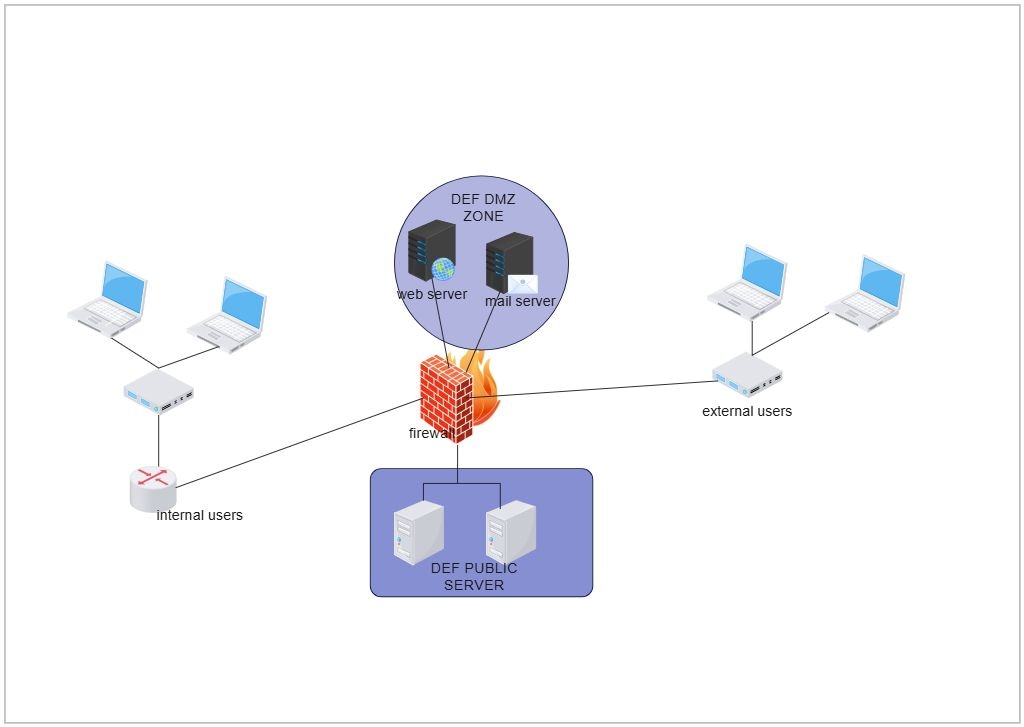
About DMZ Network Topology Diagram Template
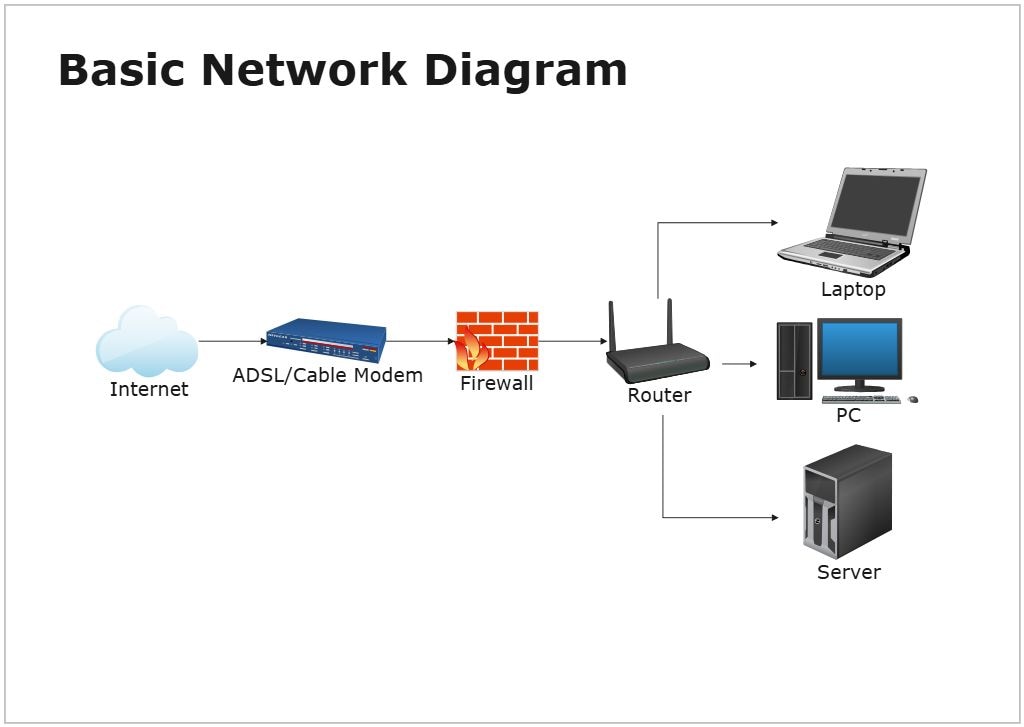
This DMZ network topology diagram template focuses on how external-facing services and internal systems are separated through controlled network zones. It helps users explain security boundaries, traffic paths, and isolation logic more clearly than a text-only technical summary.
Security zones
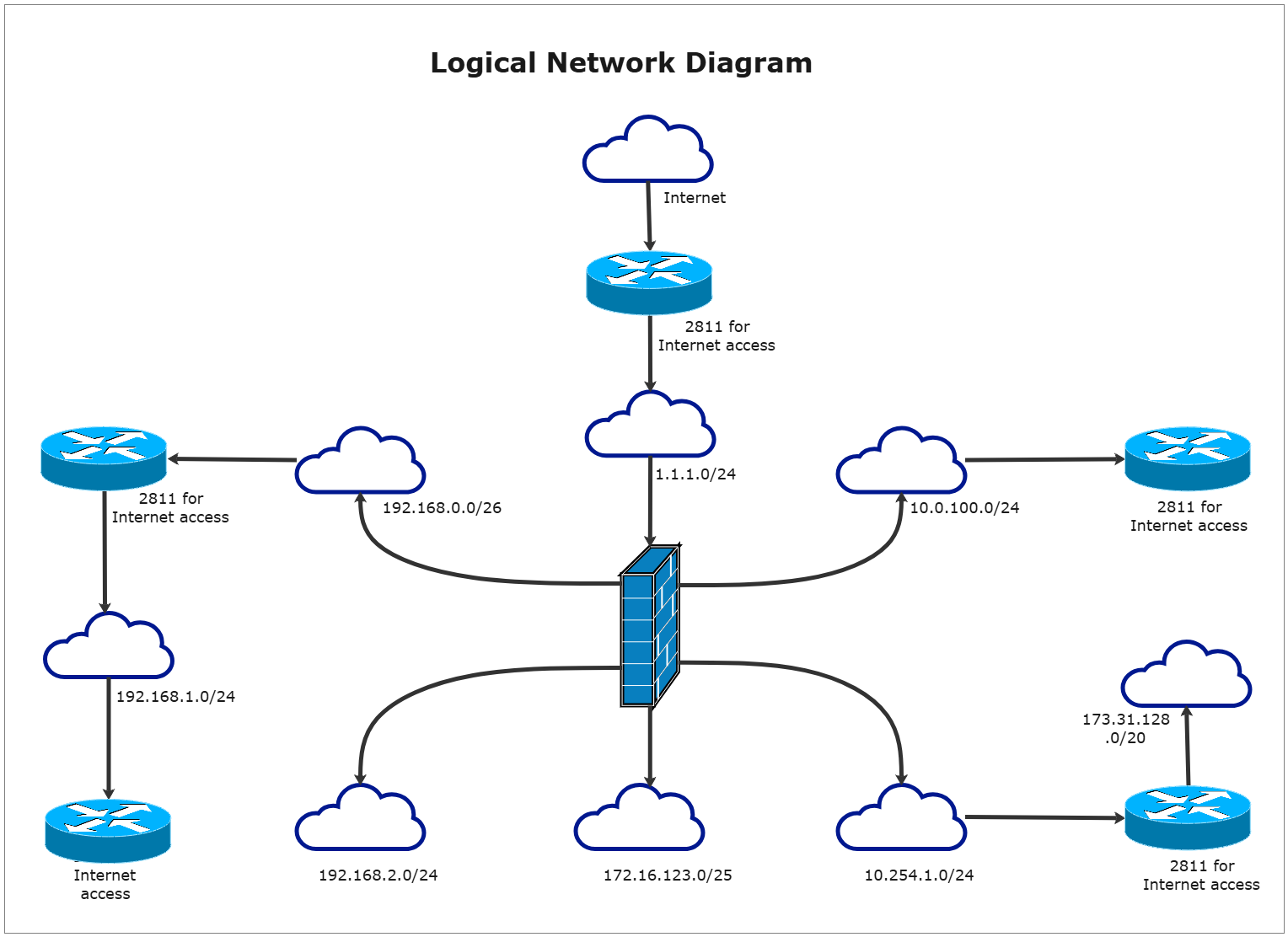
The diagram appears to divide the environment into distinct network zones rather than treating the whole system as one flat network. This matters because DMZ design depends on how clearly external, intermediate, and internal areas are separated.
- Helps explain the role of separated network zones
- Supports security-oriented network planning
- Useful for documentation and technical review
External-facing systems and controlled access
The layout also appears to show how internet-facing or public-access systems relate to the rest of the network. This is important because a DMZ is usually designed to allow controlled access without exposing internal resources directly.
- Shows how exposed services fit into the wider topology
- Supports review of controlled access paths
- Useful for explaining the purpose of the DMZ layer
Traffic and isolation logic
The visual arrangement helps users review not only what the components are, but how movement and separation work between them. In security planning, these relationships matter because they shape monitoring, control, and exposure risk.
- Helps explain how traffic is separated across the topology
- Supports discussion of isolation and dependency
- Useful for security architecture communication
FAQs about this Template
-
What is a DMZ network topology diagram?
A DMZ network topology diagram is a visual map showing how public-facing services are separated from internal network resources through controlled zones and security boundaries. It helps explain how external access is managed while reducing direct exposure to the core environment.
-
What is a DMZ in networking?
A DMZ, or demilitarized zone, is a network segment designed to host external-facing systems such as web servers, gateways, or application endpoints. It creates a security buffer between the internet and the internal network so access can be controlled more safely.
-
What should a DMZ network diagram include?
A DMZ network diagram should include firewalls, public-facing services, internal network boundaries, external access paths, and the trust relationships between different zones. It should make the security separation and permitted traffic routes easy to understand at a glance.
-
Why is a DMZ important in network security?
A DMZ is important because it helps reduce the risk of exposing internal systems directly to the internet. By placing external-facing resources in a controlled intermediate zone, teams can improve isolation, monitoring, and security policy enforcement.

 (AI & Web)