About this Network Diagram for Smart Light System template
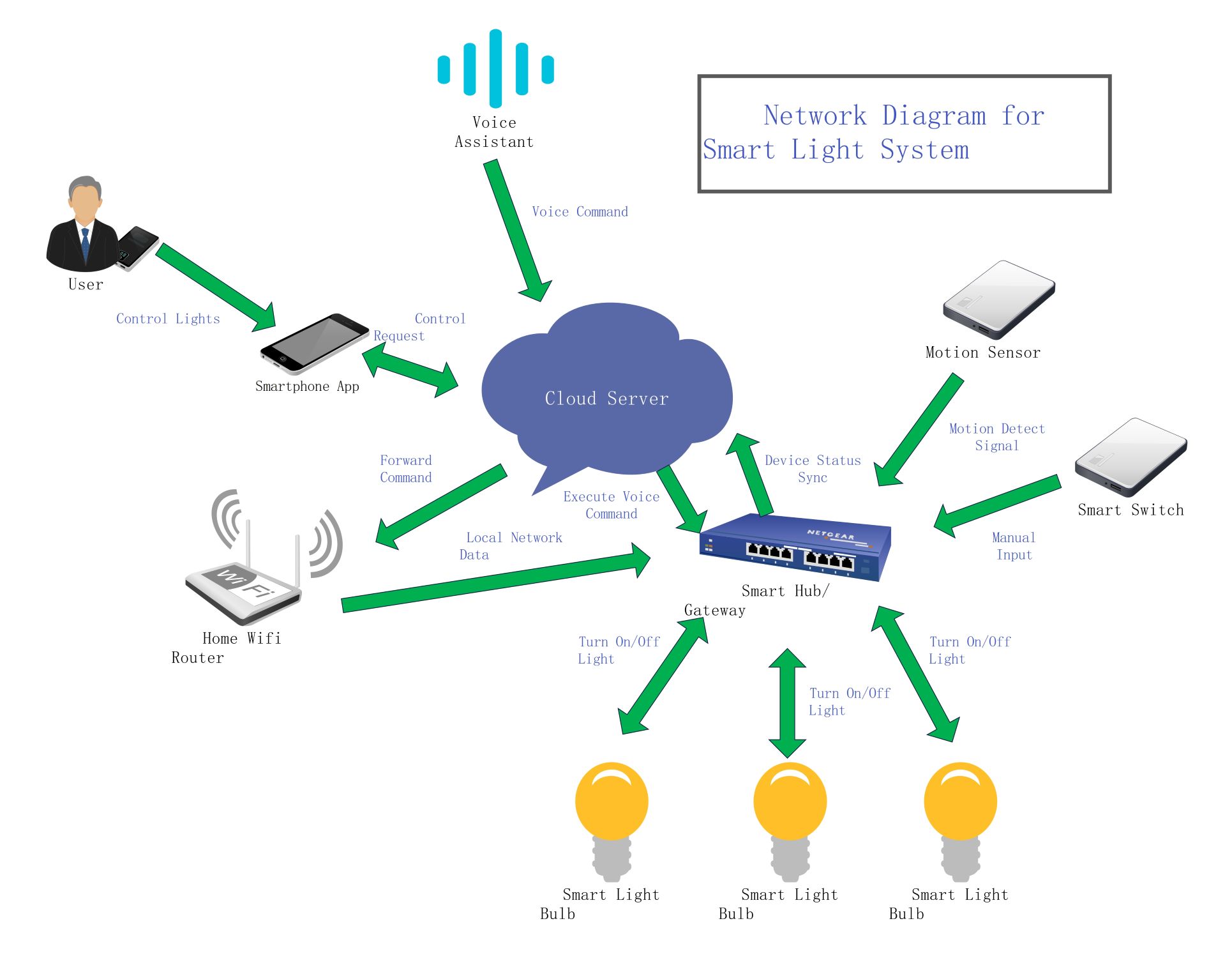
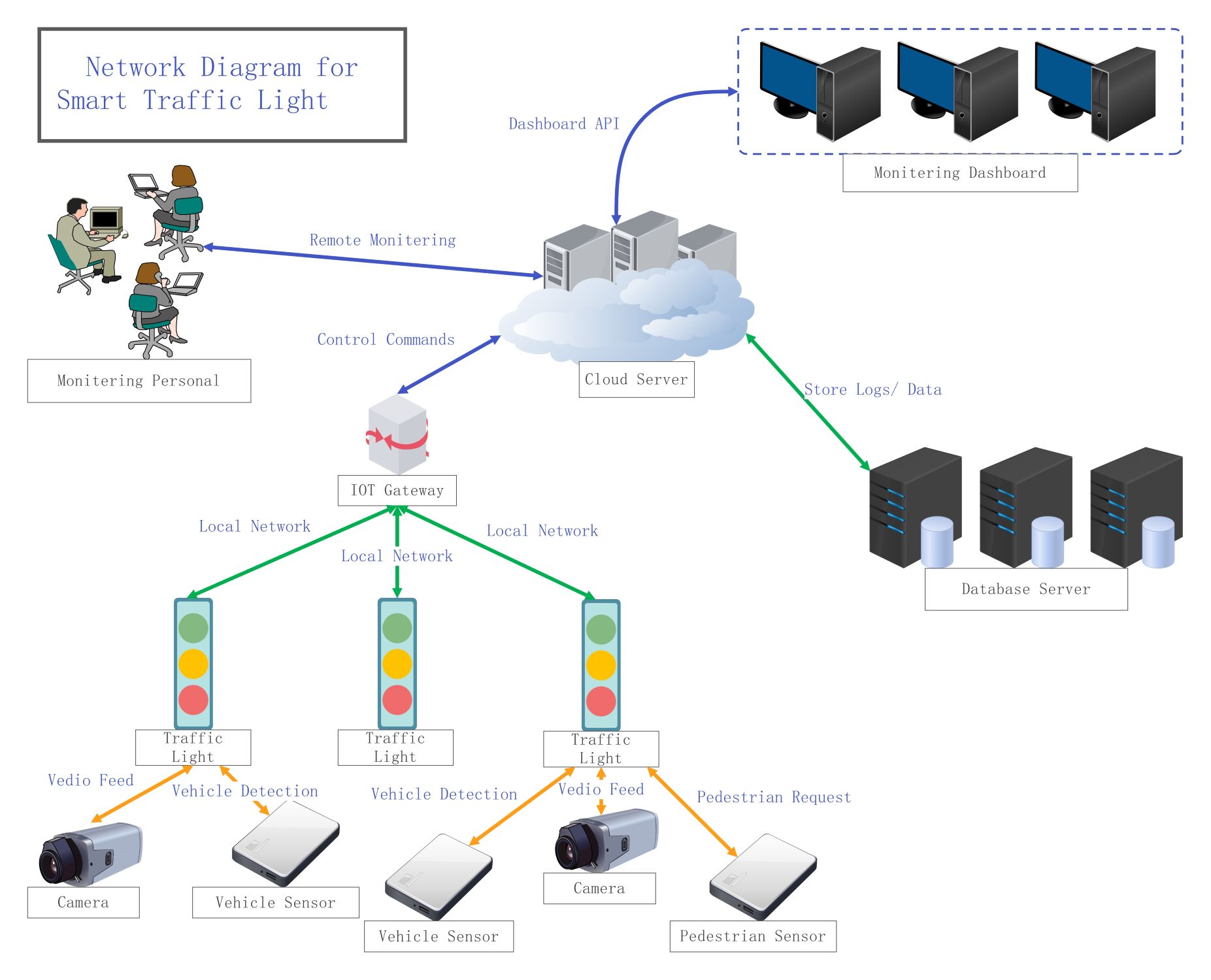
This network diagram outlines the connectivity of a modern smart lighting system. It shows how users interact with hardware through cloud servers and local hubs. It is a perfect blueprint for home automation enthusiasts and professional installers.
Control Interface and Cloud Connectivity
This section shows how the user interacts with the system using mobile apps or voice assistants. Commands are sent to a cloud server for processing. The cloud manages all communication between the user and home hardware.
- User
- Smartphone App
- Voice Assistant
- Cloud Server
Local Network and Smart Hub
The local network acts as the bridge for data between the cloud and the home. A router connects to the smart hub or gateway. This hub serves as the brain for managing multiple smart devices efficiently.
- Home Wifi Router
- Smart Hub / Gateway
- Local Network Data
- Device Status Sync
IoT Devices and Physical Sensors
Physical hardware like motion sensors and switches send signals to the gateway. The system uses these inputs to control the smart light bulbs. This setup ensures that your lights respond to both movement and manual triggers.
- Motion Sensor
- Smart Switch
- Smart Light Bulb (x3)
- Manual Input Control
FAQs about this Template
-
How does a smart hub benefit a lighting network?
A smart hub serves as the primary coordinator for your home lighting network. It translates signals between different communication protocols, ensuring all your devices speak the same language. By using a hub, you reduce the congestion on your main Wi-Fi network. This results in faster response times for your smart bulbs and much higher overall system stability.
-
Can I control my smart lights without an internet connection?
Most smart light systems require an internet connection for features like voice control and remote access. However, many systems can still function locally without the web. Your motion sensors and physical switches will continue to work through the smart hub. You only lose the ability to use the smartphone app or receive cloud-based updates until the connection is restored.
-
What is the role of the cloud server in this diagram?
The cloud server is responsible for processing complex logic and managing user account data. It allows you to control your lights from anywhere in the world using your phone. When you give a voice command, the cloud interprets the request and sends it to your home. It also keeps your device status synchronized across all your different control interfaces.

 (AI & Web)