




Quick answer: A hospital management class diagram is a UML structure diagram that models entities such as Patient, Doctor, Appointment, Bill, Prescription, Department, and InventoryItem.
Best for: Use these examples when you need to plan database structure, explain object relationships, or prepare software documentation for a healthcare management system.
- Choose class diagrams when you need system structure, not user actions.
- Define attributes and relationships before adding methods.
- Use EdrawMax to adjust UML classes, connectors, multiplicity, and notes.
In this article
5 Class Diagram Templates for Hospital Management Systems
How to choose a class diagram: Use a patient management class diagram for records and appointments, a billing diagram for payments and invoices, and an inventory diagram for medical supplies. Keep each diagram focused on one module before combining it with the full system model.
All 5 class diagram templates are from Wondershare EdrawMax, a quick and easy class diagram kit. On its template library, thousands of class diagram examples are shared by users of EdrawMax. Also, the developers of the software will keep enlarging the capacity as well.
To make a class diagram, look no further than the EdrawMax class diagram library. Find a template, get ideas, or use it directly!
 Get 500 free AI tokens
Class Diagram Example 1

 below.
  below.

The diagram has four classes.
- The first class is the person, the parent class is the patient class.
- The patient class is connected with the Doctor class.
- The doctor class and admin class are linked with the admin class.
- The admin class is the class through which the patient and doctor classes are managed.
All the classes have their data members and member functions.
Class Diagram Example 2

The above diagram has five classes which are hospital, reception, patient, doctor, and report.
- The hospital class is the main class that keeps hospital information. It is linked with the reception class.
- The reception class is for the patients to get appointments of the doctor.
- The patient class is related to the report class.
- The receptionist will contact the doctor for the appointment.
Class Diagram Example 3

The above diagram has five classes which are doctor, patient, department, reception, and bill.
- The doctor and patient classes are linked with each other. The doctor class is linked with the department class for the information of the department of the doctors.
- The patient class is linked with the reception class.
- The reception class is linked with the bill class which is for managing the bills.
Class Diagram Example 4

This diagram has six classes which are reception, patient, doctor, indoor_patient, outdoor_patient, and room.
- The reception class is now linked with both the doctor and the patient.
- The patient class has further child classes: indoor_patient and outdoor_pateint.
- The room class is for the details of the room for admitted patients.
Class Diagram Example 5

The above diagram has six classes which are admin, hospital, receptionist, patients, reports, and doctor.
- The main class hospital is linked with the admin class.
- The admin class is linked with the receptionist.
- The receptionist is further linked with the doctor, patient, and reports classes.
- The reports class is for the reports which are collected by the receptionist for the patients.
How to Make a Class Diagram Using EdrawMax
Here are a few steps to make class diagrams on EdrawMax. To access the full features of this diagramming program, you'd better download and install the software version on your computer, Windows, or Mac.
If you have just your phone around or want a trial first, you can simply visit the Online Diagram version of EdrawMax. This is a free entrence and it's handy and provides nearly every feature of the software version. Use it anyway.
Method 1. Use a preset class diagram
Step 1:
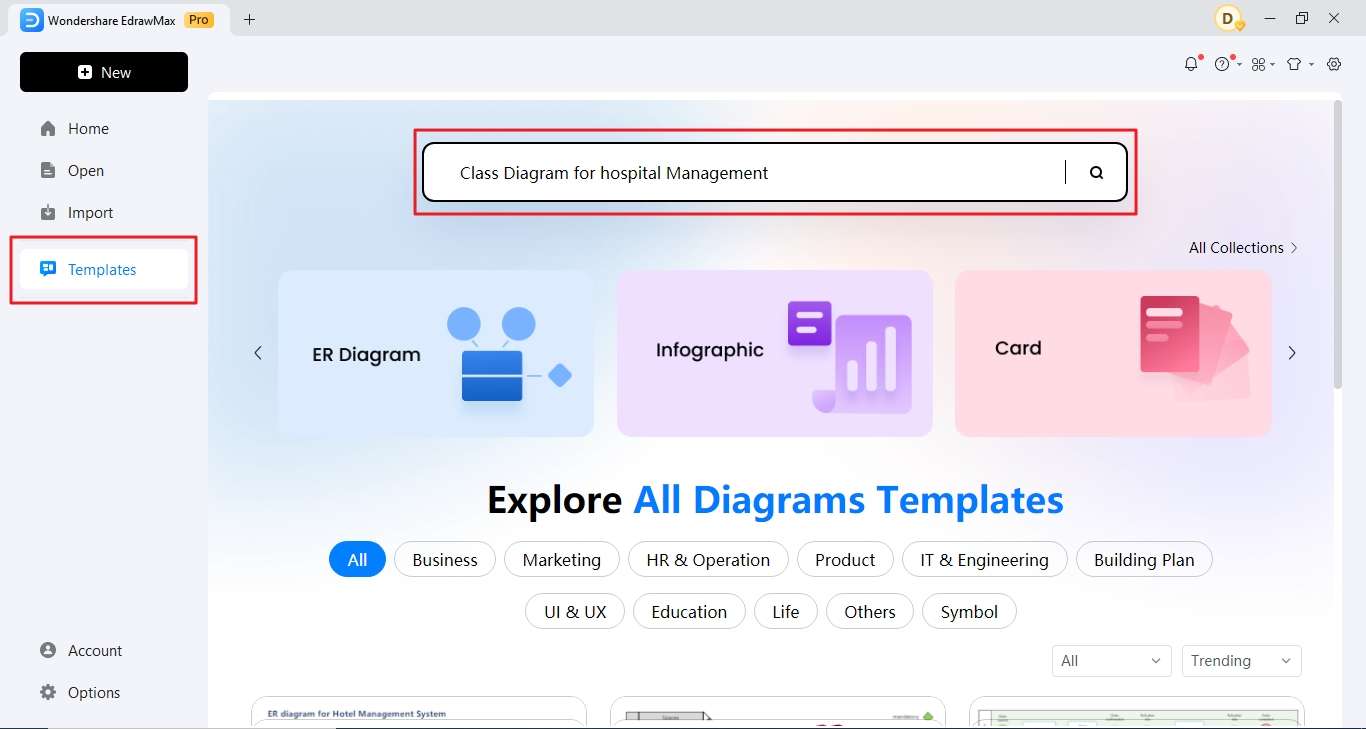
Open EdrawMax. Click templates and enter "class diagram for hospital management" in the search bar.
Step 2:
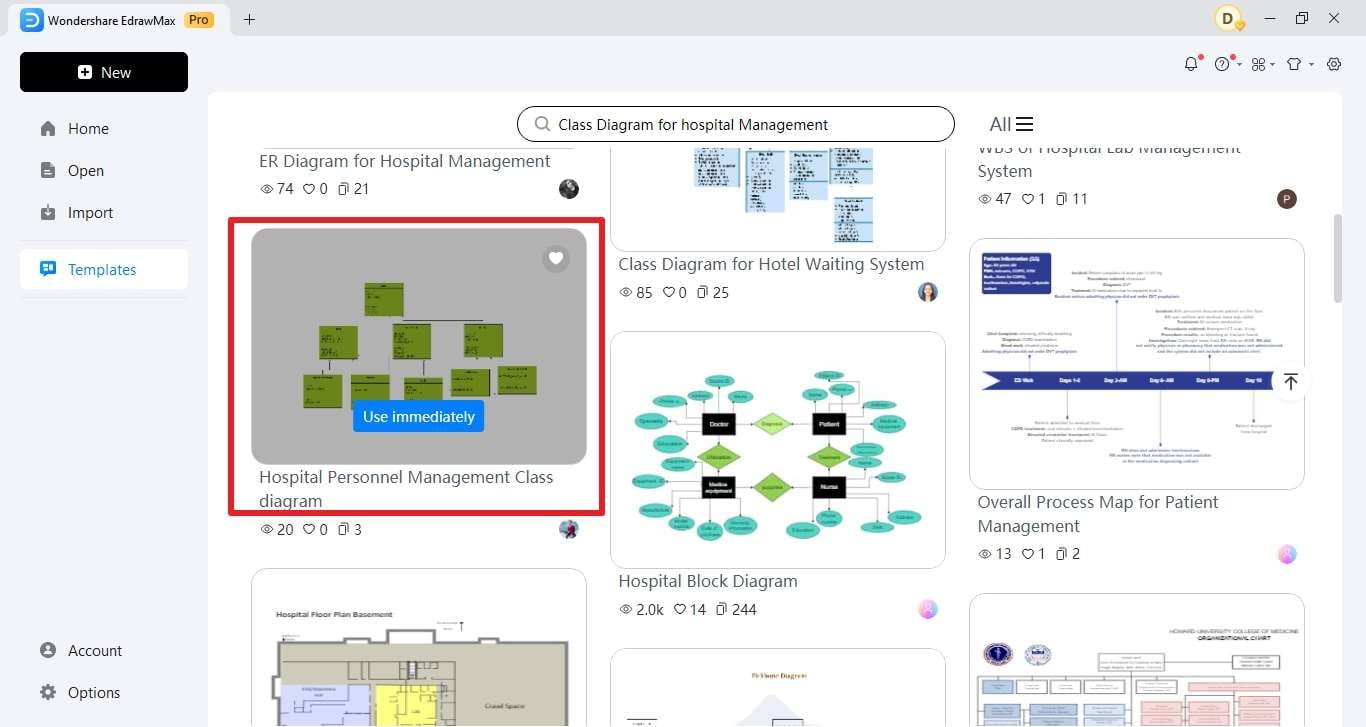
Pick the template you like or is most relevant to your needs.
Step 3:
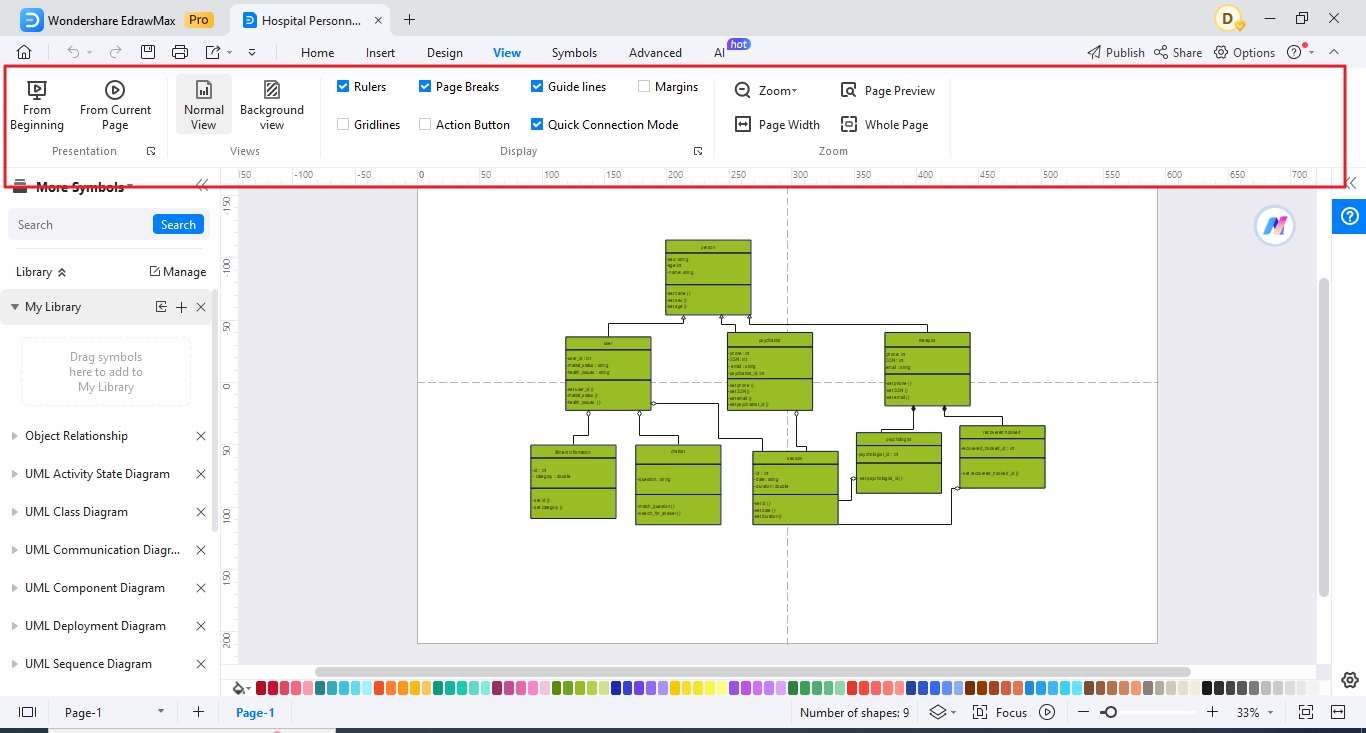
The selected template will be added to the canvas. You can edit the file or download the file from there. All the tools are available to make changes in your design.
Method 2. Customize a class diagram for the hospital management system
Starting from scratch is a little time-consuming but it allows you to design different and make the designs you want to create.
Here are a few steps you need to take while creating class diagrams for hospital management.
Get 500 free AI tokens
Step 1:
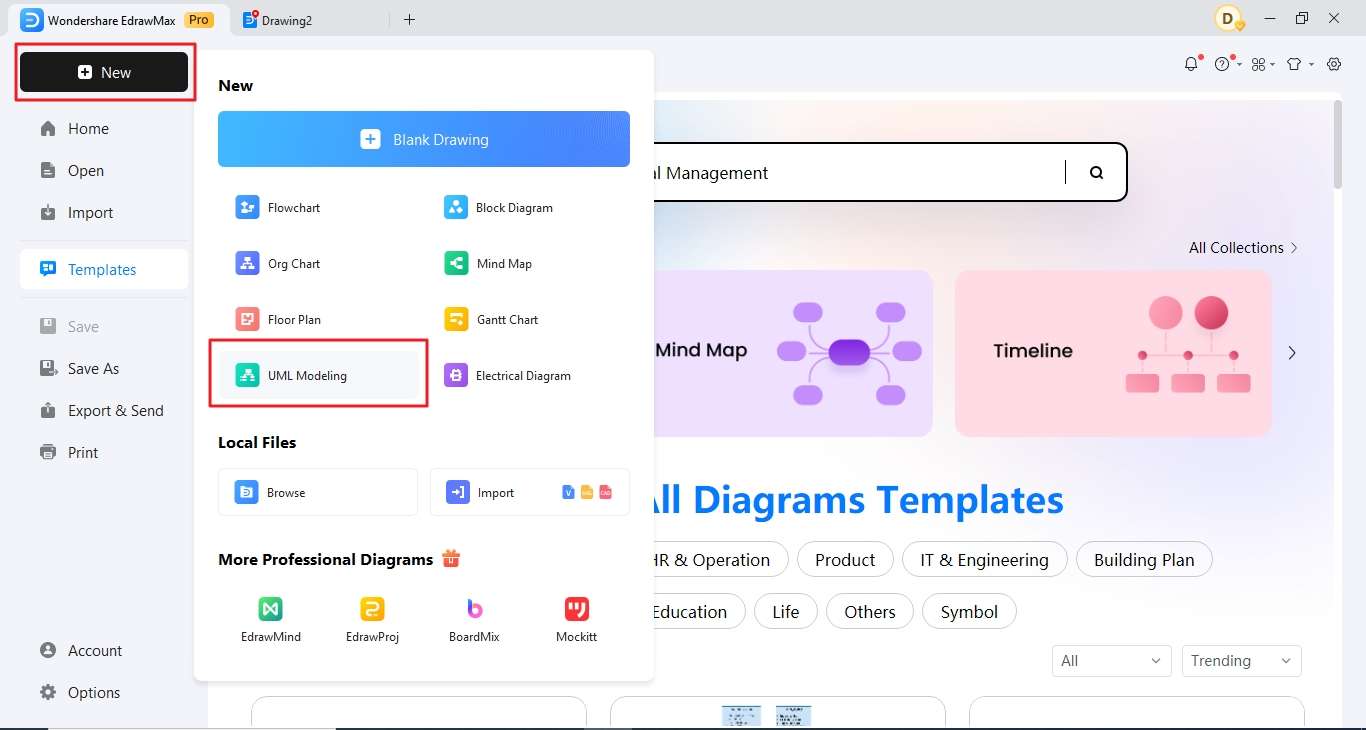
Open EdrawMax.Click New and then UML Modeling to start your diagram from scratch.
Step 2:
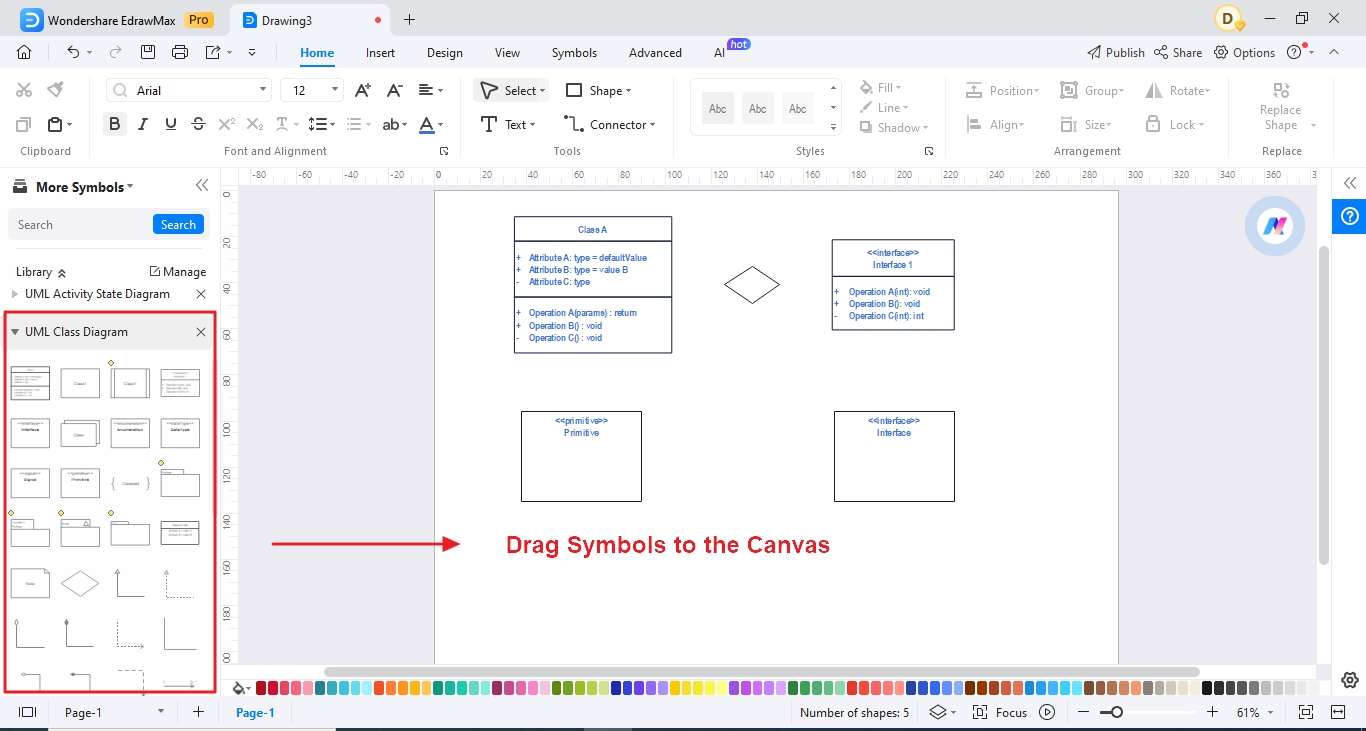
Drag symbols on the canvas and make changes according to the needs. You will find all the symbols you need to make a class diagram.
Step 3:
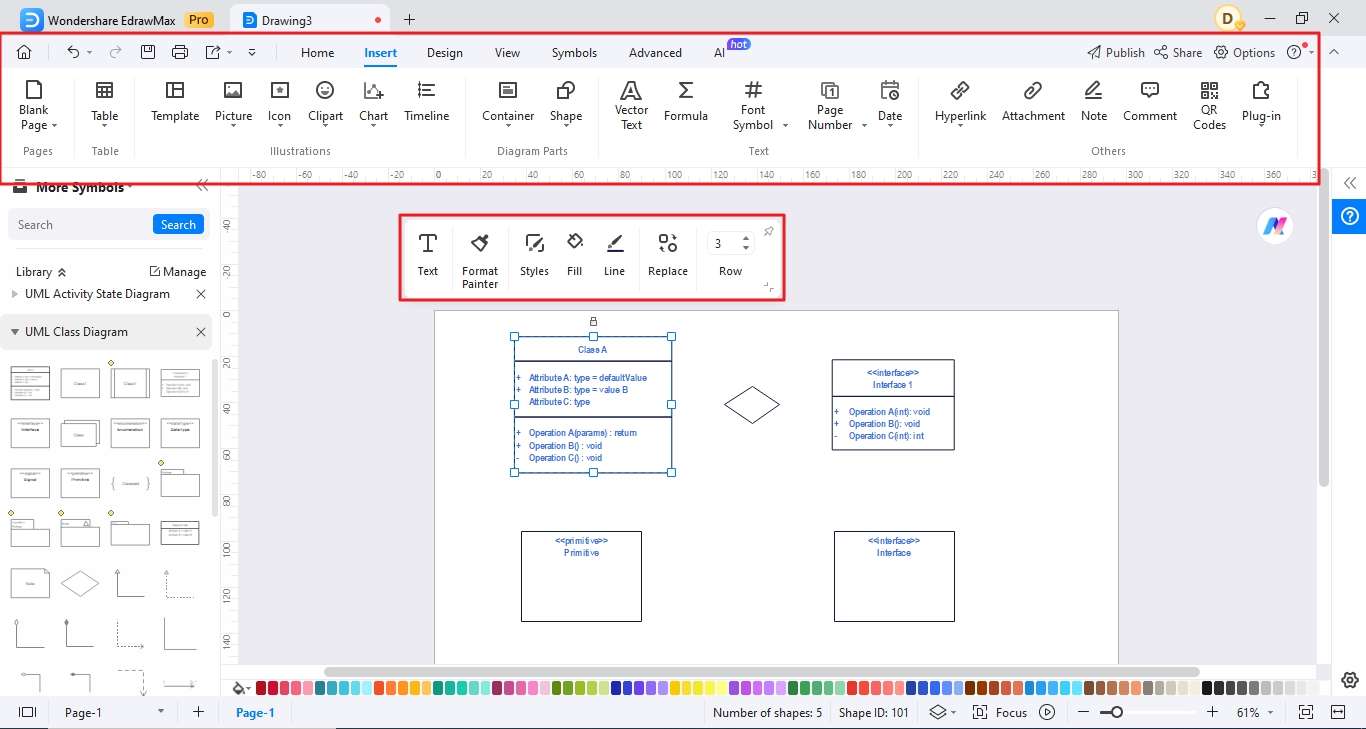
Use tools to make your diagram better. You can align your symbols and change the size of the diagrams according to your needs.
Step 4:
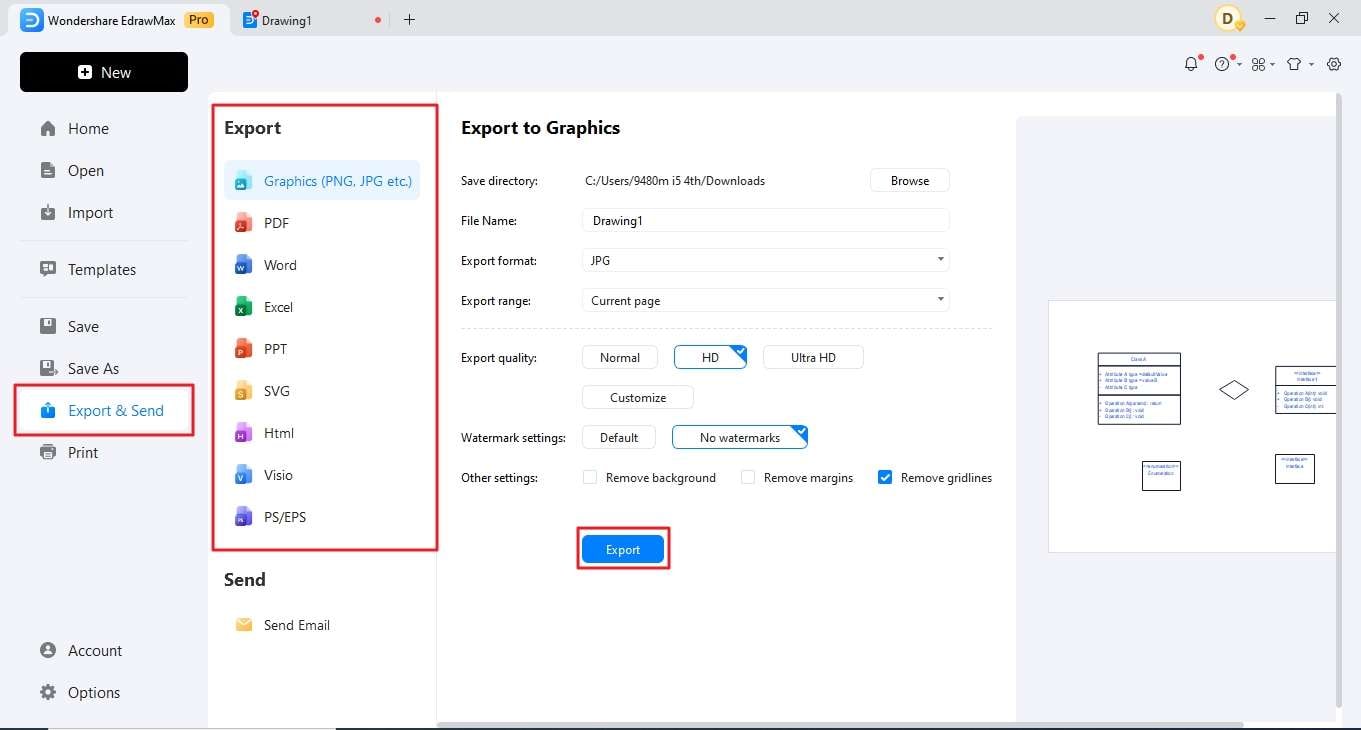
Now, you need to export your designs. For that, you have the liberty to save your files in different formats.
Free Class Diagram Maker: Wondershare EdrawMax
EdrwaMax is built to offer solutions and solve problems. It brings more benefits than you can imagine. Whatever you want to achieve with diagrams, EdrawMax will help you make it come true with its powerful and versatile features.
- Templates: EdrawMax offers hundreds of templates for you to use. The templates for different categories are available there in the template community.
- Symbols: The symbols used in different categories are different so EdrawMax offers you unique symbols according to your needs only. However, you can use symbols whenever you want whether they are related to your designs or not.
- Export options: You can export files in different formats like PNG, SVG, JPG, PDF, Word File, etc. You can use all these formats to save your designs.
- Import Visio, SVG: The SVG and Visio files are imported to EdrawMax and are edited in the program. These files are allowed to change and add more elements in these files with ease.
- Cloud storage: EdrawMax offers cloud storage that helps collaborators work in collaboration and helps you get your work done faster. Cloud storage helps you access anytime from anywhere.
Reasons to try
- Simple. EdrawMax offers a simple interface that helps users understand it better and allows them to learn in faster.
- Versatility. With over 210+ types of diagrams available, including those commonly used by programmers such as ER diagrams, network diagrams, and architecture diagrams, EdrawMax caters to a wide range of needs. Whether you're a programmer, engineer, designer, or student, you'll find suitable diagramming tools to express your ideas effectively.
- Flexible paid plans. EdrawMax offers flexible paid plans that cater to different user needs and budgets. Whether you're an individual user, a small team, or a large organization, you can find a plan that suits your requirements without breaking the bank. This ensures that you get access to the features you need without unnecessary expenses.
- Cross-platform compatibility. EdrawMax is available across multiple platforms, including Windows, macOS, and Linux, as well as online versions and mobile apps. This cross-platform c
AI Diagram Generator
Enter your prompt. Upload files if needed. Generate diagrams, charts, or slides instantly.


What is a hospital management class diagram?
It is a UML diagram that shows hospital software classes, attributes, methods, and relationships, such as Patient, Doctor, Appointment, Bill, Department, and InventoryItem.
How is a class diagram different from a use case diagram?
A class diagram explains system structure and data relationships, while a use case diagram explains what users do with the system.
Can EdrawMax edit hospital class diagram templates?
Yes. EdrawMax supports editable UML class shapes, connectors, multiplicity labels, notes, and export options.


