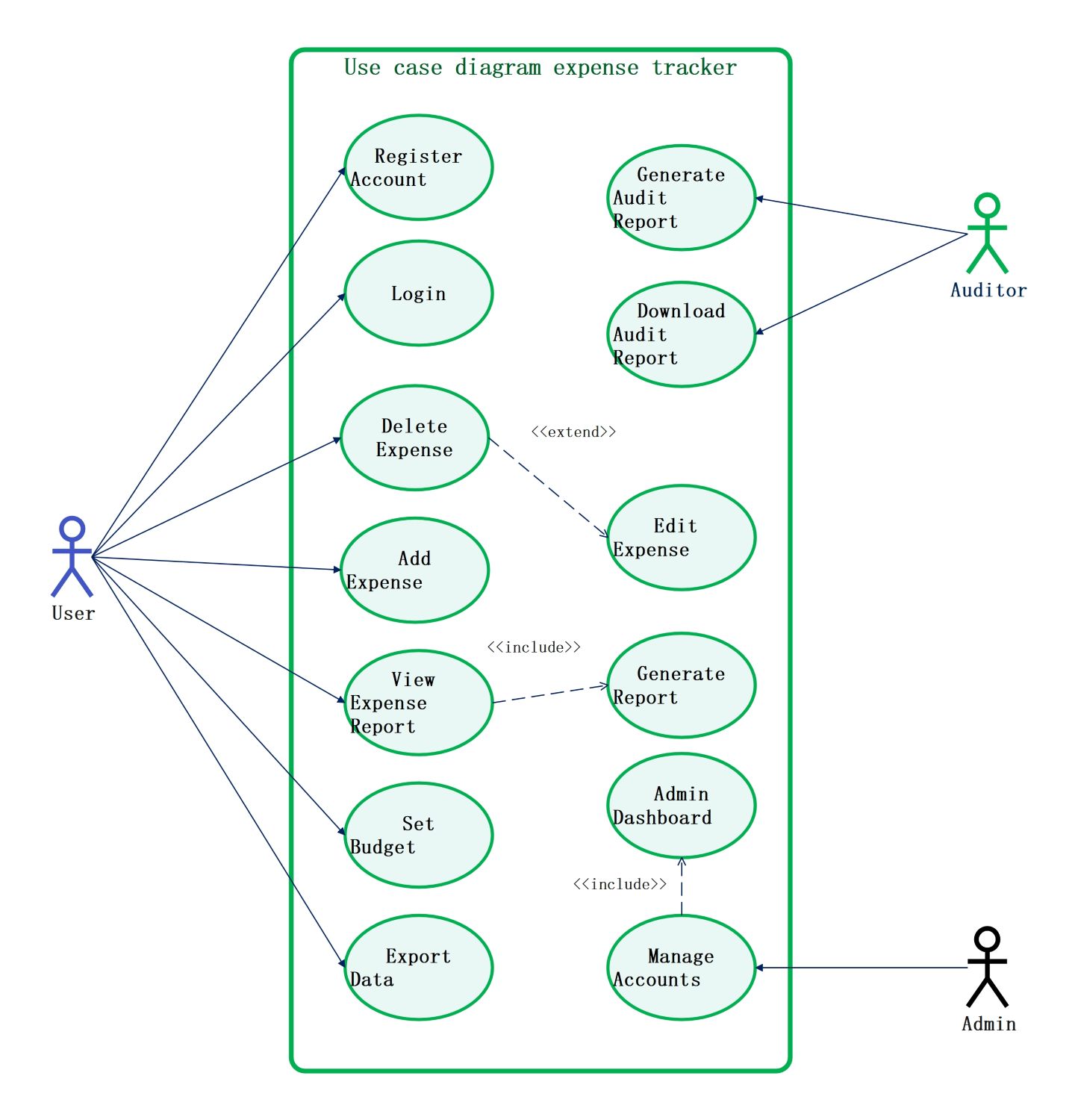
About this Expense Tracker template
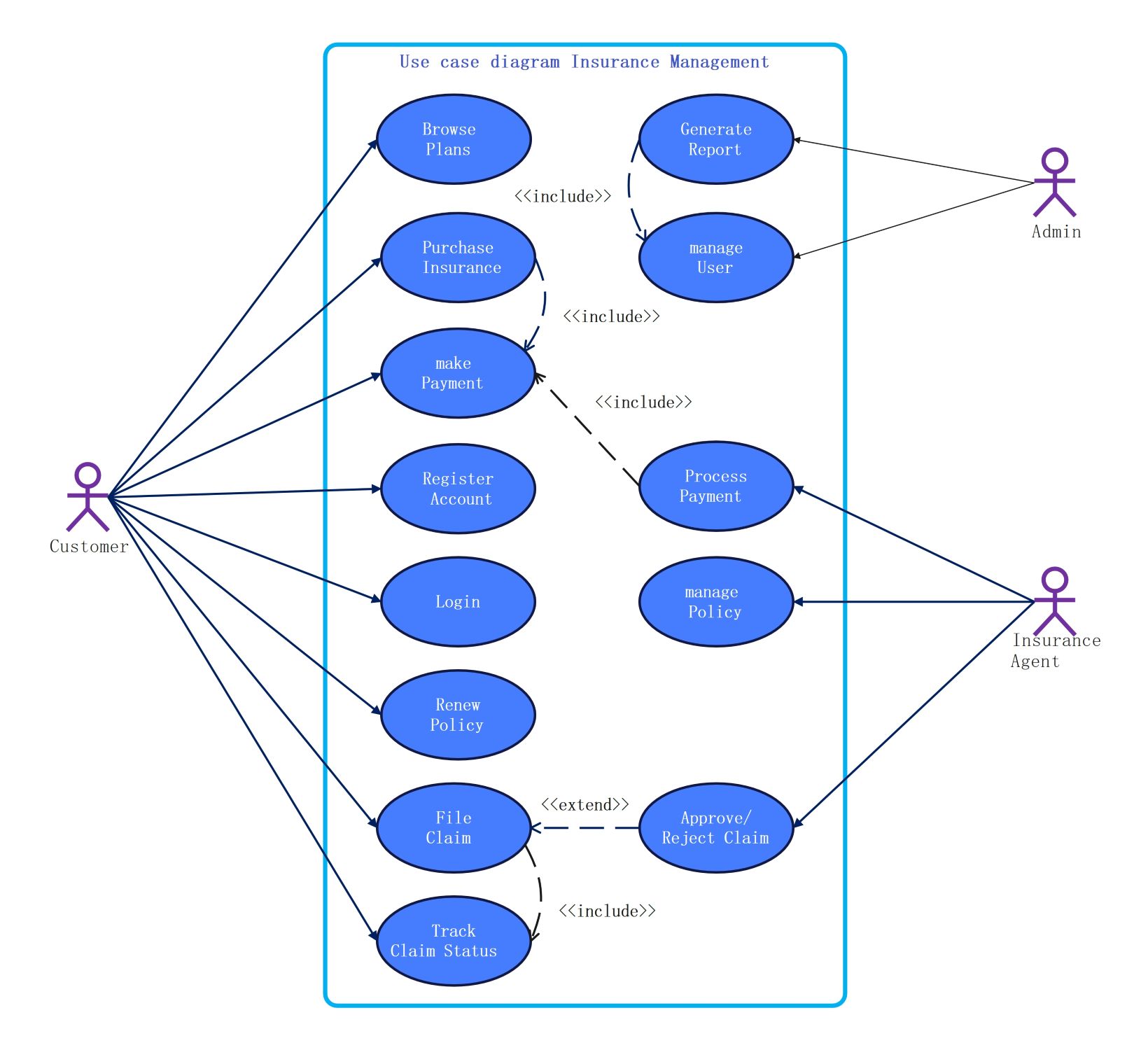
This UML use case diagram template outlines the functional requirements of an expense tracking system. It defines the roles of standard users, auditors, and administrators, showing how they interact with key features like reporting and data management.
Standard User Interactions
The standard user is the primary actor who manages daily financial records. This section details the basic operations required for individual account management, allowing users to track their spending and export personal financial data for review.
- Register Account
- Login
- Add Expense
- Delete Expense
- Set Budget
- Export Data
Expense Reporting and Analysis
Analyzing financial data is a core function of any tracker. This part of the diagram focuses on how reports are generated and viewed, ensuring that users can gain insights into their overall spending patterns over time.
- View Expense Report
- Generate Report
- Edit Expense
Auditor and Administrator Roles
Professional oversight and system maintenance are handled by these specific actors. Auditors focus on compliance and financial verification, while administrators manage the user database and system-wide settings through a dedicated backend dashboard.
- Generate Audit Report
- Download Audit Report
- Manage Accounts
- Admin Dashboard
FAQs about this Template
-
How does an expense tracker help in budgeting?
An expense tracker provides a detailed record of every transaction, categorized by type. By seeing exactly where your money goes, you can identify unnecessary spending and reallocate funds to savings or essential needs. This data-driven approach allows you to set realistic monthly limits and ensures you stay within your financial boundaries without overspending unexpectedly.
-
What is the role of an auditor in this system?
In an expense tracking system, an auditor ensures that all financial entries are accurate and compliant with relevant regulations or internal policies. They use specialized tools to generate and download audit reports, which help identify discrepancies or potential fraud. This high-level oversight provides an extra layer of security and integrity for organizational or high-volume financial management systems.
-
Can I export my data from an expense tracker?
Yes, most robust expense trackers include an export feature to help you manage data outside the application. You can usually download your financial history in formats like CSV or PDF. This is essential for tax preparation, sharing information with financial advisors, or performing deeper analysis in spreadsheet software like Excel, ensuring your financial data remains highly portable.

 (AI & Web)