





Quick answer: A hotel management ER diagram models how guests, rooms, reservations, payments, staff, services, and invoices relate in a database. The templates below help you choose a structure for booking, occupancy, billing, and operations data.
Best for: Best for database students, software teams, hotel system planners, and analysts designing a hotel management application.
How to choose: Choose a booking-focused ERD for reservations, a billing-focused ERD for payments and invoices, and a fuller operations model when staff, rooms, services, and guests all need relationships.
Key takeaways:
- Define entities and primary keys before adding relationship lines.
- Reservations, guests, rooms, payments, and services are usually core hotel-system entities.
- Cardinality and optional relationships are critical for avoiding database ambiguity.
- EdrawMax provides ERD symbols, connectors, templates, and export options for documentation.
In this article
Part 1. ER Diagram Templates for Hotel Management
Use this section as a selection guide: compare each example by scenario, detail level, and customization effort before opening a template in EdrawMax.
It’s time to explore some practical and versatile templates. All the ER diagram templates we’re about to discuss are readily available in the Templates Community of Wondershare EdrawMax. This platform doesn’t just offer resources for hotel management systems. It’s a fantastic database for various diagramming needs.
One of the standout features of these templates is their ease of use. Each is easily duplicatable and editable within the EdrawMax app. This means that you can tweak the diagrams to fit the unique needs of your hotel management system perfectly. Look and see what sparks your creativity – the perfect diagram for your hotel management system could be just a few clicks away!
Example #1
Use when: Choose Example #1 when its structure matches your audience, scope, and level of detail. Customize: update labels, symbols, measurements, colors, and notes in EdrawMax.
This template features a straightforward design with interconnected tables, all in a calming blue. It’s perfect for those who plan to code their ER diagram for automated systems, making it a solid choice for tech-savvy hotel managers.

 below.
  below.

Example #2
Use when: Choose Example #2 when its structure matches your audience, scope, and level of detail. Customize: update labels, symbols, measurements, colors, and notes in EdrawMax.
This template, opting for a minimalist no-color scheme, doubles as a flowchart. It covers everything from Login to Payments, using coding language to define the connections, making it ideal for detailed process mapping.

Example #3
Use when: Choose Example #3 when its structure matches your audience, scope, and level of detail. Customize: update labels, symbols, measurements, colors, and notes in EdrawMax.
A detailed diagram that goes beyond basic hotel needs includes student accommodations, admin, and even the hotel warden’s ID, all in a code-friendly format.

Example #4
Use when: Choose Example #4 when its structure matches your audience, scope, and level of detail. Customize: update labels, symbols, measurements, colors, and notes in EdrawMax.
This no-frills template focuses on customer interactions from room checking to payment. Its simplicity is enhanced by using code language and table formats for easy automation.

Part 2. How To Make an ER Diagram With EdrawMax
This workflow is useful after you choose a starting example. In EdrawMax, edit symbols, labels, dimensions, connectors, colors, and export settings to match your real use case.
If you dislike the templates above, you can easily create one with Wondershare EdrawMax. After all, it’s an all-around diagramming tool for creating ER diagrams for hotel management systems. Check out the steps below to see how you can personalize an ER diagram for hotel management systems.
Step 1: Install, download, and launch Wondershare EdrawMax or try it online. You can sign in with an account of Google, Facebook, or Twitter.
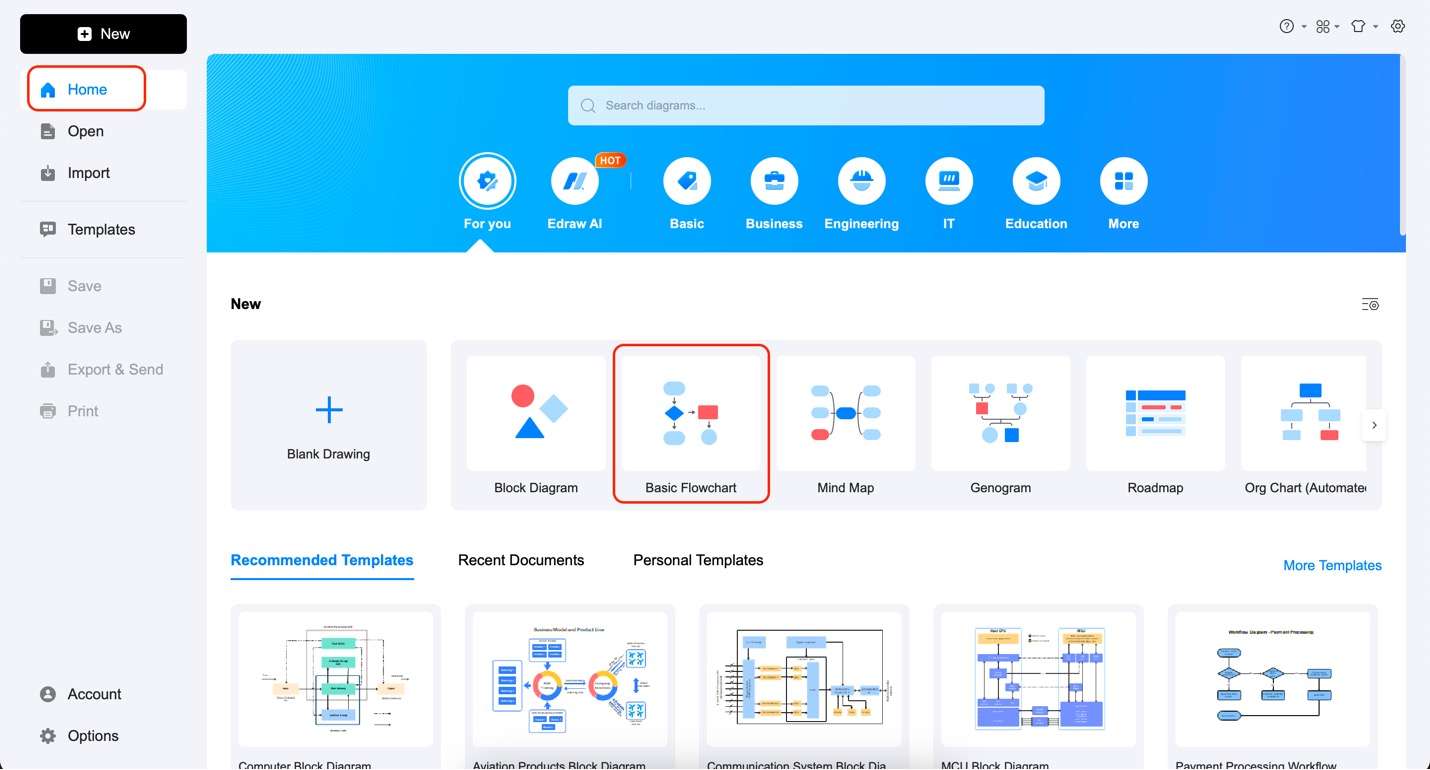
Step 2: Under Home, click Basic Flowchart.
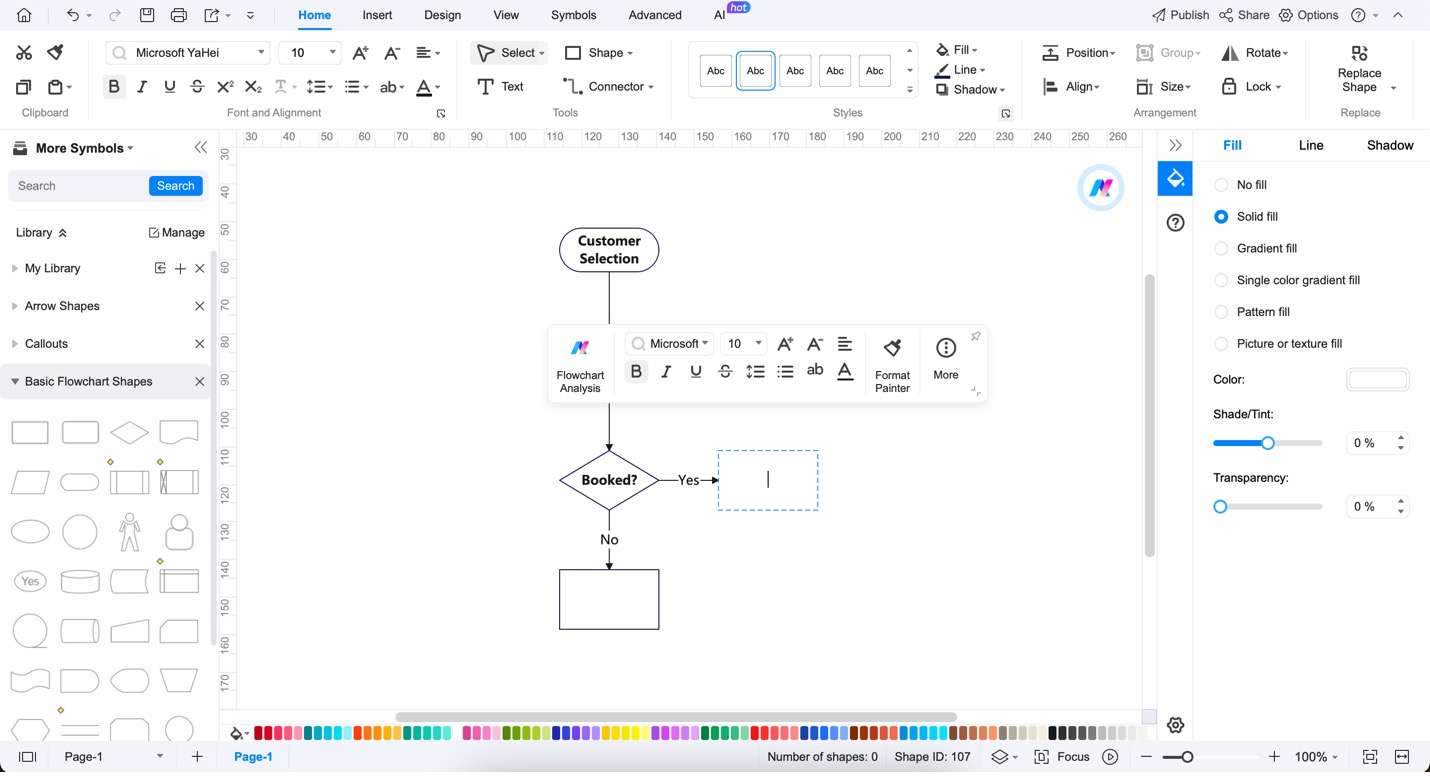
Step 3: Add texts to your diagram by double-clicking any node. You can use the appearing customization bar to customize the text styles and font.
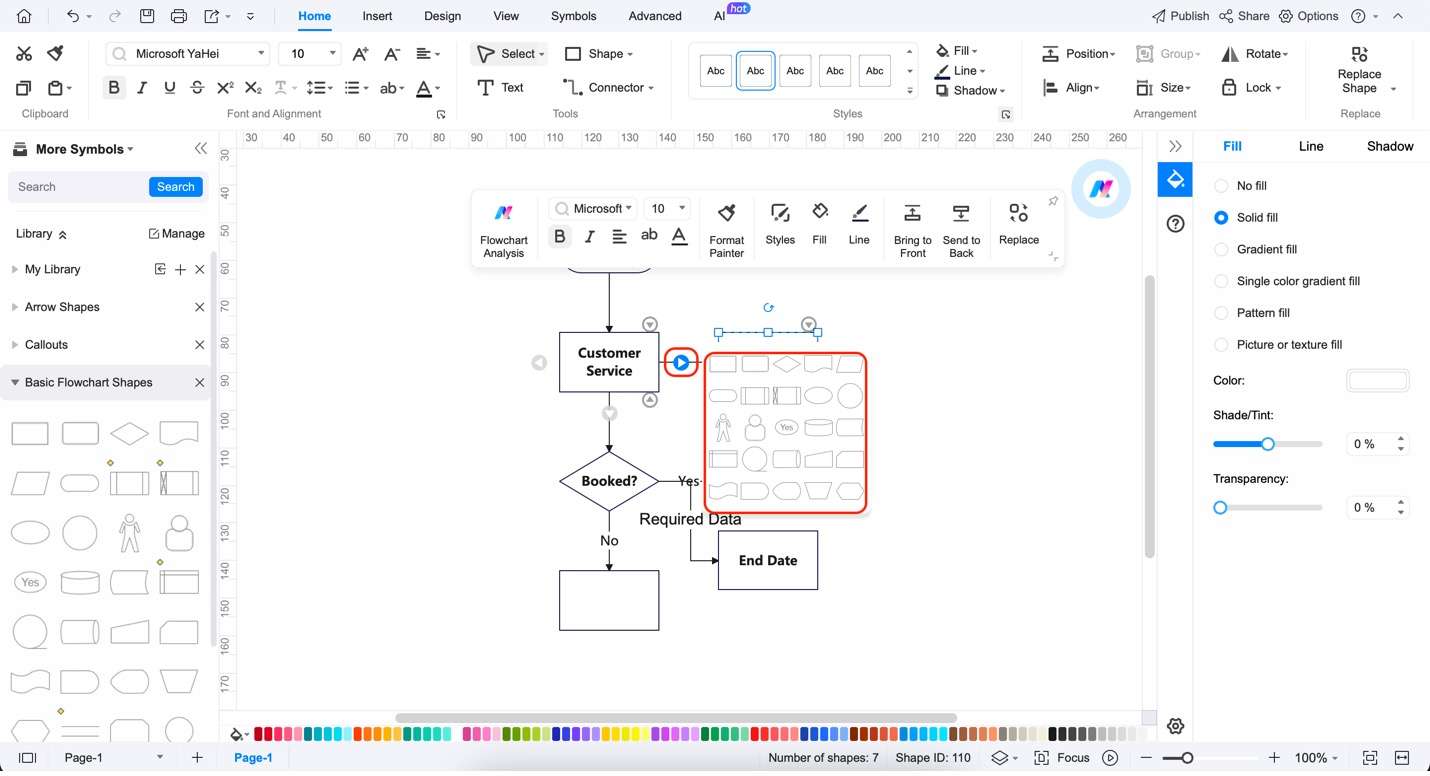
Step 4: To add more relationships to your nodes, click the arrow buttons to add extra nodes in that direction. You can also choose the shape of the extra node on the appearing menu when you hover over the arrows.
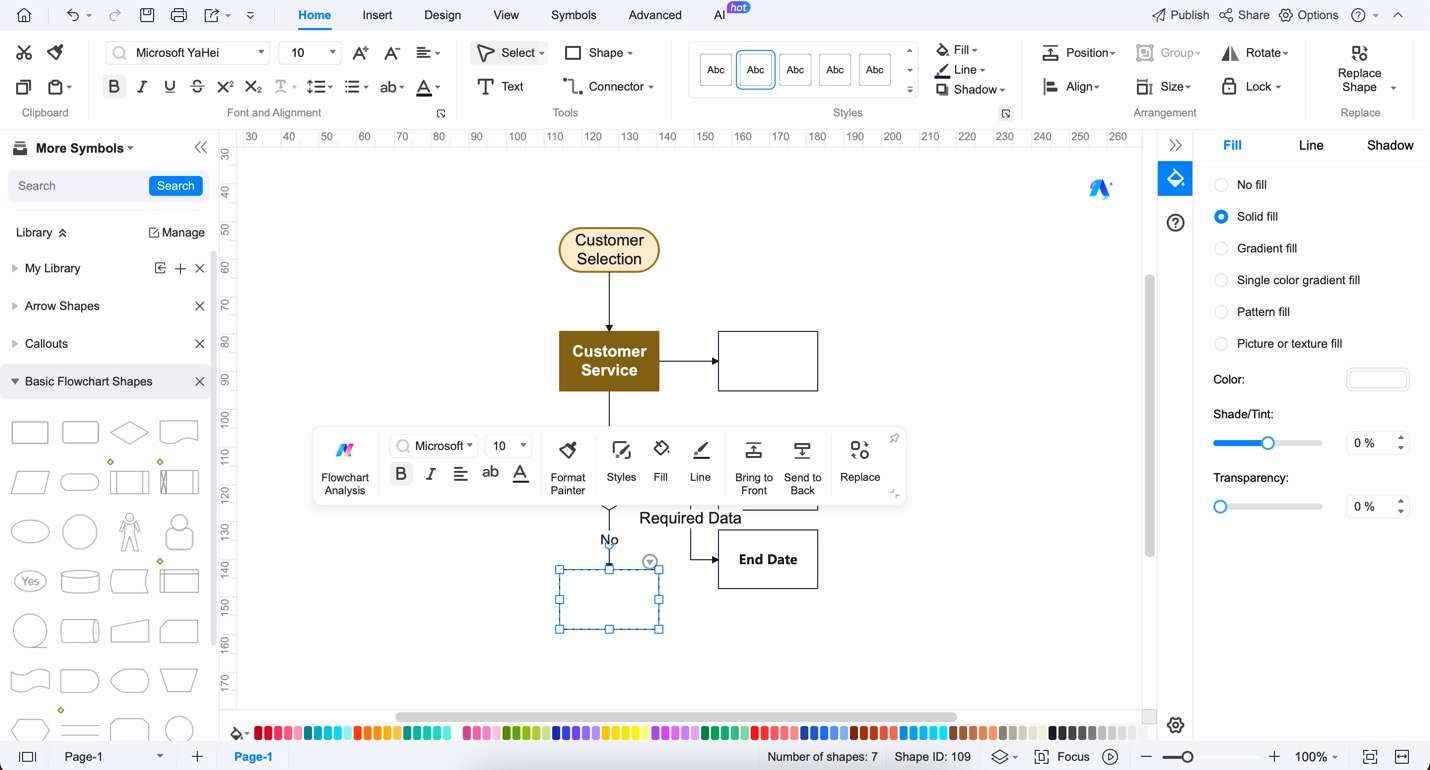
Step 5: Customize the style of your ER diagram by using the appearing customization menu. You can change the Style, the Fill color, Line color. You can also use the Format Painter for an easier way to edit the overall look of the diagram.
Part 3. Free ER Diagram Maker: Wondershare EdrawMax
This workflow is useful after you choose a starting example. In EdrawMax, edit symbols, labels, dimensions, connectors, colors, and export settings to match your real use case.
As you’ve seen, Wondershare EdrawMax offers a straightforward way to create ER diagrams for hotel management systems. Remember, you can also use the templates provided above, open them with EdrawMax, and then edit them according to your needs. Be sure to explore the application to get the most out of it.
EdrawMax is more than just an ER diagram creation tool; it’s a comprehensive diagramming solution designed to cater to various professional and educational needs. Its intuitive interface and powerful features make it a top choice for efficiently crafting detailed and accurate diagrams. Here are its key features:
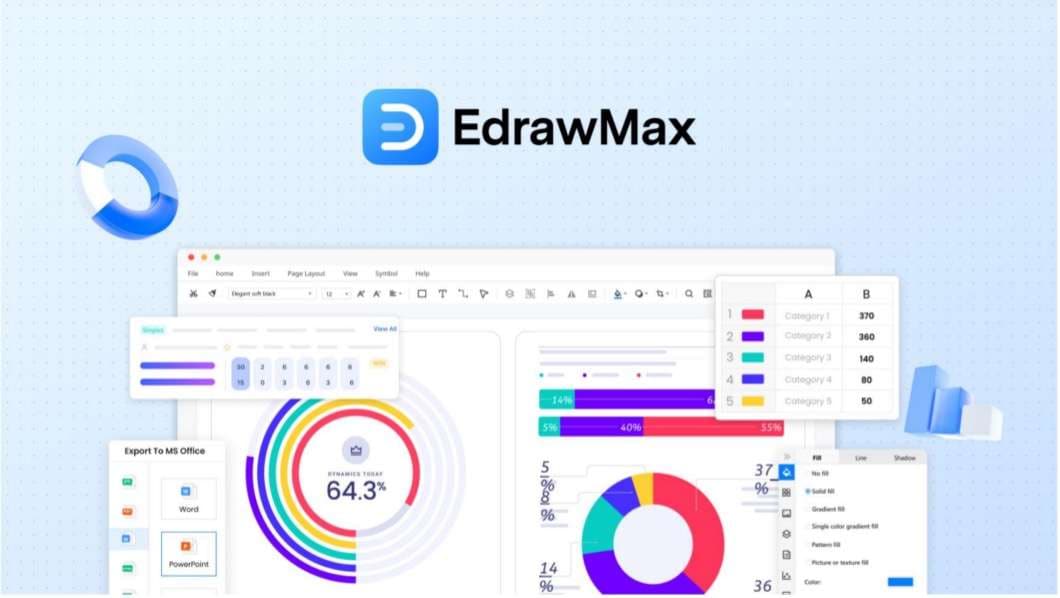
- Versatility in diagram types. EdrawMax stands out with its support for over 210 types of diagrams. This includes ER diagrams, UML diagrams, network diagrams, flowcharts, and organizational charts. This versatility makes it an invaluable tool for professionals across different sectors.
- Rich template library. The software boasts an extensive library of ready-made templates, including those for ER diagrams. These templates provide a solid starting point for your designs, saving time and inspiring creativity.
- User-friendly interface. EdrawMax is designed with the user in mind. Its intuitive interface makes it easy for beginners and experienced users to navigate and create complex diagrams.
- Customization and flexibility. One of the strengths of EdrawMax is its customization capabilities. You can easily modify and tailor diagrams to suit your requirements, ensuring that the end product is exactly what you need.
- Free and online. Wondershare EdrawMax has a no-commitment free version that you can use to its fullest. It offers great features that you can utilize to finish and create your diagrams.
In summary, Wondershare EdrawMax is not just a tool for creating ER diagrams; it’s a versatile, user-friendly platform that caters to various diagramming needs.
Part 4. Tips for Creating ER Diagrams for Hotel Management Systems
Use this section as an action checklist for editing the diagram in EdrawMax and preparing a version that can be shared in documents, slides, or team review.
Creating an effective ER (Entity-Relationship) diagram for your hotel management system can be a game changer in organizing and understanding your operations. Here are some tips to help you make the most out of this process:
- Understand your requirements. Before diving into diagramming, clearly understand your hotel’s processes and what you need to represent. This includes knowing the various entities like rooms, staff, and services, and how they interact.
- Keep it simple. Start with the basics and avoid overcomplicating your diagram. A cluttered ER diagram can be confusing and less effective. Focus on the key entities and relationships that are vital to your operations.
- Use consistent symbols and notations. Stick to standard symbols and notations for clarity and ease of understanding. This consistency is particularly important if multiple people or teams use the diagram.
- Regularly update your diagram. As your hotel evolves, so should your ER diagram. Regular updates ensure that your diagram accurately reflects the current state of your business.
- Seek feedback. Share your ER diagram with team members who understand the processes. Their insights can help you refine the diagram for better accuracy and usability.
Conclusion
In conclusion, utilizing templates in EdrawMax for your ER diagrams is not just a time-saver; it’s a smart strategy to streamline your workflow. By starting with these templates, you can focus more on organizing and managing your hotel operations. This way, you won’t get bogged down in the hardships of diagram creation. After all, ER diagrams for hotel management systems are pretty hard to make.
Thus, embrace the efficiency and effectiveness that EdrawMax offers. Let it be your go-to tool for bringing organization and clarity to your projects. It can help you maintain high management and operation standards in your hotel business.
AI Diagram Generator
Enter your prompt. Upload files if needed. Generate diagrams, charts, or slides instantly.


What is the best way to use hotel management er diagram examples?
A hotel management ER diagram models how guests, rooms, reservations, payments, staff, services, and invoices relate in a database. The templates below help you choose a structure for booking, occupancy, billing, and operations data.
Who should use hotel management er diagram examples?
Best for database students, software teams, hotel system planners, and analysts designing a hotel management application.
Can I customize these examples in EdrawMax?
Yes. You can open an editable template in EdrawMax, adjust text, symbols, layout, colors, and dimensions, then export it for documents, presentations, or sharing.


