




Warehouse layouts should be compared by dock positions, throughput, travel distance, storage strategy, and picking flow. U-shaped layouts can share receiving and shipping resources but may concentrate dock traffic; I-shaped layouts support straight-through flow; L-shaped layouts can fit adjacent docks or irregular buildings.
Warehouse Layout Examples
How to choose: Choose the layout example that matches the decision you need to make. Concept plans work for early ideas, detailed plans work for measurements and operations, and safety-focused plans work for routes and exits.
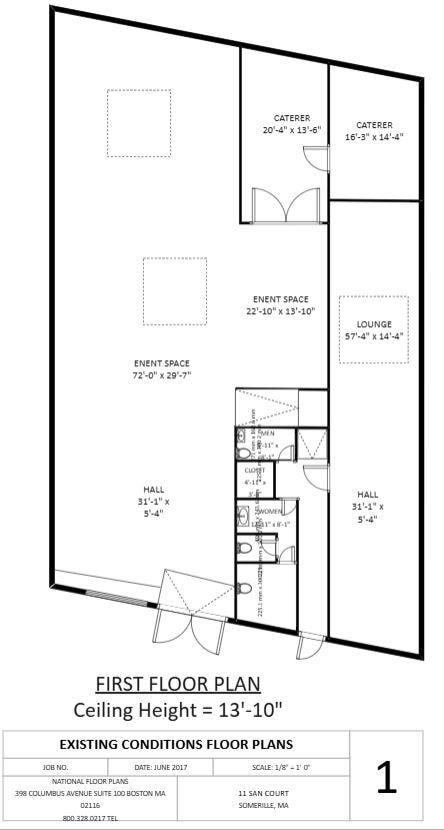
Custom Warehouse Floor Plan
The floor plan showcases a custom-designed warehouse layout in the shape of a parallelogram, making it well-suited for urban plots with unconventional boundaries. The design includes staff-oriented amenities, featuring a catering and dining hall adjacent to a designated lounge area for relaxation.
Separate restroom facilities for male and female staff are also provided to ensure comfort and convenience. A spacious warehouse area forms the core of the facility, supporting its primary operational functions. This first-floor layout is designed with a generous ceiling height of 13 feet 10 inches, accommodating a range of functional and spatial requirements within the facility.


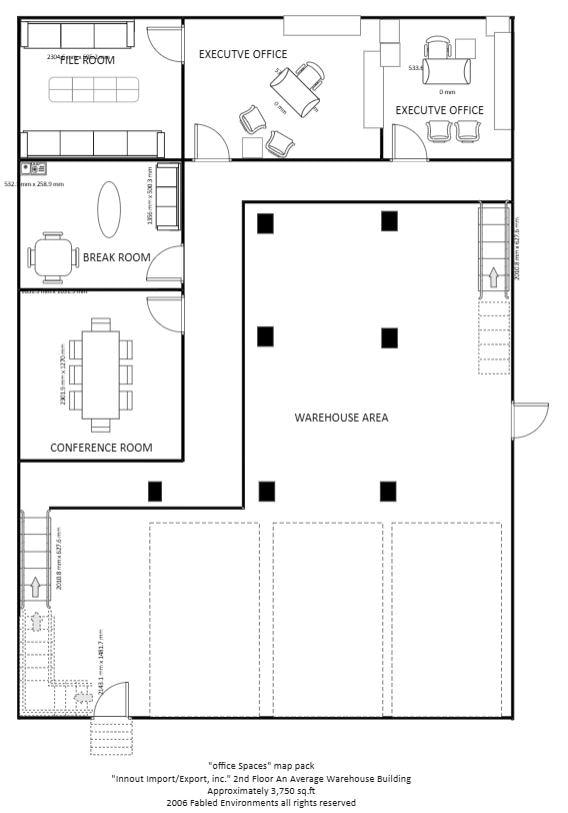
Typical 2nd-Floor Plan of a Warehouse
This is the second floor of the typical warehouse, which is organized into two primary zones: the main warehouse area and a dedicated office section. The warehouse occupies the majority of the floor space, supporting the core operational functions of the facility.
To accommodate administrative and managerial tasks, a separate office area has been strategically placed. This office section includes an L-shaped corridor that provides access to various rooms such as executive offices, a conference room, a file storage room, and a break room, ensuring efficient workflow and staff comfort.
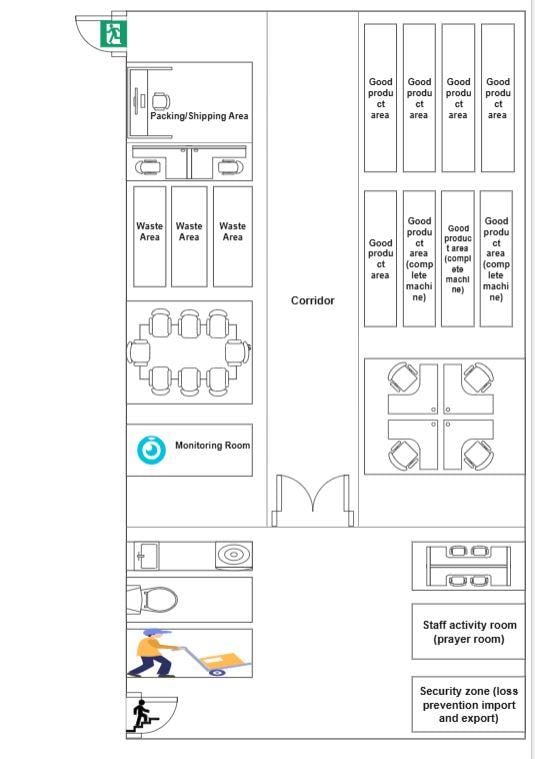
Distribution Warehouse
The distribution warehouse features an accessible and efficient floor plan, with a central corridor dividing the space and providing direct access to rooms and facilities on both sides. On the right side of the corridor, the layout includes an office area and a spacious storage zone designated for finished goods.
Adjacent to this is a conference room and a dedicated waste area for managing damaged products and general waste. The storage area also connects to a secondary exit, leading to a strategically placed parking and shipping zone for streamlined logistics operations. Additional facilities within the warehouse include a prayer room, restrooms, a monitoring room, and a security area.
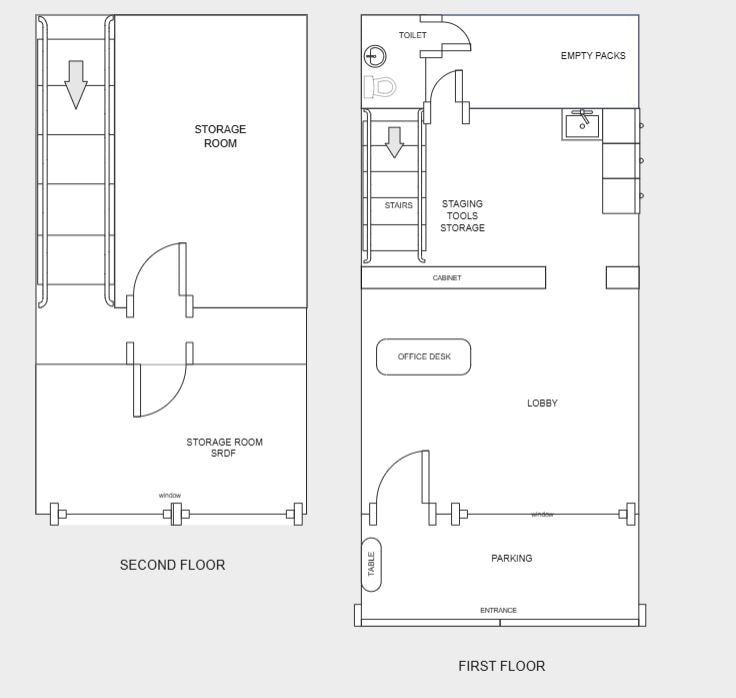
2-Storey Warehouse
This floor plan illustrates the layout of a two-story warehouse designed for efficient space utilization. A designated parking area provides direct access to the lobby, creating a smooth entry point for staff and visitors. The lobby opens into an office area, serving as a reception or administrative workspace. Toward the rear, the layout accommodates storage for tools and materials, along with essential amenities such as restrooms.
The second floor is dedicated entirely to additional storage, maximizing vertical space to support operational needs. This design is ideal for professionals involved in planning, managing, or optimizing space within commercial or industrial facilities.
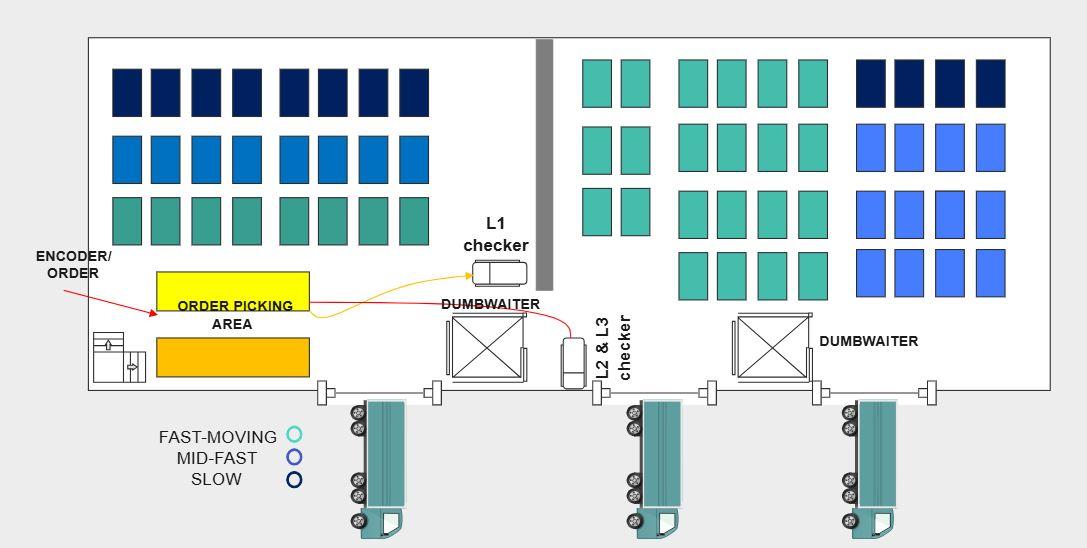
Order Fulfilment Warehouse
This layout diagram presents a streamlined order fulfillment system tailored for a multi-level warehouse setup. It includes a dedicated order encoding area where processing begins, followed by clearly defined picking zones. Accuracy is maintained through strategically positioned check stations on each level.
To enhance efficiency, dumbwaiters are incorporated to transport items between floors, minimizing manual handling and transit time. Additionally, multiple exits are provided for delivery trucks, ensuring an efficient flow of goods within the facility. This design is ideal for warehouses aiming to optimize order processing workflows and boost overall operational performance.
How to Create a Warehouse Layout in EdrawMax
Method 1: Steps to Make a Warehouse Layout
Step 1
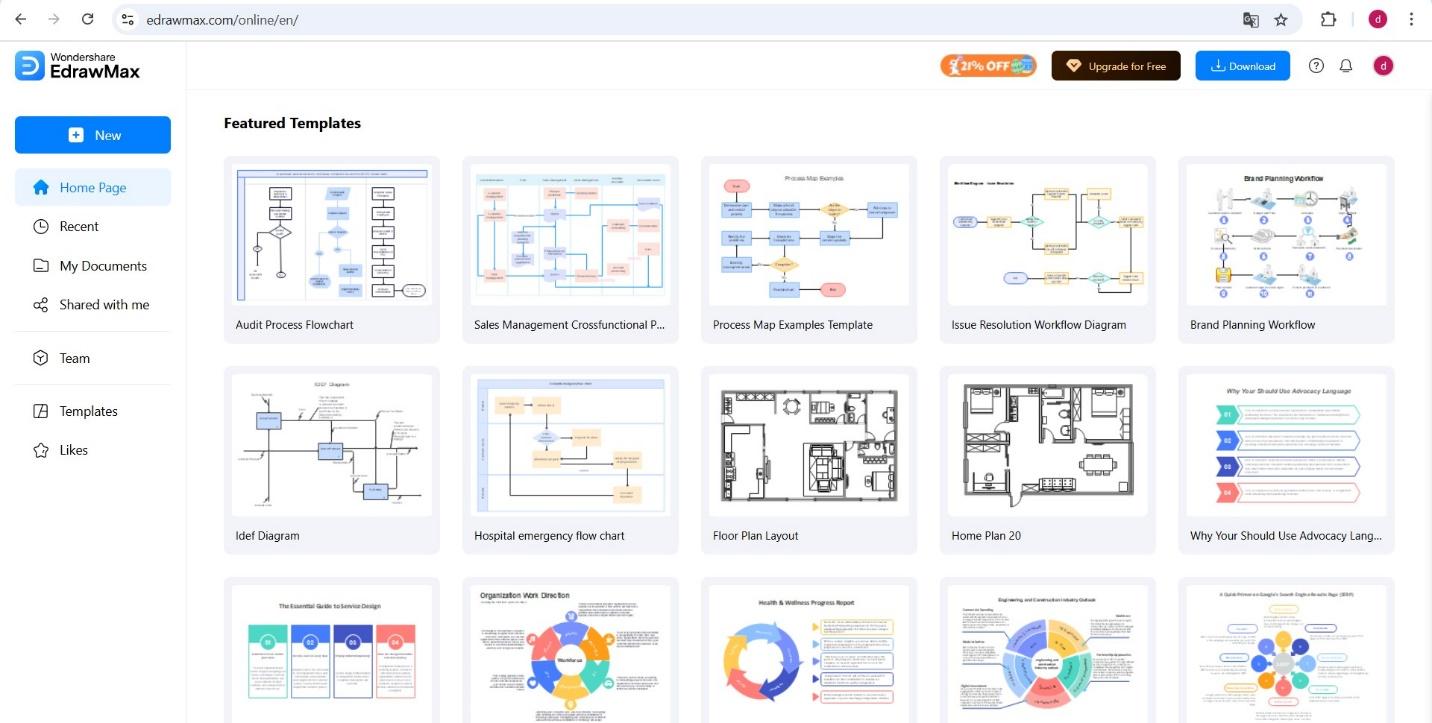
Download EdrawMax or open EdrawMax web on your browser. Follow the steps provided on the website to sign in or create an account.
 Get 500 free AI tokens
Embark on your dream home journey. Explore the artistry of modern living in these 10 simple two-floor house plans, where simplicity meets elegance. The designs are fromWondershare EdrawMax's vibrant Templates Community.
Step 2
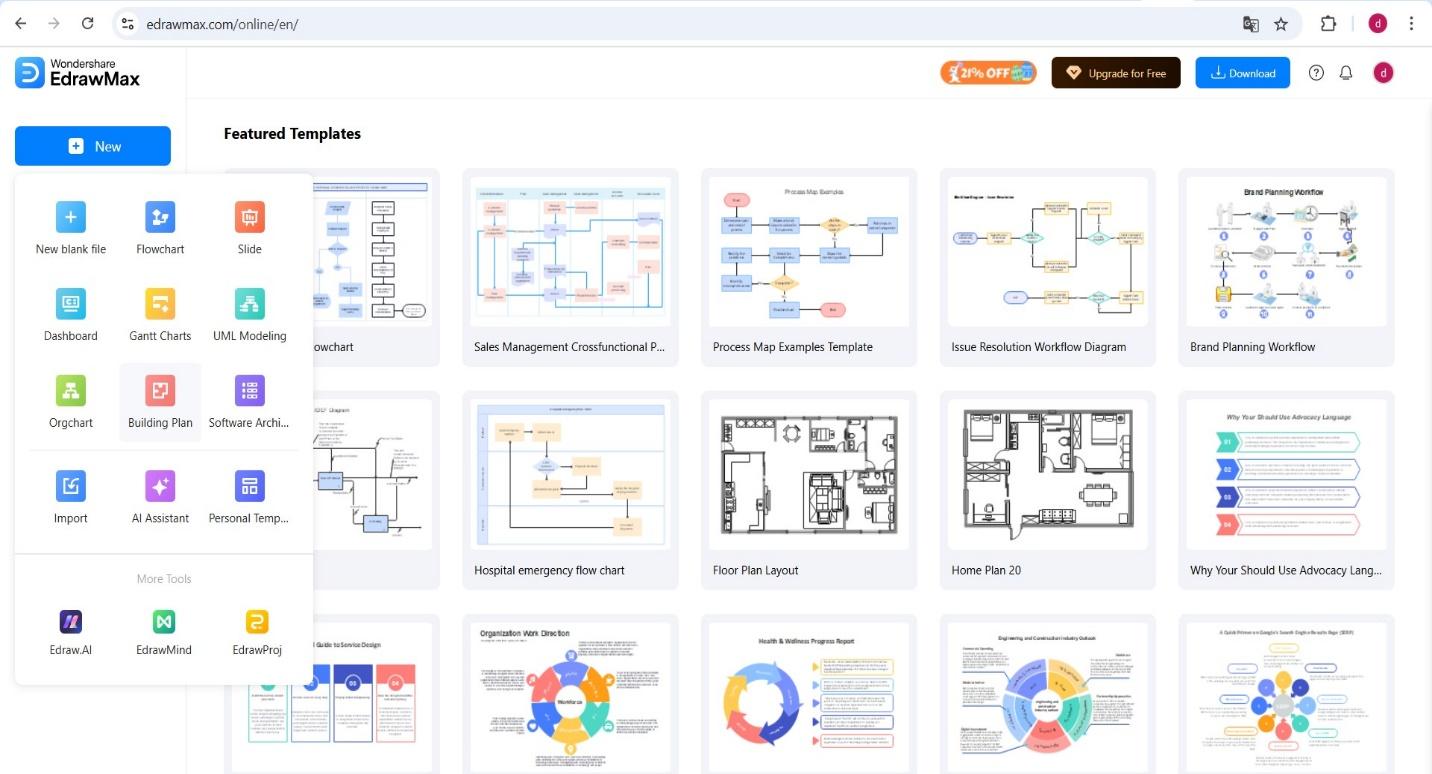
From the dashboard, click on New and select Building Plan to start a new Project
Step 3
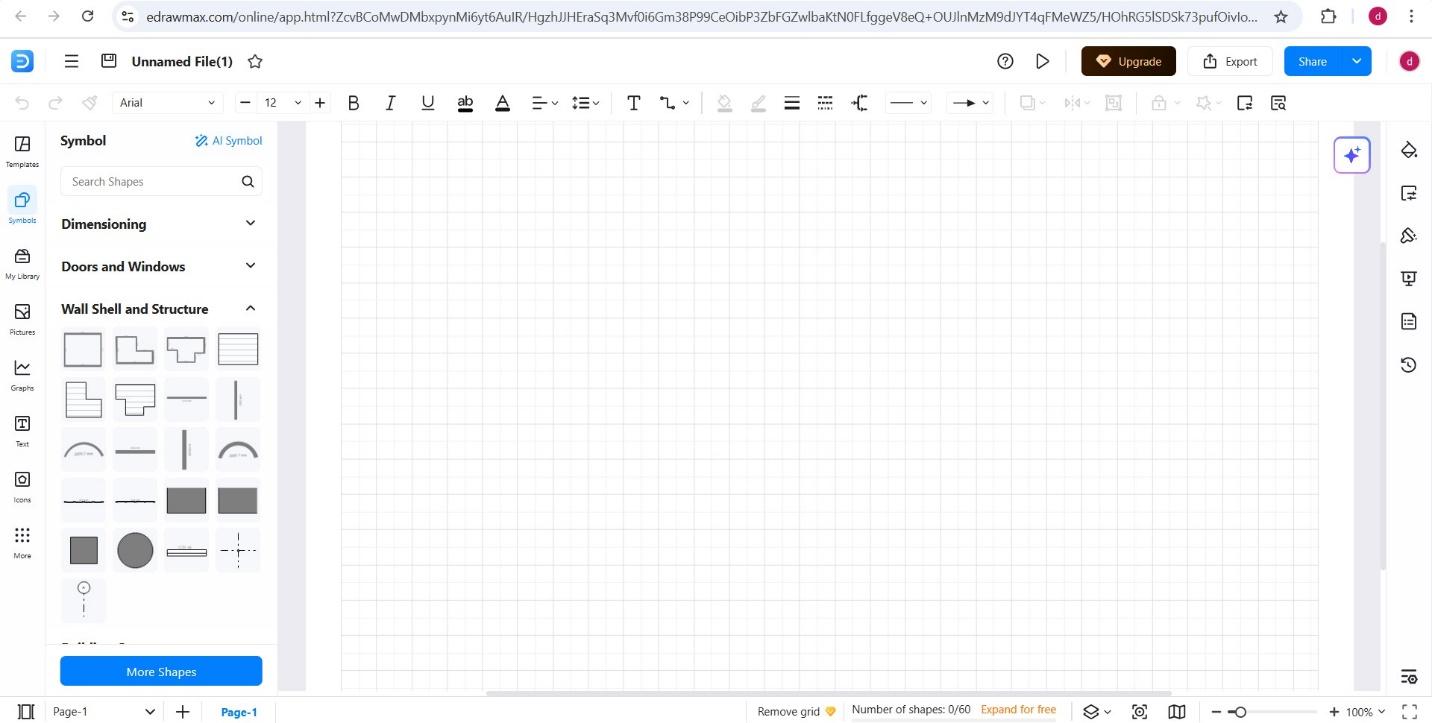
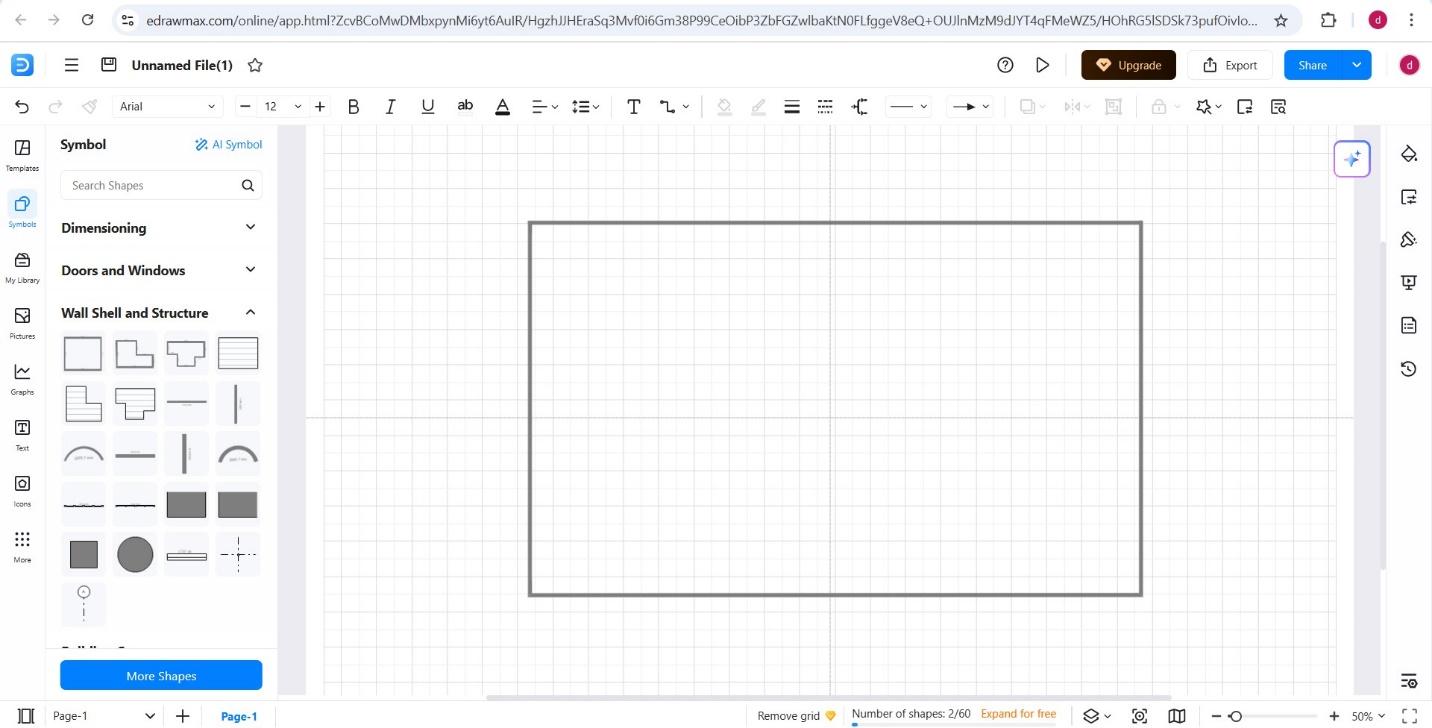
Navigate the Symbols Menu and Open Wall Shell and Structure tab.
Step 4
Begin designing your warehouse layout by dragging and dropping wall elements and structural shapes onto the blank canvas. Double-click any wall to modify its dimensions as needed.
Step 5
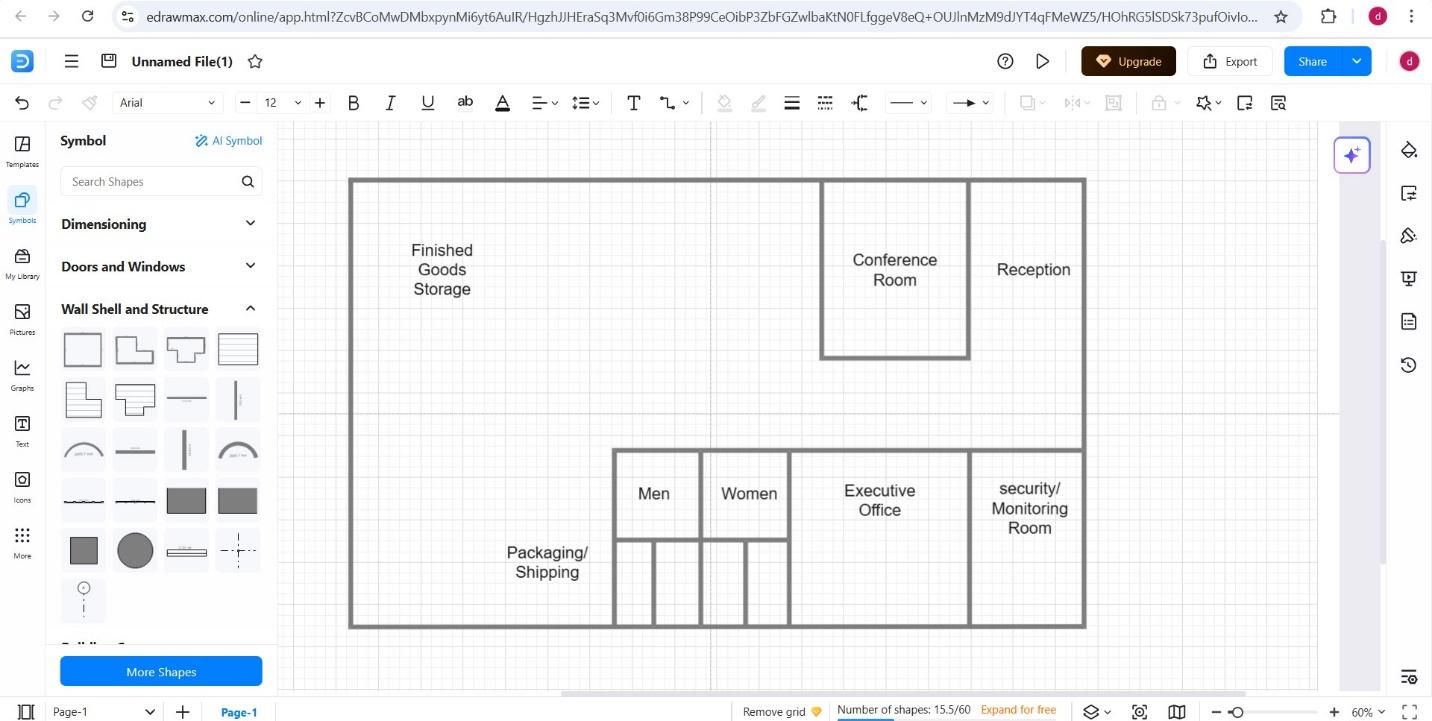
Use the Text tab to insert and customize labels, annotations, or room names within your floor plan
Step 6
Enhance your layout by using additional tabs under the Symbols menu, such as Doors and Windows, Kitchen and Dining Room, Bathroom, and More Shapes, to add specific functional details to your warehouse.
Step 7
Make final adjustments to align the plan with your intended design. Once satisfied, save your project online and assign it a unique name for easy access and organization.
Method 2: Use a Warehouse Template
Step 1
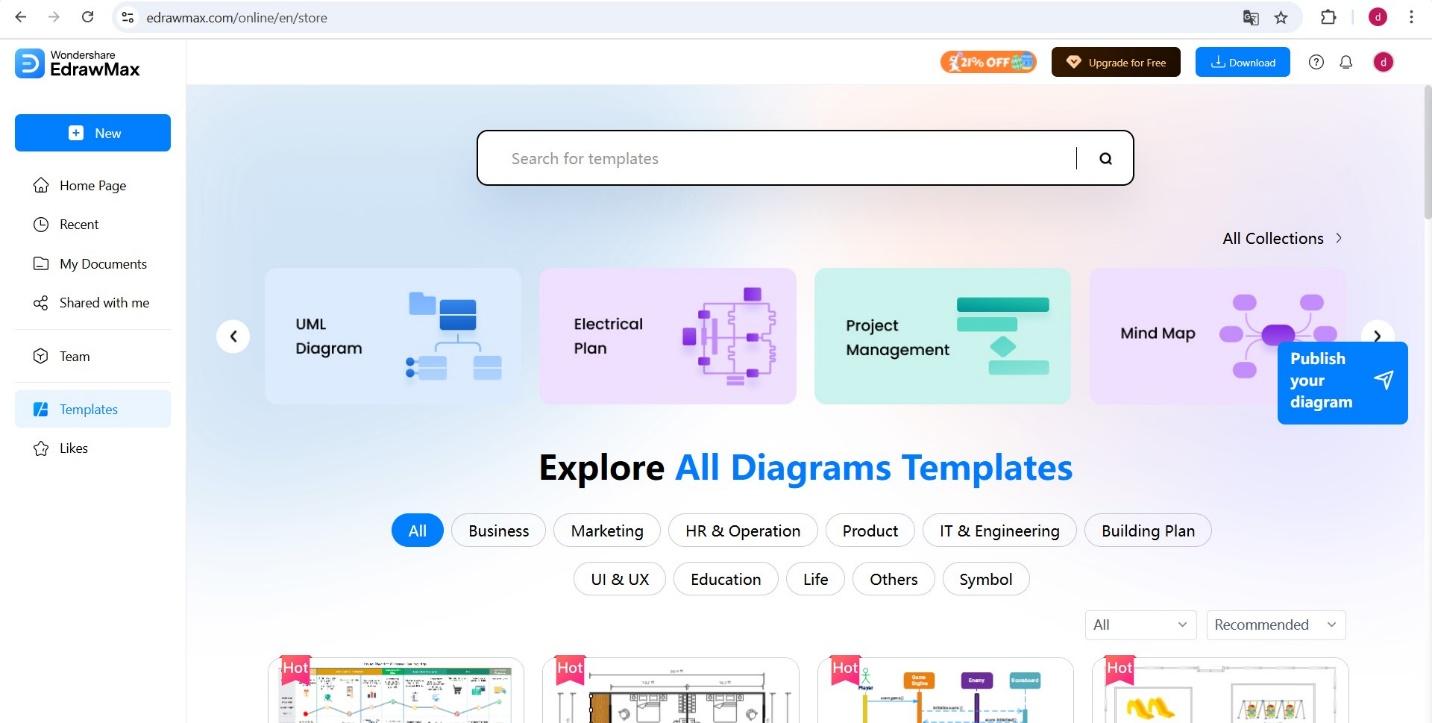
Launch EdrawMax and navigate to the Templates section from the main dashboard.
Get 500 free AI tokens
Step 2
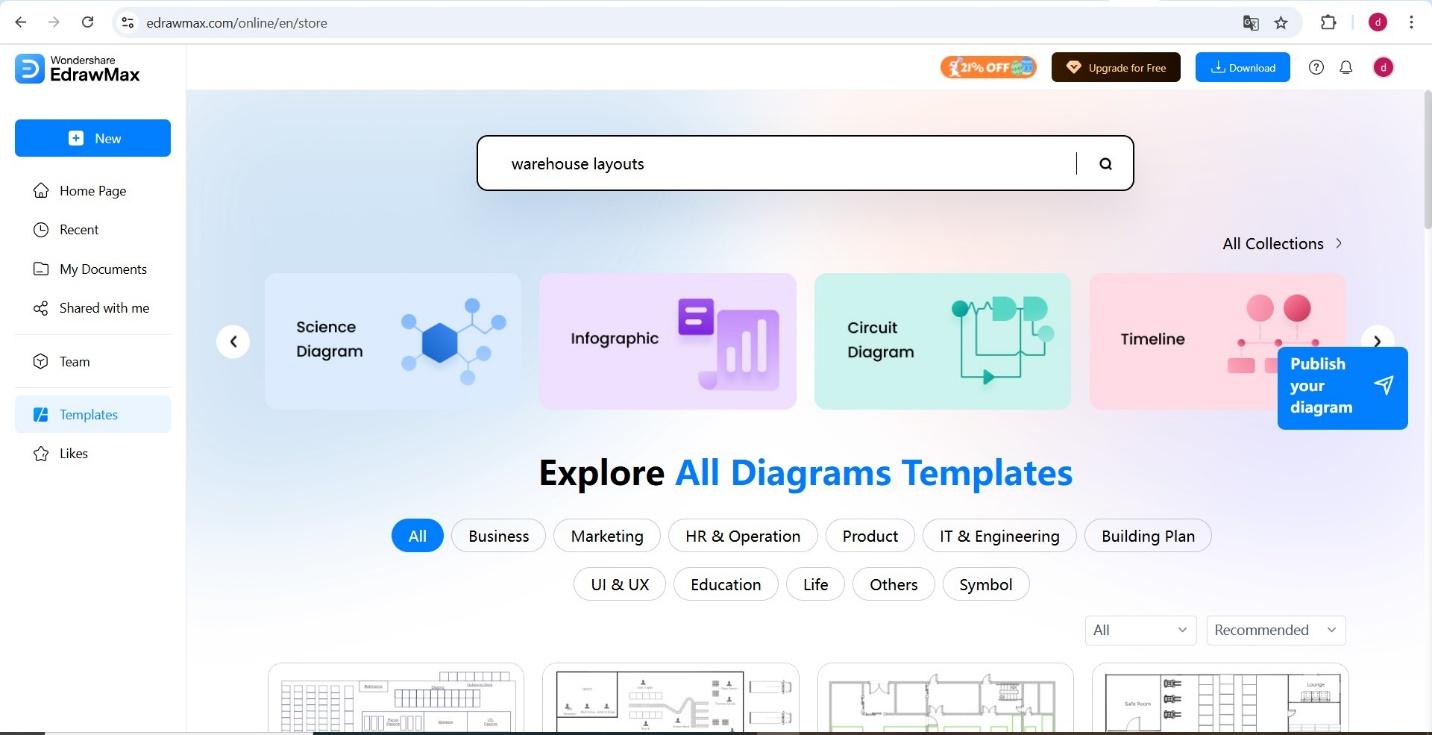
Browse through the Floor Plans category or use the search bar to find suitable Warehouse Layout Templates.
Step 3
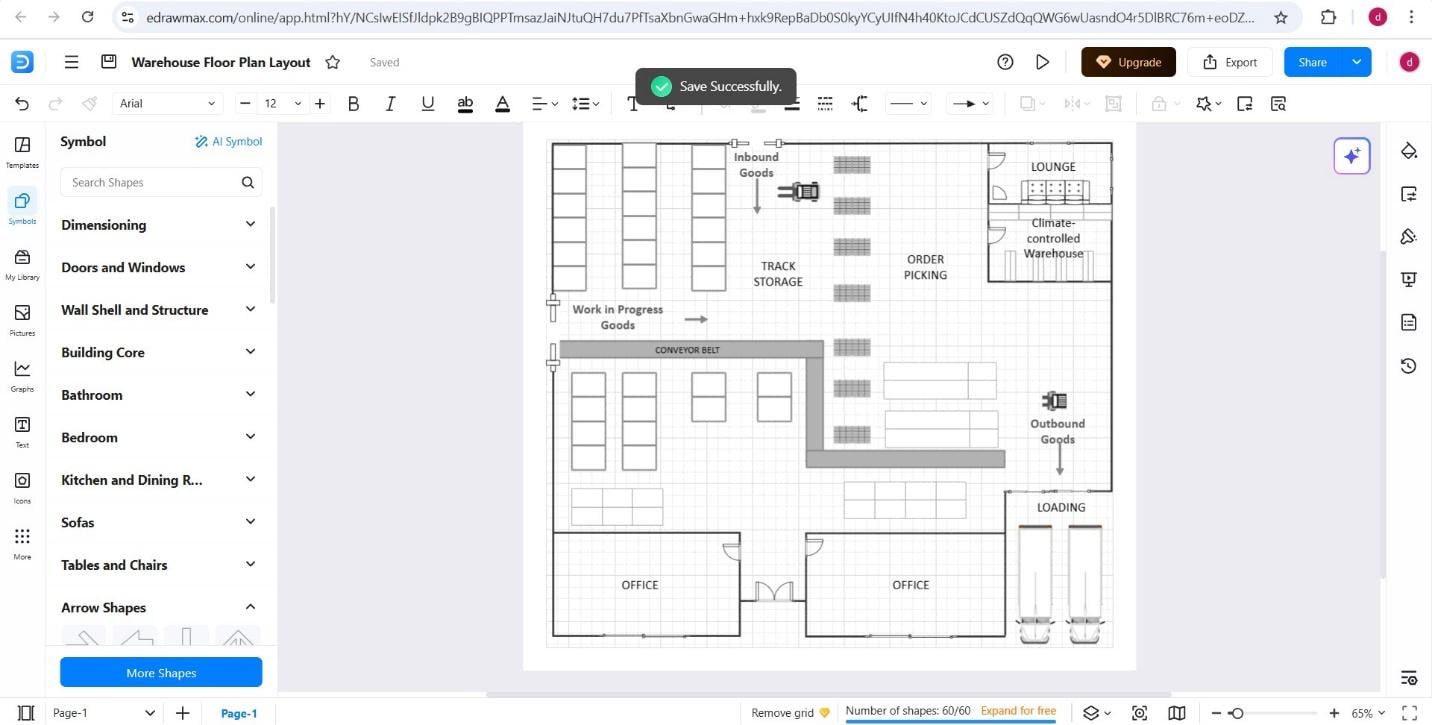
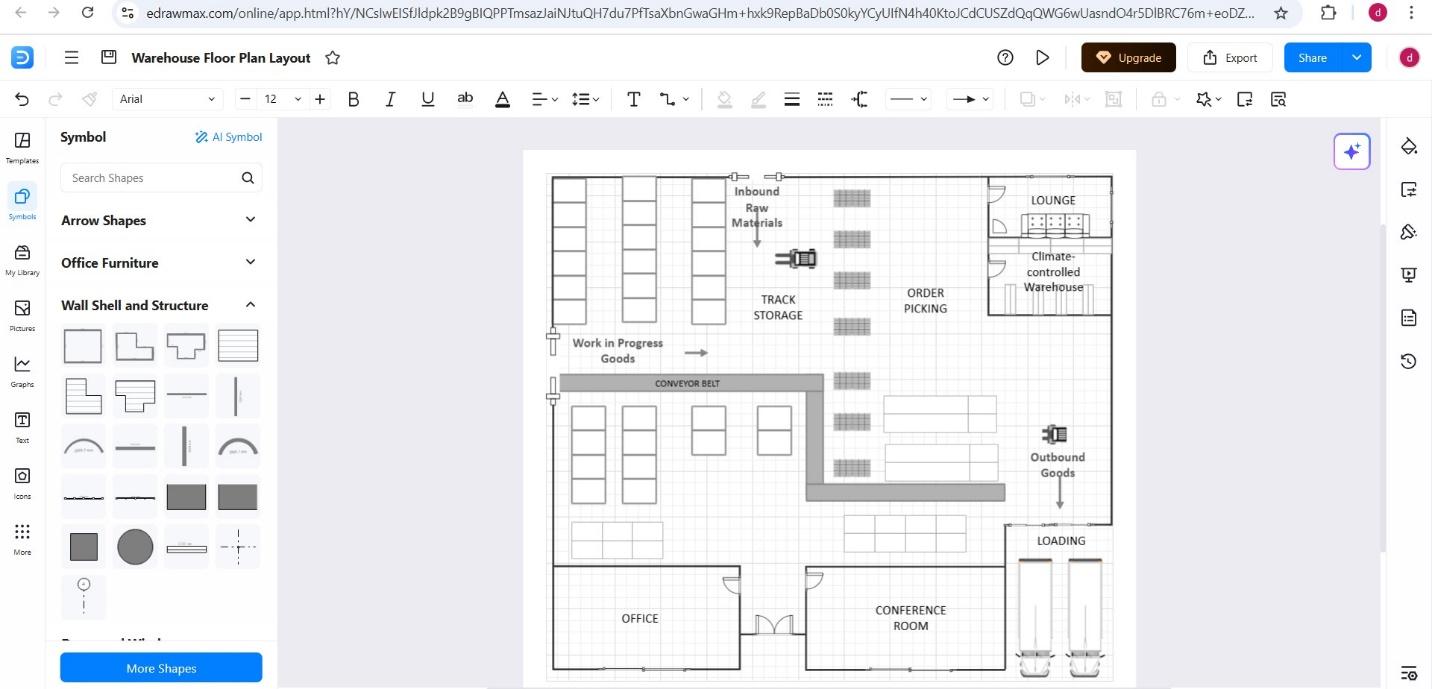
Customize the selected template to align with your specific project requirements. You can resize rooms, reposition or add doors and windows, and incorporate custom shapes and symbols to reflect your desired layout and functionality.
Step 4
Once your modifications are complete, save the project for personal reference or utilize EdrawMax's sharing options to collaborate or present the layout to others.
Method 3: Rebuild an Existing Plan with AI Recognition
Upload the current warehouse drawing with EdrawMax AI Floor Plan Recognition to convert detected walls, doors, windows, and text into editable elements. Compare the result with the source, then calibrate scale and dimensions and check docks, columns, aisle widths, and zone labels before changing the flow. If recognition misses a detail, correct it manually. The template and step-by-step methods above remain available for new layouts.
Conclusion
Investing time in a well-planned warehouse layout pays off through increased productivity, safer workflows, and better inventory management. Modern warehouses demand flexibility, scalability, and smart space allocation-all achievable with the right design approach.
EdrawMax empowers you to create professional, functional layouts without specialized training. With its intuitive interface and comprehensive symbol library, you can easily plan new facilities or redesign existing spaces. Start designing your high-performance warehouse with EdrawMax today and take the first step toward operational excellence!
AI Diagram Generator
Enter your prompt. Upload files if needed. Generate diagrams, charts, or slides instantly.


What is a warehouse layout?
A warehouse layout is a visual layout that shows spaces, zones, fixtures, routes, and functional areas from a planning perspective.
How do I choose the right warehouse layout example?
Choose the layout example that matches the decision you need to make. Concept plans work for early ideas, detailed plans work for measurements and operations, and safety-focused plans work for routes and exits.
Can I edit warehouse layout templates in EdrawMax?
Yes. EdrawMax lets you customize labels, symbols, connectors, colors, notes, and layouts, then export or share the finished warehouse layout diagram.



 (AI & Web)