



Every family loses details with each passing generation. Kids ask questions parents can't answer. Where did our last name come from? How are we related to that cousin everyone mentions at reunions?
Research from the National Archives and Records Administration says that families lose oral history within just three generations.
A family tree prevents this loss. Also called a genealogical tree or an ancestry family tree, it's a structured diagram showing your family lineage: parents, grandparents, children, and extended relatives across generations in a single chart.
Here, I'll explain everything about family trees, why tracking family lineage is important, and the simple steps to create one using a free family tree maker.
In this article
Types of Family Tree Charts
Many free family tree builders offer different templates for various types. Here are some suitable options from EdrawMax, a free family tree maker online:
Ancestor Chart (Pedigree Chart) for Ancestry Research
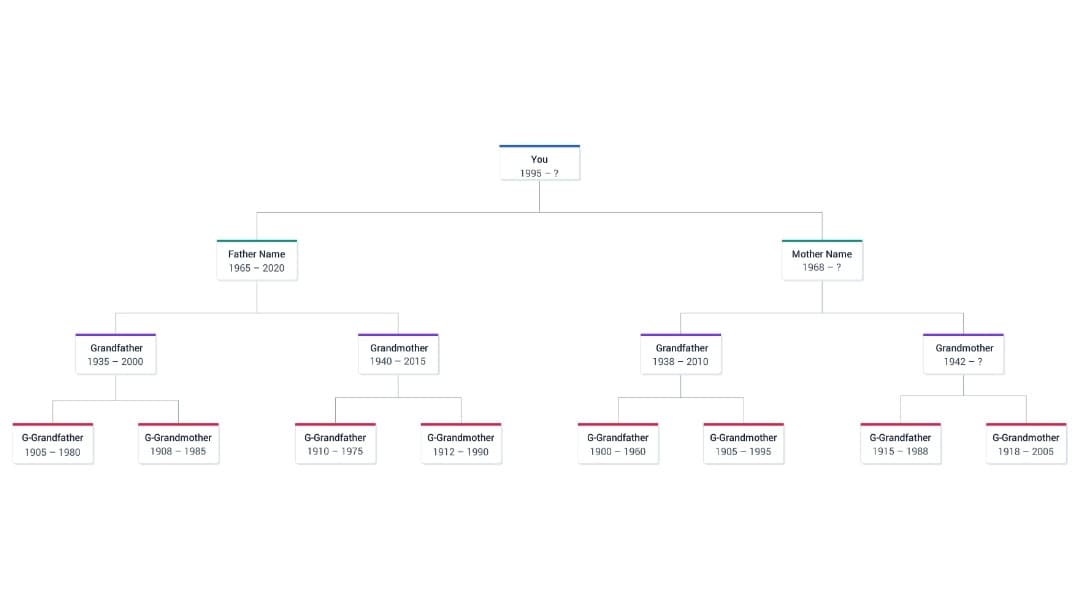


Start with yourself and work backward generation by generation, adding only direct ancestors.
I use this genealogical tree format when searching historical records. It keeps research focused when I'm only looking for grandparents, not siblings or cousins.
Descendant Chart for Legacy Documentation
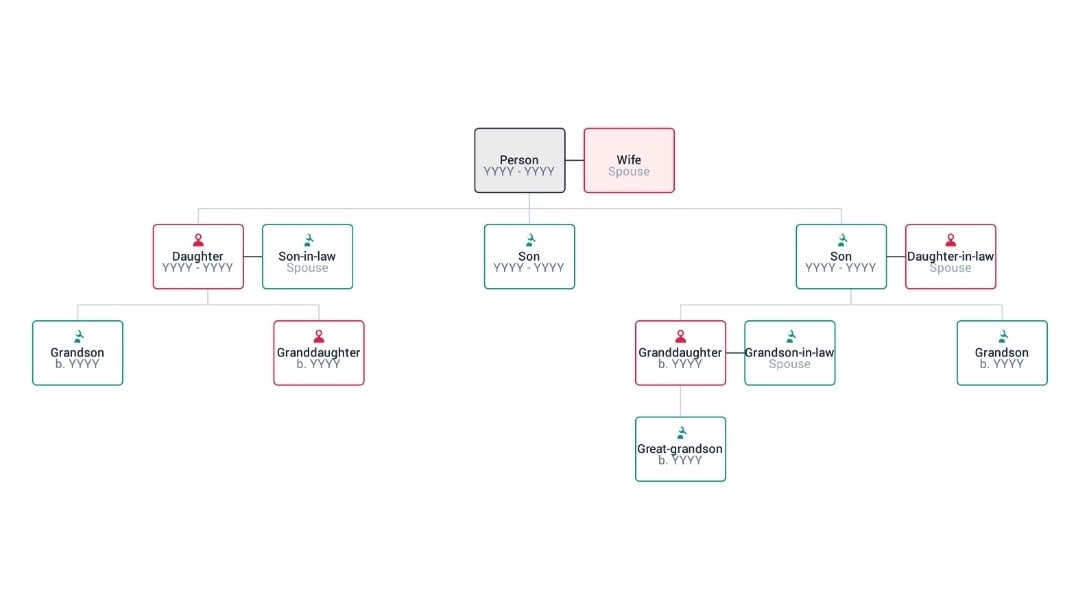
A descendant chart follows one ancestor forward. You see how a family grows from generation to generation. Families often use it to track growth after migration.
Hourglass Chart (or Sandglass Chart) for Personal Identity
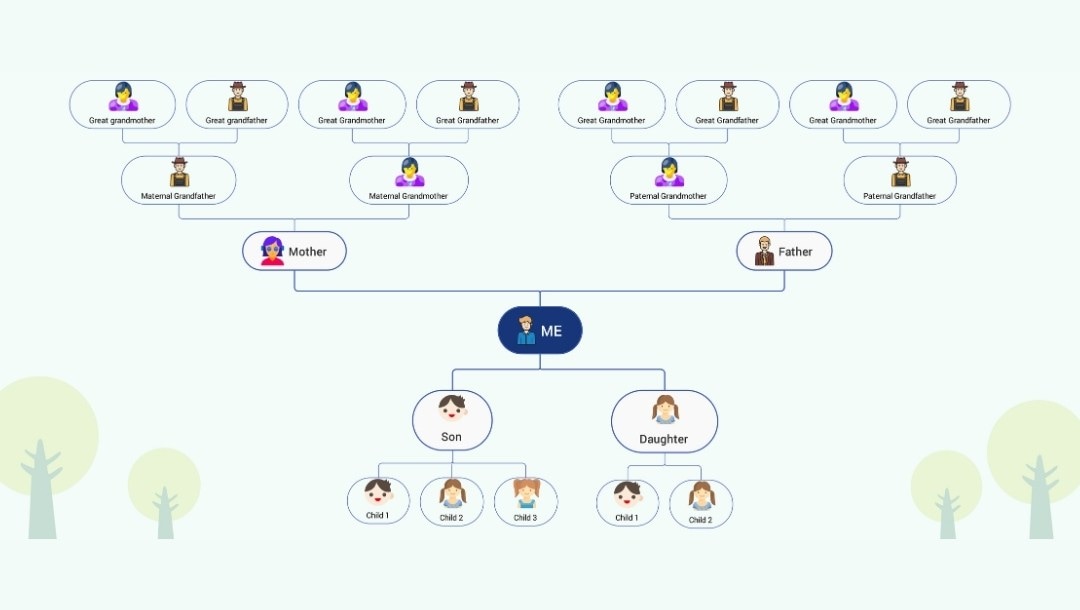
An hourglass chart ties both directions together. It shows who came before you and those who carry the line ahead.
Family Group Sheet for Detailed Record-Keeping
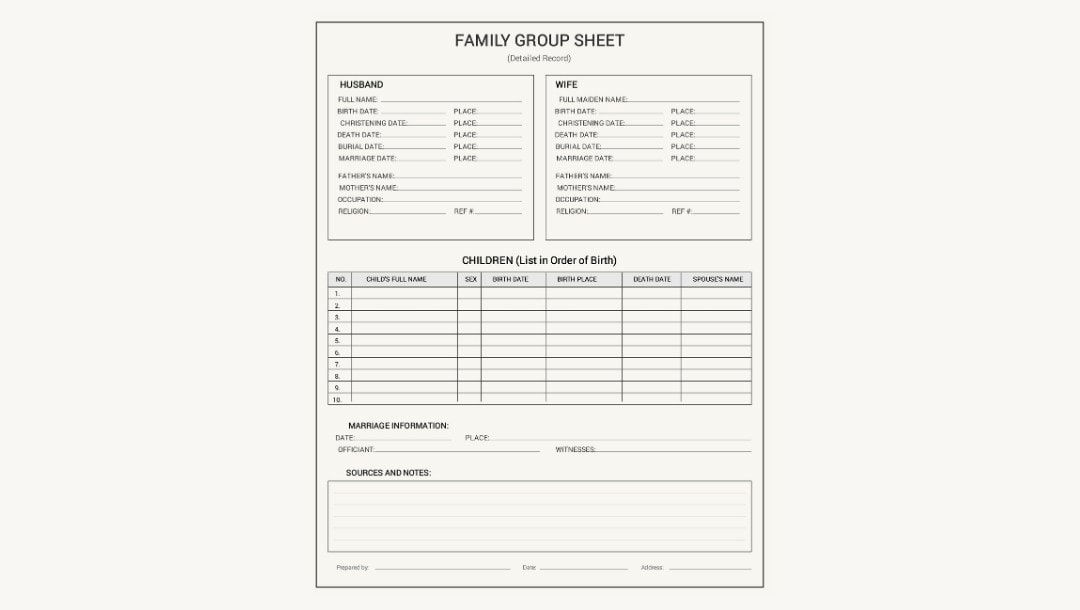
A family group sheet is great for keeping tidy notes. You create one sheet for each family unit, with full dates and places. I keep these in a binder and can link them in a digital family tree to build a complete record.
Extended Family Tree for Reunions and Collaboration
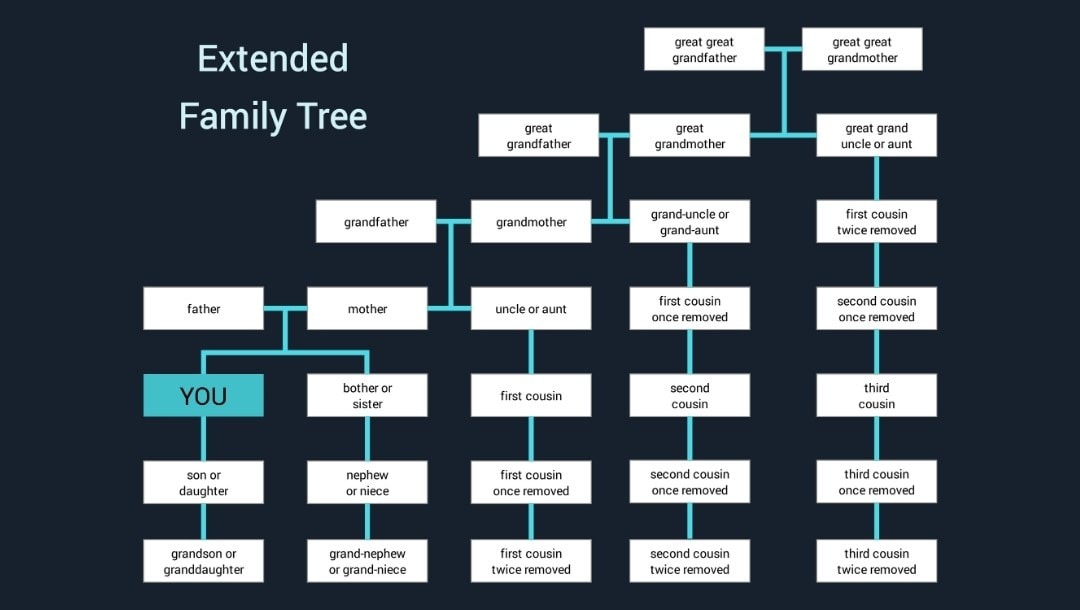
An extended family tree is helpful for reunions or group sharing. You add siblings, cousins, and in-laws so every living relative can see their place.
Fan Chart for Wall Displays
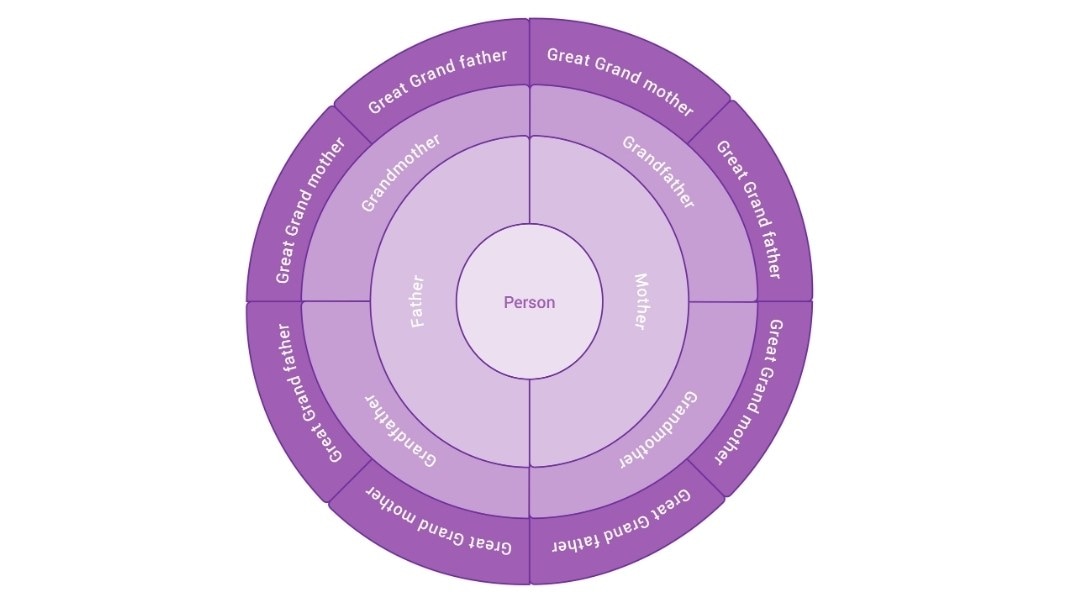
A fan chart works well when you want something to frame or a large print. The round layout shows many generations without taking up much space. This layout is popular for gift-giving.
Timeline Family Tree Chart for Historical Context
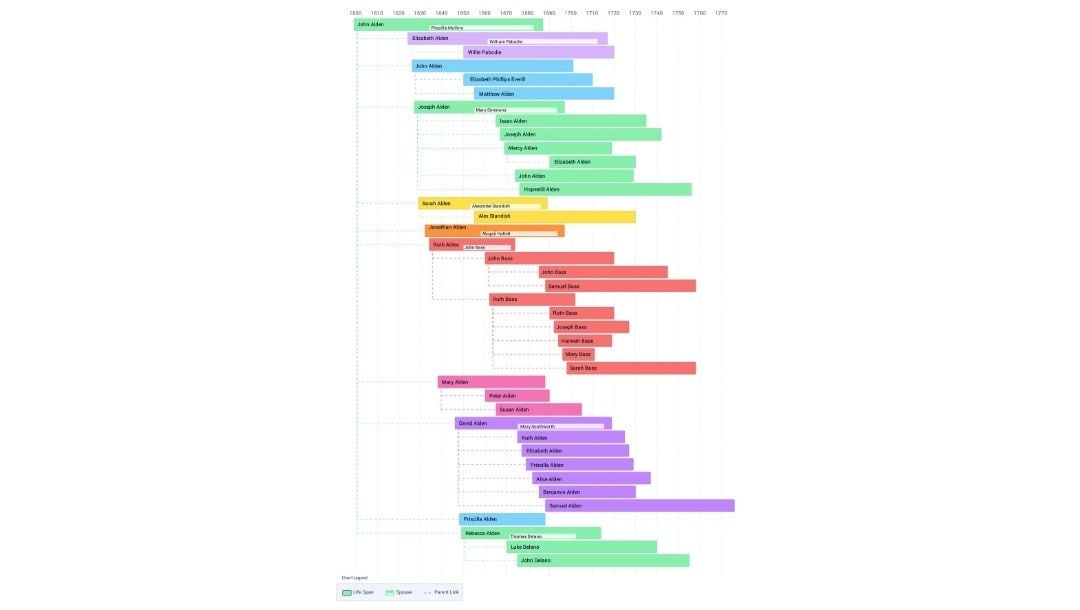
A timeline chart shows how your family fits into history. It shows which ancestors lived through wars, migrations, or other significant eras.
Why Create a Family Tree?
- Identity: A family tree links you to your roots. It makes your family lineage easy to see.
- Family Ties: Invite one person per branch to add facts. Set rules for names and dates to keep entries clean.
- Legacy: Save your family history in a simple genealogical tree, then print one copy for elders.
- History Lens: Map where each line lived. You will see how moves and jobs fit into larger events.
- Skill Building: The work trains you to test claims, cite sources, and fix conflicts.
- Health View: Keep a small “medical history” field on each card. Note shared risks.
- Legal Needs: A clear chart can support claims that require proof of descent.
- Wider Circle: Names and towns help find cousins you have not met yet.
- Kids Learn: A family tree template turns a complex topic into a short, fun task.
Free Templates of Family Tree Charts
Here are some of the best free family tree templates you can edit in EdrawMax, an online family tree builder:
The Simpsons Family Tree Chart
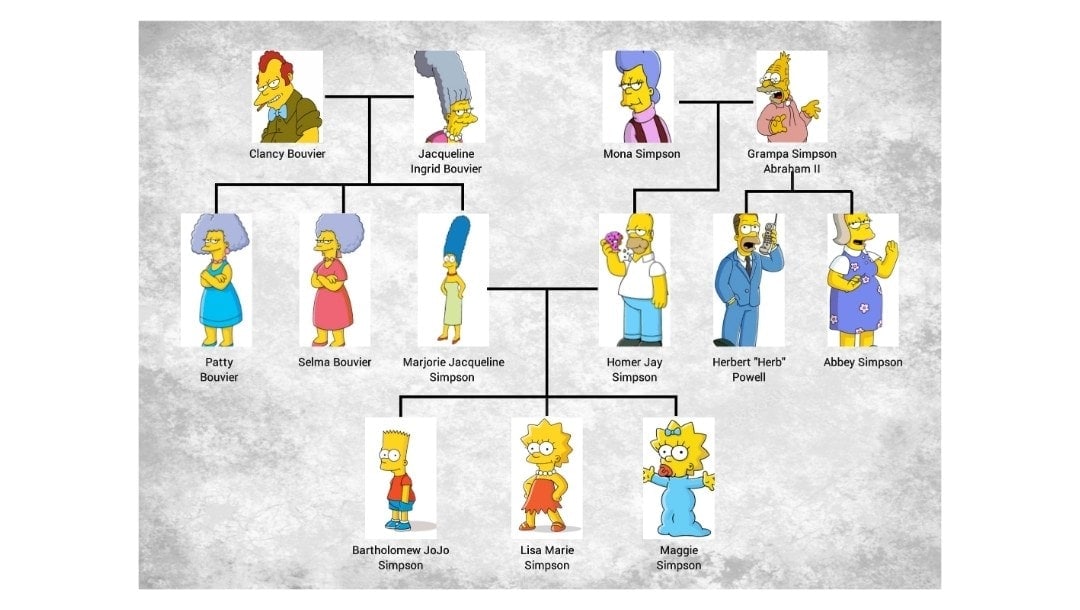
- Design: Bold lines, character images, and a simple descendant layout.
- Best Use: Teach “who is who” to kids before they build their own family tree template.
Medical Genogram with Symbols
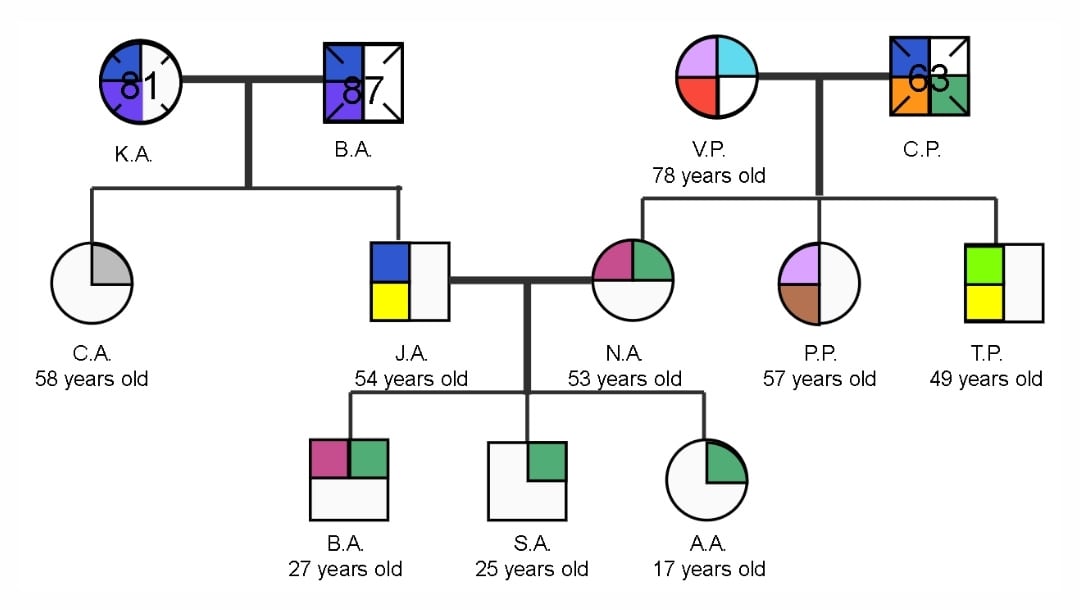
- Design: male square, female circle, colored markers for traits. Relationship lines show the bond type.
- Best Use: Map medical notes inside your genealogical tree to spot repeat risks.
Game of Thrones Family Lineage Chart
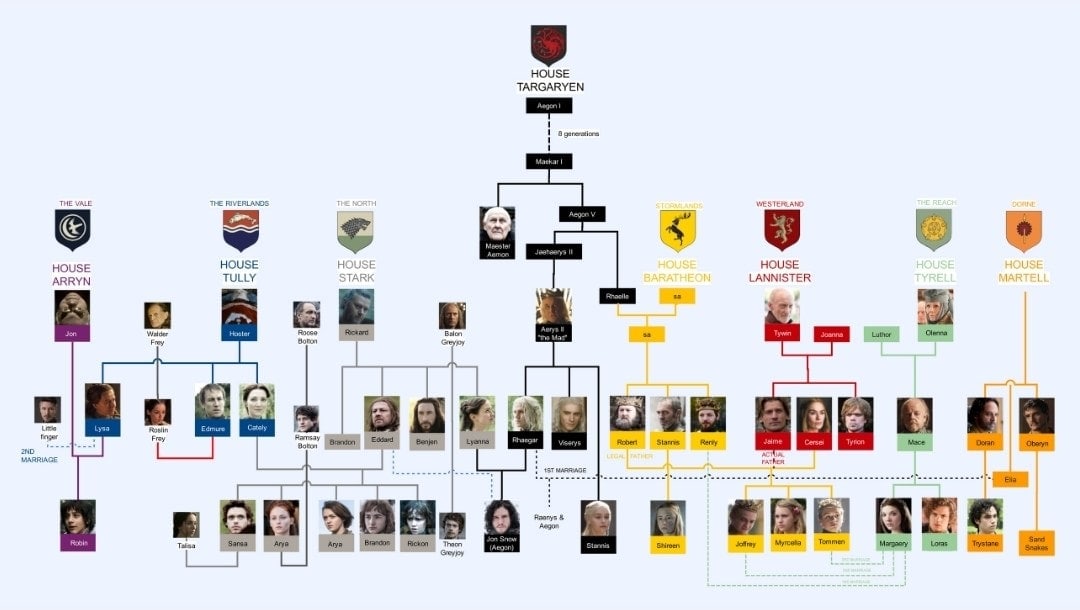
- Design: tall pedigree, colored branches for houses, dense but ordered.
- Best Use: Large ancestry family tree lines with intermarriages.
The Celebrity Biographic Tree
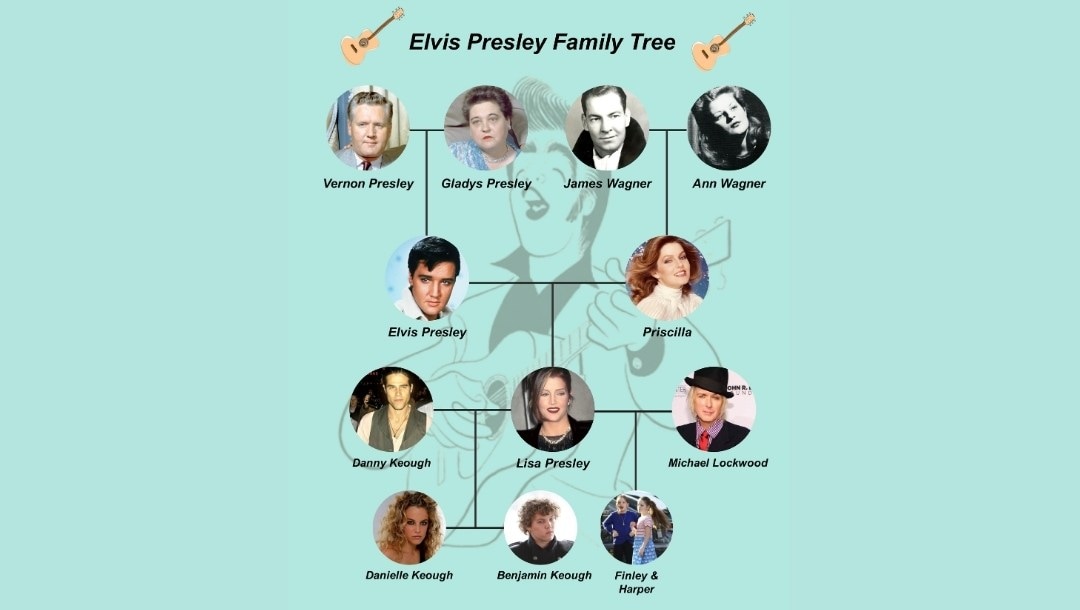
- Design: center portrait, ancestors up, spouse and child down.
- Best Use: A single legacy view for a class or a fan page.
The Aesthetic Family Tree Chart
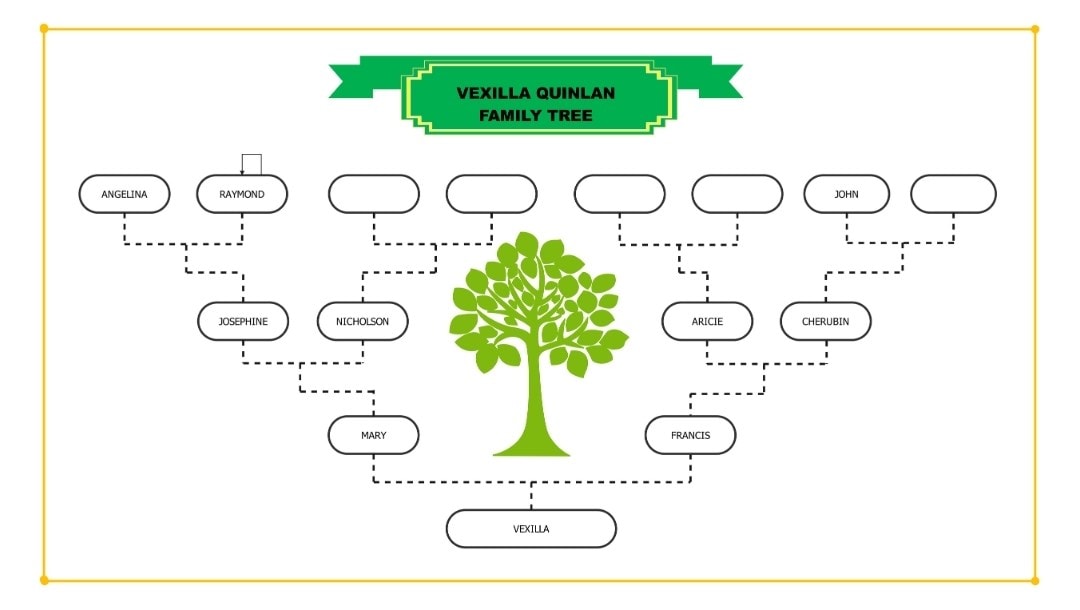
- Design: art-first with a green tree motif and neat name boxes.
- Best Use: Wall art, reunion gifts, quick prints of your family history.
Best Free Family Tree Tools & Builders
Visual Design Tools: Build from What You Know
These free family tree builders work best when you already have names and dates.
EdrawMax

Provides hundreds of professional family tree templates with built-in formatting. I use this when creating genealogical tree diagrams for presentations or prints.
The free version includes export to PDF and image formats. Works well for users who also create other diagram types, such as mind maps, org charts, flowcharts, etc.
Canva

Offers dozens of family tree templates with design flexibility. The drag-and-drop interface makes it accessible to anyone.
Focus is purely visual, with no database or record searching. Best for creating beautiful ancestry family tree prints or school projects.
SmartDraw
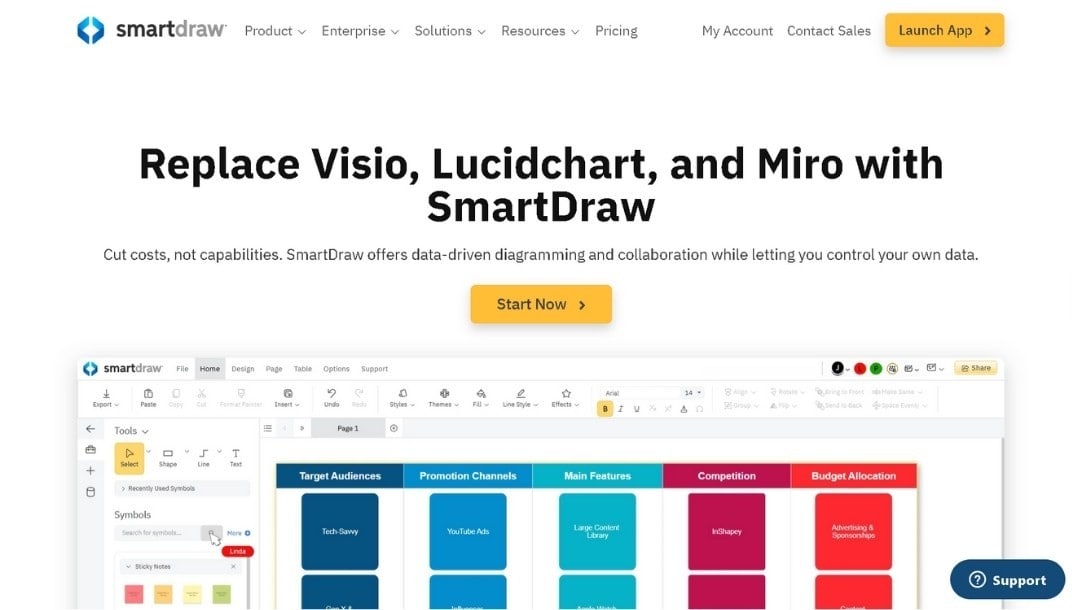
Auto-arranges your family lineage as you add members. Less manual positioning than Canva.
Integrates with Microsoft Office and Google Workspace. Suitable for structured diagrams that need frequent updates.
Research Tools: Discover Unknown Ancestors
These help you find family history through historical records.
FamilySearch
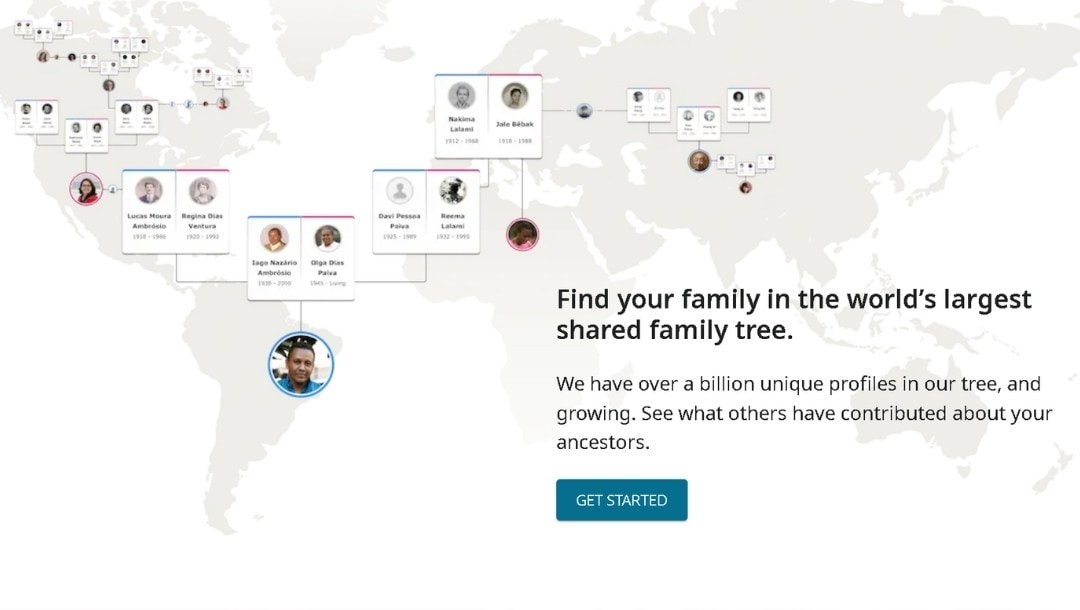
100% free access to billions of historical records. Users contribute to one shared world tree, so you might find your ancestors already documented.
Gramps
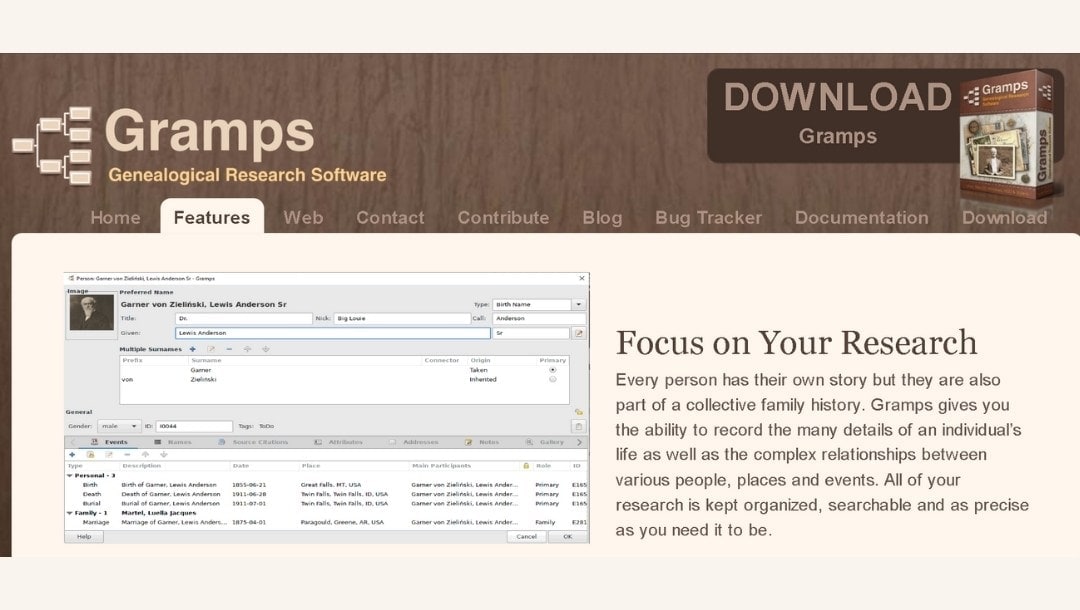
Open-source desktop software offering complete data privacy. No cloud integration or records, but it provides powerful local management.
Best for users who want full control over their genealogical tree data.
Ancestry
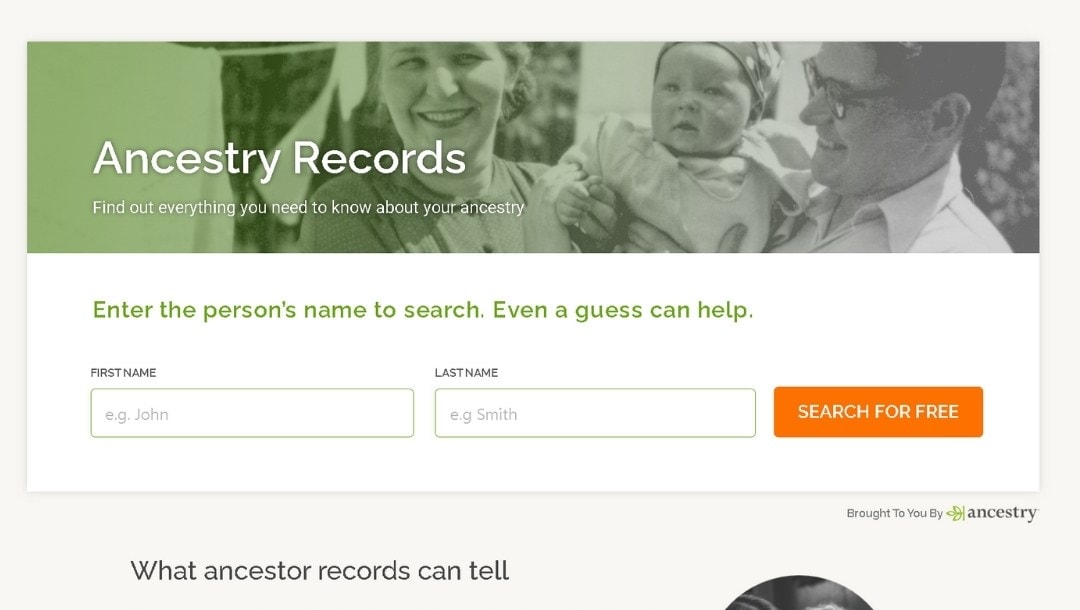
Free to build a private family tree of unlimited size. Record access requires a paid subscription, but the tree-building interface is excellent.
Start here if you plan to subscribe later for research.
How to Pick the Right Tool
| Start with Visual Tools If You: | Choose Research Platforms If You: |
|---|---|
|
|
How to Build a Family Tree with EdrawMax (Step-by-Step Guide)
Step1 Gather Information About Your Family History
Start before you open the software and look for:
- Full names (including maiden names for women).
- Birth and death dates.
- Marriage dates and locations.
- Birthplaces.
Pro Tip: Check old letters, certificates, and photo backs where relatives often wrote names and years.
 Get 500 free AI tokens
Step2 Choose a Family Tree Template
Using a free online family tree tool like EdrawMax makes collaboration easy and offers hundreds of family history templates. Multiple relatives can review or co-edit your chart simultaneously.
- Click the Template Gallery on the left sidebar in EdrawMax Online.
- Type "family tree template" or other relevant terms in the search bar.
- Browse results showing free pedigree charts, ancestor family trees, extended family lineage layouts, and more.
- Select a free template matching your data scope. Simple three-generation layouts work for beginners. Extended formats suit larger projects.
- Click Use immediately to open it on the editing canvas.
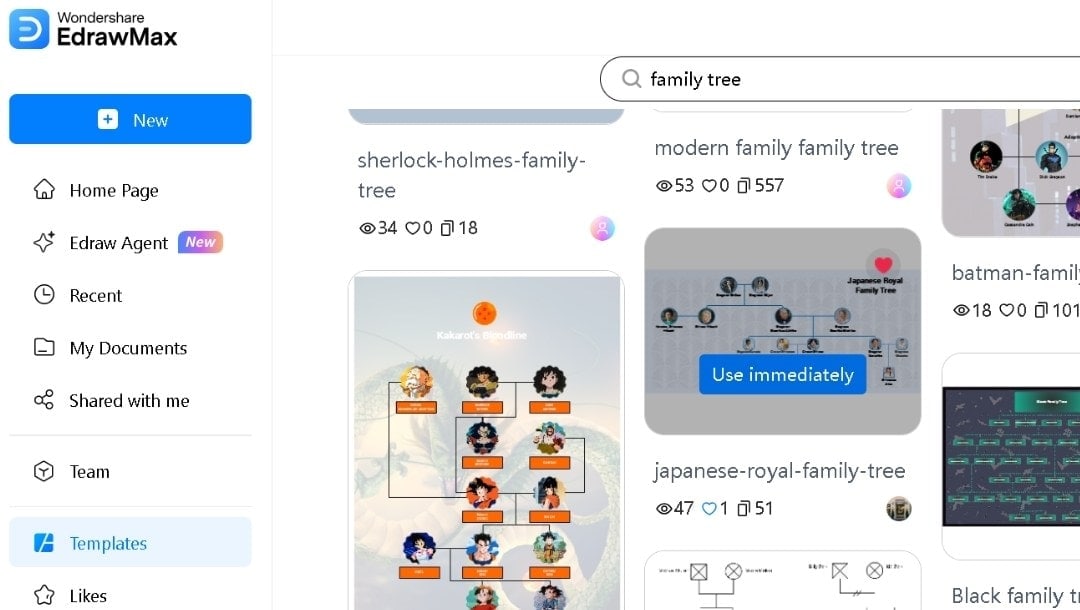
Step3 Edit Members and Build the Family Lineage
Now you add your collected information.
- Double-click any name box in the template and type the person's full name.
- Add birth date, death date (if applicable), and location details.
- Copy one of the shapes and paste to add more shapes for children or spouses, as required.
- Drag shapes from the Symbol Library on the left if you need additional boxes.
- Use the Connector tool from the top toolbar to draw relationship lines between new shapes.
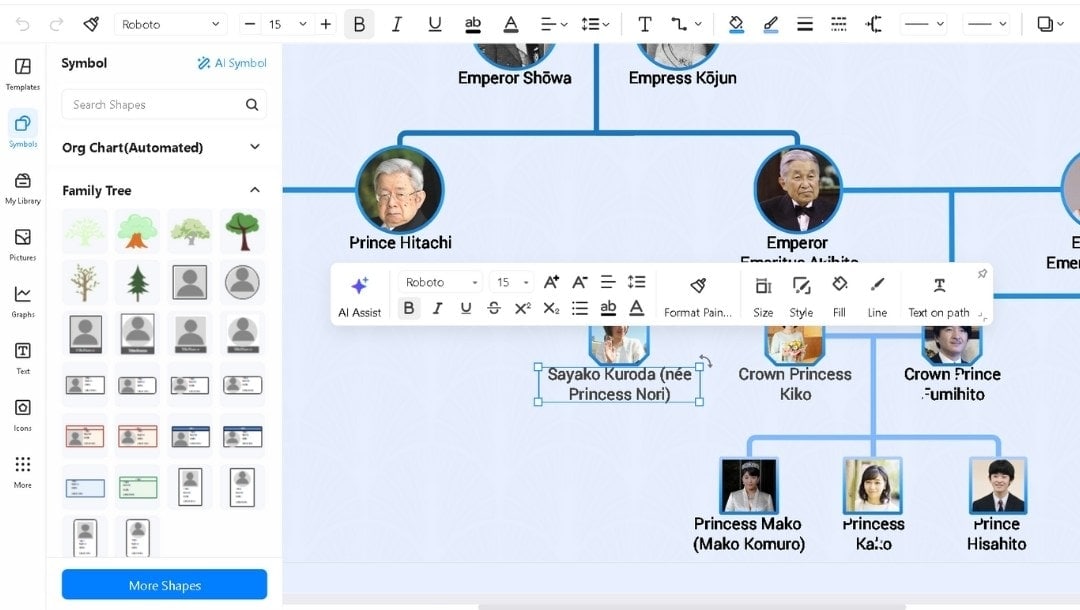
Step4 Customize and Visualize Your Family Tree
Convert the basic family tree template into a personalized genealogical tree.
- Click a picture node, then select Replace to change the photo.
- Use the right side panel for visual modifications.
- Change the theme with a click, or manually color each box as required.
- Rearrange boxes by dragging them to improve layout clarity.
- Adjust fonts, line thickness, and spacing using the formatting toolbar.
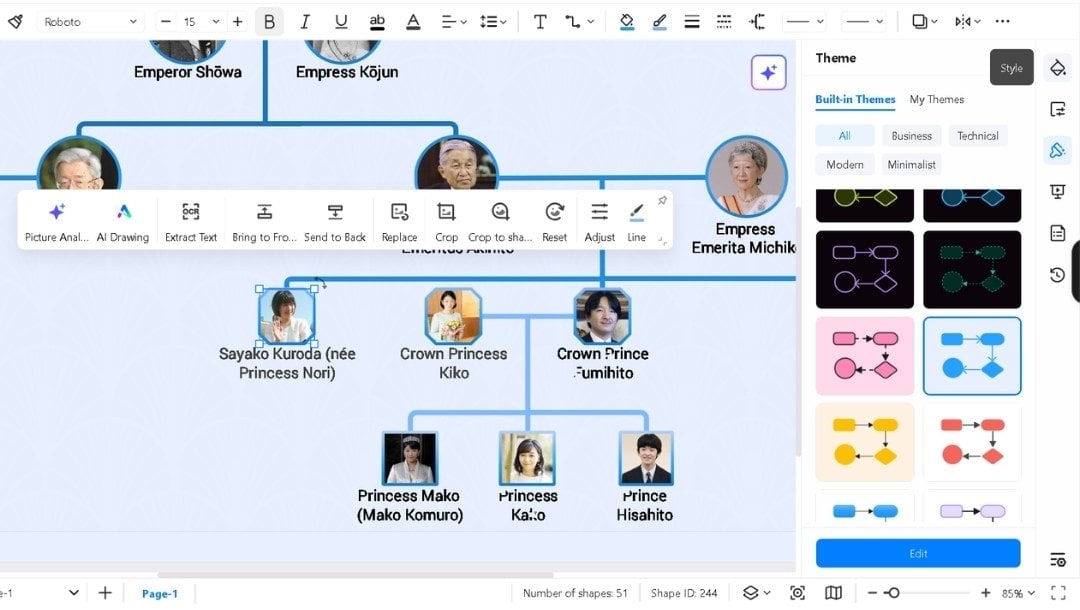
Step5 Save or Download Your Family Tree Online
When your pedigree chart is ready:
- Click Save As in the File menu, then download it in EDDX format to keep editing later.
- Choose the required format, settings, and location after clicking the Export button in the upper right corner:
- PDF works for documents and prints.
- PNG/JPG is best for a quick image for sharing in emails.
- Use the Share button to generate a link for family members' collaboration.
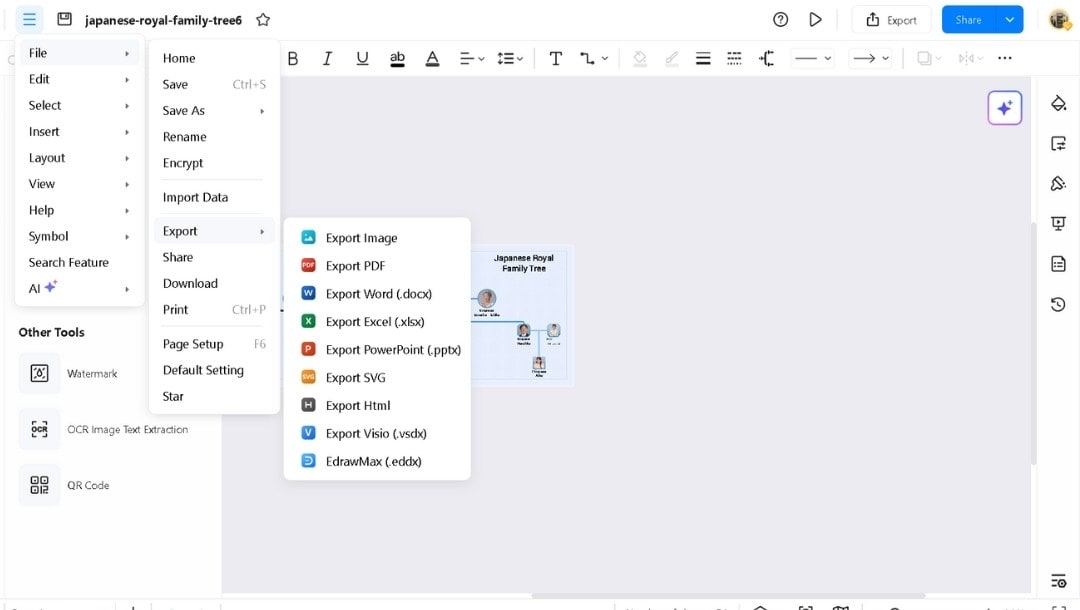
Common Mistakes & Expert Tips
You avoid most genealogy problems when you understand how mistakes happen and how to fix them fast.
Avoiding Common Family Tree Errors
- Mixing Facts and Stories: It’s easy to confuse relatives or skip ancestors in a family tree. Store personal stories in Notes. Put confirmed facts in fields and include sources.
- Guessing Ages: Avoid “about” unless the source supports it. If you estimate, mark it "Estimated” and explain why.
- Skipping Spouses: Add partners even if dates are missing. It prevents broken links later in your family tree.
- Unclear Places: “Springfield” needs a state and country. Many cities share names.
- Uploading Large Files: Full HD photos or other heavy files can slow down the online family tree builder. Keep HD files for print and compress images for web versions.
Pro Tips for an Accurate Genealogical Tree
- Use an online family tree builder with custom fields and advanced features like collaborations. Add fields you use often, like Occupation or Migration.
- Write standard names. Keep surnames as written in the record. Add known spelling changes in Notes.
- Follow the three-point rule. Before you attach a person’s data, confirm three points, for example, name, age, and place.
- Color signals strategically. One color for maternal, one for paternal. Light tone for living, darker for deceased.
- Track Changes. Note when and what you edit. e.g., '2025-01-10 added Ana's death location.' It helps for reviewing later.
- Keep a backup of your family tree online in the diagramming tool. For instance, EdrawMax stores your file in the cloud.
Final Thoughts
Every family loses details over time. Relatives pass away. Photos pile up unlabeled. Stories get forgotten. A family tree helps you create a permanent record of your family lineage.
Simply pick a family tree template from a free family tree maker, fill in what you know, and expand as you learn more.
Building a family tree online in EdrawMax lets others contribute too. Start your genealogical tree today before another generation's knowledge vanishes.
FAQs
-
What is the family tree for class 1?
A family tree for a class 1 student is a simple chart that shows family connections. It usually includes small photos or drawings. The child is at the bottom, with the parents above them, then the grandparents. -
What info is needed for a family tree?
You’ll need basic details, including full names, birth and death dates, pictures, and the places each person lived. Start with yourself, then add your parents and grandparents. -
How do I find my family tree for free?
You can build your family tree for free on the EdrawMax website. It offers a Free Online Family Tree Maker with collaboration features and access to dozens of family tree templates.
AI Diagram Generator
Enter your prompt. Upload files if needed. Generate diagrams, charts, or slides instantly.





 (AI & Web)