




A character relationship chart is a simple visual map that shows how characters in a story are connected. It can display family ties, friendships, rivalries, and alliances, helping readers or writers understand relationships at a glance. These charts are used in novels, movies, TV shows, comics, game scripts, and classroom literature analysis to make complex stories easier to follow.
In this article, we’ll explain what a character relationship chart is and how it helps keep track of characters. We’ll also show you how to make one online and give free templates to start right away.
In this article
What is a Character Relationship Chart?
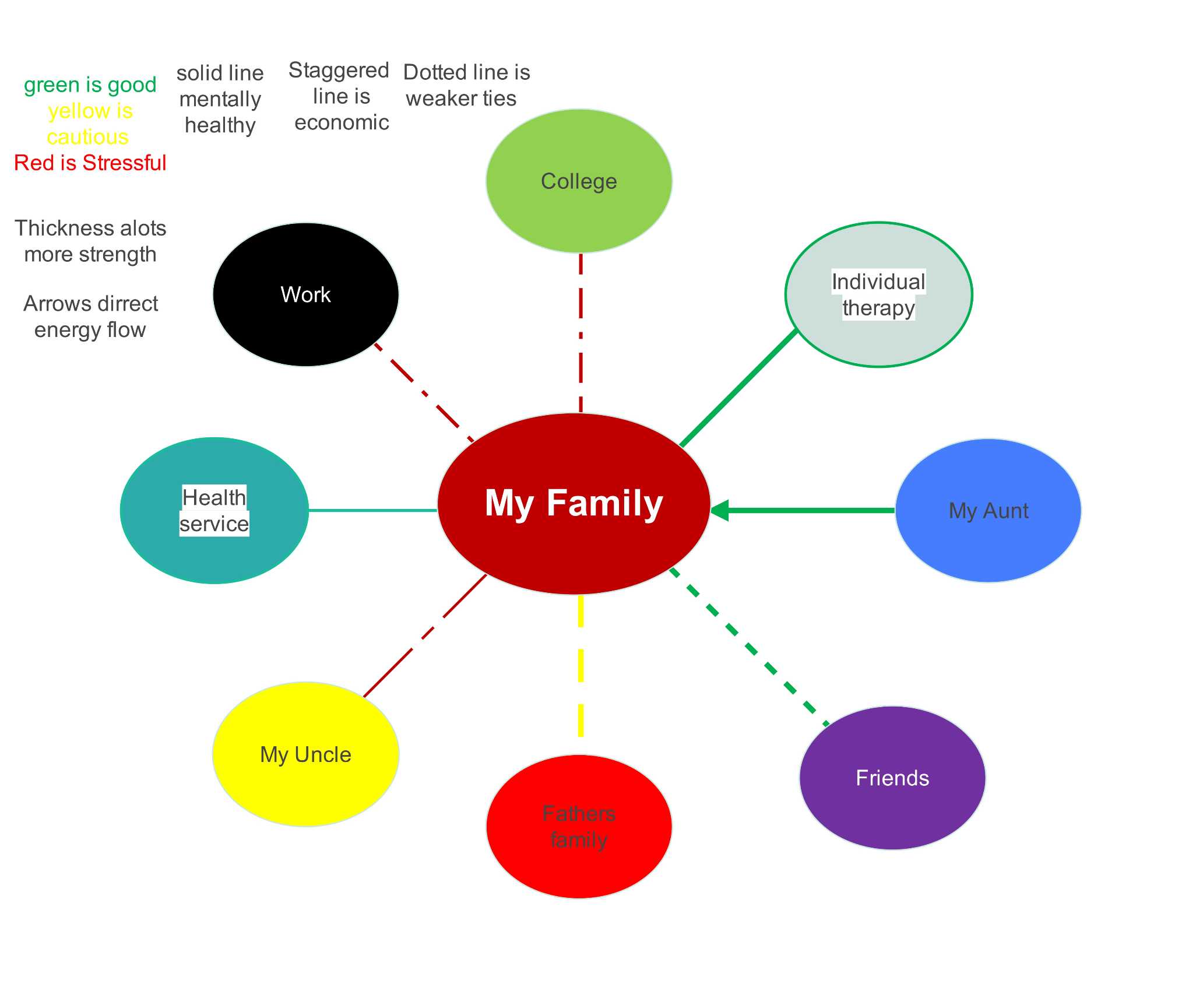


A character relationship chart is a visual map that shows how characters in a story are connected. Usually, the main character or key figure sits at the center. Lines or arrows stretch from that character to others, showing different types of relationships. Some lines represent family ties, while others show friendships, rivalries, or team connections. Colors, shapes, or labels can be added to make relationships clear at a glance.
The chart has three main parts: nodes, lines, and labels.
- Nodes are the boxes or circles for each character.
- Lines connect the nodes to show how characters relate.
- Labels or colors can explain the type of connection.
When all characters and lines are placed together, the chart forms an easy-to-read map of the story.
Character relationship charts are used in many kinds of stories. In books, they can show family trees. In comics or superhero stories, they show heroes, villains, and teams. In school dramas, they show friends, enemies, and crushes. In video games, they show allies, rivals, and opponents. These charts help anyone quickly see who is connected to whom and how they affect each other.
How to Make a Character Relationship Chart Online?
There are usually many characters who are interrelated in stories. These connections can be illustrated with the help of a character relationship chart. It may include friends, enemies, family, and romantic relationships. Planning first makes it easier to place everyone in the right spot. This makes the chart well-organized and understandable.
To simplify it, take into consideration the following tips:
- List all characters: Write down every character and their role, such as protagonist, antagonist, mentor, or friend.
- Identify relationships: Indicate family relationships, friendship, alliances, conflicts, rivalries, and romantic relationships.
- Choose the main character: Decide who will be the main character. This is usually the character around whom most relationships revolve.
- Make labels and lines obvious: Make the chart simple. Label every connection using readable lines and labels.
- Group related characters: Place families, teams, or friend groups close together. This helps the chart stay organized.
- Be flexible: Move characters or connections if the chart becomes crowded. Adjust placements as needed.
- Check for missing links: Make sure all important relationships are included before finalizing the chart.
Steps to Make a Character Relationship Chart Online for Free in EdrawMax
Many people struggle with organizing characters when the story has teams, families, villains, and different connections. Paper charts can get messy, and simple tools don’t provide enough layout options. EdrawMax solves these problems by offering free templates, intuitive layout controls, and easy customization features.
Follow these steps to make a character relationship chart online for free with EdrawMax:
 Get 500 free AI tokens
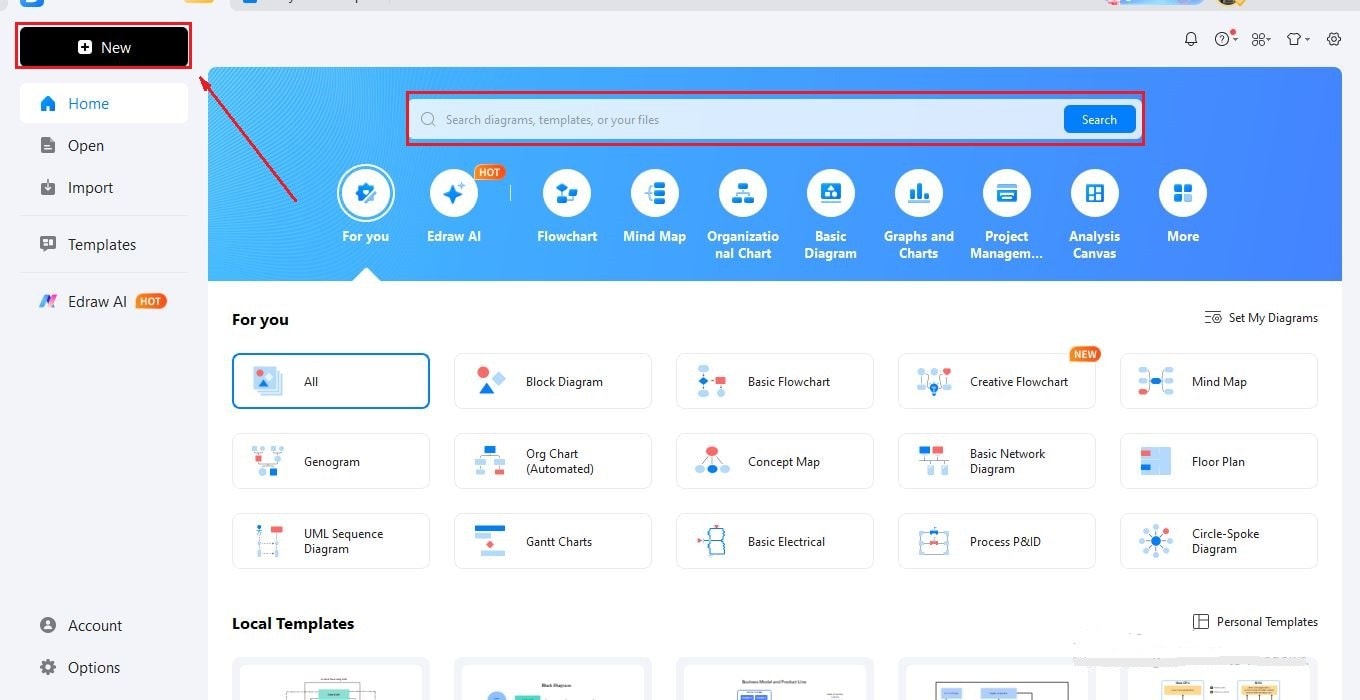
Step1 Open EdrawMax and Start a New Canvas
- Open EdrawMax online or in the desktop app.
- Open a blank canvas and start making your chartOpento get started.
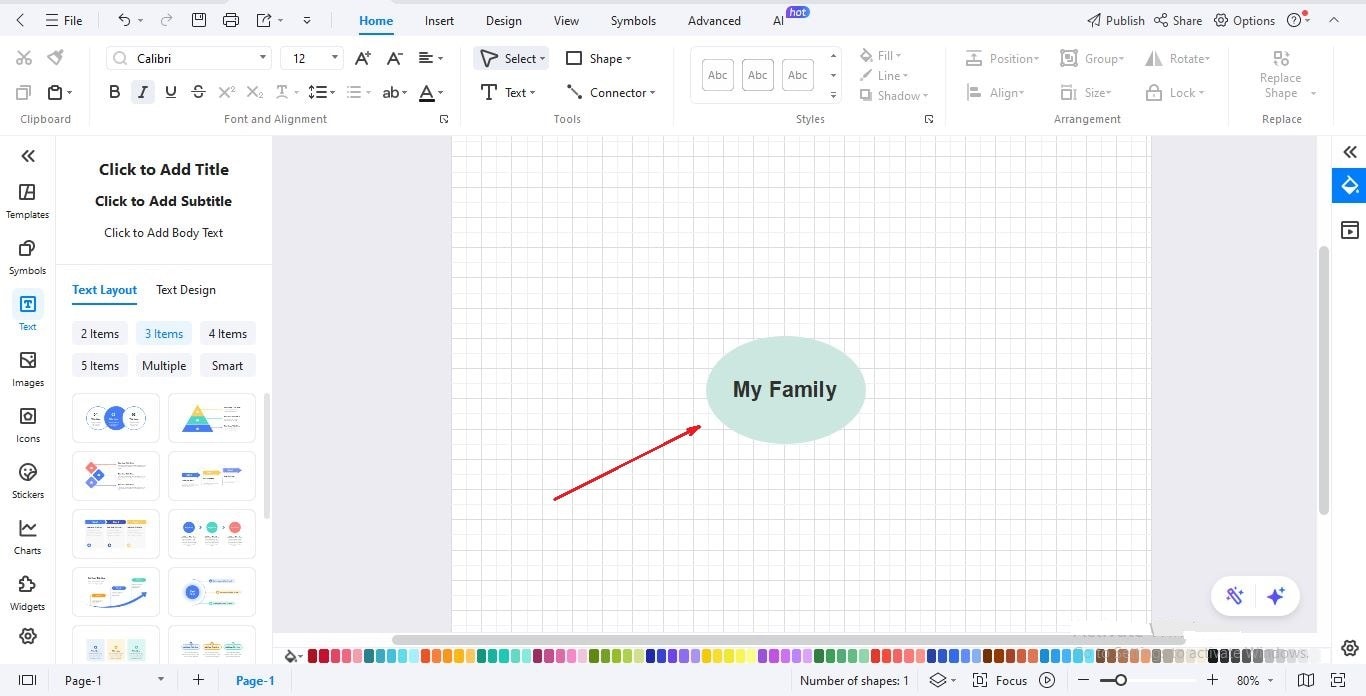
Step2 Add the Main Character or Core Group
- Insert your main character or central team.
- Place them at the center of the canvas to build the chart around them.
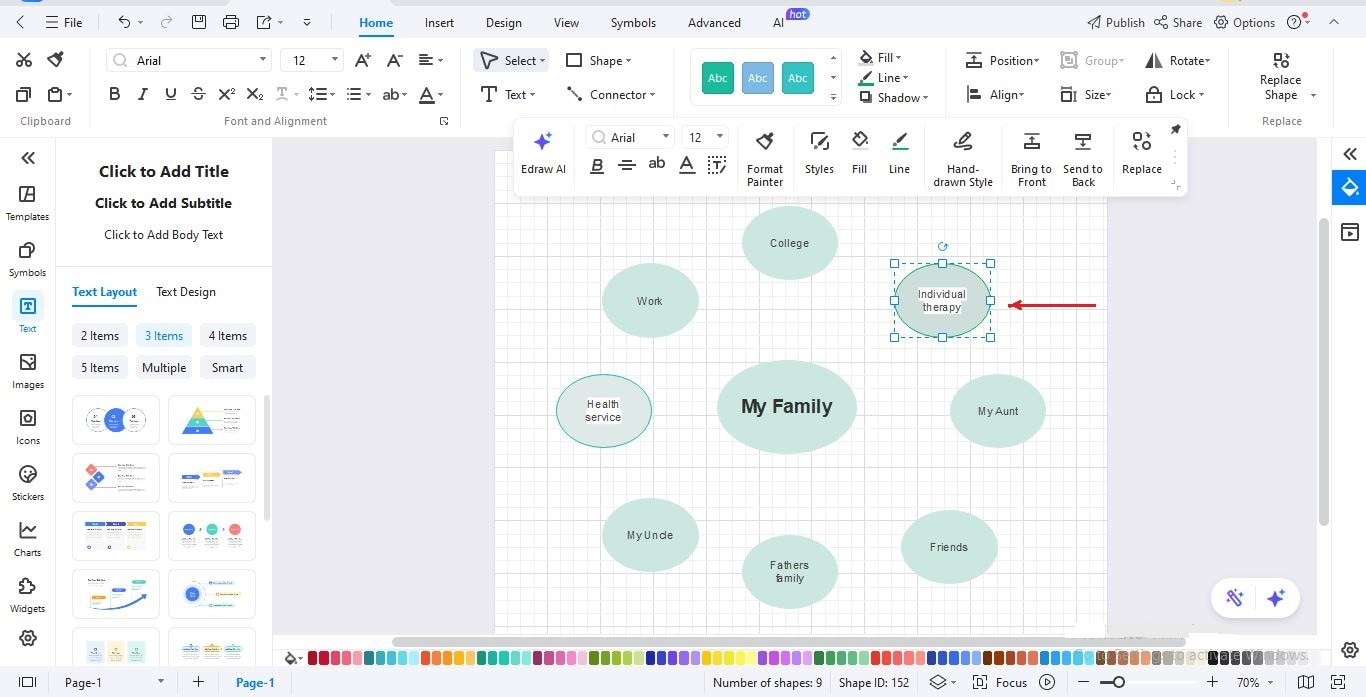
Step3 Add Other Characters
- Add more characters one by one.
- Arrange them around the center to show who belongs where: teams, families, villains, or allies.
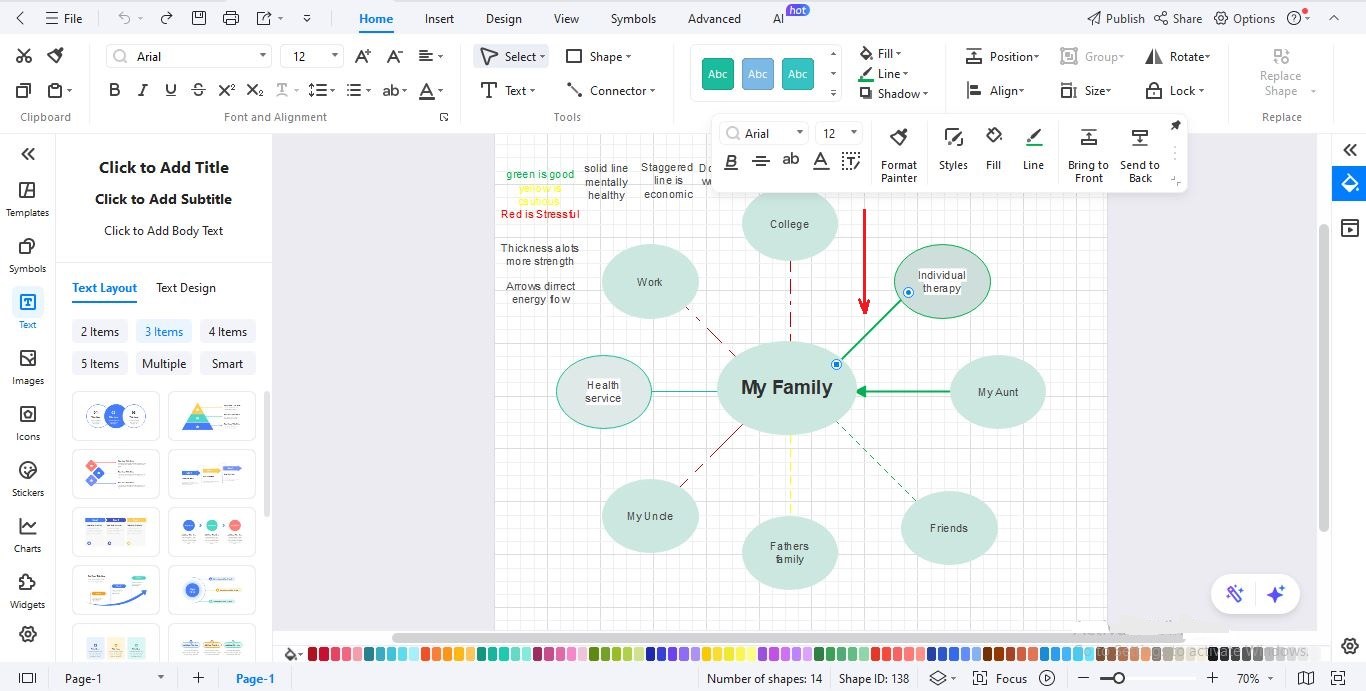
Step4 Draw Relationship Lines
- Connect characters using lines.
- Label each line with the relationship type, such as friend, enemy, sister, mentor, or team member.
Step5 Add Colors and Grouping
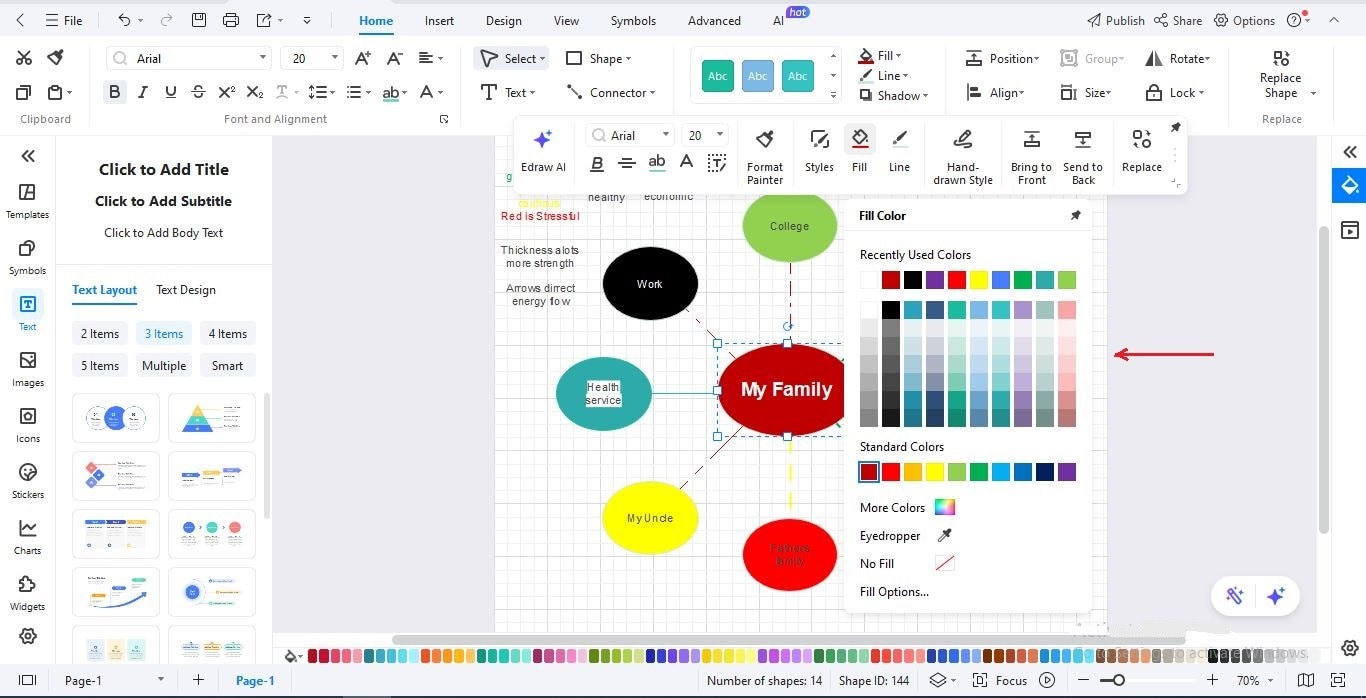
- Use different colors for groups or categories.
- For example, heroes, villains, family members, or teammates.
Step6 Adjust Spacing and Clean the Layout
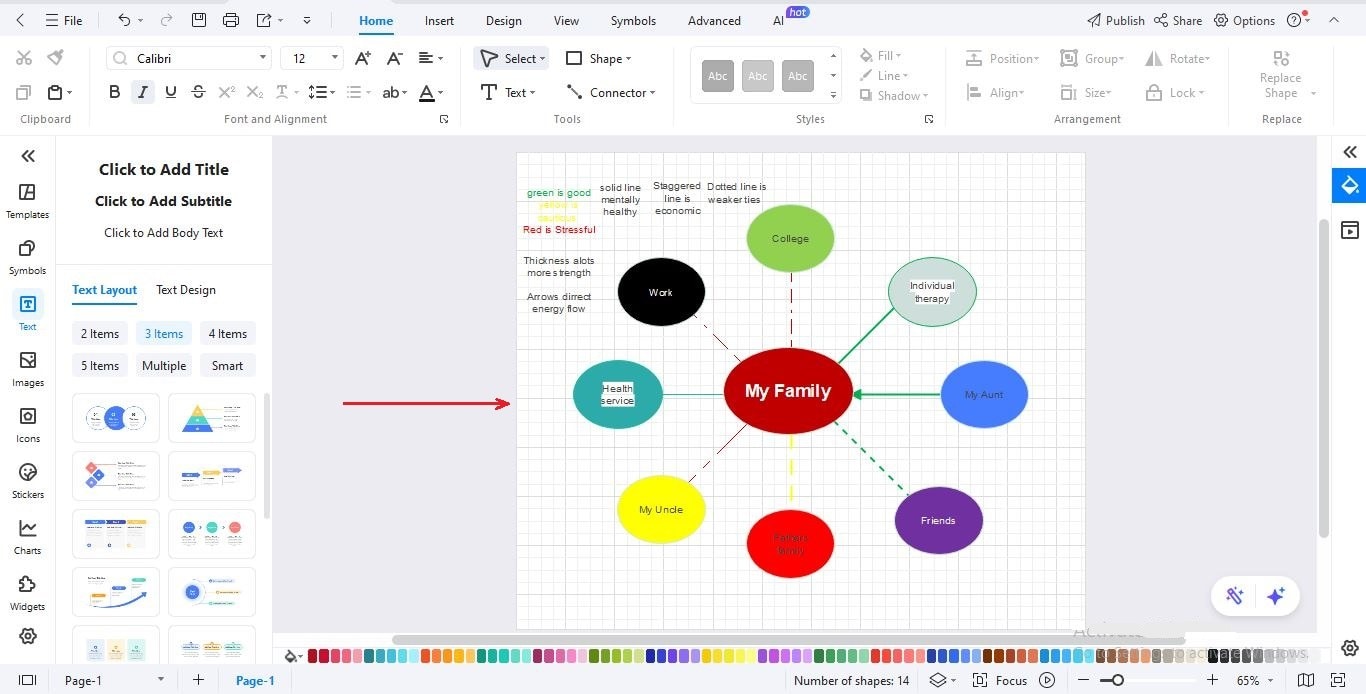
- Move characters around to avoid overlapping lines.
- Keep the chart balanced and make sure all labels are easy to read.
Step7 Save or Export Your Character Chart
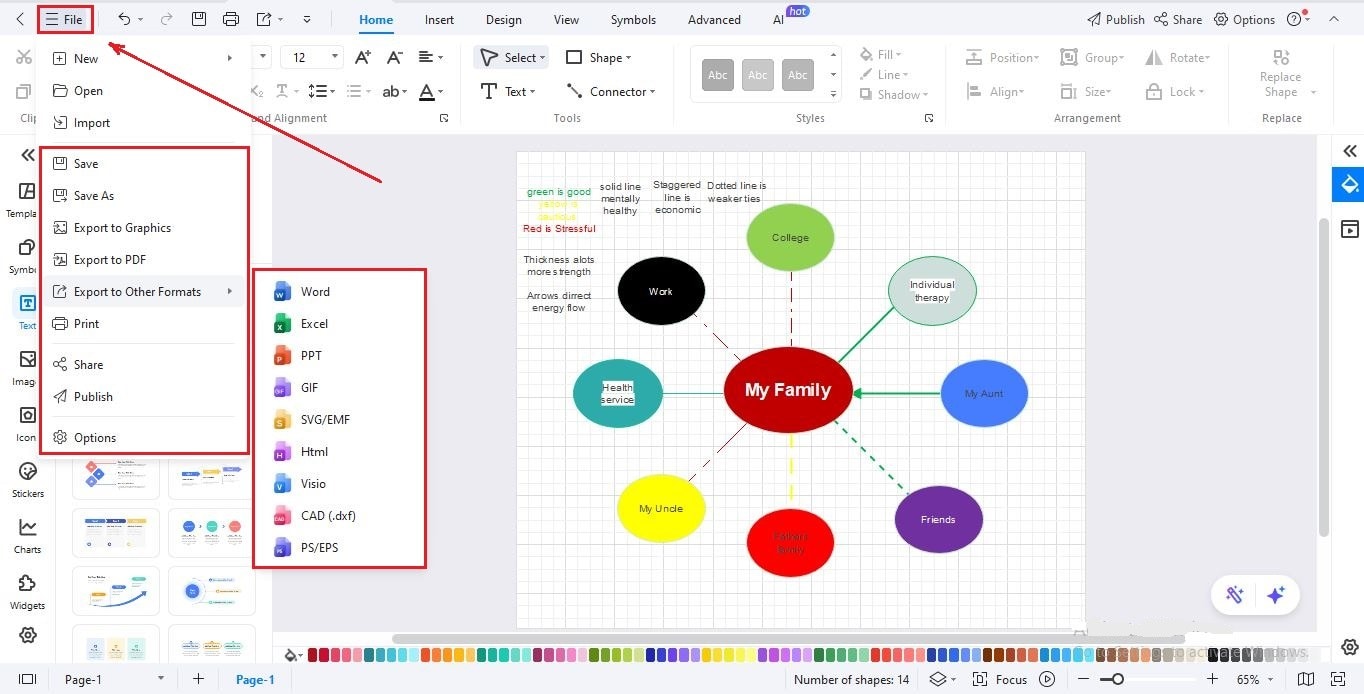
- Save the project if you want to edit it later.
- Export the diagram as PNG, JPG, PDF, SVG, or an editable EdrawMax file.
Free Character Relationship Chart Templates to Get Started
To help you get started quickly, we’ve collected free character relationship chart templates. Select a template you like, add your characters, and customize lines and colors to map your story easily.
Map of Family Relationships
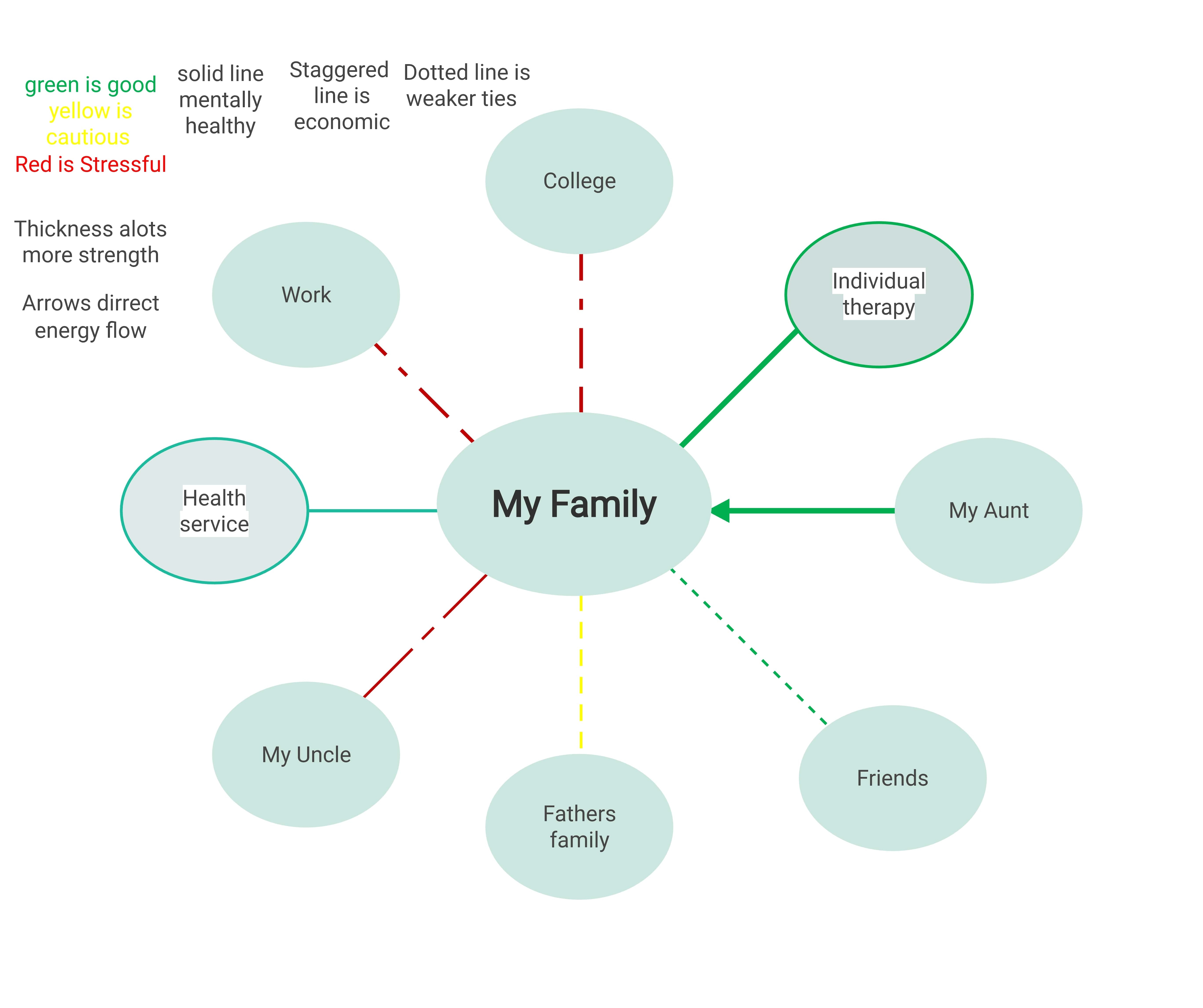
This template shows you how a family's daily life works. Each color shows whether influences are positive, neutral, or stressful. The lines indicate how strong each connection is. You can spot which relationships give energy and which drain it. Families, counselors, and social workers can use this map to better understand family dynamics.
The Avengers Character-Relationship Diagram
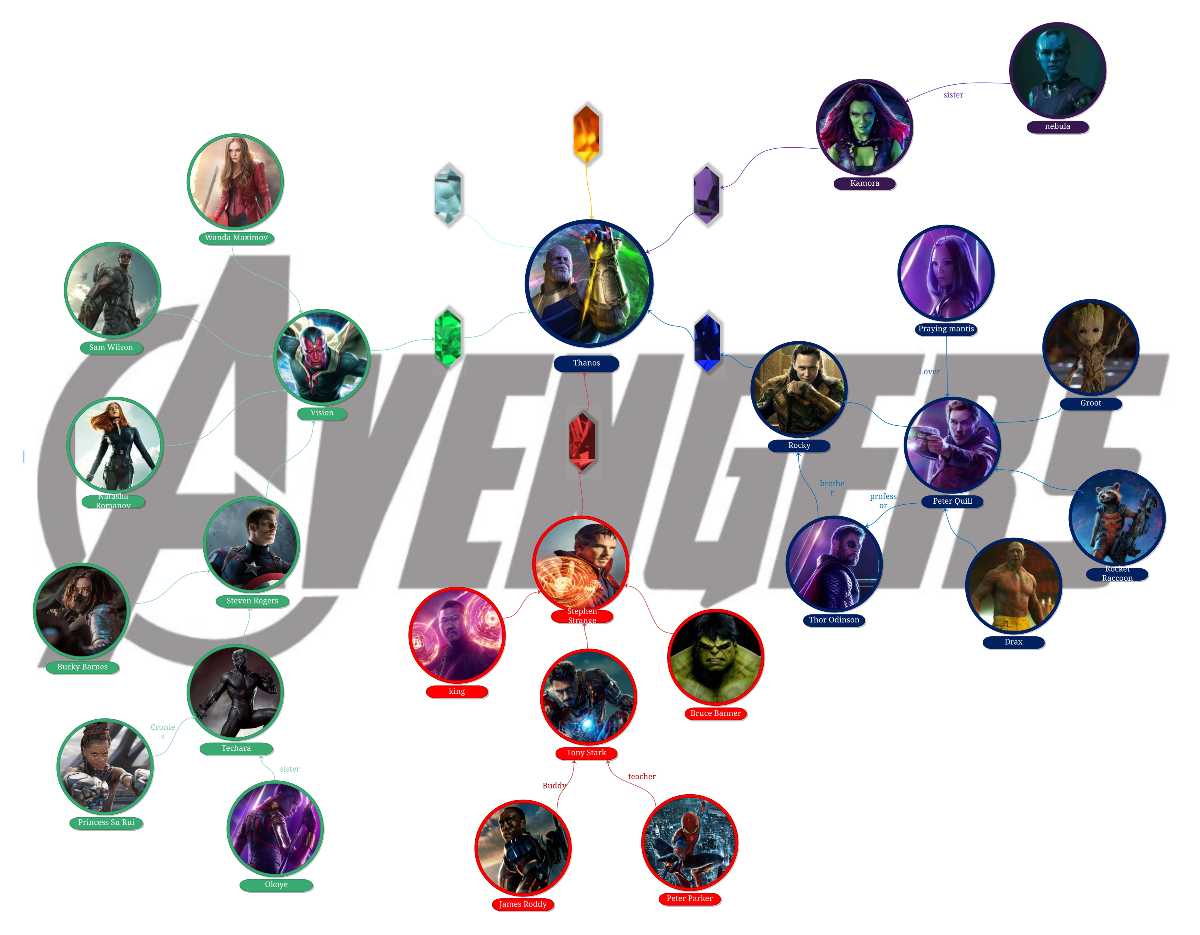
This template shows how the Avengers relate to each other. Each character is displayed clearly, and the lines describe their connections. Some work together, some disagree, and some are family. The colors make it easy to follow. Fans, storytellers, and educators can use this diagram to study character interactions.
Book Character Relationship Diagram
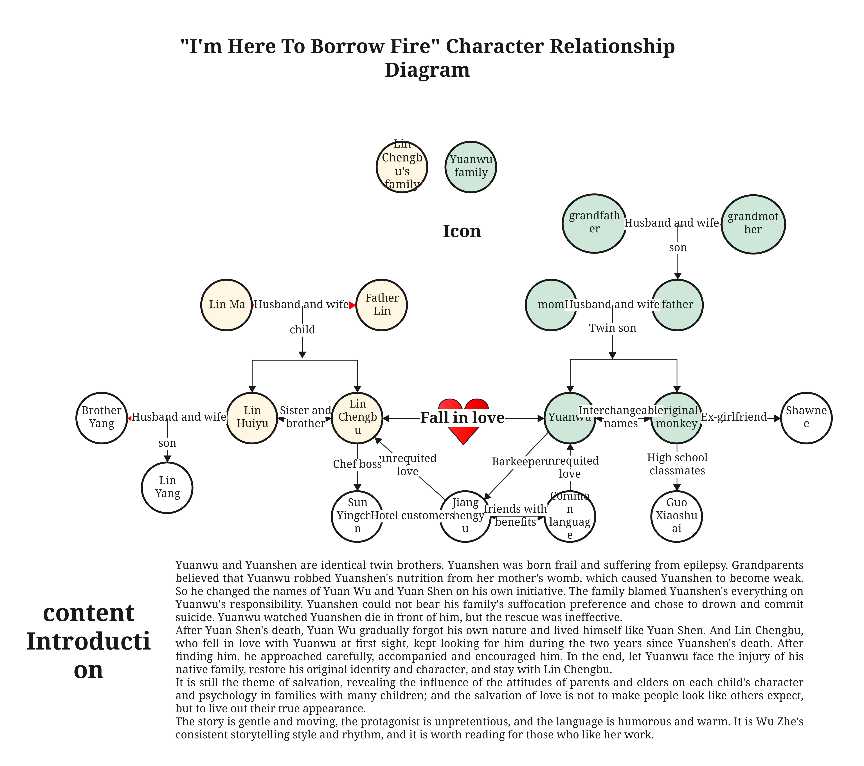
This is an example of characters in a book and their relationship. It has different types of lines, which connect the main character's relationship with his friends, family, and lover. This template is designed for people who are interested in connecting book characters to make sense of it. This way, they can easily follow the story and behavior of characters, and even plan or analyse stories without losing details.
Star Wars Characters Relationship Diagram
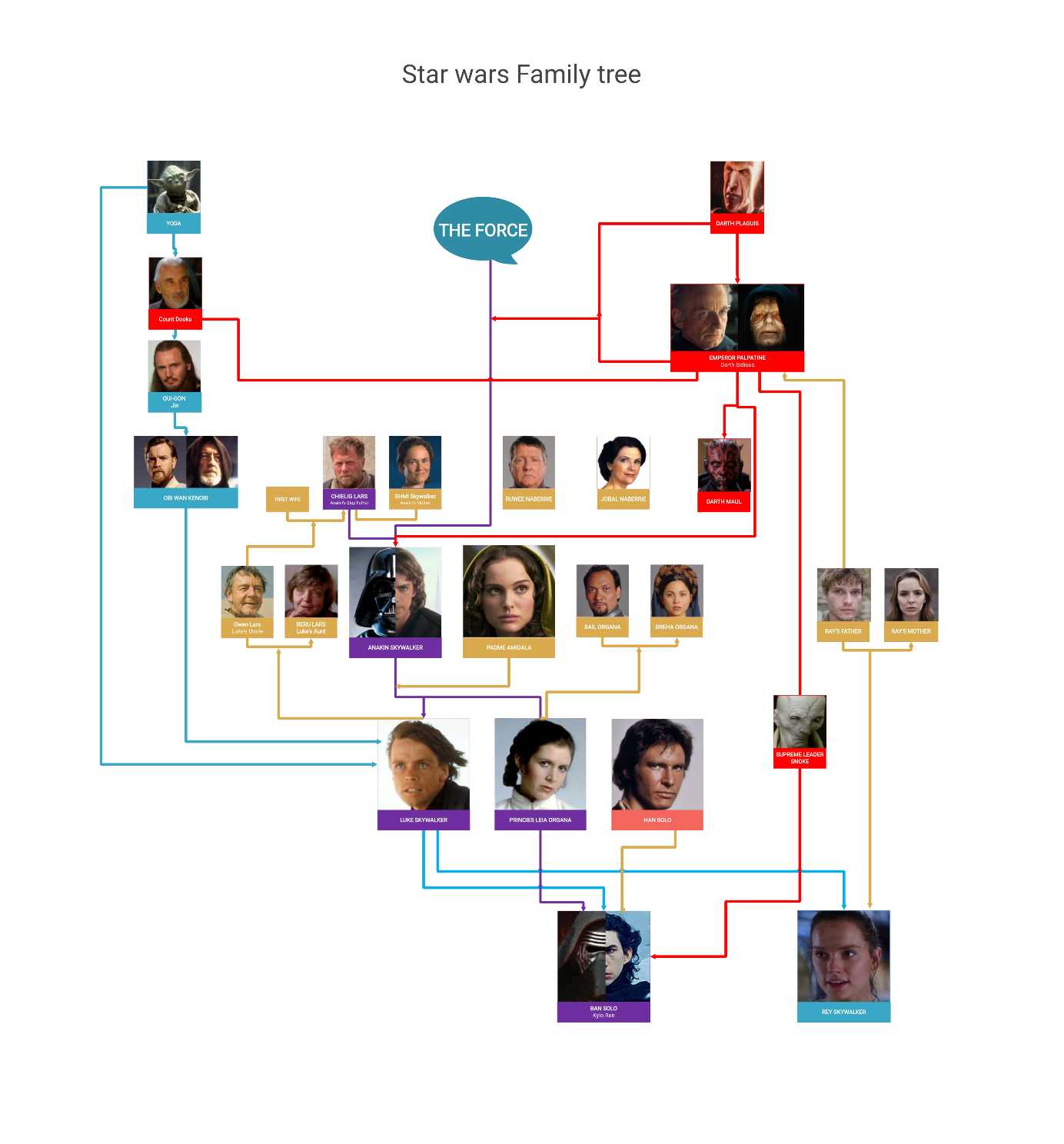
This chart shows how Star Wars characters are connected. It shows the relationship between family, friendships, rivalries, mentors, and Force users. The main character is in the center, with lines showing connections. Colors or labels can show roles or groups like Jedi, Sith, Rebels, or Empire. It is helpful for fans, new viewers, teachers, or anyone learning the story.
Novel Character Relationship Map
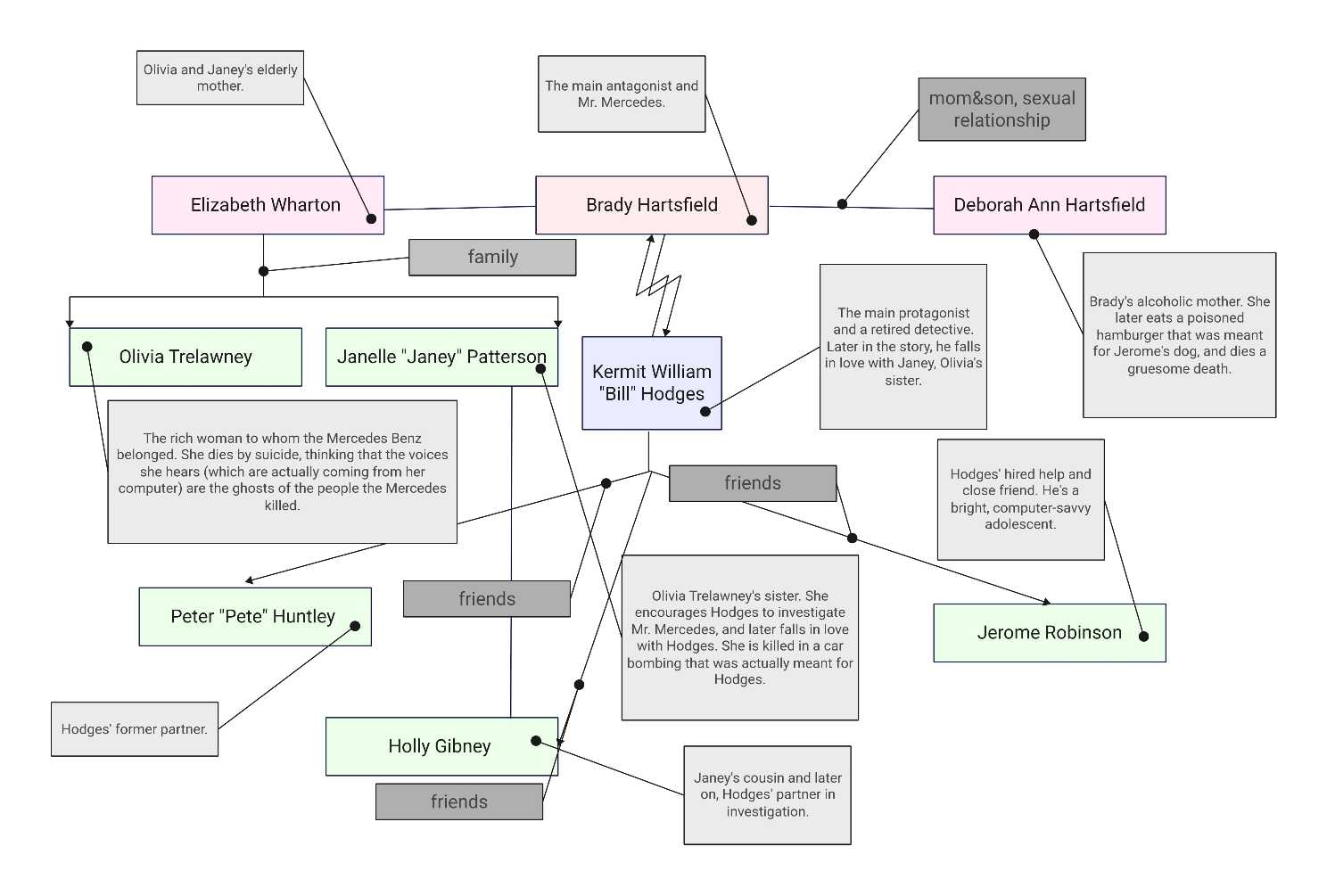
The map is created around relationships in any story that has numerous characters. It displays the friends, the competitors, or the relatives in a proper manner. It is useful for readers, students, and book clubs alike to keep track of interactions, understand conflicts, and recall associations. It is a helpful template for anyone who loves reading novels in a fun and entertaining style.
Closing Thoughts
To sum up, character relationship charts are useful tools to show how characters interact in any story. They make complex relationships, such as friendship, rivalries, and family bonds, less complex and easier to follow.
In EdrawMax, it takes a short time to draw these charts, and the best thing is that it is free. You can use templates, drag-and-drop tools, and customize colors or icons. In just a few minutes, you can create a clear chart that shows all the important connections between characters.
Start mapping your characters today and bring clarity to your story’s relationships with just a few clicks.
AI Diagram Generator
Enter your prompt. Upload files if needed. Generate diagrams, charts, or slides instantly.




 (AI & Web)