




A radial tree is a circle diagram where all the branches project out of a single center. It is a neat and well-balanced method to show how different pieces of information connect to a main idea. Radial trees are used in Biology, family mapping, data analysis, business teams, and even storytelling.
In this guide, you will learn what a radial tree is and how to create one online for free in just a few minutes.
In this article
What is a Radial Tree?
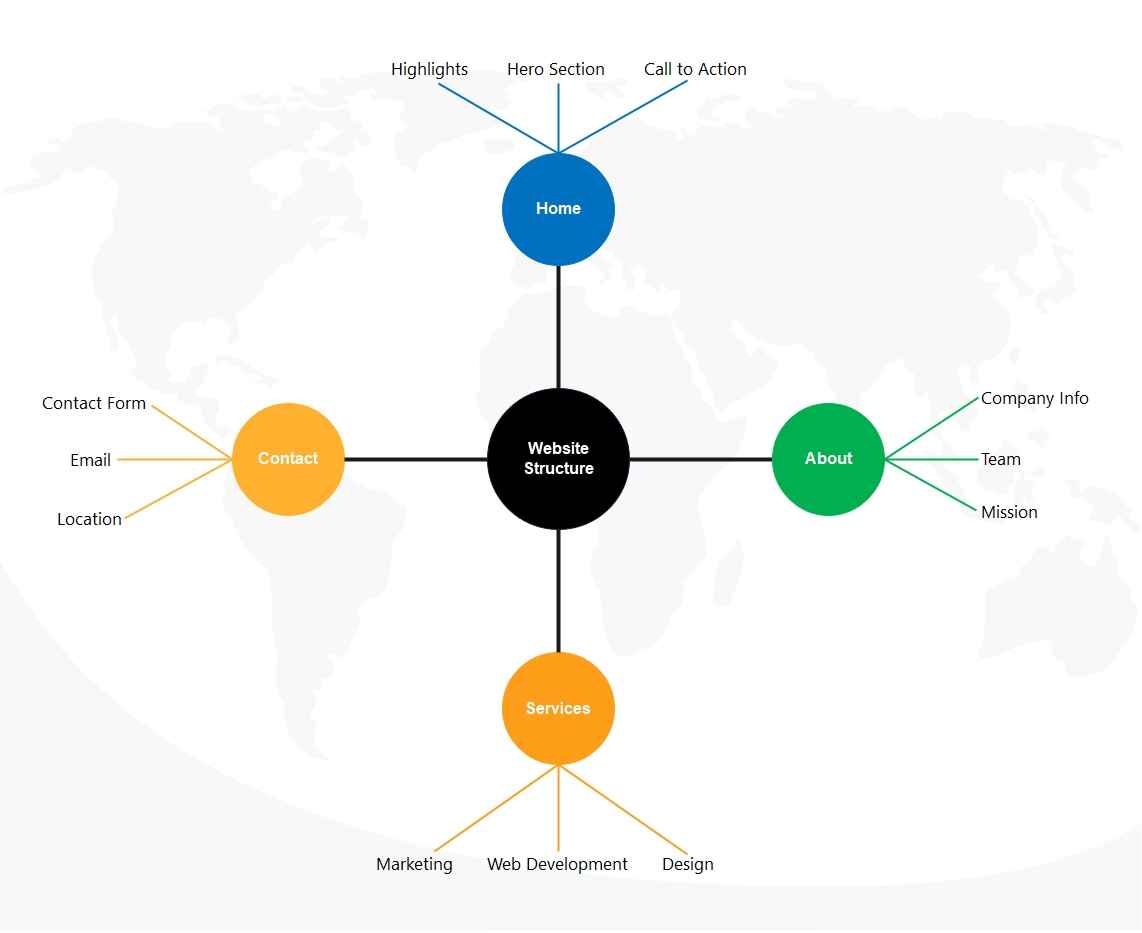
A radial tree, or radial map, is a diagram that displays information in a circular hierarchy. Everything begins at the center. From that central node, the diagram expands outward in rings. Each ring represents a new level of information, making the structure easy to read at a glance.
It is made of nodes, branches, and child nodes. The center comprises the key concept. The branches are spread out to display subtopics, groups, or relationships. When arranged together, the whole chart forms a clean and organized circular flow.
Radial trees are useful in many areas. You'll see them in family structures, taxonomy charts, business teams, and cluster diagrams. They are great for explaining information levels and showing how every part links back to one central point.
How to Make a Radial Tree Online?
A radial tree works best when the data is organized and clear. Since everything spreads out from the center, planning ahead saves time. Before you start designing one, make sure you understand the hierarchy you want to show. These quick tips will help you get ready:
- Know the purpose: Know why you're creating the radial tree. It could be for visualizing relationships, organizing data, or showing hierarchy in a circular form.
- Identify your main topic: Determine your key or root topic. Everything else will branch out from this point.
- List all sub-levels: Make a list of the sub-categories, or data groups, you wish to include. A radial tree is effective when the hierarchy is clear.
- Make it simple: Do not put too many layers in the structure at the start. Begin with important levels, and add more levels as necessary.
- Plan the layout: Think about how many branches each level will have. Balanced spacing helps the final diagram look clean and readable.
- Select your tool: Choose a diagram tool like EdrawMax, which offers templates, auto-layout tools, and easy drag-and-drop features for beginners.
Steps to Make a Radial Tree Online for Free with EdrawMax
If you want a clean radial tree, using an online diagram tool is a smart choice. I chose EdrawMax because it’s simple and beginner-friendly and offers free templates.
Here’s a step-by-step process to make a radial tree online for free with EdrawMax:
Step1 Open EdrawMax and Start with a Blank Canvas
- Open EdrawMax online in your browser or desktop app.
- Choose a blank canvas or search for a radial tree template.

 Get 500 free AI tokens
Step2 Add the Central Node
- Insert the main node in the center.
- This will represent your main idea, topic, or root.

Step3 Add Branches and Child Nodes
- Create branches around the central node.
- Add child nodes to form the first ring or layer.
- Continue adding more rings as your hierarchy grows.

Step4 Customize Colors and Layout
- Click on each node to edit text.
- Change colors, icons, and line styles to match your theme.
- Use radial layout options to adjust the symmetry.

Step5 Review and Adjust Spacing
- Check if the levels are clear and evenly spaced.
- Make sure labels are readable and nothing overlaps.

Step6 Save or Export Your Radial Tree
- Download, or save your file.
- Export your radial tree as PNG, JPG, PDF, SVG, or an editable EdrawMax file.

Free Radial Tree Templates to Get Started
Radial trees help you show information in a clear, circular layout. They make it easy to see how different parts connect to one central idea.
Take a look at some free radial tree templates and start making your charts with a few clicks.
Family Radial Tree
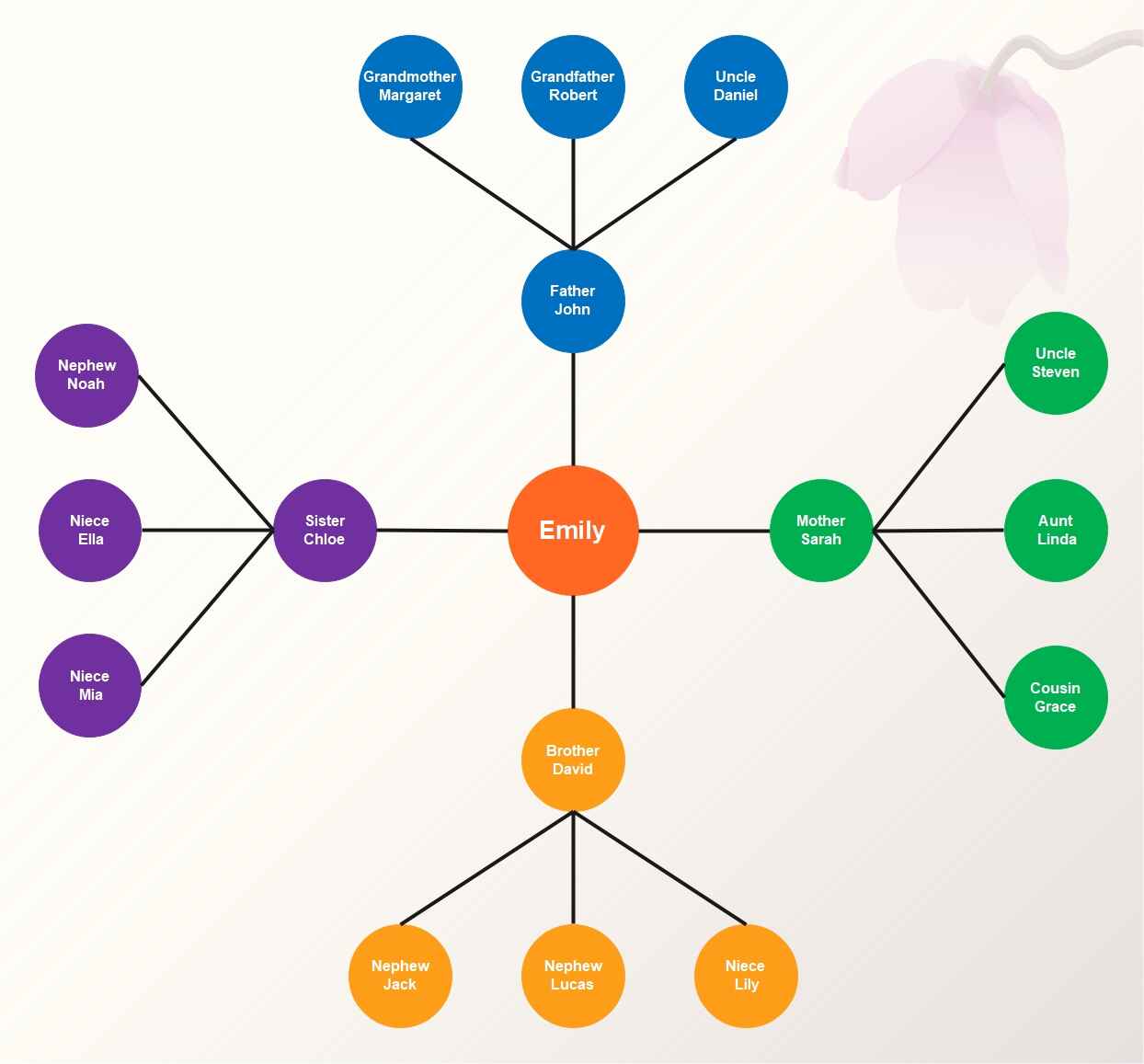


The family lineage radial tree begins with one person in the center. The family spreads outward in a circle. Each branch in the diagram shows different relatives, such as parents, grandparents, siblings, cousins, and even nieces and nephews.
The design is simple and easy to follow, showing how everybody is related. Its round shape makes it clear and helps anyone understand family relationships.
Company Organization Radial Tree
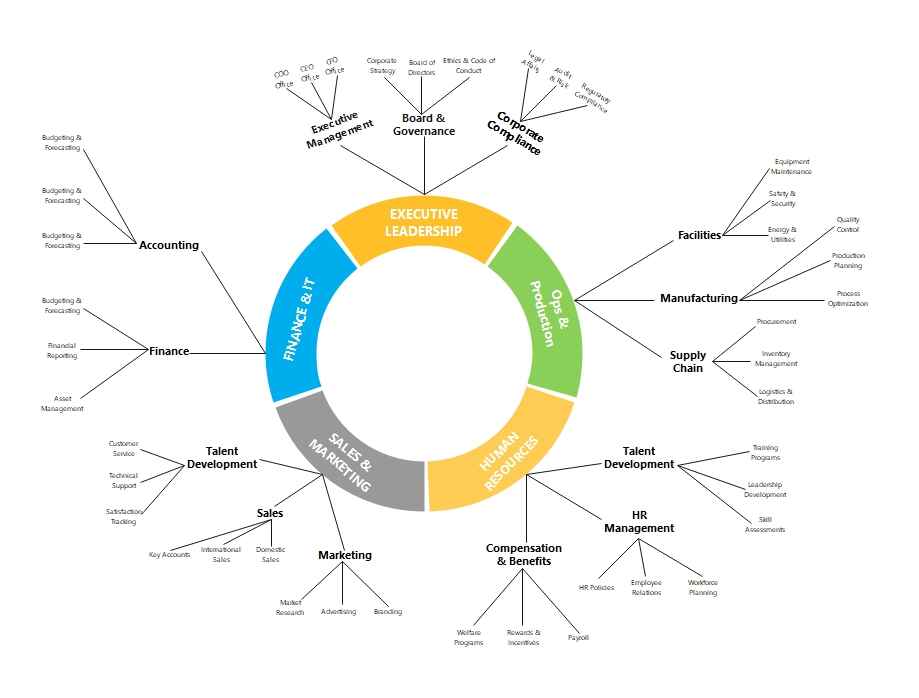
This template is an example of a radial tree of business departments. Here you can see the main organization in the center. The circle is extended to indicate departments like Finance, Sales, HR, and Operations. All these branches are then further divided into small teams and functions.
The structure is easy to read and helps you see how every part of the company connects. It is useful for students, managers, or anyone learning about business organization.
Mind Map Radial Tree

In this example, a radial tree is used to demonstrate a mind map of Computer Science. The subject is also placed in the center, and key areas are dispersed around it, like AI, Security, Software, Data, and Networking. Each area has smaller topics, like building apps or analyzing information.
The round layout helps you see how everything is linked. It is useful for students, teachers, or anyone trying to understand the different parts of Computer Science.
Website Structure Radial Tree
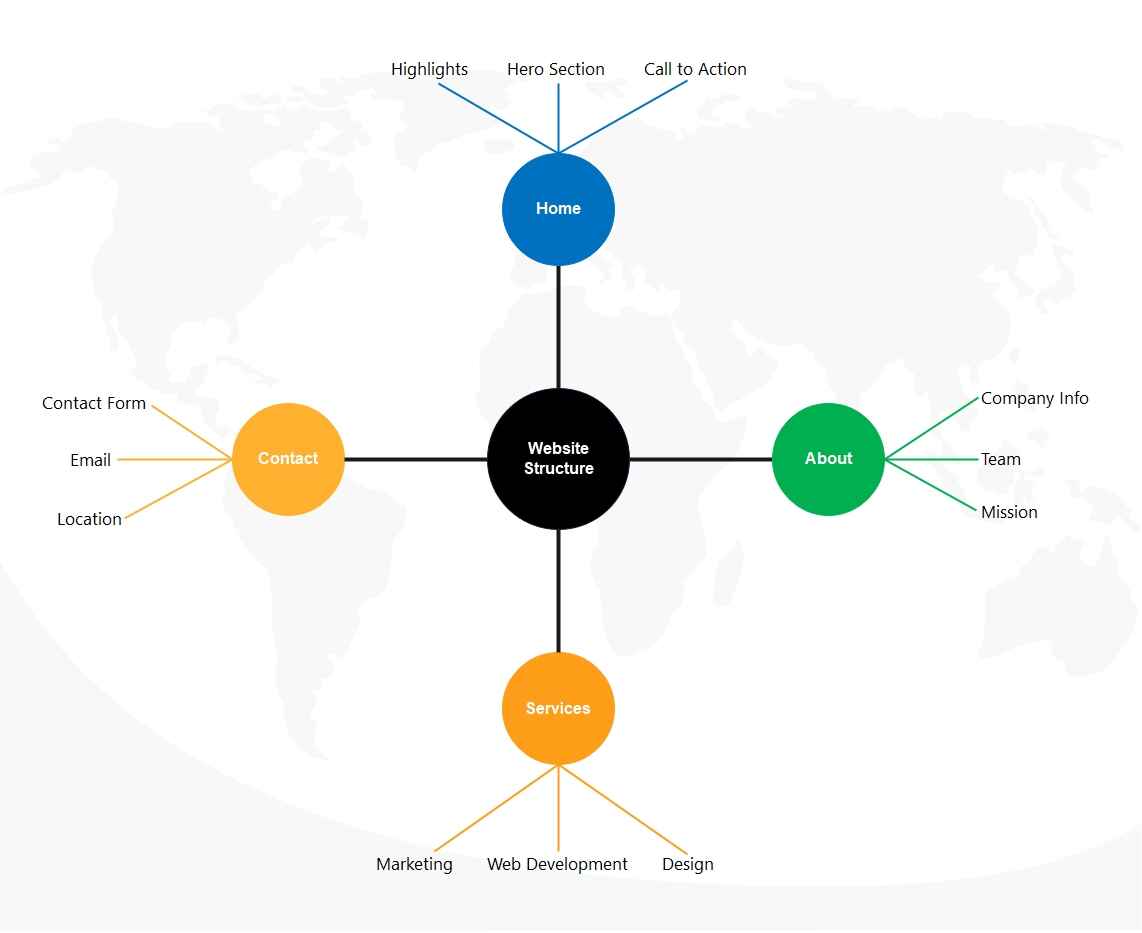
The structure map you see here is a website structure map. It shows the main parts of a website in a simple circular layout. There are four major sections of this site, namely: Home, About, Services, and Contact. Each section has smaller pieces, like team info, or service types. The smaller pieces include each section, team info or type of service.
This template layout is designed for students, new designers, or anyone learning how website pages connect and work together.
Evolution Phylogenetic Radial Tree

This diagram shows a radial view of the Tree of Life. In the center, you have the starting point of life, and from there it spreads into three main groups: Bacteria, Archaea, and Eukaryota. Each group contains many types of living things, from tiny microbes to plants and animals.
It is helpful for students, teachers, or anyone learning about how living things are connected through evolution.
Final Thoughts
A radial tree is an effective way to show how different items or groups connect to a central idea. It helps turn complex information into a clean, easy-to-read visual.
If you want to create a polished radial tree with no design stress, EdrawMax is a great option. You can use free templates, customize them quickly, and export your final diagram in many formats.
Try EdrawMax today and start making your own radial tree online for free.
AI Diagram Generator
Enter your prompt. Upload files if needed. Generate diagrams, charts, or slides instantly.





 (AI & Web)