EdrawMax User Guide for Desktop
User Guide for Desktop
-
Get Started with EdrawMax
-
User Interface
-
Basic Operations
-
Advanced Operations
-
Shape Operations
-
Drawing Tools
-
Formatting and Styling
-
Text Operations
-
Symbol and Library
-
Insert/Add Objects
-
Page Settings
-
Presentation Mode
-
AI Features
- How to Make a Diagram with Edraw AI
- AI Slides
- AI Infographics Generator
- AI Copywriting
- AI Stickers
- AI Symbols
- AI Analysis
- AI Drawing
- AI OCR
- EdrawMax Quotation Tool
- AI Diagram Generator
- AI Framework Generator
- EdrawMax AI Copilot
- AI Chatbot
- AI Flowchart
- AI Mind Map
- AI Timeline
- AI Table
- AI List
- AI SWOT Analysis, PEST Analysis, and Lean Canvas
- AI User Profile
-
How to Make a Flowchart
-
How to make an Org Chart
-
How to make a Gantt Chart
-
How to Make a Mind Map
-
More examples
For Desktop
For Mobile
AI Infographics Generator
Aside from diagrams, EdrawMax also lets you create other visual tools, such as infographics. Notably, you can do this with the help of the AI Infographics Generator.
Step ❶ Homepage Access
- The AI Infographics Generator is part of the Edraw Agent AI Diagram Creator toolset.
- You can access it from the homepage by going to the Edraw Agent tab.
- Then, choose the Infographic mode, type in your prompt, and press the arrow button to generate.
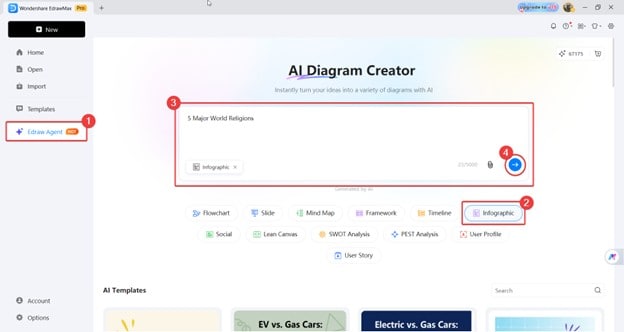
EdrawMax infographic homepage
Step ❷ Workspace Access
- Another way to generate infographics is through the workspace.
- First, you must click the Edraw Agent icon, then use the Diagram Generation mode.
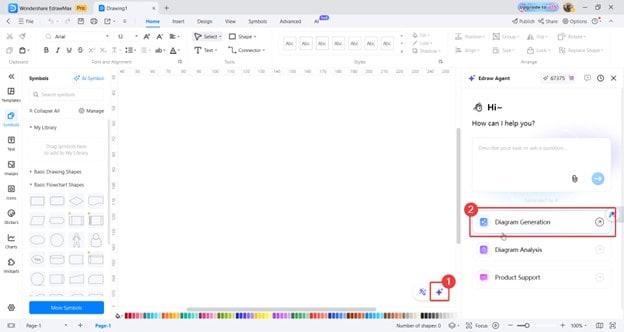
Edraw Agent workspace
- Then type your prompt into the text box. Make sure to be specific as to the kind of diagram. In this case, let’s make sure to add a “Generate an infographic…” portion.
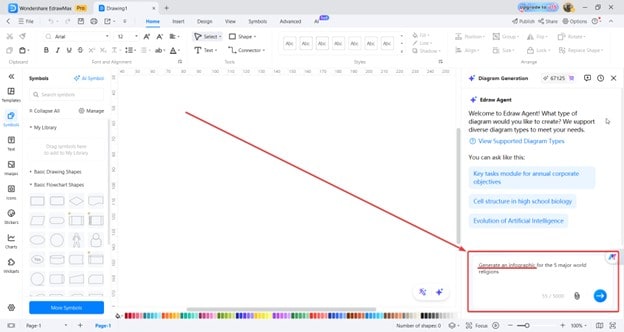
Edraw Agent infographics
Step ❸ Adding to Timeline
- After entering your prompt using the options above, you will see four options.
- If you found something you like, hover your mouse and click Insert.
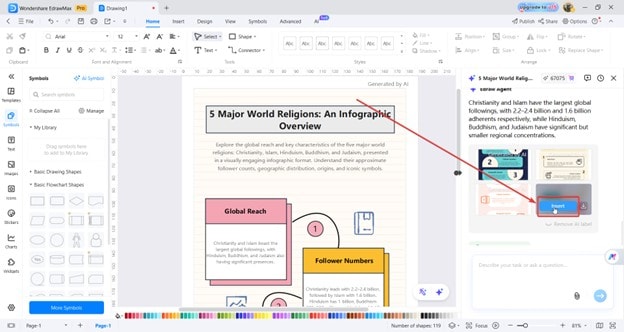
Edraw Agent add to timeline
Pro tip:
You can also download the infographic generated with the Download button just beside Insert.
 (AI & Web)