EdrawMax User Guide for Desktop
User Guide for Desktop
-
Get Started with EdrawMax
-
User Interface
-
Basic Operations
-
Advanced Operations
-
Shape Operations
-
Drawing Tools
-
Formatting and Styling
-
Text Operations
-
Symbol and Library
-
Insert/Add Objects
-
Page Settings
-
Presentation Mode
-
AI Features
- How to Make a Diagram with Edraw AI
- AI Slides
- AI Infographics Generator
- AI Copywriting
- AI Stickers
- AI Symbols
- AI Analysis
- AI Drawing
- AI OCR
- EdrawMax Quotation Tool
- AI Diagram Generator
- AI Framework Generator
- EdrawMax AI Copilot
- AI Chatbot
- AI Flowchart
- AI Mind Map
- AI Timeline
- AI Table
- AI List
- AI SWOT Analysis, PEST Analysis, and Lean Canvas
- AI User Profile
-
How to Make a Flowchart
-
How to make an Org Chart
-
How to make a Gantt Chart
-
How to Make a Mind Map
-
More examples
For Desktop
For Mobile
AI Slides Generator
The AI Slides Generator of EdrawMax is a quick way to create presentations. From a simple prompt, you can have a fully customizable set of slides that you can then export as PPTX or other file types.
Step ❶ Homepage Access
- The AI Slide Generator is part of the AI Diagram Creator suite. So, from the homepage, go to Edraw Agent.
- Then, tick the Slide option, type in your prompt, and generate with the arrow button.
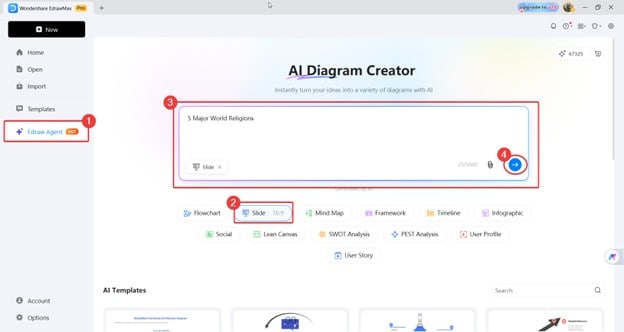
EdrawMax homepage diagram creator
Step ❷ Workspace Access
- You can also access these features from the workspace. Just click the Edraw Agent floating icon, then select Diagram Generation.
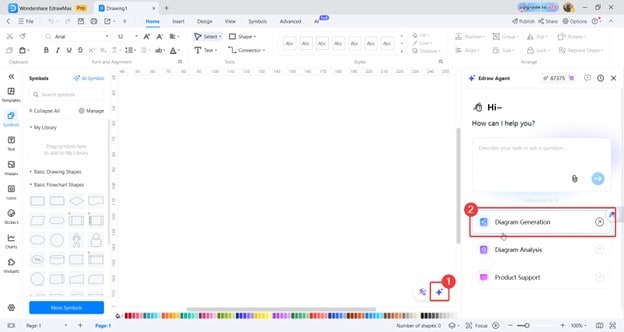
EdrawMax workspace diagram generation
- Then type your prompt into the text box. Be really specific about what you want the AI to generate. For example, we used “Generate a presentation and slides” to make sure that AI generates slides.
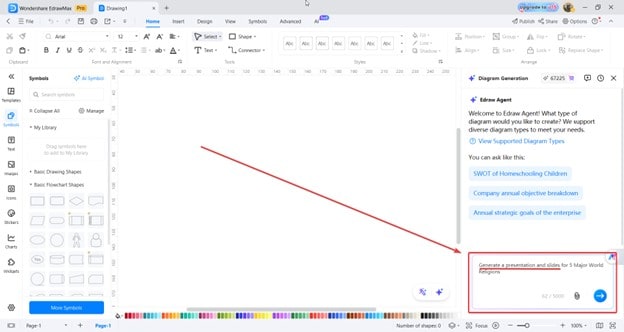
EdrawMax generate slides
Step ❸ Creating the Presentation
- Once the AI finishes generating your presentation, use the Insert button. This will serve as one “slide.”
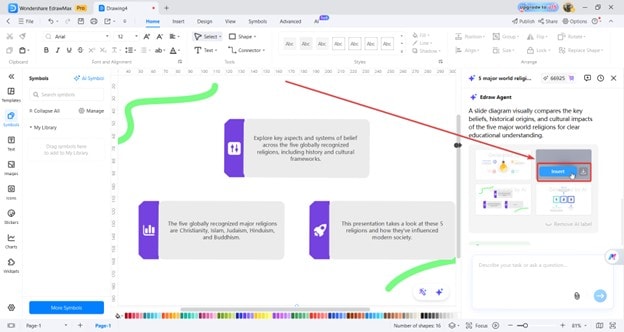
EdrawMax insert slides
- To add more pages or “slides,” press the + button as marked below. On the new page, you can once again Insert any of the generated pictures or ask AI to generate some more for your second slide.
- Repeat this process until you complete your presentation within EdrawMax.
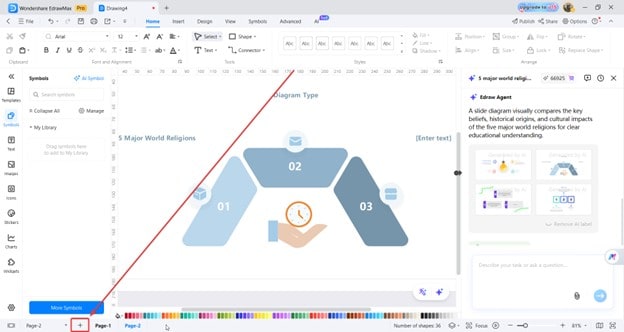
EdrawMax add pages
Step ❹ Exporting as PPT
- Once done, use the Export button.
- Make sure to use the All pages mode in the Export range setting.
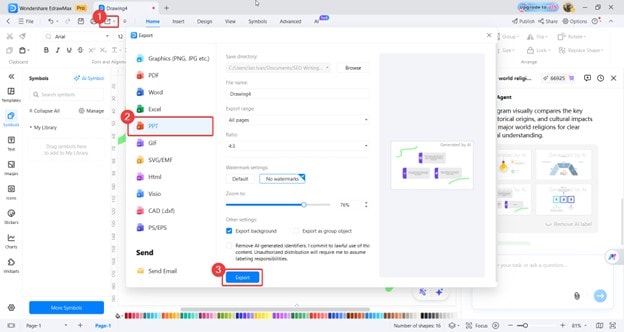
EdrawMax export ppt
 (AI & Web)